


A passerby who was kicked made his own various bootable USB flash drives, such as WinPE Rescue,Windows USB installation disk、Windows to go, or evenAndroid x86 installed to USB disk, so there are countless flash drives, large and small. USBOX 6.0 is a free Windows 10 PE ISO bootable CD image file that supports network, NVME, Intel 11th generation platform, BIOS/UEFI dual boot, and contains many useful software such as backup and restore, disk management… When your Win or Mac system has a problem and cannot boot, as long as you have USBOX 6.0 to start WinPE boot, everything will be done.

用 Telegram 訂閱【挨踢路人甲】最新文章:https://t.me/itwshare
I have been working in computers for more than 20 years. In a stable system, after a long period of installation, removal and operation, I have seen the inability to enter the computer system again and again. Faced with various computer problems, USB boot repair disks are indispensable. USBOX 6.0 can turn your USB flash drive into a USB flash drive for the WinPE rescue system. You don’t have to worry about the computer not having a CD drive. When you are unable to enter the Windows or Mac system, you will find that the flash drive turns magic into power and will be your little magic lamp.
[Software name]: USBOX 6.0
[Software size]: 1.7 GB
[Operating system]: Windows 10 PE
【Official website】:https://bit.ly/36pySmF
Download USBOX 6.0
USBOX 6.0 is a system maintenance tool that supports BIOS/UEFI booting. You can see the version evolution and content description on the official website.

Scroll down to find the download link, one-click production version and ISO file.

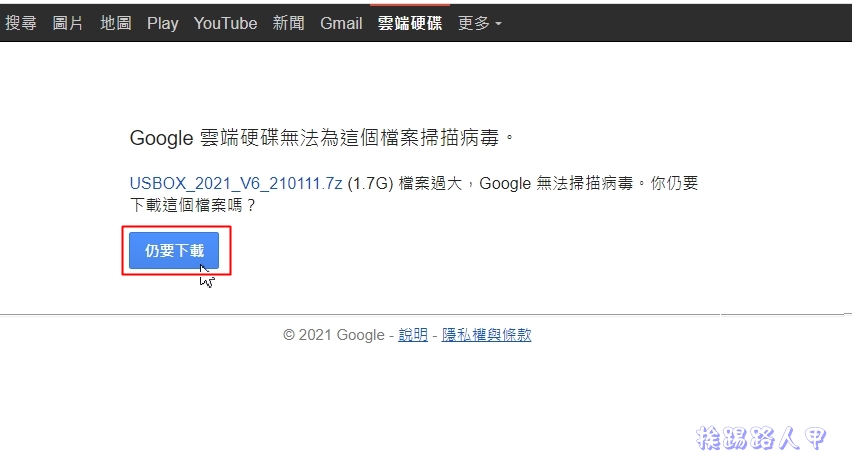
The author chose the Google Cloud space created with one click, and clicked [Download] when seeing the picture below.

Then click “Download Still” again. The file size is about 1.7G, and the time depends on your bandwidth.
After downloading, it is an compressed file. Before decompressing, it is best to turn off the real-time scanning behavior of the anti-virus software. Because USBOX uses the au3 scripting language and involves disk reading and writing and login file operations, the anti-virus software may cause false positives. The author uses the built-in security protection of Windows 10 as an example, as shown in the figure below to temporarily turn off real-time protection.

After unzipping and looking inside the folder, you should pay attention to the PDF file and the USBOX_v6.exe file. USBOX_v6.exe is a one-click program, and the PDF is the program’s documentation.

Make a bootable disk
Please insert the USB flash drive and execute USBOX_v6.exe. You will immediately see the creation window screen. Select the right side of the device bar to see if it is the flash drive you inserted, and directly click [New Creation].

Before production, you will be warned to delete all data on the flash drive. If there is no backup, you can press [Cancel]. If you are sure there is no important data, press [OK] to start production.

You will see five major steps at the bottom of the window during the production process.

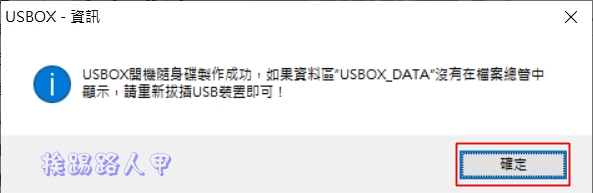
After completion, you will see a message that the USBOX bootable disk was successfully created.

Boot using USBOX
Plug it into the USB 3.0 hole on the front of the computer I DIYed and turn it on.

Insert the boot flash drive into the USB slot, enter the motherboard UEFI screen, set the boot mode to UEFI, and boot with USB boot first. Each brand of motherboard has a different interface. The picture below is the setting screen of the ASUS motherboard.

The picture below is the screen you enter after USB booting and starting to play. It is the Windows PE version. People who often use the computer or need repair tools may wish to download it and play. This USBOX 6.0 system maintenance tool disc is a small operating system of Windows 2003PE and Windows 10 PE used in old computers. It is very convenient for installation, deployment and repair. It also provides direct tool menus such as hard disk tools, Ghost, delete Windows login password, etc. on the menu. The default value is stopped at Windows 10 PE.

When entering Windows 10 PE, there are three options: maintenance version, all-round board, and tablet. Maintenance board is generally used!

The picture below is the author’s version description, please refer to it.

This is the screen for entering Windows 10 PE. The operation is the same. It is actually a smaller version of Windows 10!

Use other tools to create
If you are troubled by the fact that the one-click installation version you downloaded has been removed by the real-time scanning behavior of the anti-virus software, you can also download the ISO version and use the one I have introduced before.RufusUSB disk creation tool to create.

You can also see the version menu of Windows 10 PE. For detailed instructions and frequently asked questions, please refer to the official website.

Further reading:
Source: KOCPC Chinese