


Having a cup of coffee every day to refresh yourself is a daily habit for many office workers. However, the human body’s daily metabolism of caffeine is limited. In addition to coffee, beverages such as tea and cola also contain caffeine. If you do not control your own caffeine intake, it can easily harm your body and affect your sleep quality. If you are used to having a cup of coffee every day, or almost rely on caffeinated drinks, then the “HiCoffee” caffeine recording APP is highly recommended. You can record and easily check your caffeine intake at any time through your iPhone or Apple Watch.

HiCoffee caffeine record APP, daily caffeine intake can be easily checked through iPhone and Apple Watch
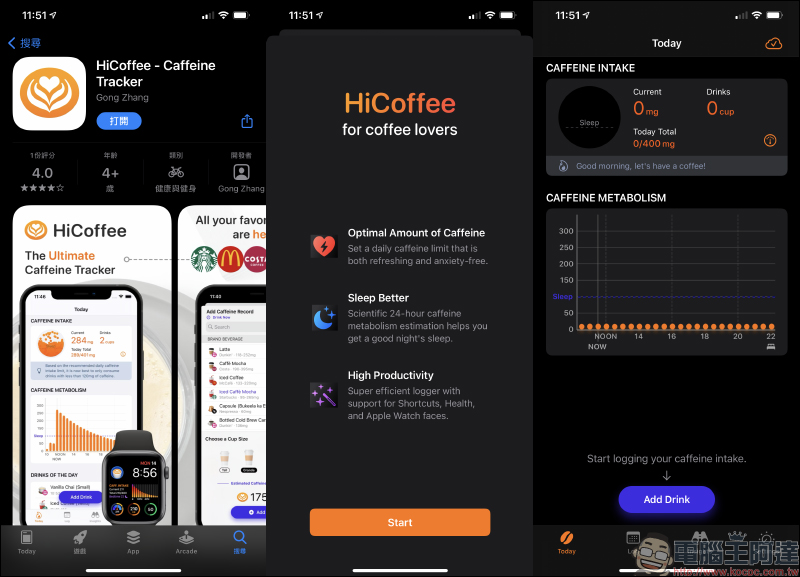
The full name of this HiCoffee caffeine tracking app is “HiCoffee – Caffeine Tracker”, and users can download it for free from the App Store. However, this app currently only supports English and Simplified Chinese. Readers who care about Traditional Chinese should consider using it!
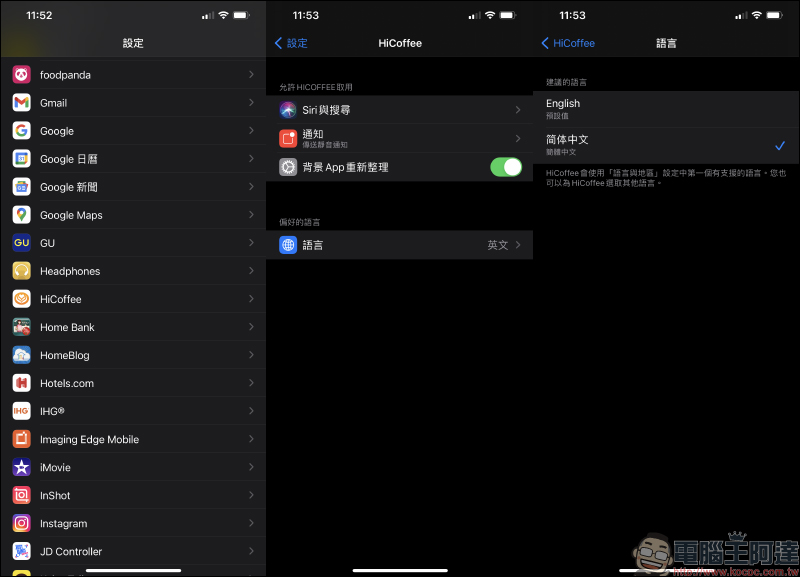
If you want to use the Chinese interface, download the app, go to the iPhone’s “Settings”, select the “HiCoffee” app, and change the preferred language to Simplified Chinese:
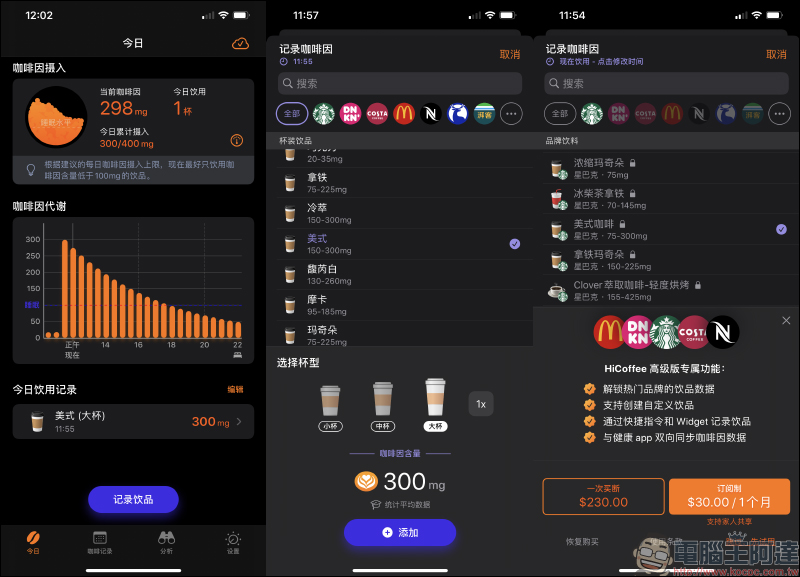
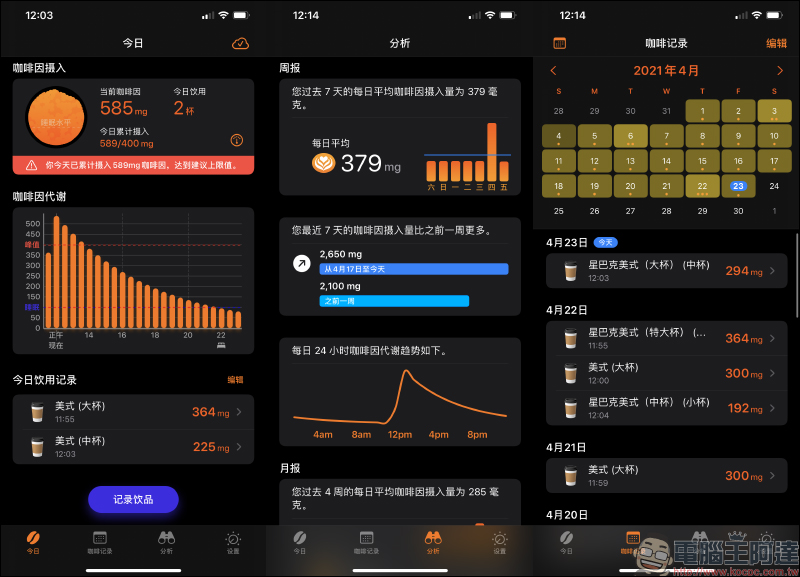
Then open the HiCoffee App and you will see the Simplified Chinese interface screen! Although it is in simplified Chinese, reading it generally does not cause much inconvenience. The entire app is also very convenient to operate. Users only need to click “Record Drinks” at the bottom of the main screen to add a variety of preset caffeine-containing drinks (such as coffee, cola, green tea, black tea, refreshing drinks, etc.). For example, coffee also has three preset cup types: small cup, medium cup and large cup. Users can also fine-tune the amount according to the amount of caffeine.
In addition, HiCoffee App also provides a preset drink list from chain brands such as Starbucks, but this part requires users to purchase or subscribe separately. The author personally recommends that you purchase this service without paying, because the app also provides users with the ability to customize the caffeine record value.
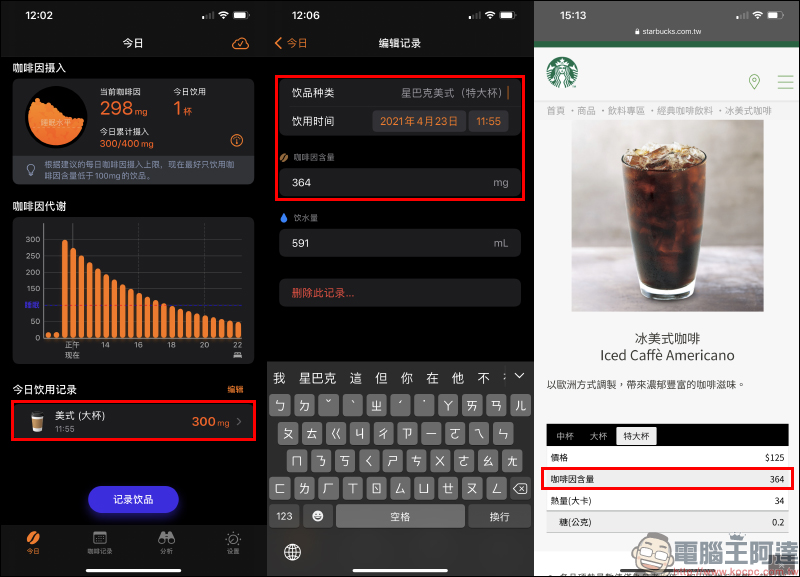
If you want to record caffeine intake for free and accurately, users only need to select a cup type from the preset list (here I use “American (large cup)” as an example), and then edit today’s drinking record to adjust the type of drink, drinking time, caffeine content and water consumption.
A little trick here is that the small cup (355ml), medium cup (473ml), and large cup (591ml) in the HiCoffee App roughly correspond to Starbucks’ tall cup (Tall), large cup (Grande), and extra large cup (Venti), so users only need to select the right cup type and manually edit the caffeine content and product name.
If the user’s caffeine intake exceeds the standard that day, the main screen will also remind the user in time. In addition, users can also understand their recent caffeine intake status through the app’s built-in analysis function. If you want to check your long-term daily caffeine intake, you can also view it as a monthly calendar in the coffee log.
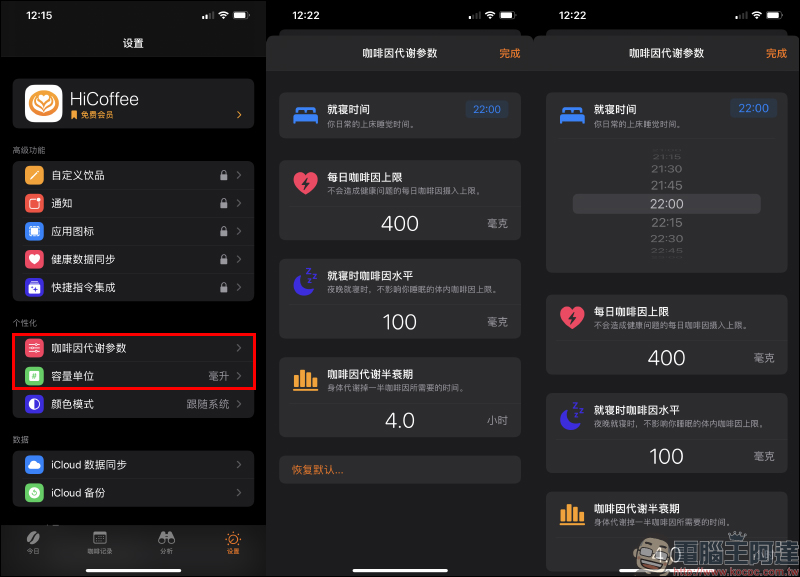
If you want to adjust the values of caffeine metabolism, such as daily caffeine limit, bedtime, etc., you can also adjust it yourself in the settings.
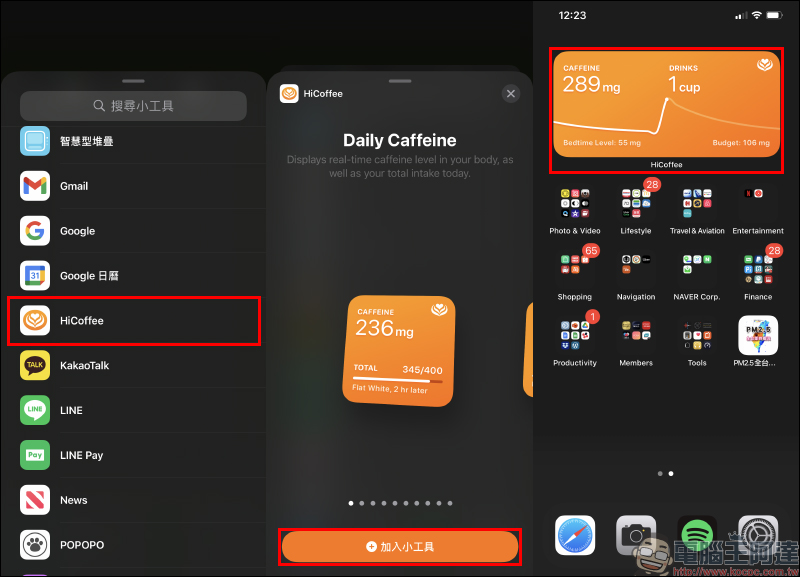
HiCoffee App also supports the new iOS desktop gadget function starting from iOS 14. Users can choose desktop gadgets in a variety of sizes.
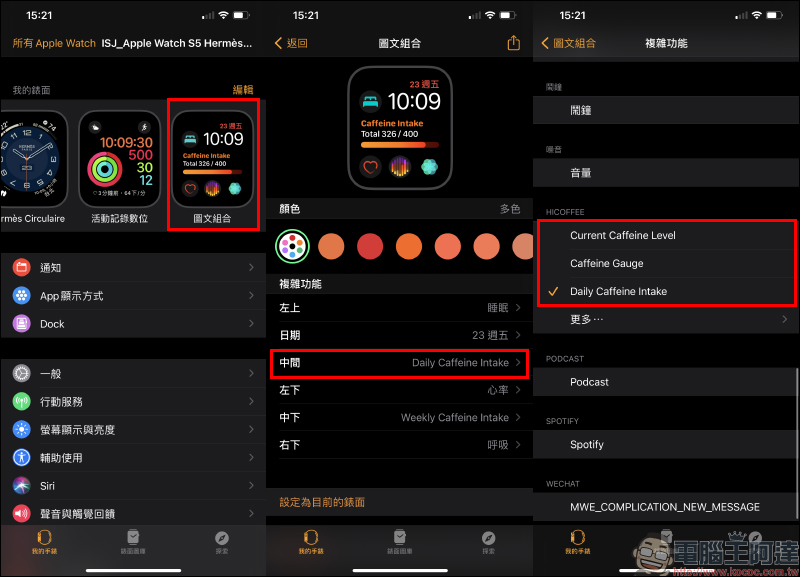
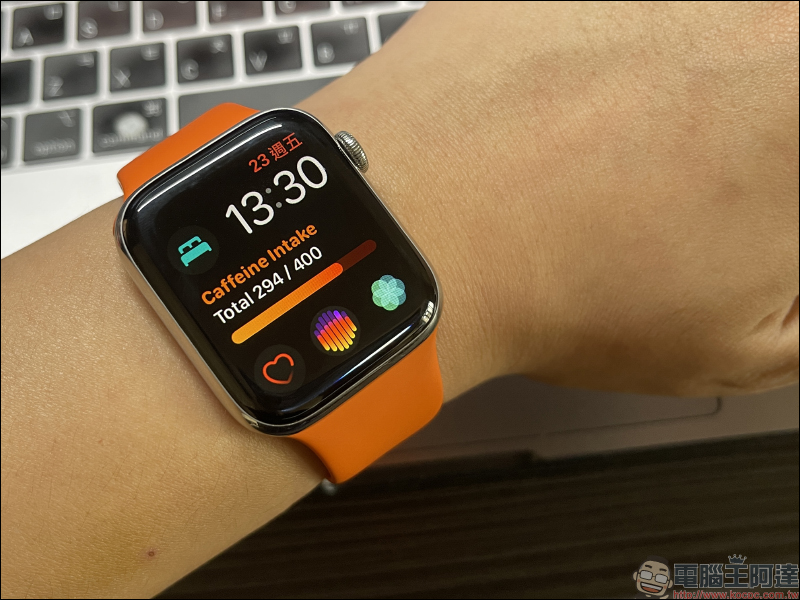
If you happen to still use an Apple Watch, you can also set the HiCoffee function’s graphic and text combination watch face, and you can check your caffeine intake status by raising your wrist.
HiCoffee App download:Click here to download (App Store)
Further reading:
The “Friendly Food Map” function of the FamilyMart App is officially launched: 30% off discounts and instant food stores’ inventory can be quickly grasped!


Source: KOCPC Chinese