

• About Us
King of Computer Media
  • Home
  • Tech News
  • AI News
  • Apps & Tutorials
  • Mobile & Telecom
  • Lifestyle
  • About Us
No Result
View All Result
  • Home
  • Tech News
  • AI News
  • Apps & Tutorials
  • Mobile & Telecom
  • Lifestyle
  • About Us
No Result
View All Result
King of Computer Media
No Result
View All Result

Home - Internet and software applications - How to enable dual subtitles on Netflix, use NflxMultiSubs free tool to help you achieve it

How to enable dual subtitles on Netflix, use NflxMultiSubs free tool to help you achieve it

Rocky by Rocky
March 20, 2021 - Updated on August 4, 2026
in Internet and software applications

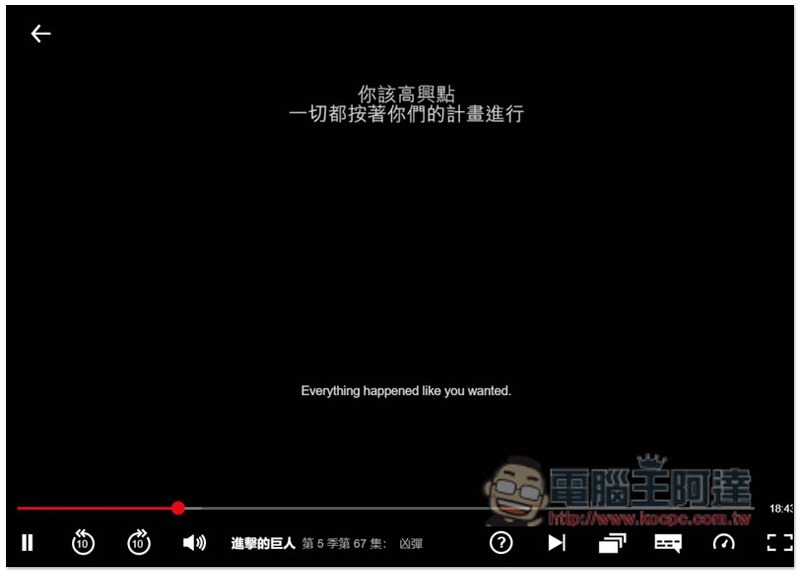
Netflix has a lot of great TV series, movies, and even anime, and they are updated frequently. Therefore, many people who are learning English and foreign languages ​​will use Netflix movies to strengthen their listening skills. However, Netflix currently only supports a single subtitle. If your English is not up to standard, it will be very difficult without Chinese subtitles. In the Chrome extension store, there is such a product called “NflxMultiSubs” that can realize the function of displaying dual subtitles on Netflix. The operation is very simple, and I will introduce it to you below.
Cropro-2021-03-20-16-11-55

Use NflxMultiSubs to implement Netflix’s dual subtitle display function

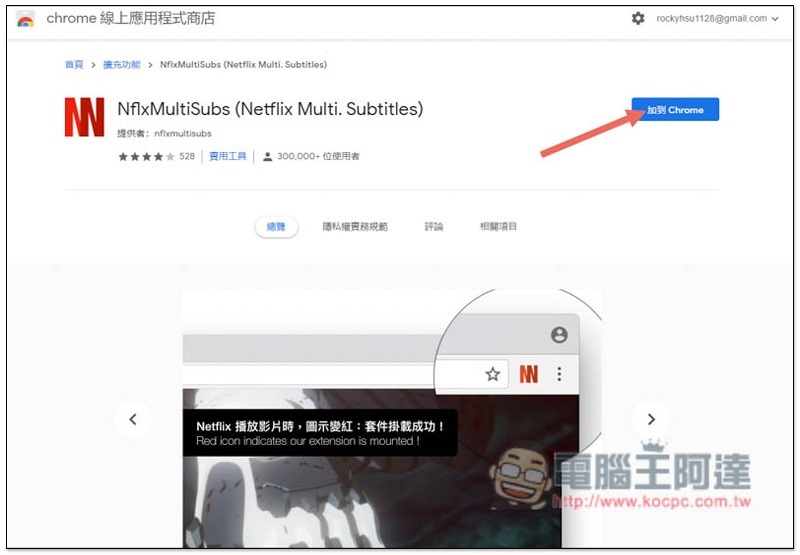
NflxMultiSubs is a Chrome extension plug-in tool, so it needs to be used with the Chrome browser.Click me to go to the Chrome Web Store pageAfter that, click “Add to Chrome” on the right:
Cropro-2021-03-20-16-07-59

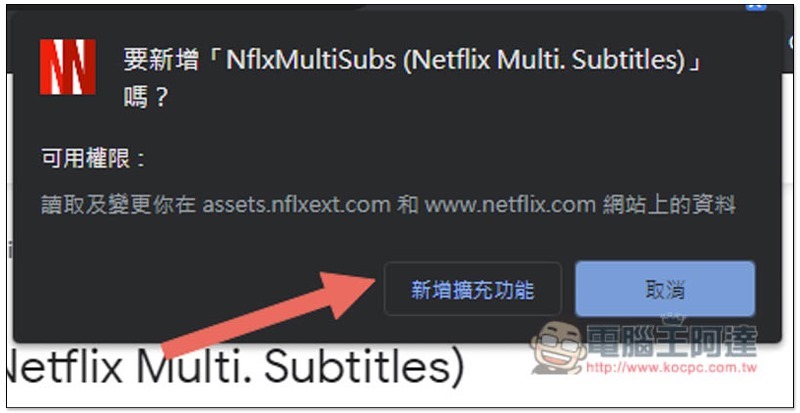
This message will pop up above, click “Add extension” to install:
Cropro-2021-03-20-16-08-08


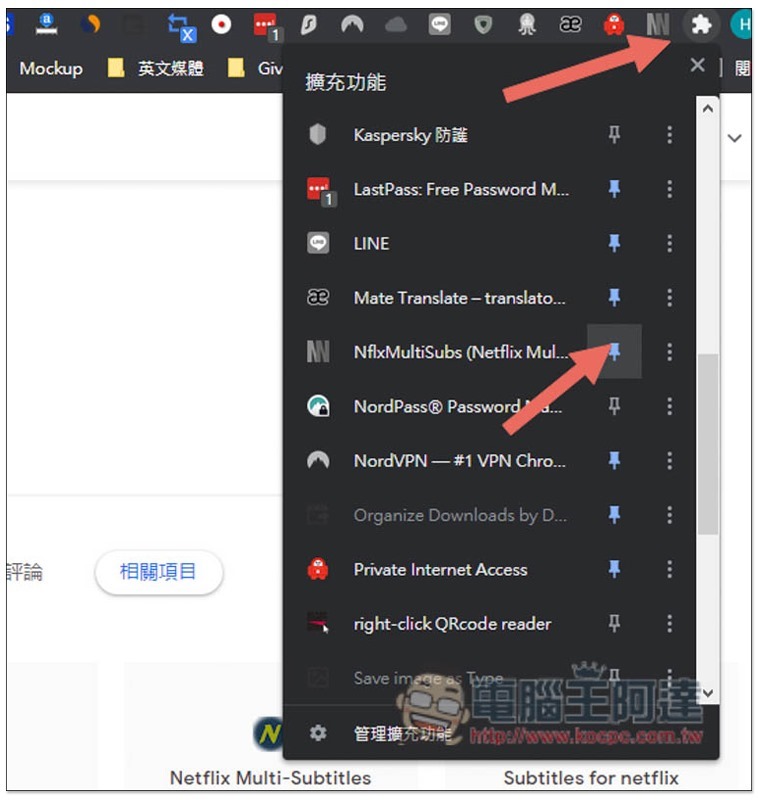
At present, the newly installed expansion plug-ins of Chrome will not be displayed in the upper right corner by default. After opening the puzzle menu on the far right, scroll down to find NflxMultiSubs, and then open the pin on the right, so that it will appear:
Cropro-2021-03-20-16-08-38

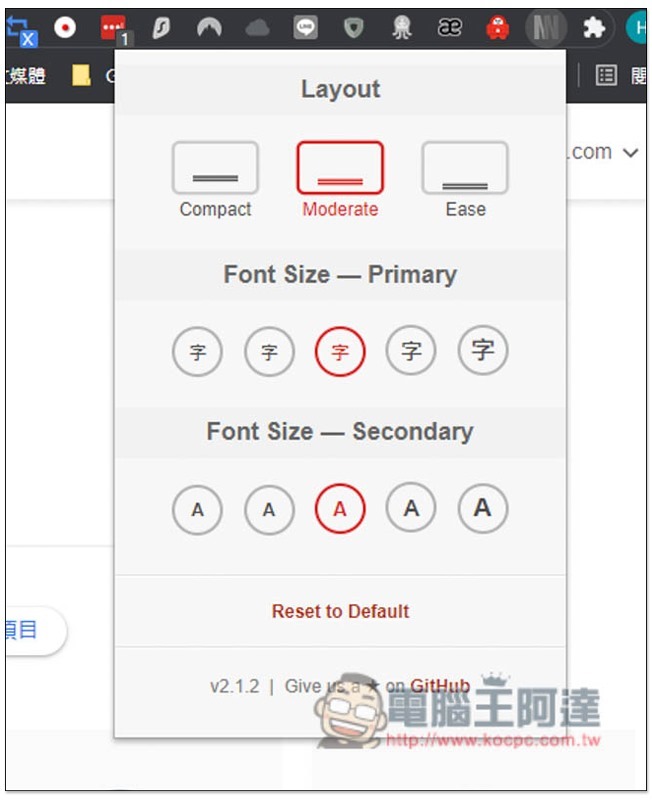
After clicking, you can set your favorite screen configuration Layout, and the font size of the first and second subtitles. You can try the defaults first and adjust them if you are not satisfied:
Cropro-2021-03-20-16-08-46

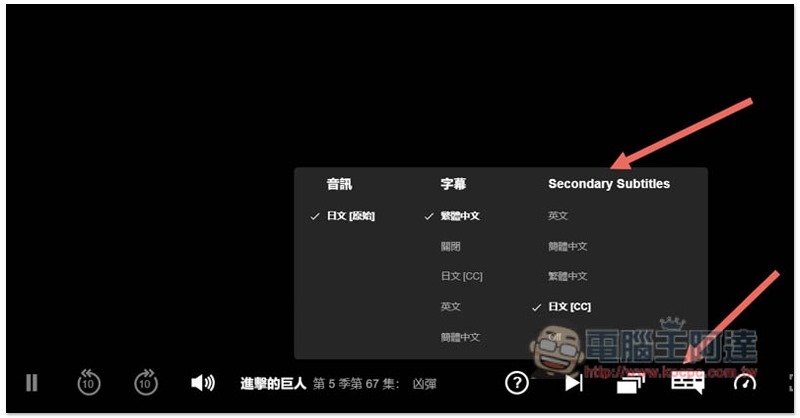
After opening the Netflix video, open the subtitle option in the lower right corner and you will see an additional Secondary Subtitles field. This is the second subtitle. For those who have not seen it, please close Netflix and reopen it:
Cropro-2021-03-20-16-11-23

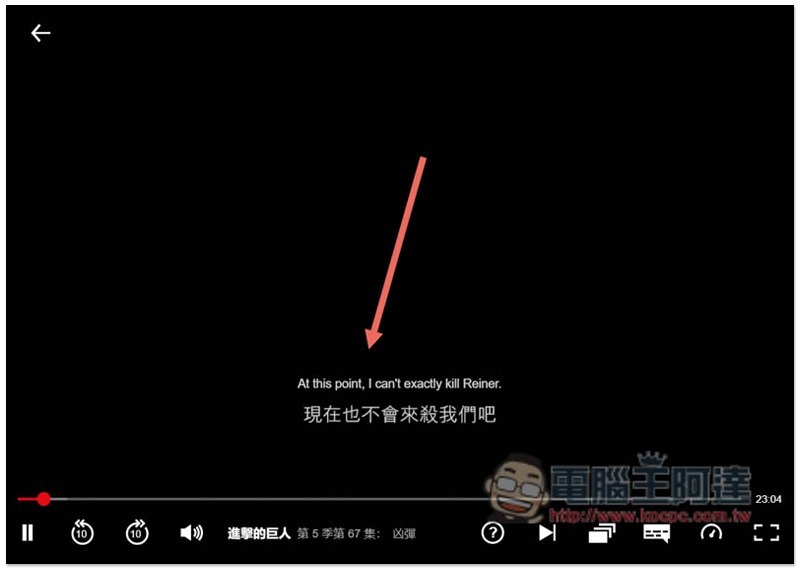
After setting it up, Netflix will display dual subtitles! In this way, when watching a movie in the future, you can focus on the English subtitles first, and then read the Chinese subtitles after the mental translation is completed to see if you understand the meaning correctly:
Cropro-2021-03-20-16-11-37

Another thing to note is that the first and second subtitles displayed by this extended plug-in are provided by Netflix itself, so if you want to watch a movie without Chinese subtitles, there will be no Chinese subtitle option!

Supplementary information

  • NflxMultiSubs installation page:Click here to go

國外 Netflix 影片沒中文字幕看不懂嗎?這篇教你如何實現 Netflix 外掛字幕功能

Source: KOCPC Chinese

Tags: ChromeNetflixNetflix subtitles

Recent Posts

  • Meta Muse Lands on Mac: Personal AI Agent Begins Operating Your Files, Messages, and Calendar (Muse for Mac)
  • First oMLX performance results for M5 Ultra Mac Studio leak: prefill speed 3-4x faster than M3 Ultra, data taken down after exposure.
  • After the iPhone 17, the frame material was changed back to aluminum alloy. Is it better than titanium?
  • The iPhone 18 Pro series, Apple Watch Series 12, Apple Watch Ultra 4, and AirPods 5 are now on sale—a first look, with warm “Burgundy Red” and striking “Glacier Blue.”
  • The battery replacement cost for the iPhone 18 Pro / Pro Max has gone up again! Compared with 5 years ago, the increase has doubled.

Recent Comments

No comments to show.
  • About Us

We welcome partnership inquiries and product review opportunities from smartphone manufacturers, iPhone accessory brands, and app developers.koc kocpc.com.tw|Privacy Policy |Hosting & Maintenance: Fast Line Taiwan, A-Chang Digital Technology

No Result
View All Result
  • Home
  • Tech News
  • AI News
  • Apps & Tutorials
  • Mobile & Telecom
  • Lifestyle
  • About Us

We welcome partnership inquiries and product review opportunities from smartphone manufacturers, iPhone accessory brands, and app developers.koc kocpc.com.tw|Privacy Policy |Hosting & Maintenance: Fast Line Taiwan, A-Chang Digital Technology