


In recent years, Chrome can be said to have been trying to solve the problem of users opening more and more pages, thereby reducing memory usage. Following the previous paging group function, the latest Chrome 89 version adds a very convenient “Add to Reading List” function, which can save web content that you don’t have time to read or process at the moment so that you can open it again later. This article will teach you how to use it.
In addition, this function is integrated with the previous bookmarking, so for those who don’t use it, you may want to turn it off, which is also attached below.

Steps to add the latest features to your reading list in Chrome
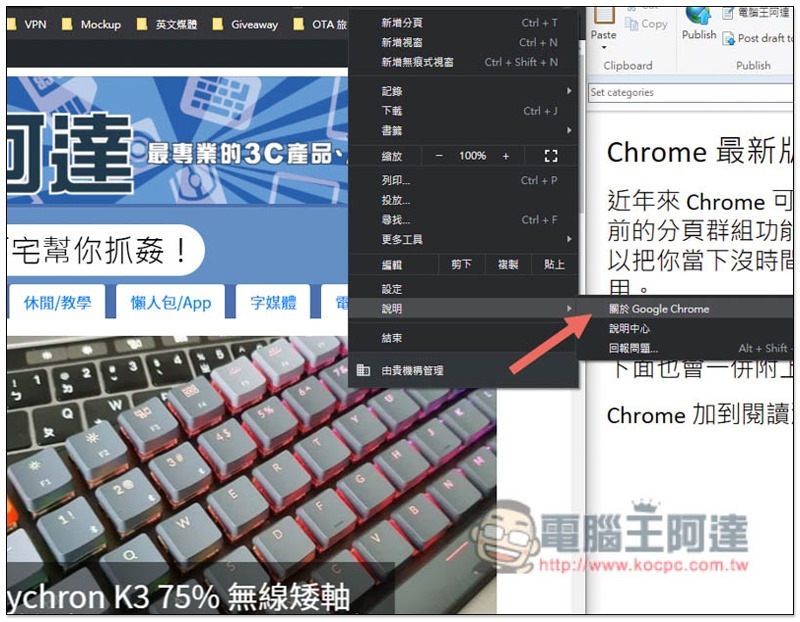
First of all, please make sure that your Chrome has been upgraded to version 89. If you are not sure, you can open the menu in the upper right corner and go to Help –> About Google Chrome:
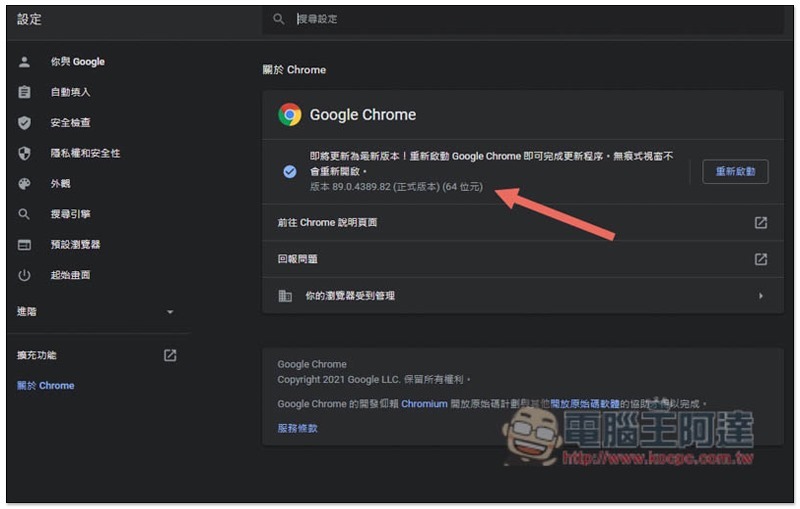
You can see your current Chrome version under About Chrome. If there is a new update, it will be automatically enabled. After the update is completed, restart it and it will take effect:
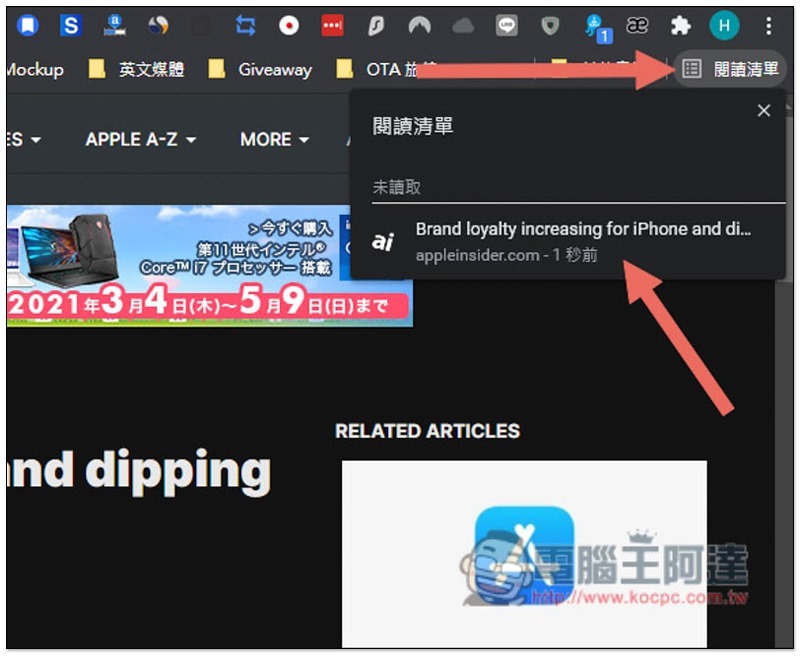
After confirming that you have upgraded to Chrome 89, open the tab you want to add to your reading list, and then click the “star” icon on the right side of the URL. You will see the new “Add to Reading List” feature:

In the reading list option on the right, you can find all the web pages you have added. Click to open it again:
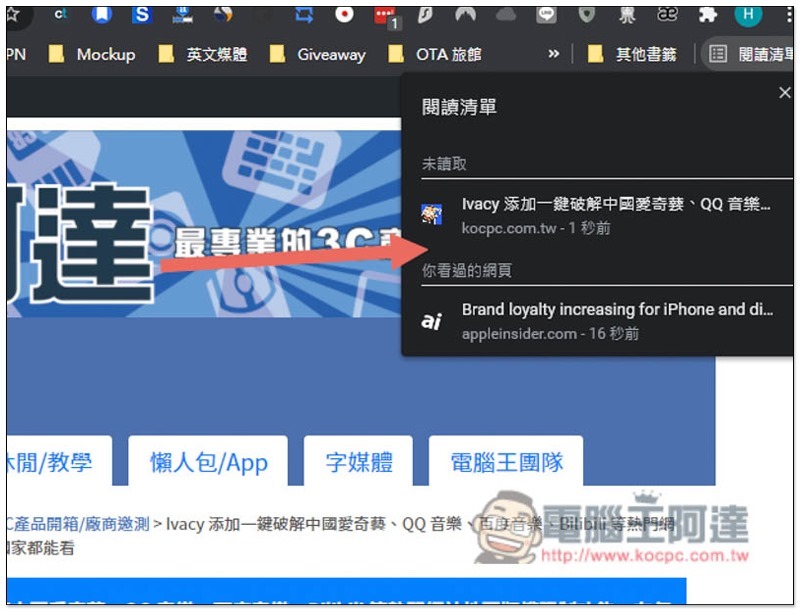
In addition, web pages that have been read can be marked as read, so that the reading list will automatically help you categorize them. The bottom is the web pages that have been read, and the top is the web pages that have not yet been read:
How to turn off the “Add to Reading List” feature
The add to reading list function is currently integrated with adding bookmarks, so for some people, you may still prefer the operation method of adding bookmarks directly after clicking on a favorite webpage. If this is the case for you, you can turn it off.
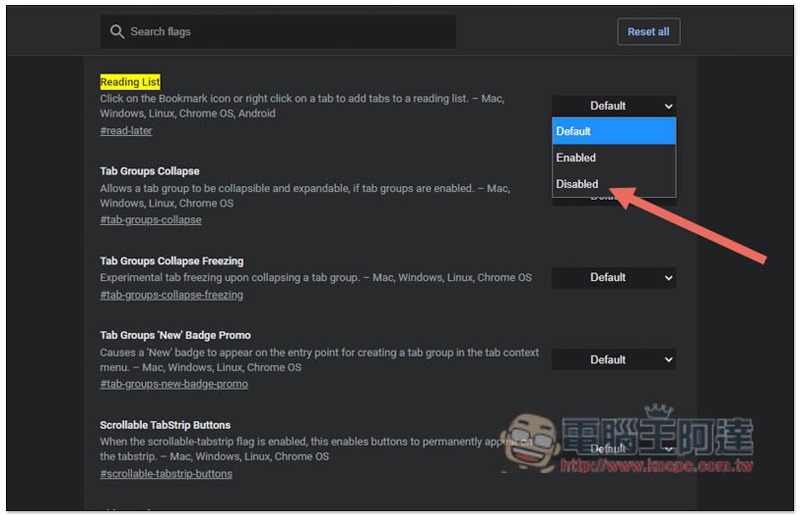
The closing method is very simple, enter in the address bar chrome://flags/#read-later, change Default on the right side of Reading List to Disabled, and reopen Chrome:
Source: KOCPC Chinese