


I always feel that the Spotify playlists listened to by friends/classmates/colleagues are better, so why not recommend your friends (or even yourself) to become an online DJ? Then you really should consider trying Spotify’s “Group Sessions” beta feature that allows friends and family to listen to the music being played simultaneously. Continue reading Become each other’s online DJ! How to use “Spotify Group Playlist”? Please read the report here.
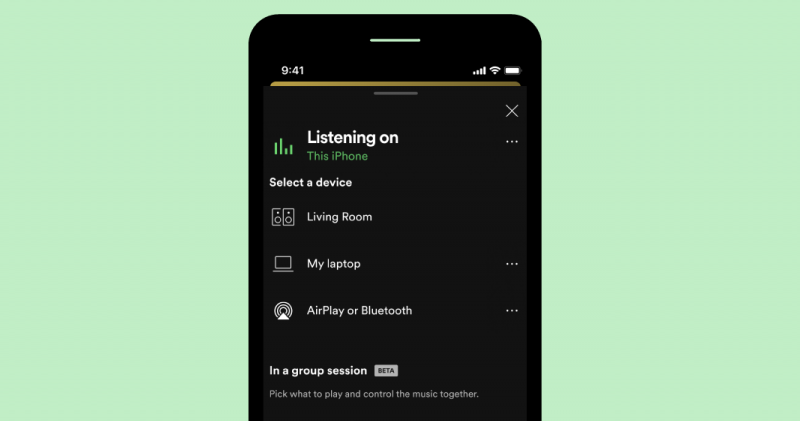
▲Image source: Spotify
Be each other’s online DJ! How to use “Spotify Group Playlist” see here
Although this feature must be used by Premium users, I have to say that Spotify group playlist is really a very fun and interesting new feature, and I recommend it to everyone taking advantage of this update. Although it is still in beta testing, it can already support group singing of up to 5 people. The point is, no matter where you are, as long as you have a normal Internet connection, you can play together.
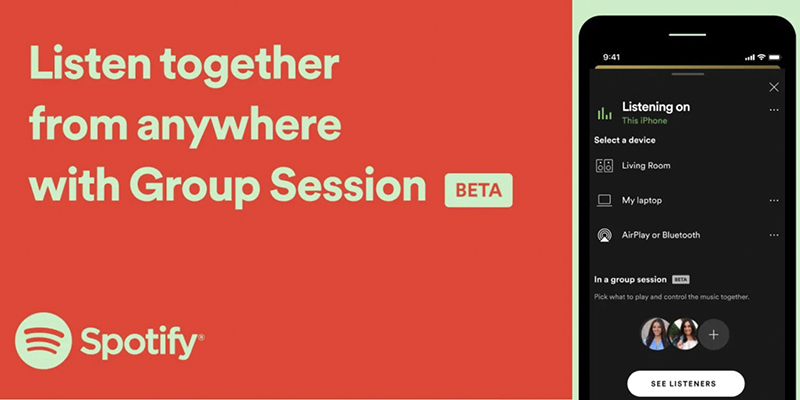
▲Image source: Spotify
It’s actually a bit like being in a virtual KTV or music listening room online. Friends who join through the link will be able to choose the songs they want to play on demand in this private room of up to 5 people and add them to the playlist. Regardless of whether you skip or pause, the users in this “Spotify Group Playlist” box will all move in sync. Although it may be annoying if someone accidentally presses pause or skips their favorite song, it is also a good tool for music fans to exchange interests.

It’s easy to activate the Spotify group playlist feature. First, click the Connect button that looks like a speaker in the lower left corner of the music playback screen. If you are a Premium user, you will see the option to “Create a Group Playlist”. After selecting, you can share the link or scan the QR code to join, and you can listen to music together, and you can instantly pause, play, and add new songs to the Spotify group playlist.
If this functionPaired with Spotify’s latest dynamic lyrics feature, seems pretty good too! Quickly open the app to invite your VIP listening partners to listen to your favorite new songs.
Pictures/sources cited in this article
Further reading:
Apple’s original “braided” transmission cable is here, but it’s a Thunderbolt 3 version
Sony A7S III responds with the most sincere “full flip screen”

Source: KOCPC Chinese