


There are many ways to practice English, foreign language skills and listening skills, but I believe many people will like to learn by listening to music. On the one hand, it is not boring, and on the other hand, it is much more interesting than watching the news or memorizing vocabulary. There is such a program on the App Store and Google Play called Learn Languages with Music (the iOS version is called LyricsTraining), which supports multiple languages, including English, Japanese, Korean, French, etc. Each song is also divided into different levels, such as: suitable for beginners, advanced, professional, etc., to satisfy users of different levels. It also provides a single-word translation function.
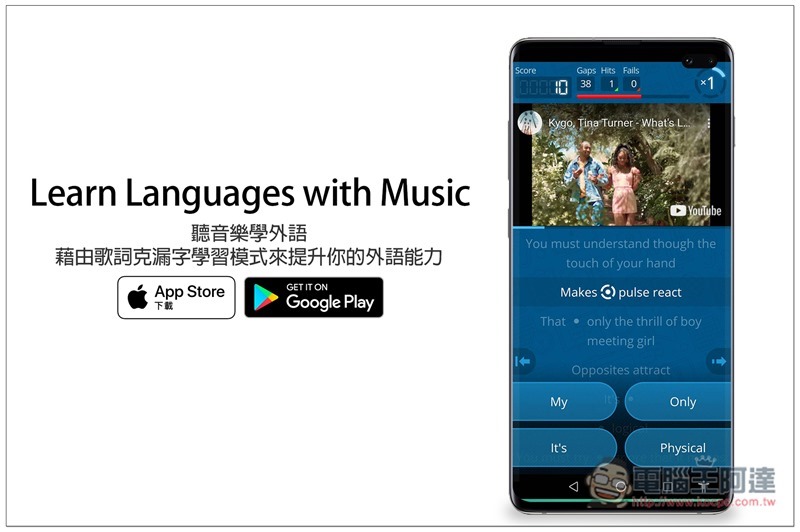
Learn Languages with Music Listen to Music and Learn Foreign Languages App Introduction
Although Learn Languages with Music is free to download, it also provides an in-app subscription function. The free version can play 3 songs every 30 minutes. I personally think it is enough, after all, each song lasts 3~5 minutes.
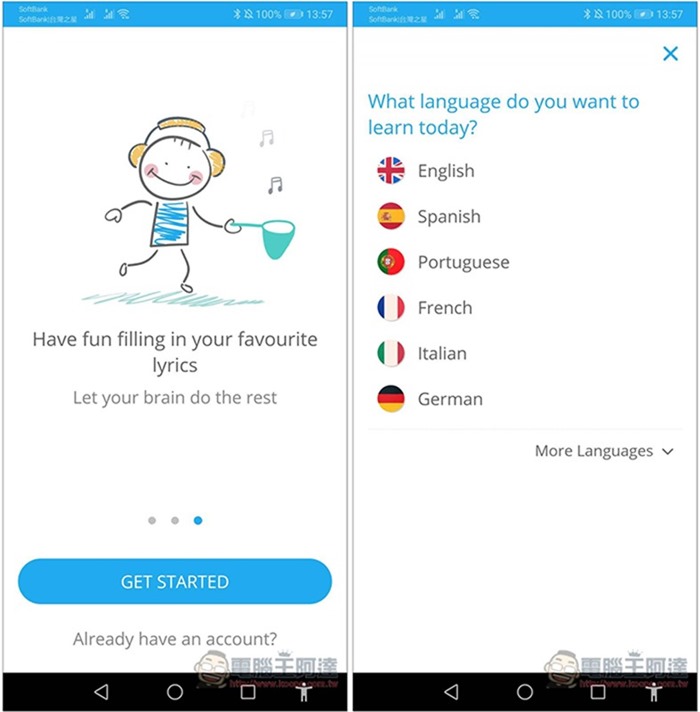
After opening the app, you will first be asked what language you want to learn. Click More Language to see more. I’ll take English as an example:
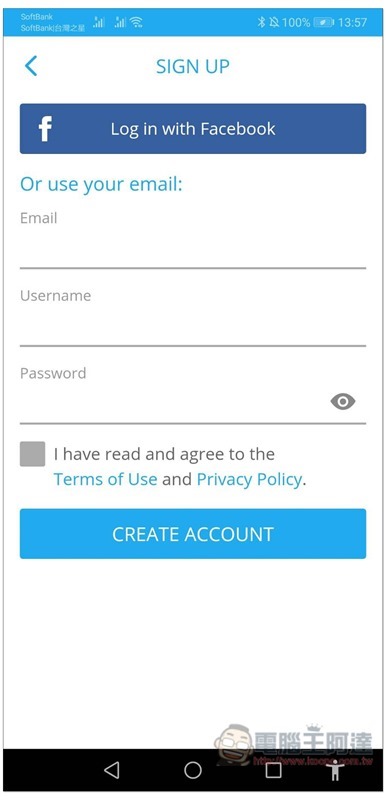
You also need to register an account before use, just fill in your email, username and password:
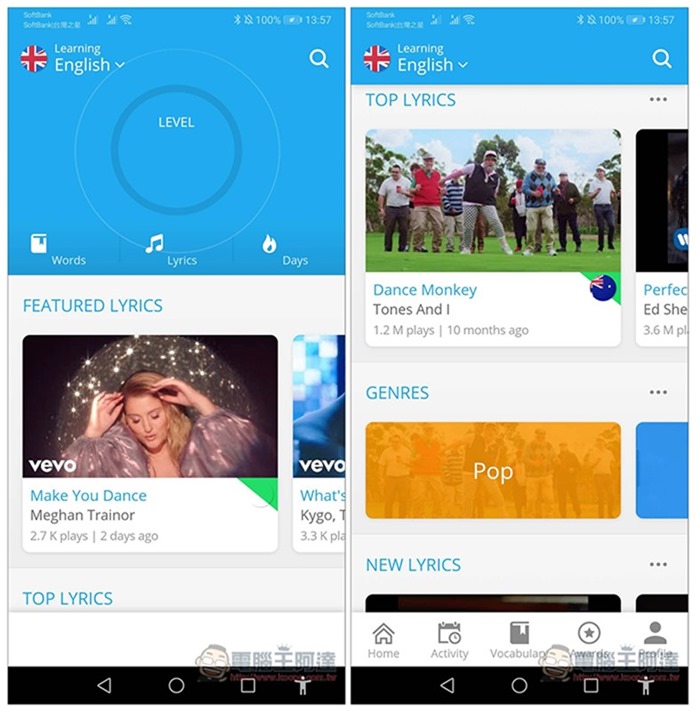
Some popular songs will be listed on the homepage. If you don’t know what songs to listen to, you can look for them directly here, or you can click on the search function in the upper right corner to enter keywords. However, not every song is available in this app. If there are no results in the search, it means that it is not available yet:
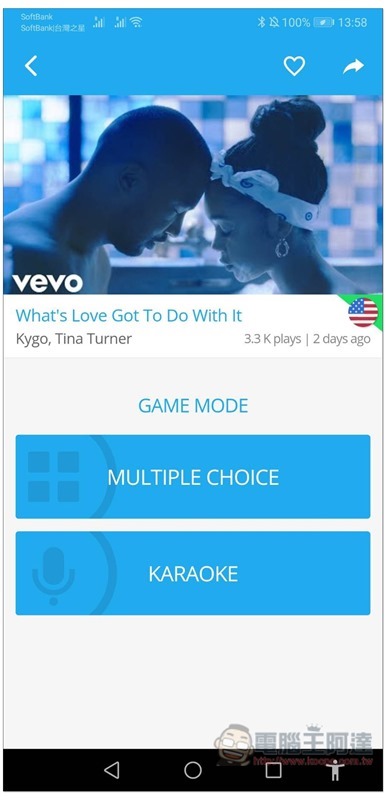
After you find the music you like, there will be two play modes, “MULTIPLE CHOICE is for missing words in class” and “KARAOKE is for karaoke.” Of course, click “MULTIPLE CHOICE” for the learning part:
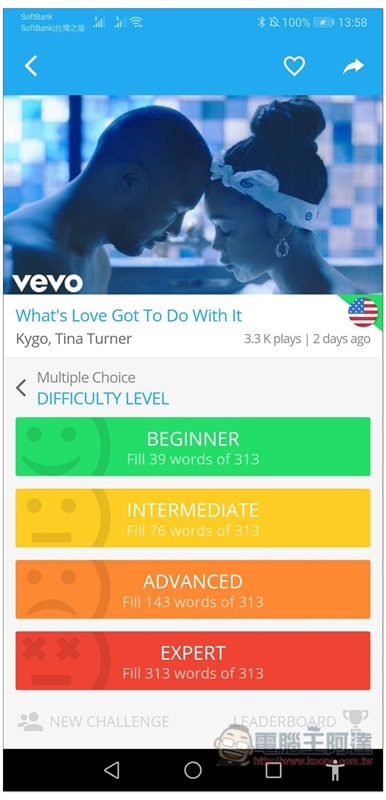
There will then be four difficulty levels: BEGINNER, INTERMEDIATE, ADVANCED, and EXPERT. The higher the difficulty, the more words will be missed. People who don’t know where their difficulty is can start testing from INTERMEDIATE:
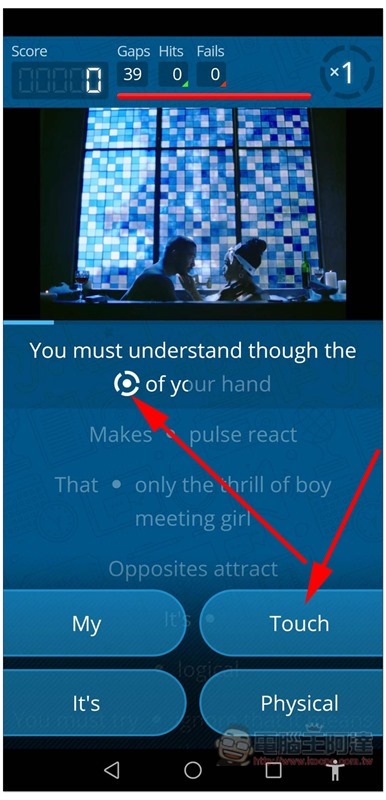
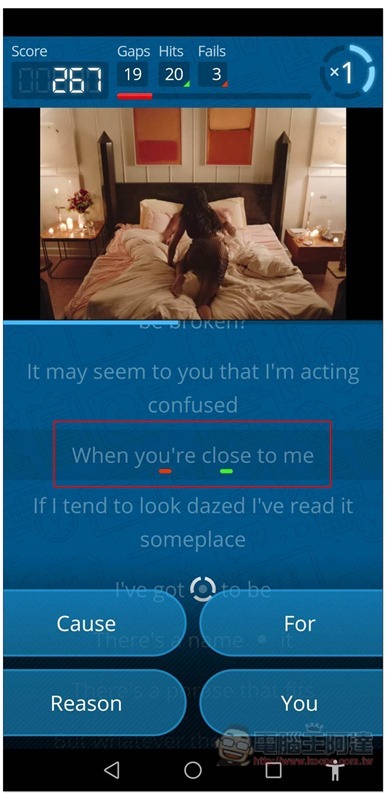
Then the music will start to play, and the real-time lyrics will be displayed below. You can see that some lyrics passages will have a circle icon, which is the word “KELE”. There will be four word options at the bottom for you to choose. Taking this paragraph as an example, the answer is Touch:
If the answer is correct, the word will be filled in, and the score and the number of correct answers (Hits)/fails (Fails) will also be recorded above:
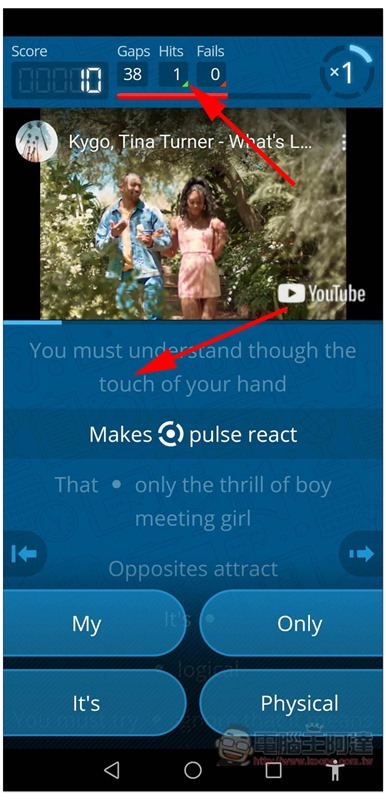
Correct answers will also display green at the bottom, and incorrect answers will appear in red:
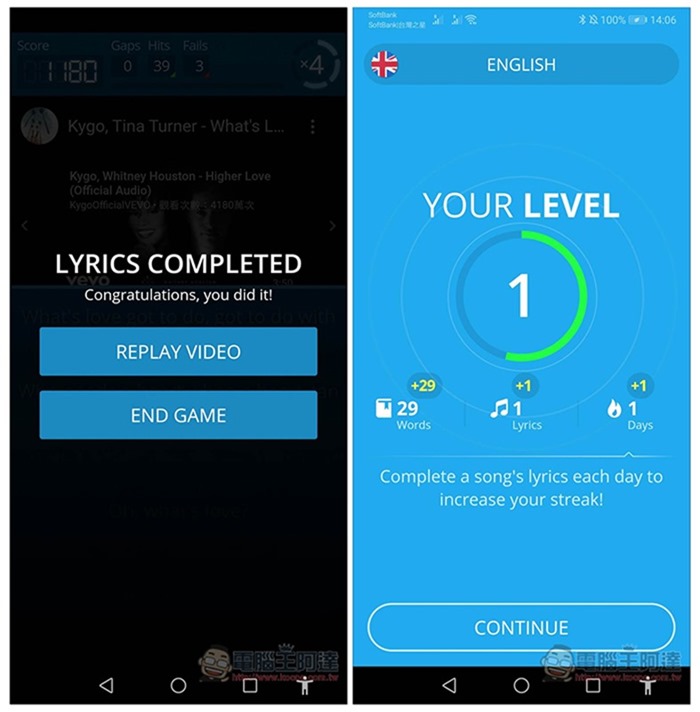
After all Kelu characters are completed, the statistical results will be displayed:
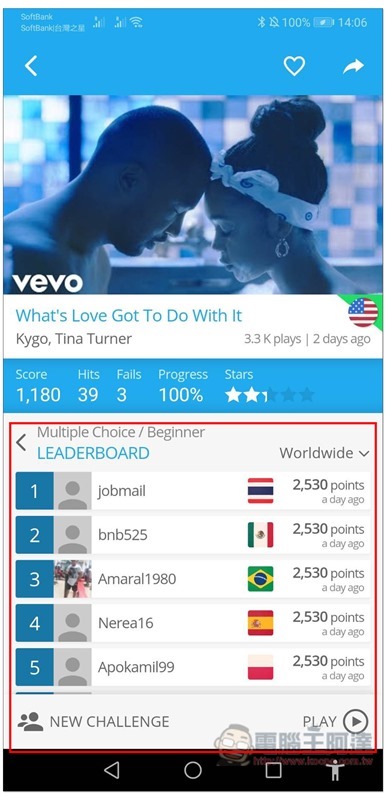
Scores can also be compared with users from other countries:
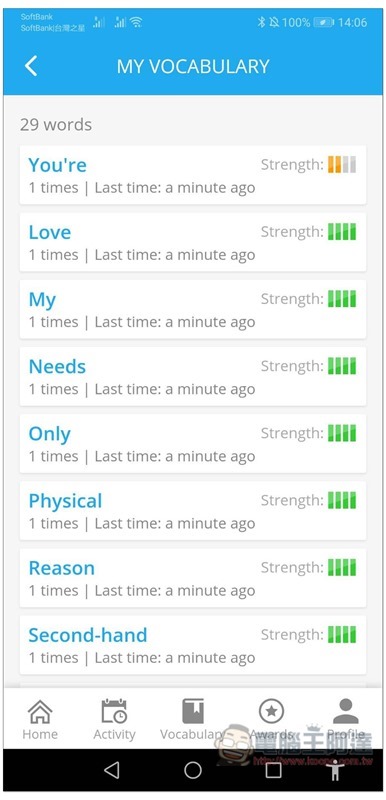
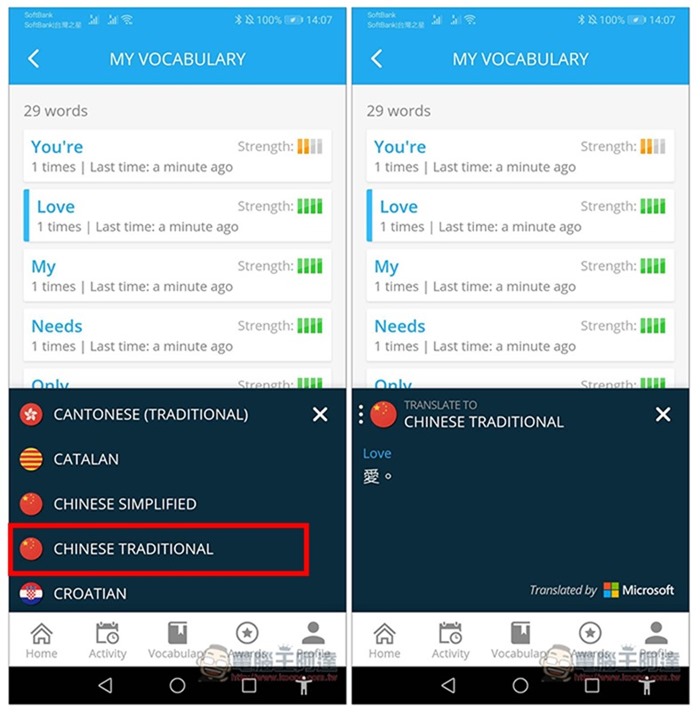
And all the music you play will be collected in the Vocabulary menu. If you are unfamiliar with it, you can go here to review it at any time:
It also supports translation function. After clicking on any word, the language you want to translate into will be displayed below. Traditional Chinese is CHINESE TRADITIONAL:
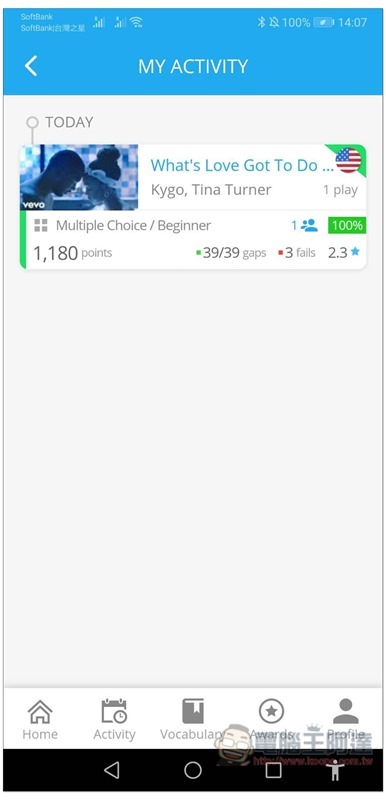
My Activity records the music and scores played in the past:
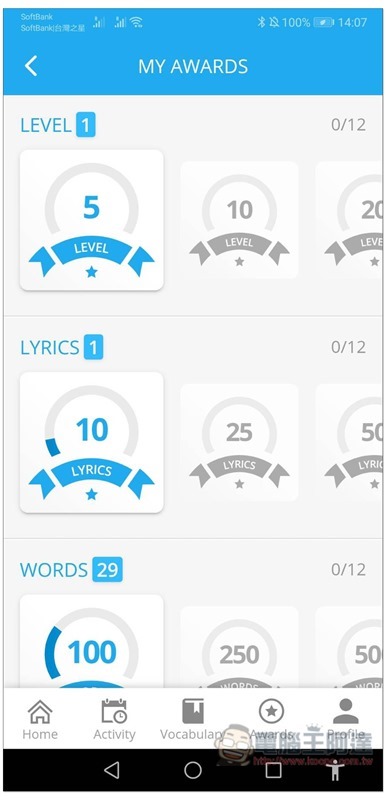
There is also a milestone function to give you more motivation to move towards the next goal:
Supplementary information
- App Name: Learn Languages with Music / LyricsTraining
- Nature: Free, paid subscription
- Supported operating systems: Android, iOS
- Download page:Google Play、App Store
Source: KOCPC Chinese