


People who have always used Windows may not feel that way, but if you are switching from Mac or using both operating systems, you may feel that Windows’ default fonts are not as beautiful as Mac’s. The good news is that there is such a free MacType software on the Internet, which can quickly change Windows to Mac display fonts. The operation is also very simple. I will teach you below.
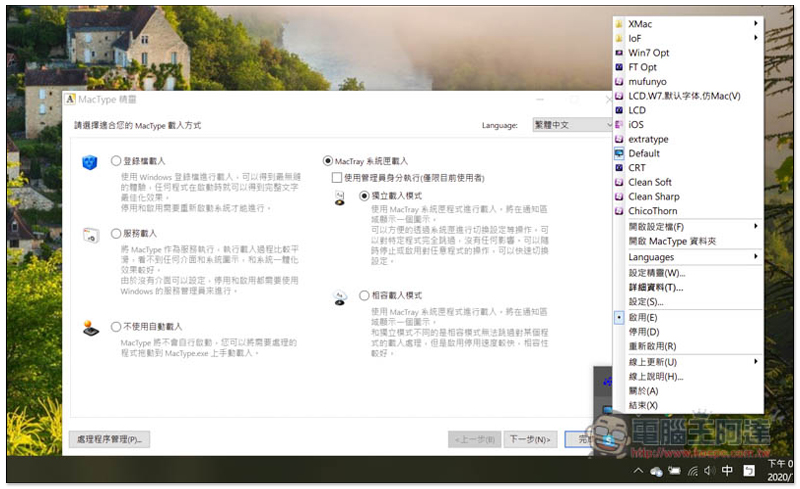
MacType operation tutorial
The beauty of fonts varies from person to person. Personally, I think the Windows 10 default is a little too thin, and sometimes I can’t see it clearly. After changing it to Mac display font, not only does it become thicker, but the shadow is also more obvious. Those who are interested can try it. If you don’t like it, just remove it.
After clicking me to enter the MacType website, click Get MacType and the installation file will start to download. It is completely free and has no ads:

Just keep pressing Next during the installation process:
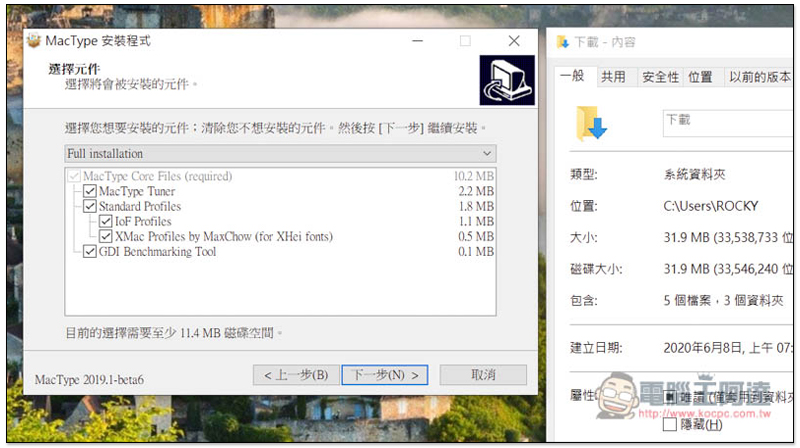
After installation, open it. The default interface is English. Open the Language menu in the upper right corner and you can switch to Traditional Chinese: 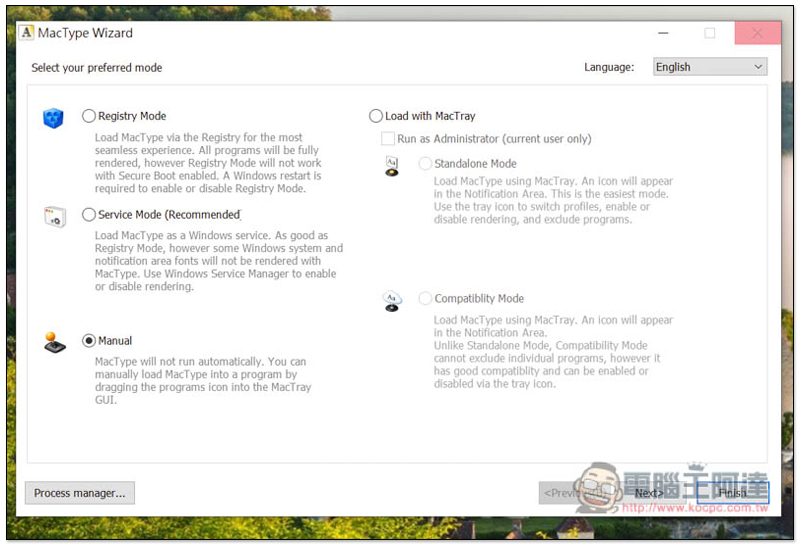
As shown below, this set has many functions. This article focuses on changing the Mac display font. Others who are interested can play around on their own:
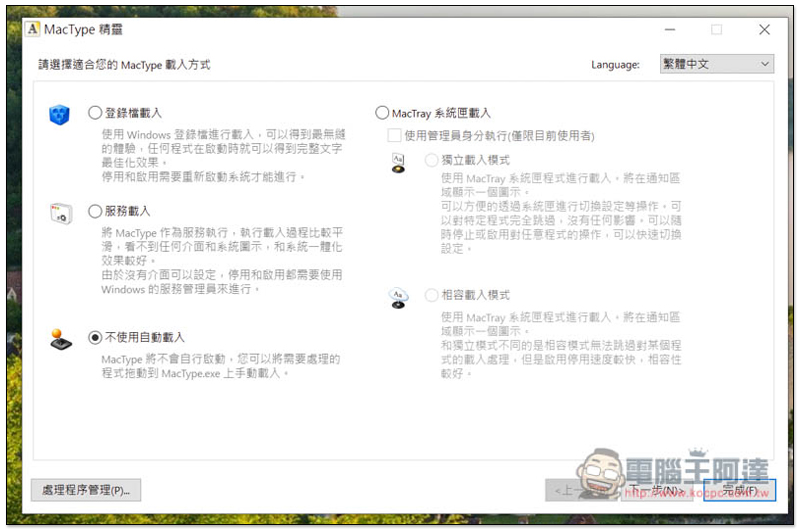
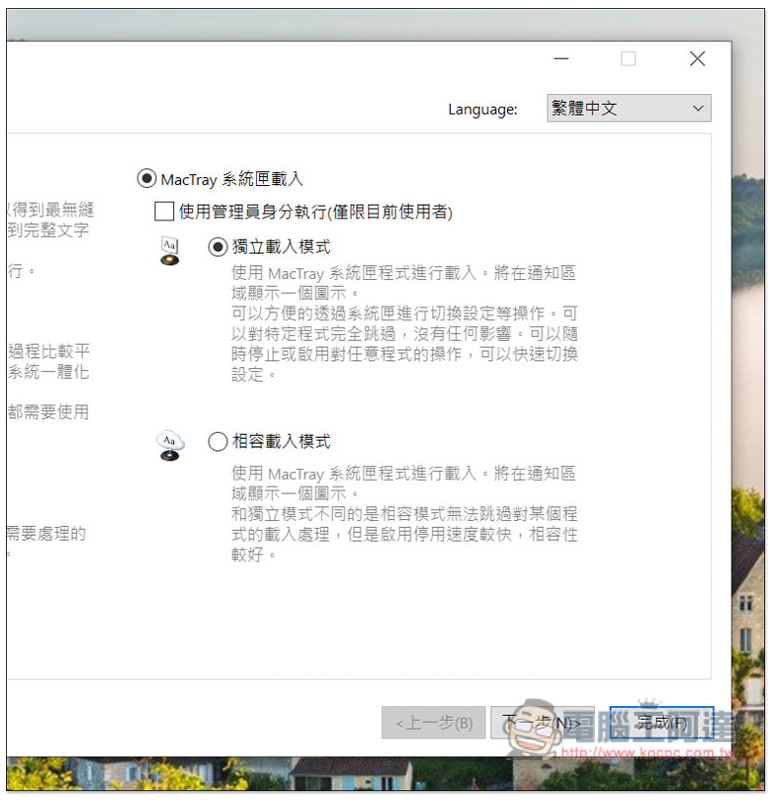
After clicking the MacTray system box in the upper right to load, make sure you select “Independent Load Mode” and check the box above “Run as administrator (current user only)”:
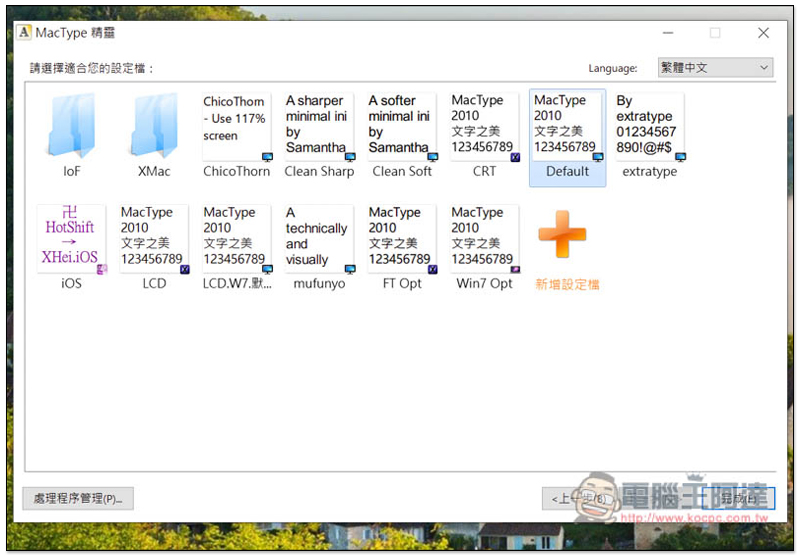
Many fonts have been installed by default. After selecting “Default”, press the lower right corner to complete:
This message will pop up, click “OK”: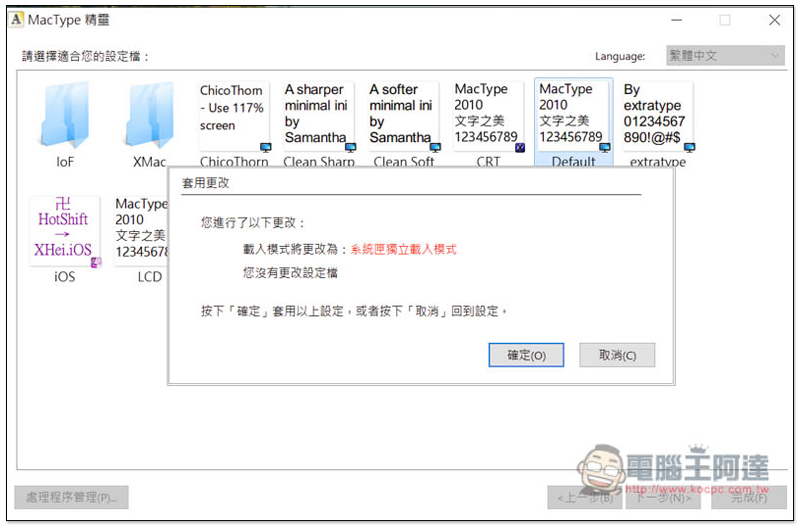
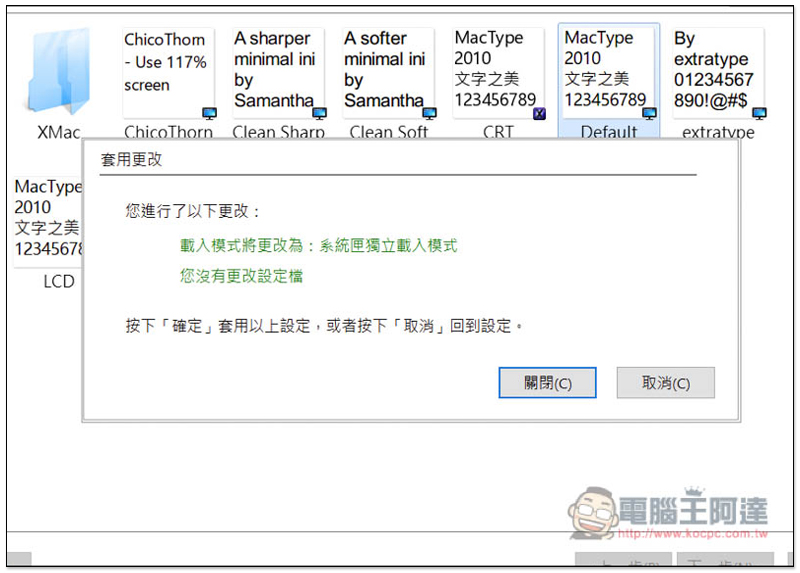
When this screen is displayed, it means it is completed. You can directly press X to close the software:
This software will be permanently located in the menu in the lower right corner. Remember to turn it on so that the font will change to the Mac version. If you turn it off, it will change back to the Windows default. There are also other fonts above the menu that can be quickly switched. If you want to open the software screen above, just click the “Setting Wizard”. In addition, if you want to temporarily disable it for some reason, there are also enable/disable function options below:
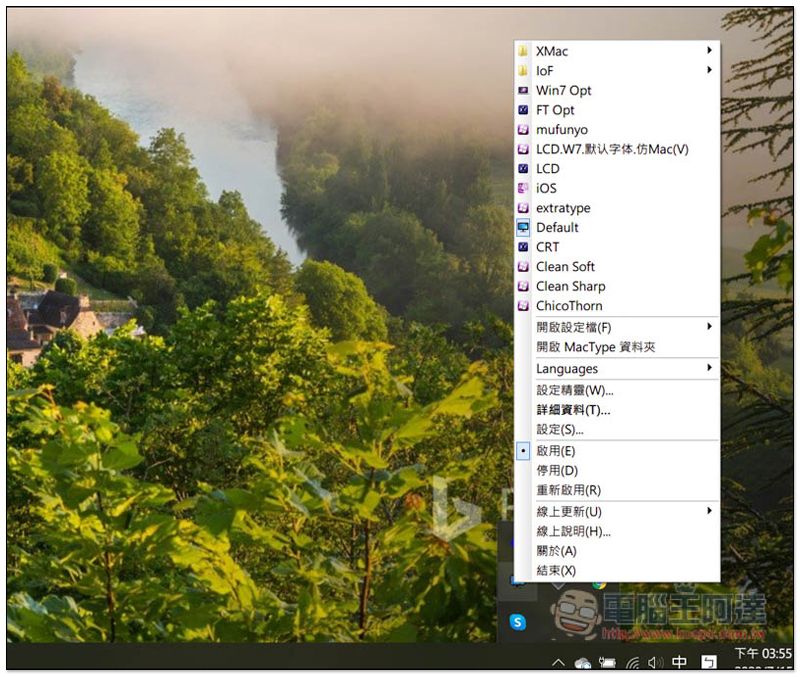
This set of developers will update the version one after another, so if the display font changes back to the default after a Windows 10 update, you can select “Online Update” in the menu to check if there is a new version.
Supplementary information
- Software name: MacType
- Nature: Free
- Official website:Click here to go
Source: KOCPC Chinese