• About Us
King of Computer Media
  • Home
  • Tech News
  • AI News
  • Apps & Tutorials
  • Mobile & Telecom
  • Lifestyle
  • About Us
No Result
View All Result
  • Home
  • Tech News
  • AI News
  • Apps & Tutorials
  • Mobile & Telecom
  • Lifestyle
  • About Us
No Result
View All Result
King of Computer Media
No Result
View All Result

Home - Internet and software applications - Teach you how to change or bind Facebook’s new email address, and easily change your login account without having to re-register.

Teach you how to change or bind Facebook’s new email address, and easily change your login account without having to re-register.

Rocky by Rocky
May 21, 2020 - Updated on August 4, 2026
in Internet and software applications

When you first signed up for Facebook, you may not have used your usual email address, or you may have wanted to bind a new email address. Many people think that you can only register a new Facebook account. In fact, you don’t have to. In Facebook settings, you can quickly change to another email you want to use (and delete the old one), or even bind multiple emails. You can also use these emails to log in. Let’s teach you how to operate.
Cropro-2020-05-21-17-23-08

Teach you to change or bind Facebook’s new E-Mail email address

Now Facebook is divided into new version and old version. I will use the new version as an example below. The functional positions should be the same.

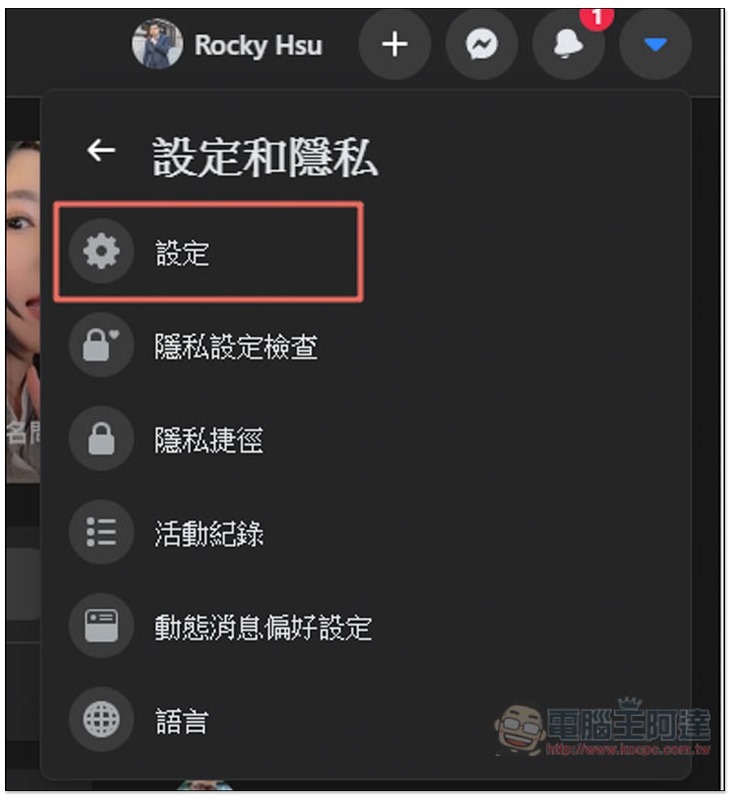
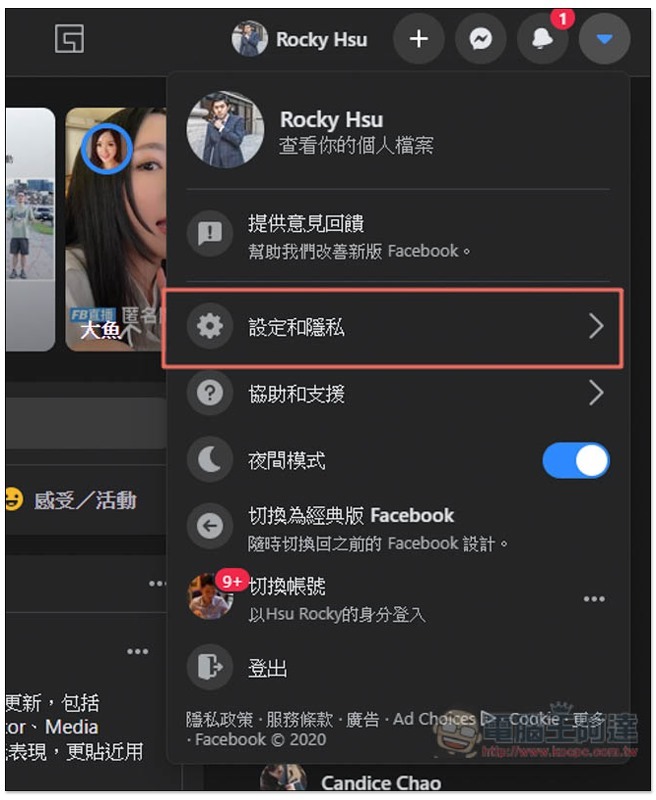
Open the inverted triangle menu in the upper right corner and enter “Settings and Privacy”:
Cropro-2020-05-21-16-22-53

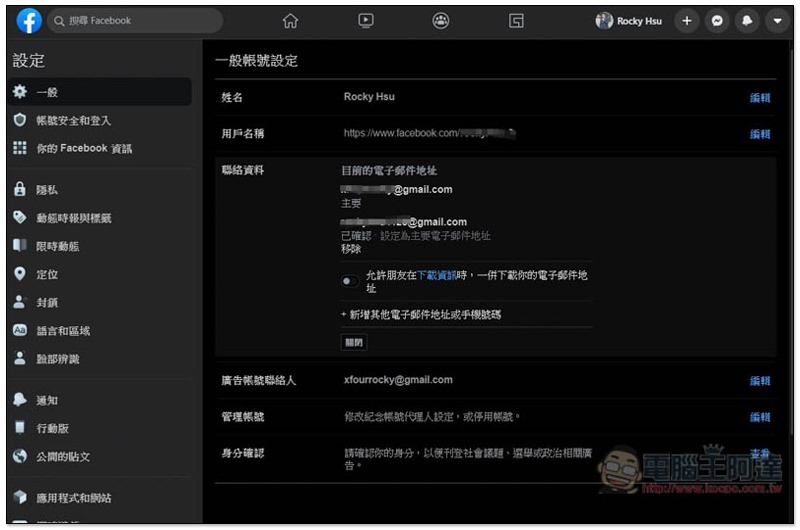
Then go to “Settings”:
Cropro-2020-05-21-16-23-07

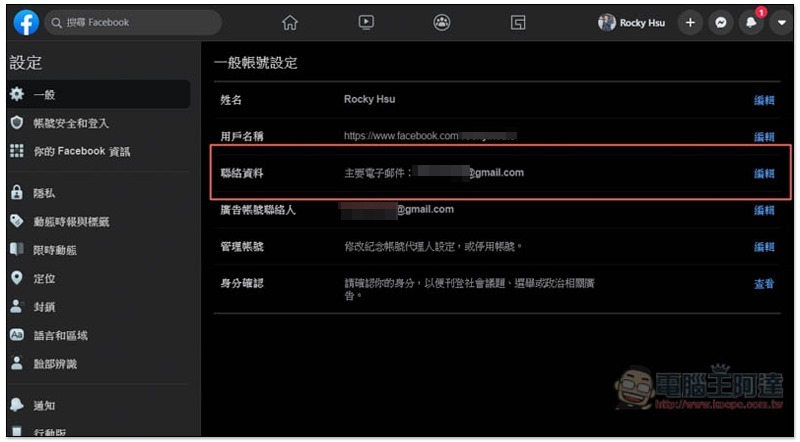
Under the general account settings menu, you will see a “Contact Information”. The main email is the E-Mail you are currently using. Click “Edit” on the right:
Cropro-2020-05-21-16-23-20

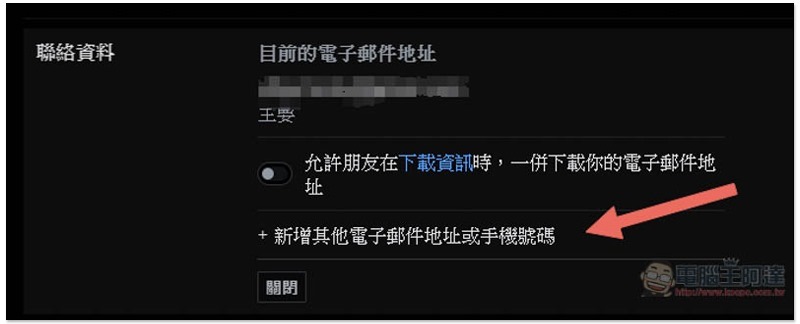
To the right of the contact information field, you’ll see “Add another email address or phone number”:
Cropro-2020-05-21-16-23-46

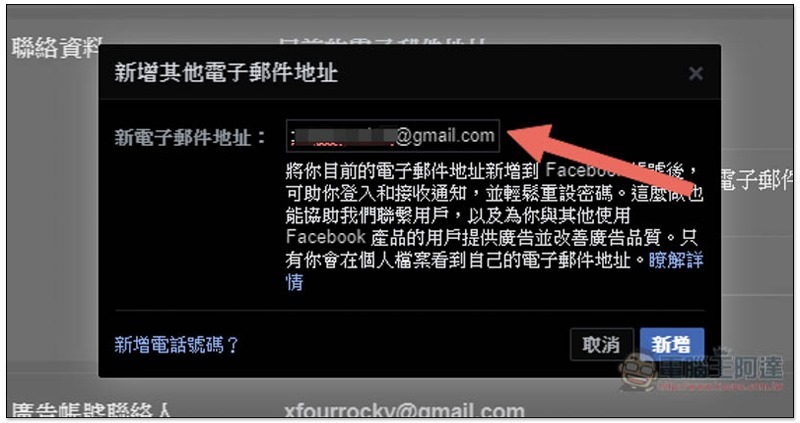
Enter the email address you want to change or bind a new one, and then click “Add” in the lower right corner:
Cropro-2020-05-21-16-24-16

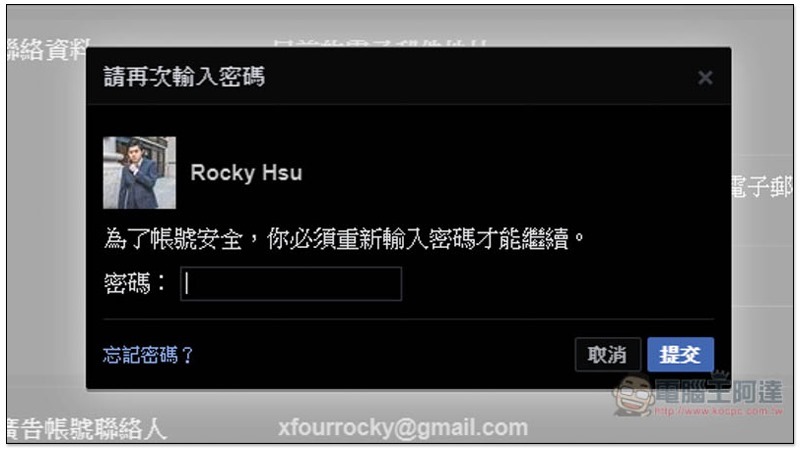
You will be asked to enter your Facebook login password. After entering it, click Submit at the bottom right:
Cropro-2020-05-21-16-24-27

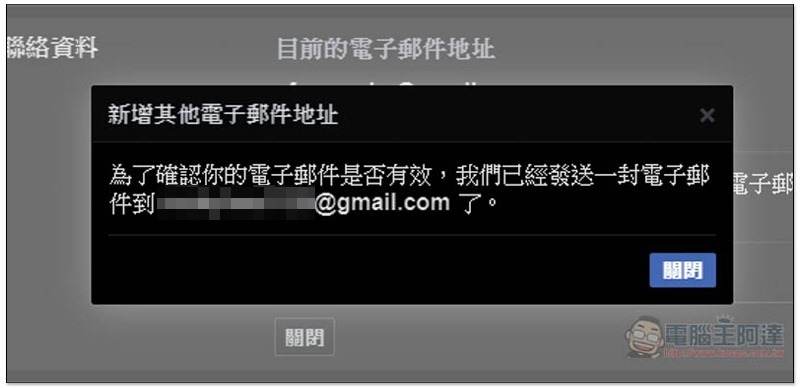
The addition is now complete, but to ensure that this email address is yours, Facebook will send an email containing a confirmation code to this mailbox:
Cropro-2020-05-21-16-24-57

The letter looks like this, please copy or write down the confirmation code below:
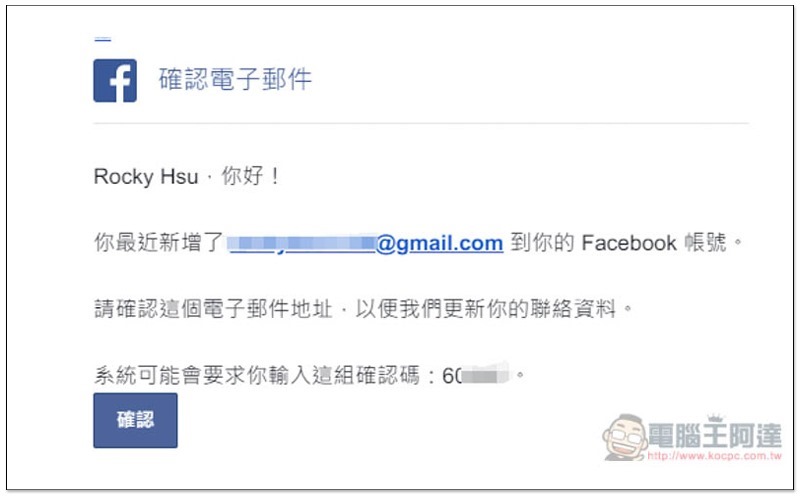
Cropro-2020-05-21-16-25-21

Click “Confirm” below the newly added mailbox:
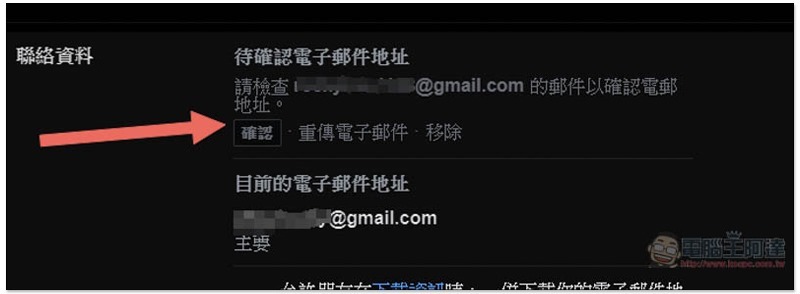
Cropro-2020-05-21-16-25-40

Enter the confirmation code and press Confirm on the right:
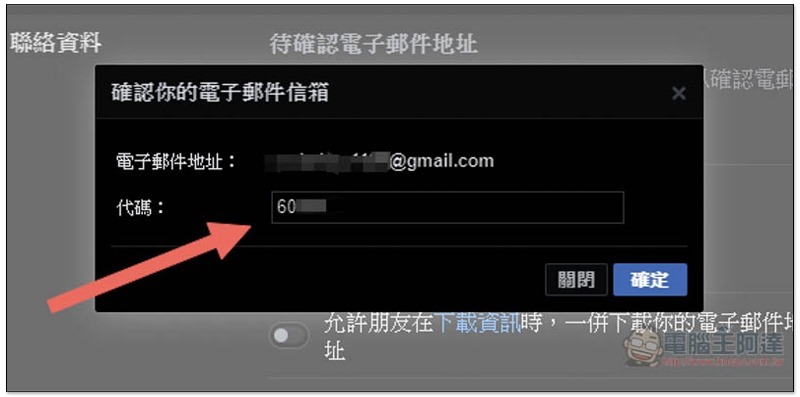
Cropro-2020-05-21-16-26-10

This is successfully bound, and now both mailboxes can be used to log in to Facebook and receive Facebook notifications. If you want to remove the old one, click “Set as primary email address” below the new one:
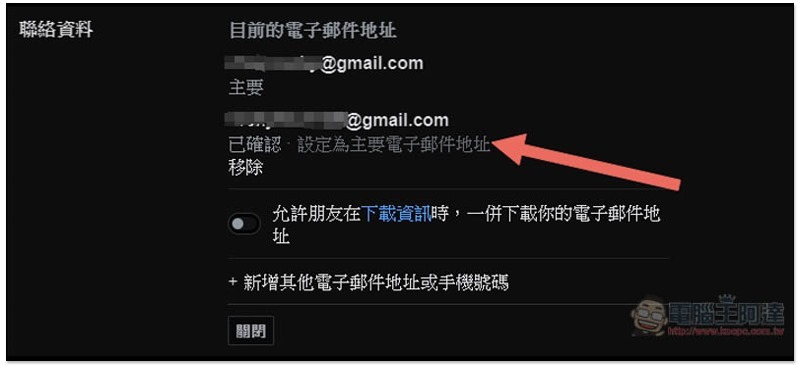
Cropro-2020-05-21-16-26-51

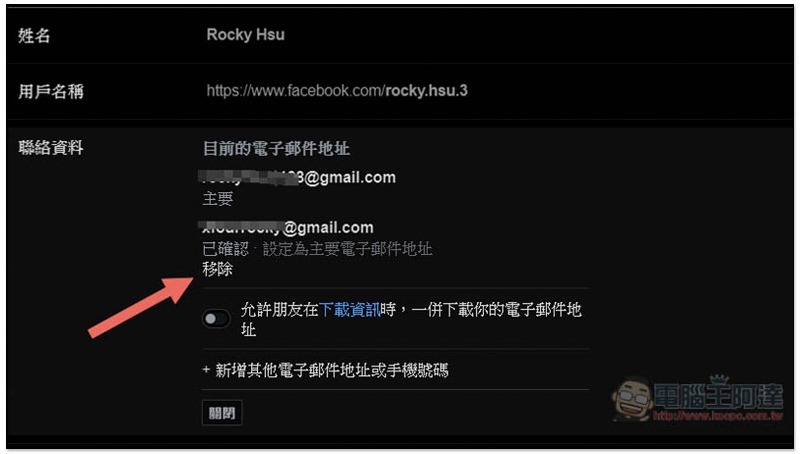
The current email address will become the new registration, and the old one will be changed to the position below. You can click the remove function:
Cropro-2020-05-21-16-27-23

After removing the old email, you must enter a new one for future logins. The old one cannot be used again unless you bind it again.

Except for emails, the steps for changing phone numbers are similar (if you have bound them). You will see “Add Phone Number” at the bottom left of the Add Other Emails window. Click it to switch.

暗黑化的 Facebook 桌面版 今起將向大多數人推送 (邊緣人認證開始)

Source: KOCPC Chinese

Tags: Facebook

Recent Posts

  • The Xiaomi Pad 8S Pro has passed network access certification and will debut with the self-developed XRING O3 chip.
  • The entire Google Pixel 11 lineup has been leaked! Official promotional renders of the Pixel 11 Pro XL have also surfaced
  • Are Chinese phone battery capacities falsely labeled? A brief look at the “capacity locking” phenomenon in Chinese silicon-carbon batteries.
  • NCC is leaderless, recklessly sending out national-level alert messages!?
  • What does “QR” in QR Code mean?

Recent Comments

No comments to show.
  • About Us

We welcome partnership inquiries and product review opportunities from smartphone manufacturers, iPhone accessory brands, and app developers.koc kocpc.com.tw|Privacy Policy |Hosting & Maintenance: Fast Line Taiwan, A-Chang Digital Technology

No Result
View All Result
  • Home
  • Tech News
  • AI News
  • Apps & Tutorials
  • Mobile & Telecom
  • Lifestyle
  • About Us

We welcome partnership inquiries and product review opportunities from smartphone manufacturers, iPhone accessory brands, and app developers.koc kocpc.com.tw|Privacy Policy |Hosting & Maintenance: Fast Line Taiwan, A-Chang Digital Technology