

• About Us
King of Computer Media
  • Home
  • Tech News
  • AI News
  • Apps & Tutorials
  • Mobile & Telecom
  • Lifestyle
  • About Us
No Result
View All Result
  • Home
  • Tech News
  • AI News
  • Apps & Tutorials
  • Mobile & Telecom
  • Lifestyle
  • About Us
No Result
View All Result
King of Computer Media
No Result
View All Result

Home - Android App Sharing Introduction - Teach you how to change the Google Maps navigation icon to a car image with one click

Teach you how to change the Google Maps navigation icon to a car image with one click

KOCPC Editor by KOCPC Editor
March 16, 2020 - Updated on August 4, 2026
in Android App Sharing Introduction, Cross-platform App, iPhone/iPad software introduction

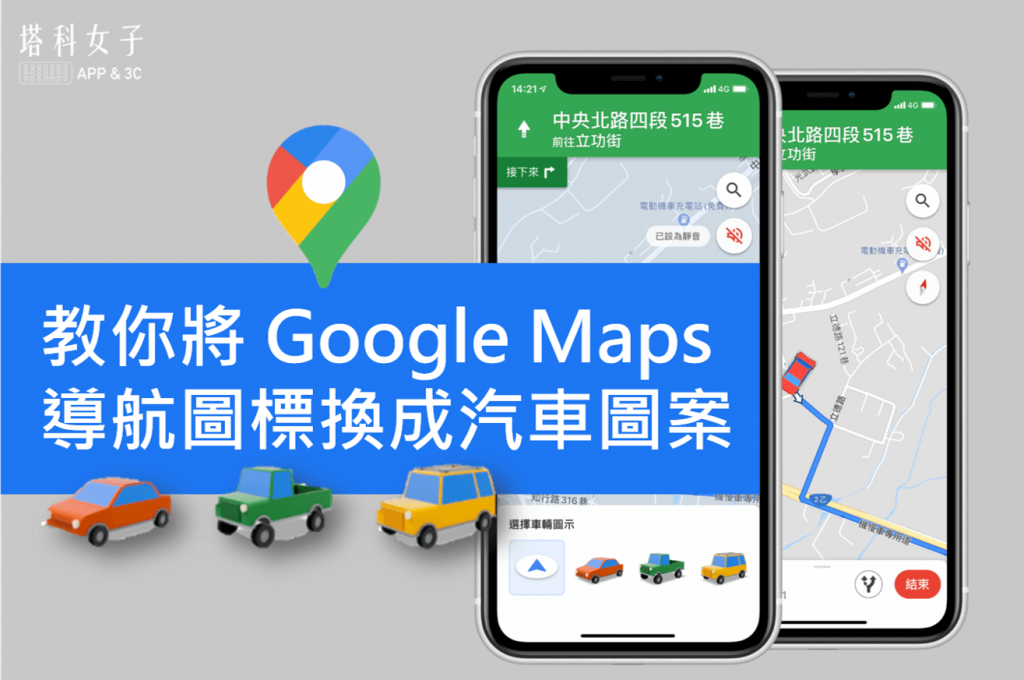
Whether you want to go out for fun or find nearby restaurants, you can use it Google Maps Complete route navigation easily, but did you know that Google Maps actually has many hidden functions? Today I will teach you how to change the navigation icons on Google Maps. Come and learn how to replace the boring blue icons with cute car patterns.
 
教你一鍵將 Google Maps 導航圖標換成汽車圖案


1. Enter navigation mode

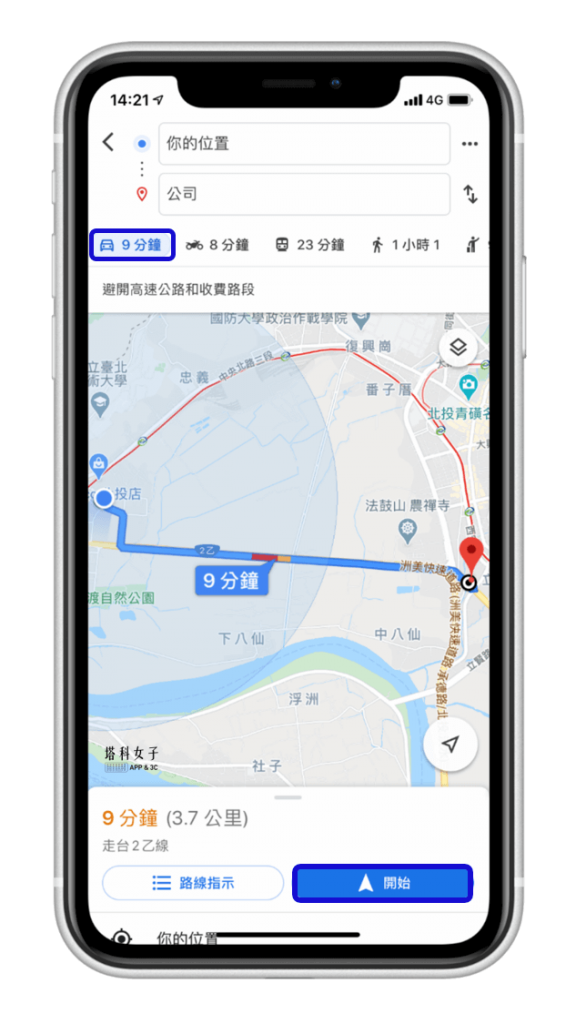
Turn on “Google Maps” App, first use the route planning function and enter the car navigation mode. It should be noted here that the icon can only be changed when using car navigation. Others such as walking, motorcycles, and bicycles are not currently supported.
Google Maps 導航圖標換成汽車圖案 - 汽車導航模式


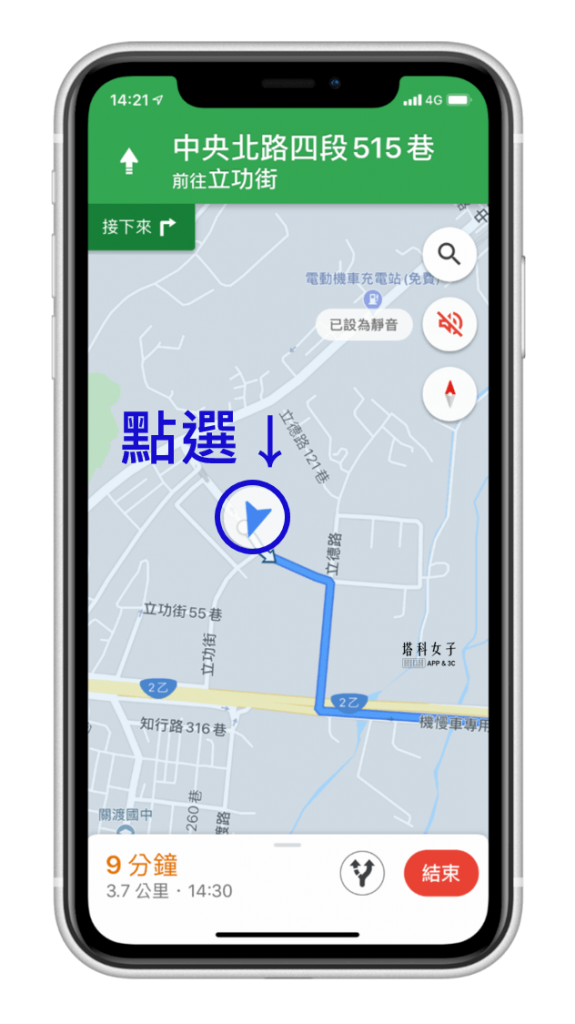
2. Click the blue icon

Next, click on your current location on the map, which is the blue icon.
Google Maps 導航圖標換成汽車圖案 - 點藍色圖標


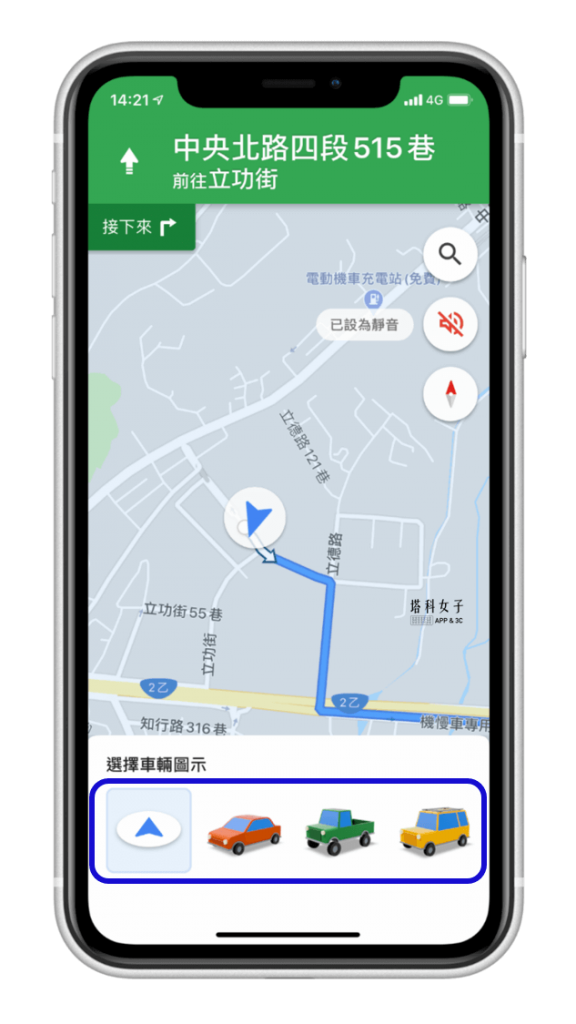
3. Change car icon

You will see four options appear below. There are three different cars for you to choose from. Just choose the car you like.
Google Maps 導航圖標換成汽車圖案 - 更換汽車圖示


Success, now the icon on your Google Maps has been successfully changed to a car icon. You can use this car navigation in the future.
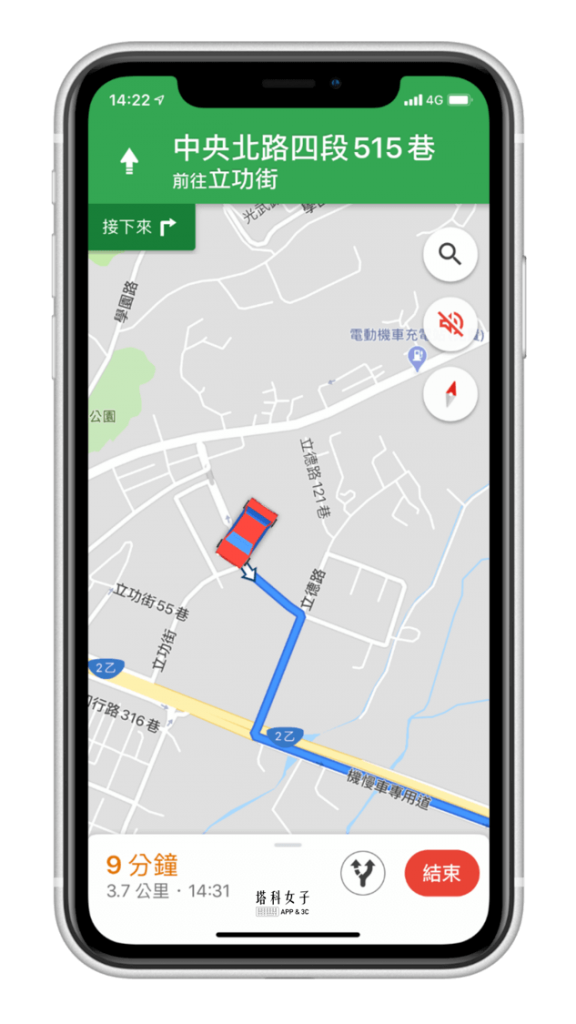
Google Maps 導航圖標換成汽車圖案 - 更換汽車圖示


Conclusion

The above are the hidden functions of Google Maps introduced this time. If you want to know more Google Maps skills, you can refer to this article

  • 5 useful features of Google Maps you may not know (full tutorial)


Featured articles

  • 10 practical tips for iOS Notes App, suitable for notes and lists
  • How do I know if my phone number is blocked? Teach you how to use this method to check
  • Super powerful video download shortcut, download FB/IG/YouTube/Twitter videos (iOS shortcut)
  • Use your iPhone to navigate home with one click, no need to enter an address (iOS shortcut)
  • Recommended Pedestrian Navigation APP|PinnAR uses AR augmented reality to help you no longer get lost!


Source: KOCPC Chinese

Tags: AndroidGoogle MapsGoogle Maps TutorialiOS

Recent Posts

  • The Xiaomi Pad 8S Pro has passed network access certification and will debut with the self-developed XRING O3 chip.
  • The entire Google Pixel 11 lineup has been leaked! Official promotional renders of the Pixel 11 Pro XL have also surfaced
  • Are Chinese phone battery capacities falsely labeled? A brief look at the “capacity locking” phenomenon in Chinese silicon-carbon batteries.
  • NCC is leaderless, recklessly sending out national-level alert messages!?
  • What does “QR” in QR Code mean?

Recent Comments

No comments to show.
  • About Us

We welcome partnership inquiries and product review opportunities from smartphone manufacturers, iPhone accessory brands, and app developers.koc kocpc.com.tw|Privacy Policy |Hosting & Maintenance: Fast Line Taiwan, A-Chang Digital Technology

No Result
View All Result
  • Home
  • Tech News
  • AI News
  • Apps & Tutorials
  • Mobile & Telecom
  • Lifestyle
  • About Us

We welcome partnership inquiries and product review opportunities from smartphone manufacturers, iPhone accessory brands, and app developers.koc kocpc.com.tw|Privacy Policy |Hosting & Maintenance: Fast Line Taiwan, A-Chang Digital Technology