

• About Us
King of Computer Media
  • Home
  • Tech News
  • AI News
  • Apps & Tutorials
  • Mobile & Telecom
  • Lifestyle
  • About Us
No Result
View All Result
  • Home
  • Tech News
  • AI News
  • Apps & Tutorials
  • Mobile & Telecom
  • Lifestyle
  • About Us
No Result
View All Result
King of Computer Media
No Result
View All Result

Home - LINE - Use LINE to play YouTube music in the background! This article teaches you how to operate

Use LINE to play YouTube music in the background! This article teaches you how to operate

Rocky by Rocky
March 3, 2020 - Updated on August 4, 2026
in LINE

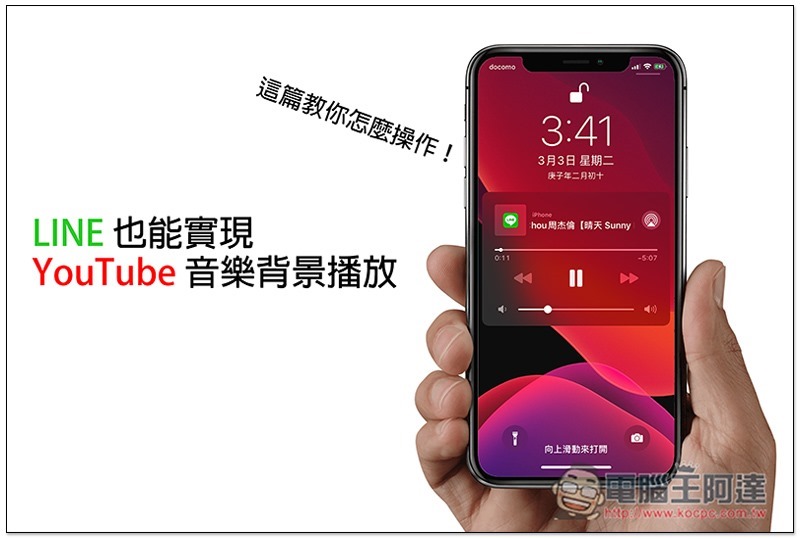
Nowadays, there are many Apps that can realize YouTube music background playback, such as: iOS DownTube、MeTube(If you are looking for music to download,YoungTunes Very powerful), Android Videoder Wait, although they are all useful, they require additional downloads after all, which may be lazy or disliked by some people. Therefore, this article will teach you a very useful trick to achieve YouTube background playback through LINE.
2

Teach you how to play YouTube music background through LINE

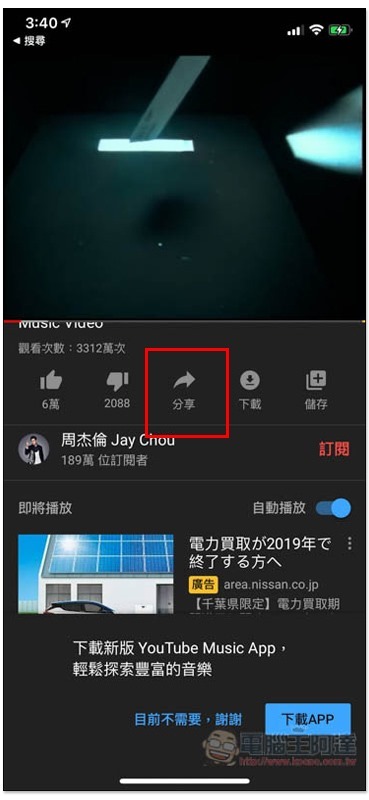
First open the mobile version of YouTube, find the song you want to listen to, and then click the “Share” function below:
iPhone_6415e_IMG_6542

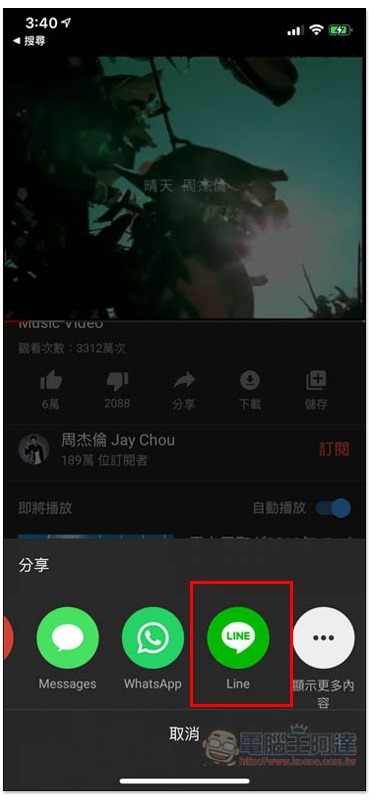
Find the LINE icon. If you don’t see it in the iOS version, please click “Show More” and you should find it:
iPhone_6415e_IMG_6543

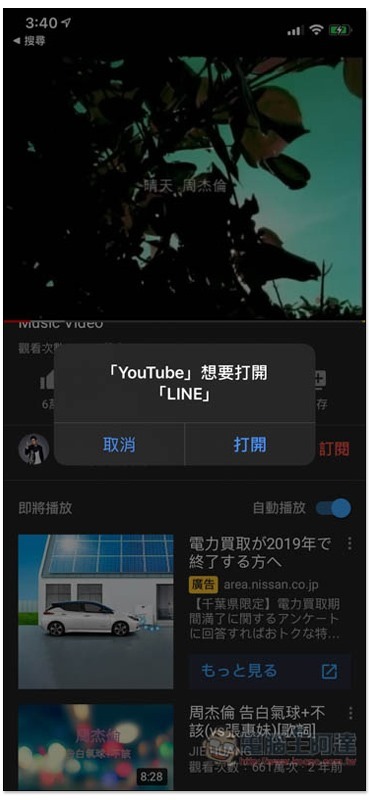
If a query window pops up, please click “Open”:
iPhone_6415e_IMG_6544

You will then be asked to choose who you want to share with. It is recommended to share with yourself (personal group) so that you don’t have to disturb others. If you don’t know how to create a personal group,Please refer to this tutorial. Of course, if there’s a person or chat window you can keep interrupting, that’s fine too:
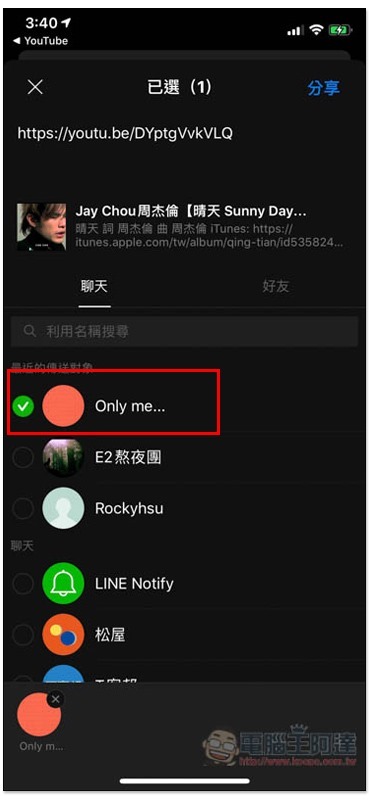
iPhone_6415e_IMG_6545

Open LINE and enter the chat window. You will see the YouTube video link you just shared. Open it:
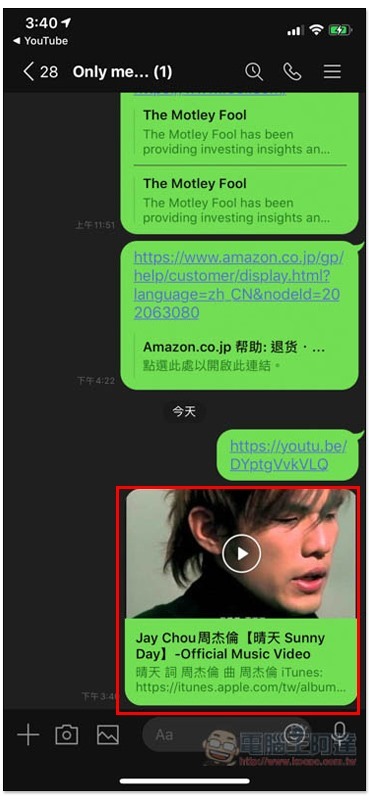
iPhone_6415e_IMG_6546

The screen will start to play and then jump back to the main screen of the phone (playback will automatically pause):
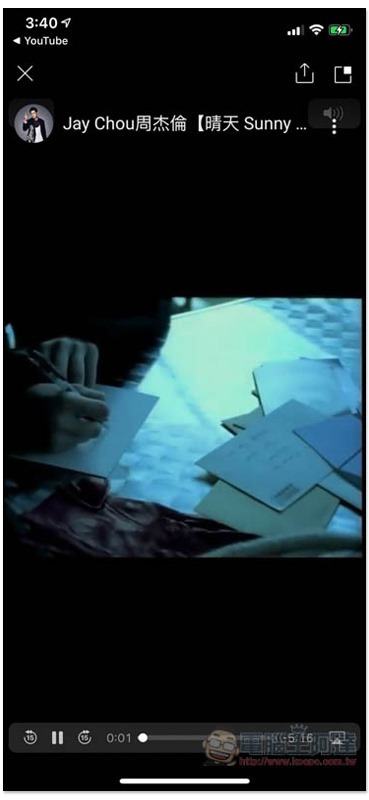
iPhone_6415e_IMG_6547

Open the control center and you will see the name of the video just played by LINE. Press the triangle key to continue playing:
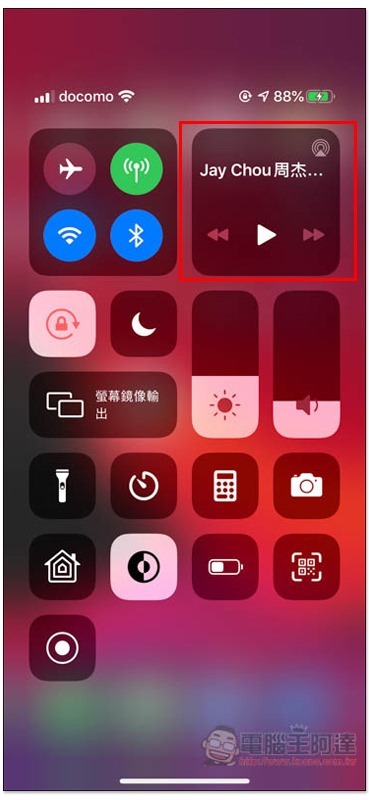
iPhone_6415e_IMG_6548

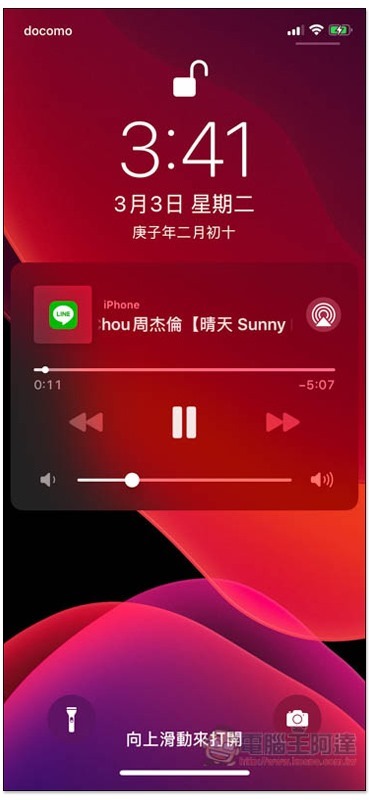
The measured lock screen will also continue to play:
iPhone_6415e_IMG_6549

However, this method is limited to a single YouTube video, and the playlist part is not supported. Simply put, after the playback is over, if you want to continue listening to other music, you must find another YouTube video link.

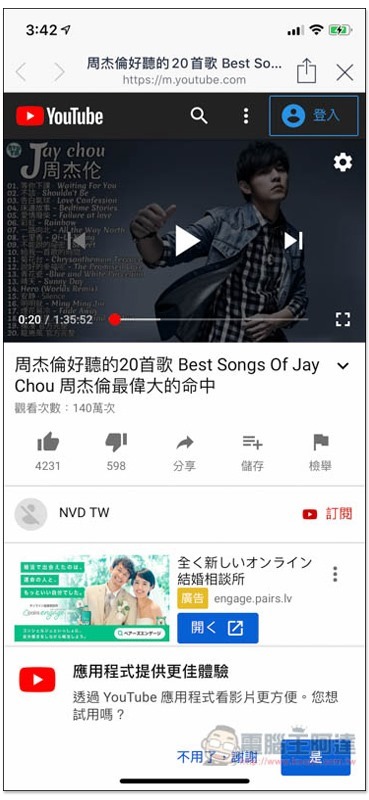
I personally recommend looking for YouTube videos where someone strings together many songs, so that you don’t have to worry about this problem and can keep listening (the one below is more than an hour long):
iPhone_6415e_IMG_6550

LINE 詐騙新手法再現!LINE 推出全新的 2 階段密碼認證?這是假的,千萬別上當

Source: KOCPC Chinese

Tags: AndroidiOSLineYouTubeYouTube background playYouTube Music

Recent Posts

  • The Xiaomi Pad 8S Pro has passed network access certification and will debut with the self-developed XRING O3 chip.
  • The entire Google Pixel 11 lineup has been leaked! Official promotional renders of the Pixel 11 Pro XL have also surfaced
  • Are Chinese phone battery capacities falsely labeled? A brief look at the “capacity locking” phenomenon in Chinese silicon-carbon batteries.
  • NCC is leaderless, recklessly sending out national-level alert messages!?
  • What does “QR” in QR Code mean?

Recent Comments

No comments to show.
  • About Us

We welcome partnership inquiries and product review opportunities from smartphone manufacturers, iPhone accessory brands, and app developers.koc kocpc.com.tw|Privacy Policy |Hosting & Maintenance: Fast Line Taiwan, A-Chang Digital Technology

No Result
View All Result
  • Home
  • Tech News
  • AI News
  • Apps & Tutorials
  • Mobile & Telecom
  • Lifestyle
  • About Us

We welcome partnership inquiries and product review opportunities from smartphone manufacturers, iPhone accessory brands, and app developers.koc kocpc.com.tw|Privacy Policy |Hosting & Maintenance: Fast Line Taiwan, A-Chang Digital Technology