


A while ago, I used Rust to Photoshop、Illustrator、Premiere Pro WordCraft、GridCraft、DeckCraft, challenging Microsoft Office. At the time, some people were already guessing whether Autodesk would be next, and sure enough, it was. The speed at which they build free alternatives to major well-known paid software is truly extraordinary.
Earlier, ArtCraft once again released two free tools: CADCraft and SoundCraft. The former takes aim at AutoCAD, the long-reigning leader in engineering drafting, while the latter targets Avid Pro Tools, the studio standard. Both are likewise free and open source.
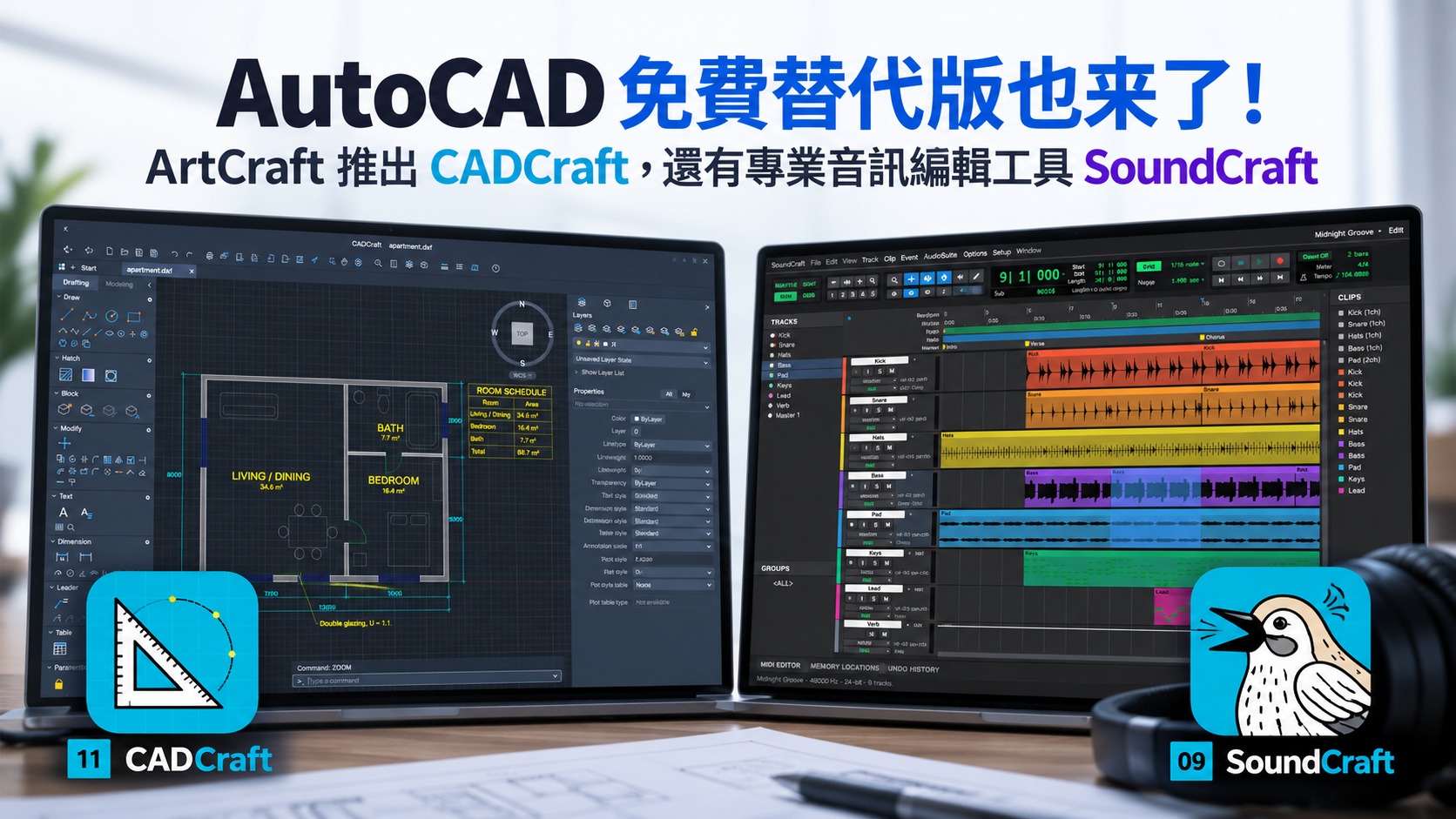
Not even AutoCAD is spared! ArtCraft launches two more free open-source tools, CADCraft and SoundCraft.
CADCraft’s latest version on GitHub is currently v0.5.0, while SoundCraft has been updated to v0.6.1. CADCraft is positioned as a “clean-room” reimplementation of Autodesk AutoCAD, and SoundCraft is a reimplementation of Avid Pro Tools. Both are written in Rust and released under a dual MIT or Apache-2.0 license, supporting Windows, macOS, Linux, and FreeBSD, and even have WebAssembly versions that run in the browser.
CADCraft Its interface layout, command-line logic, and drawing workflow are all the same as AutoCAD, so anyone who has used AutoCAD should find it easy to get started when they open it. Under the hood, it uses Rust with the egui interface framework. The makers specifically emphasize that it does not use Electron and does not wrap a web shell, and startup speed and drawing performance are among its main selling points.
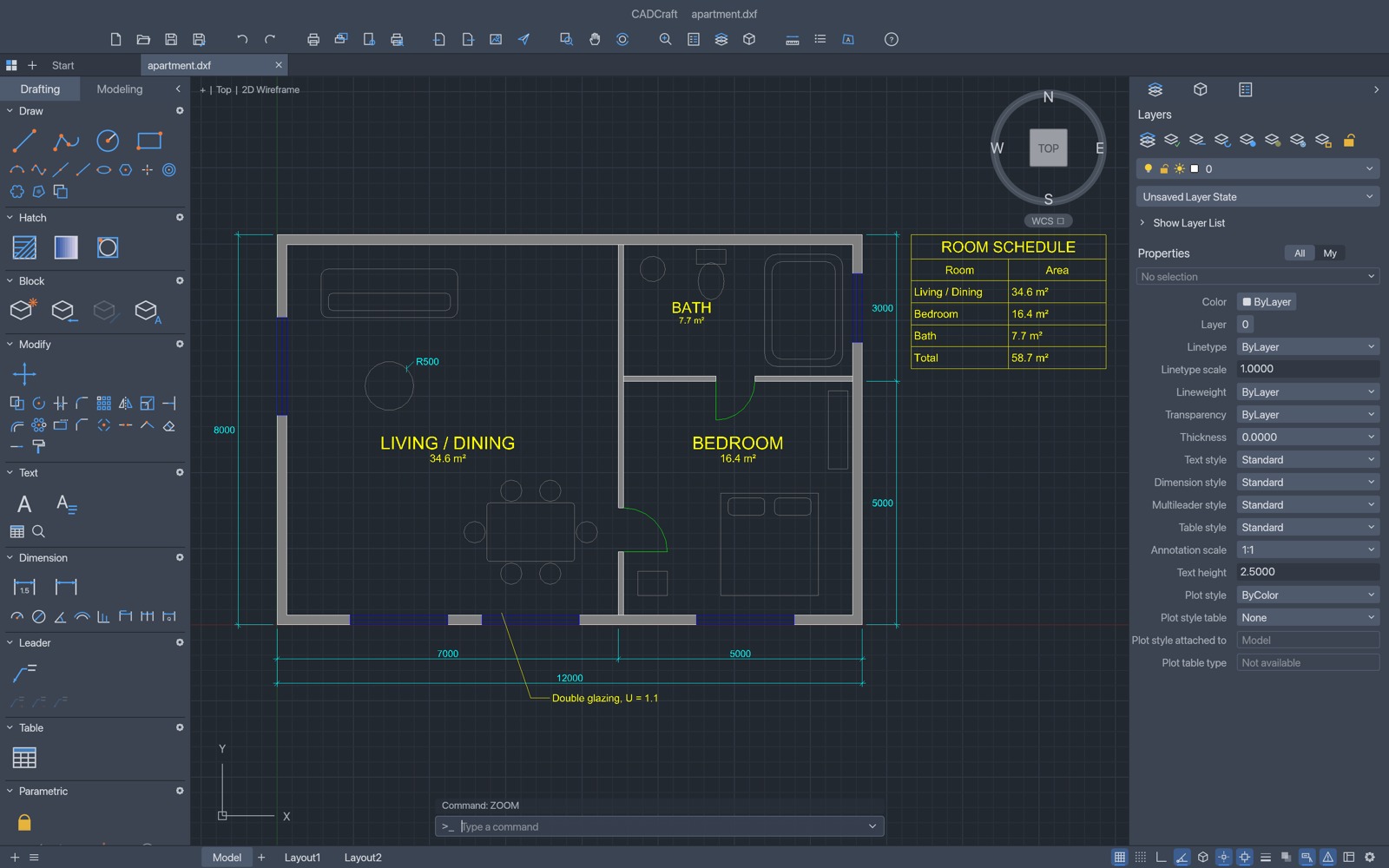
The features that have been implemented so far include:
- 2D drawing: commonly used commands such as Line, Polyline, Circle, Arc, Rectangle, Polygon, Ellipse, Spline, and Single-line and Multiline Text.
- Object Editing: Move, Copy, Rotate, Scale, Mirror, Offset, Trim, Extend, Fillet, Chamfer, Array, Explode, etc.
- Precision drawing: object snap, polar tracking, ortho mode, grid snap, and direct distance entry
- Layers and Properties: Layer Properties Manager, Properties Panel
- Dimensions and annotations: associative dimensions, multileaders, tables, with TrueType/OpenType font support
- Hatch and Blocks: Pick Boundary Hatch, Pattern/Solid/Gradient Hatch, Blocks and Attributes
- Layout and Plotting: Paper Space, Viewports, Page Setup, and direct plotting to PDF.
- Parametric design: geometric and dimensional constraints that automatically recalculate when changes are made.
In addition to DXF and DWG, you can also export SVG, PNG, and PDF. The interface is available in 9 languages, including Simplified Chinese, but Traditional Chinese is currently not available.
DWG compatibility is the most important thing to pay attention to. According to the GitHub documentation, CADCraft can read DXF from R12 to 2018 and DWG from R13 to 2018, but when saving, it always writes back to the R2000 format. DWG reading and writing are handled through the open-source acadrust library. More critically, object types that CADCraft does not yet support will not be preserved when saving.
In other words, if you get a client’s DWG file, open it with CADCraft, edit it, and save it back, some things in it may disappear, so before you use it to work on work files, you must back it up first.
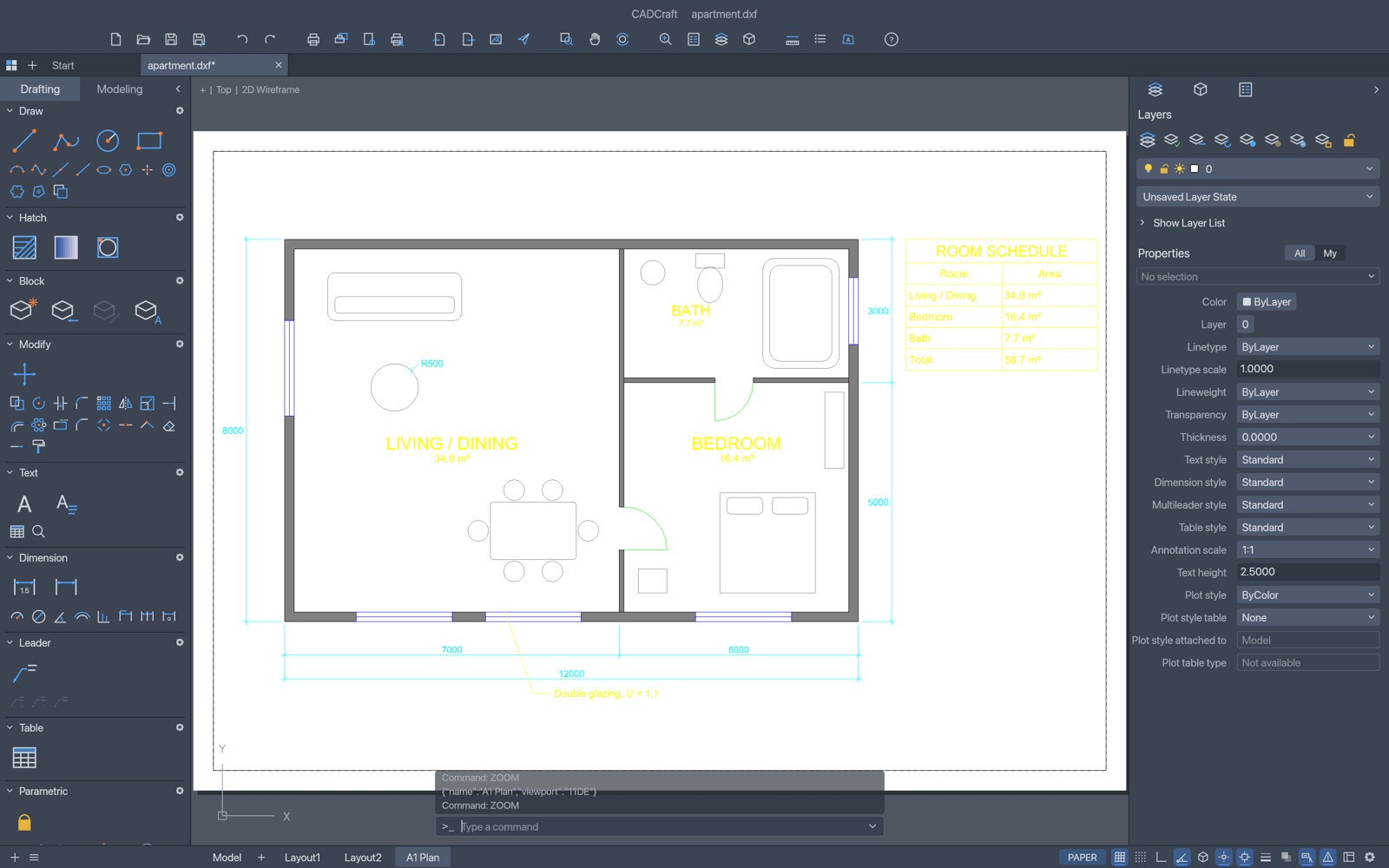
3D is currently the biggest feature gap. According to the development roadmap updated on October 10, 3D modeling and rendering are only about 2% complete, with an estimated 300–450 hours of work still needed, so there is still a long way to go before full support.
SoundCraft The benchmark is Avid Pro Tools, and it similarly carries over Pro Tools’ operating logic, with separate Edit and Mix windows. Editing modes are also divided, following Pro Tools, into four types: Shuffle, Slip, Spot, and Grid. There is also a Commands Focus shortcut mode that lets you issue commands with a single key.
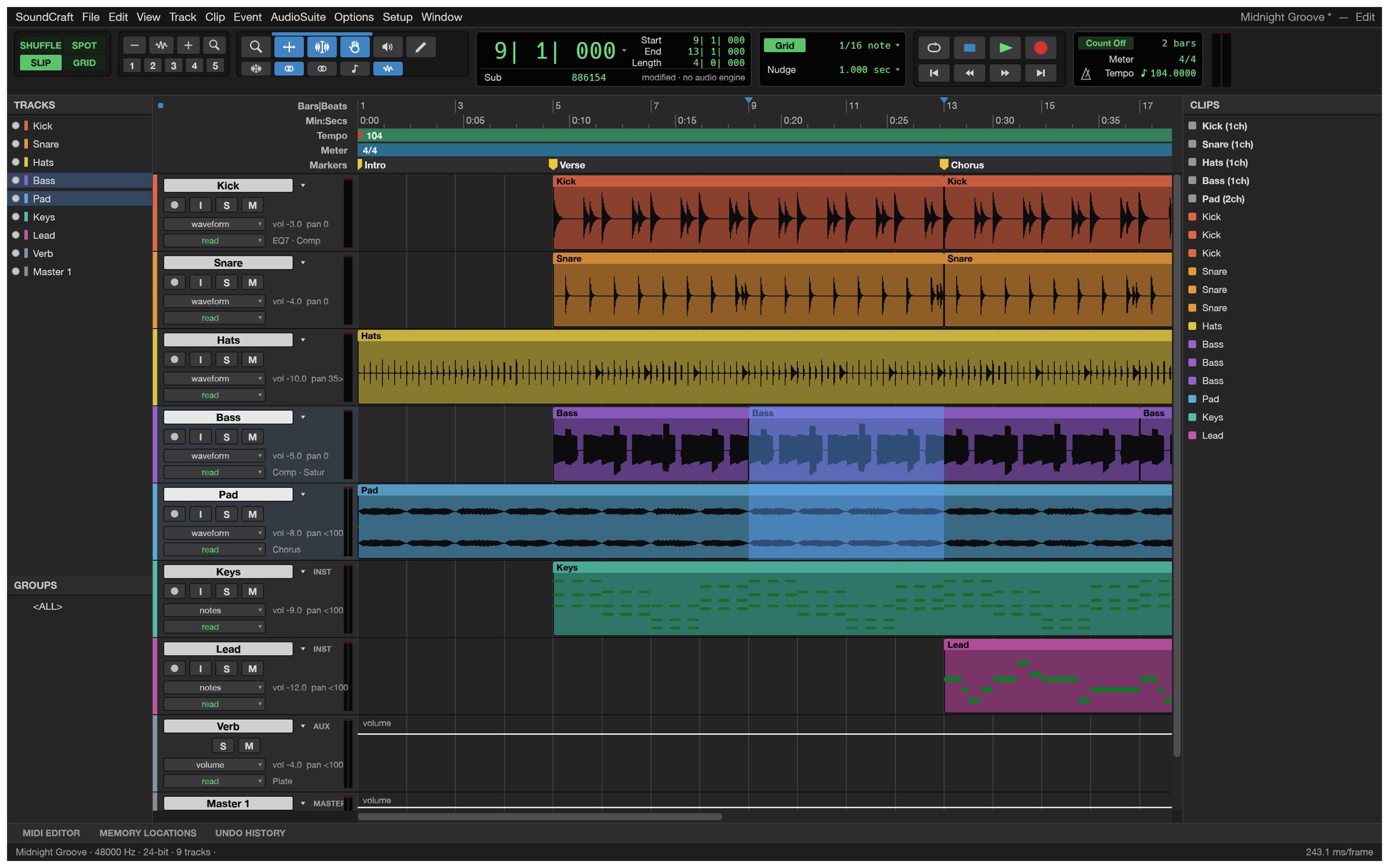
Image source: SoundCraft
The features are fairly comprehensive, including:
- Multitrack Editing: Comping Playlists, Fades, Clip Gain, Undo
- Mixing: 10 inserts and 10 sends per track, with support for buses, Aux inputs, VCAs, routing folders, and level meters, plus automatic plug-in delay compensation.
- Automation: volume, pan, mute, Send, and plug-in parameters, with support for four modes: Write, Touch, Latch, and Trim.
- Recording: Punch in/out, pre-roll and post-roll, loop recording, input monitoring, auto-save
- Built-in effects and instruments: EQ, compressor, gate, reverb, delay, modulation effects, plus a subtractive synthesizer, drum synthesizer, and sampler.
- MIDI and sheet music: piano roll editor, quantization, transposition, score editor, can export MusicXML
- Video and surround sound: video tracks can play back H.264, ProRes, and Motion JPEG in sync, while surround sound supports up to 9.1.6 and Ambisonics.
- Audio formats: WAV, AIFF, and FLAC are readable and writable; MP3, AAC, ALAC, etc. can be imported; LUFS loudness is displayed when mixing down.
As for third-party plugins, the CLAP format can already be loaded, and VST3 and Audio Units are also listed in the menu; for the actual level of support, refer to the official documentation for the latest version.
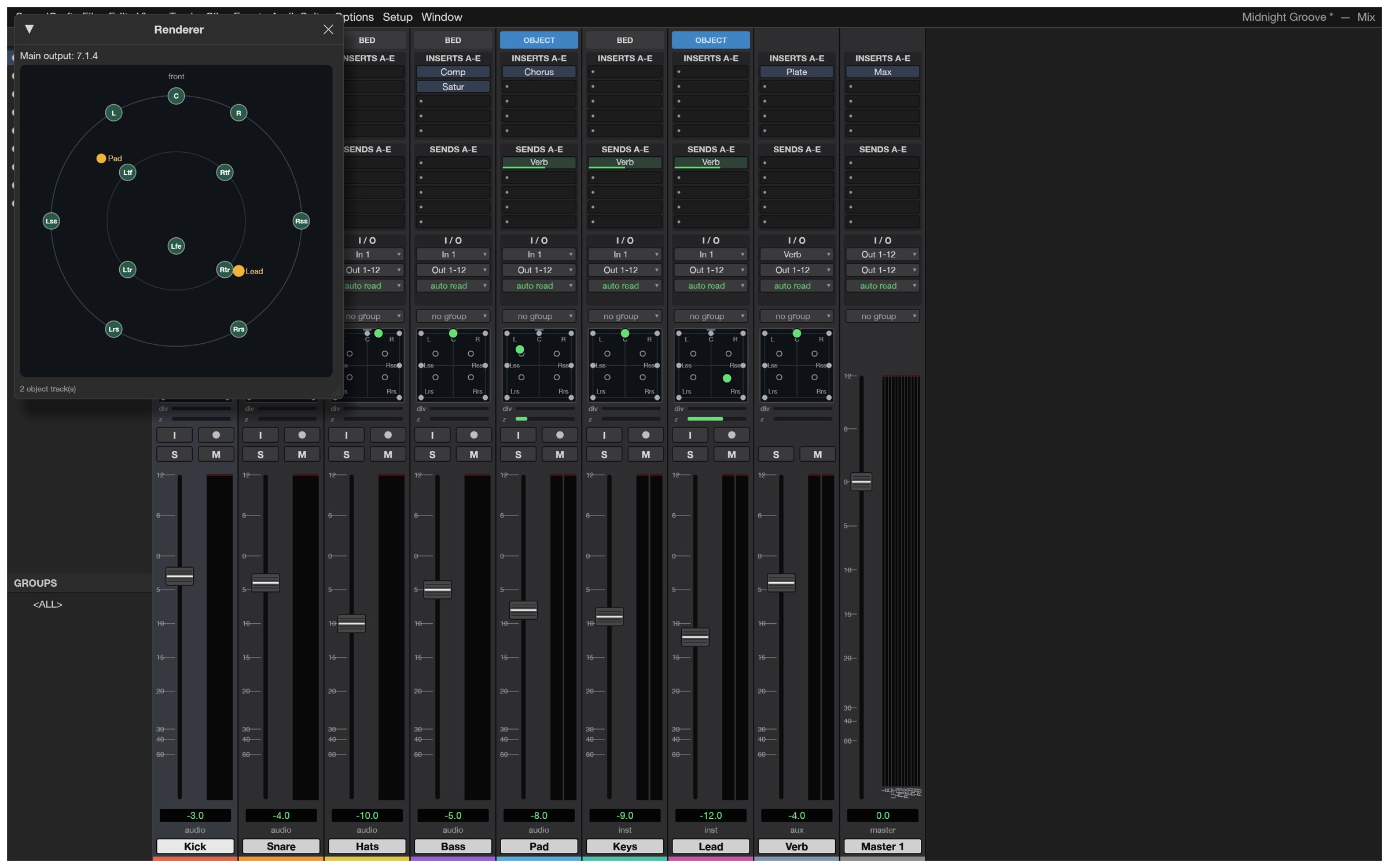
Image source: SoundCraft
With these two added, ArtCraft’s Craft series has reached 12 entries.
ArtCraft’s current 12 tools and their respective benchmark commercial software are summarized as follows:
| ArtCraft Tools | Category | Benchmarking software |
|---|---|---|
| PhotoCraft | Image Editing | Adobe Photoshop |
| VectorCraft | Vector graphics | Adobe Illustrator |
| FilmCraft | Video Editing | Adobe Premiere Pro |
| LightCraft | Photo Management and RAW Development | Adobe Lightroom |
| PdfCraft | PDF editing | Adobe Acrobat |
| EffectCraft | Motion Graphics and Special Effects | Adobe After Effects |
| DesignCraft | Typesetting and Publishing | Adobe InDesign |
| WordCraft | Word processing | Microsoft Word |
| GridCraft | spreadsheet | Microsoft Excel |
| DeckCraft | Presentation | Microsoft PowerPoint |
| CADCraft | Computer-Aided Design/Drafting | Autodesk AutoCAD |
| SoundCraft | Digital audio workstation | Avid Pro Tools |
Source: KOCPC Chinese