


If you want local AI models to run faster on a Mac, or to get models that previously couldn’t run at all working successfully, most people would probably think of switching to a Mac with more memory. But now, a developer has actually made an idea you may have had yourself a reality: getting the iPhone you already have on hand to help run AI too.
This open-source project is called Backburner. Using just a single USB-C cable, the developer connected an iPhone 17 Pro Max to an M4 Pro MacBook Pro and successfully got the two devices to split the work of processing an AI model.
According to the test results he published, after adding the iPhone to the computation, AI’s Prefill speed for processing long prompts increases by up to 44%. In another mode, part of the KV Cache can also be placed on the iPhone, theoretically raising the original context limit of about 64,000 tokens to about 200,000 tokens.
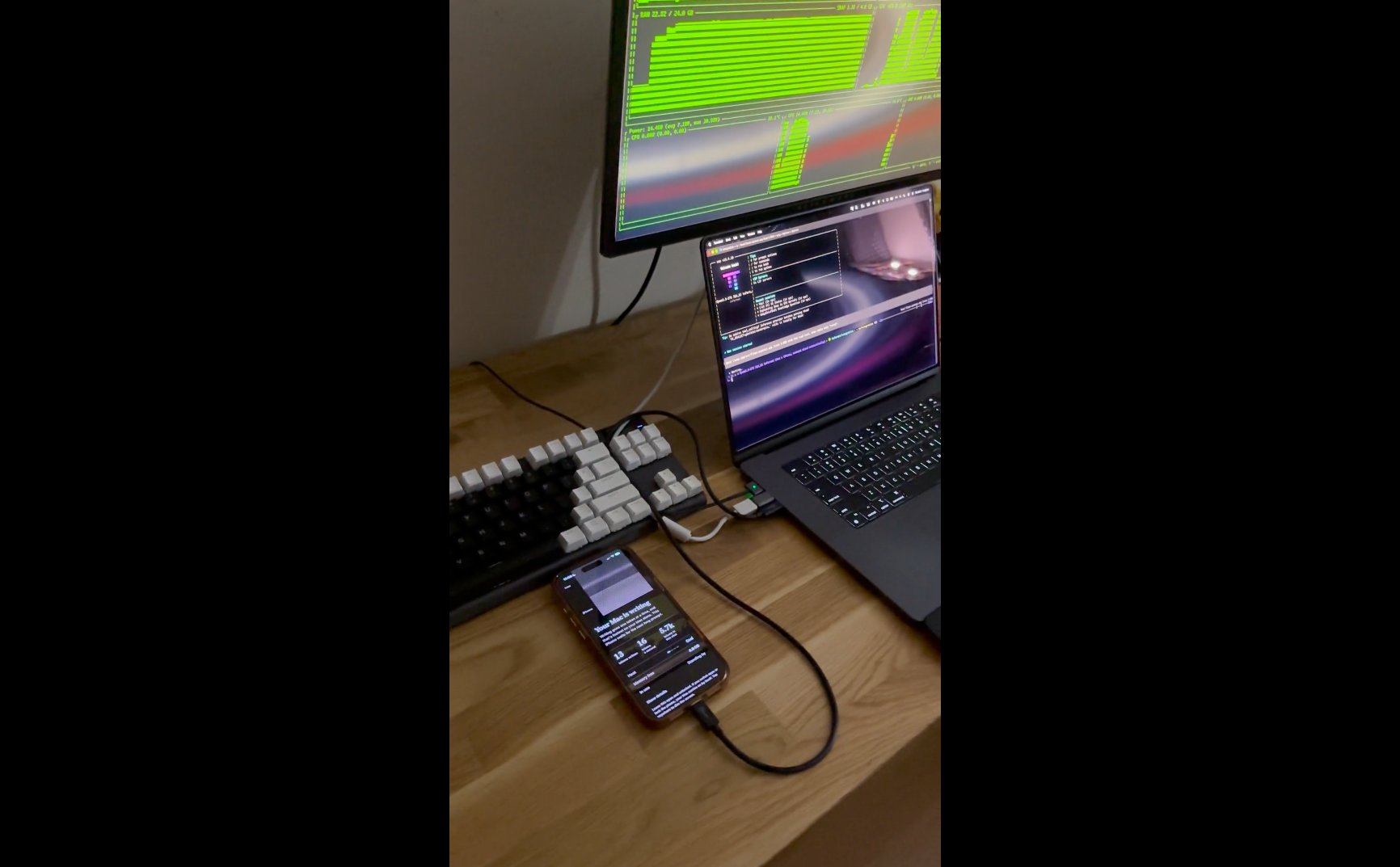
Can an iPhone help a Mac run AI, too? Open-source project Backburner uses USB-C to link the two devices, making long-text reading up to 44% faster.
Recently, developer StayLameBro released the first preview version of Backburner, v0.0.1, on GitHub and shared his test results on Reddit.
The test environment was an M4 Pro MacBook Pro with 24GB of memory, plus an iPhone 17 Pro Max, connected via a 10Gb/s USB-C cable. The model run was Qwen 3.8-27B, and at context lengths of 16K, 32K, and 48K, adding the iPhone made read speeds faster by 44%, 29%, and 30%, respectively.
I made my iPhone a second GPU for my 24 GB MacBook: Qwen 3.8 27B prefills 29–44% faster & my holds part of the CTX window.
byu/StayLameBro inLocalLLaMA
So how exactly does the iPhone help? Simply put, it splits the AI model’s work between two devices so they can do it together.
Take the Qwen 3.8-27B in this test, for example: the model has 64 layers in total internally, and every time it processes content, it has to compute from the first layer all the way to the last. Backburner assigns the first 40 layers to the Mac’s GPU and the remaining layers 41–64 to the iPhone, meaning the two devices each handle part of the model:
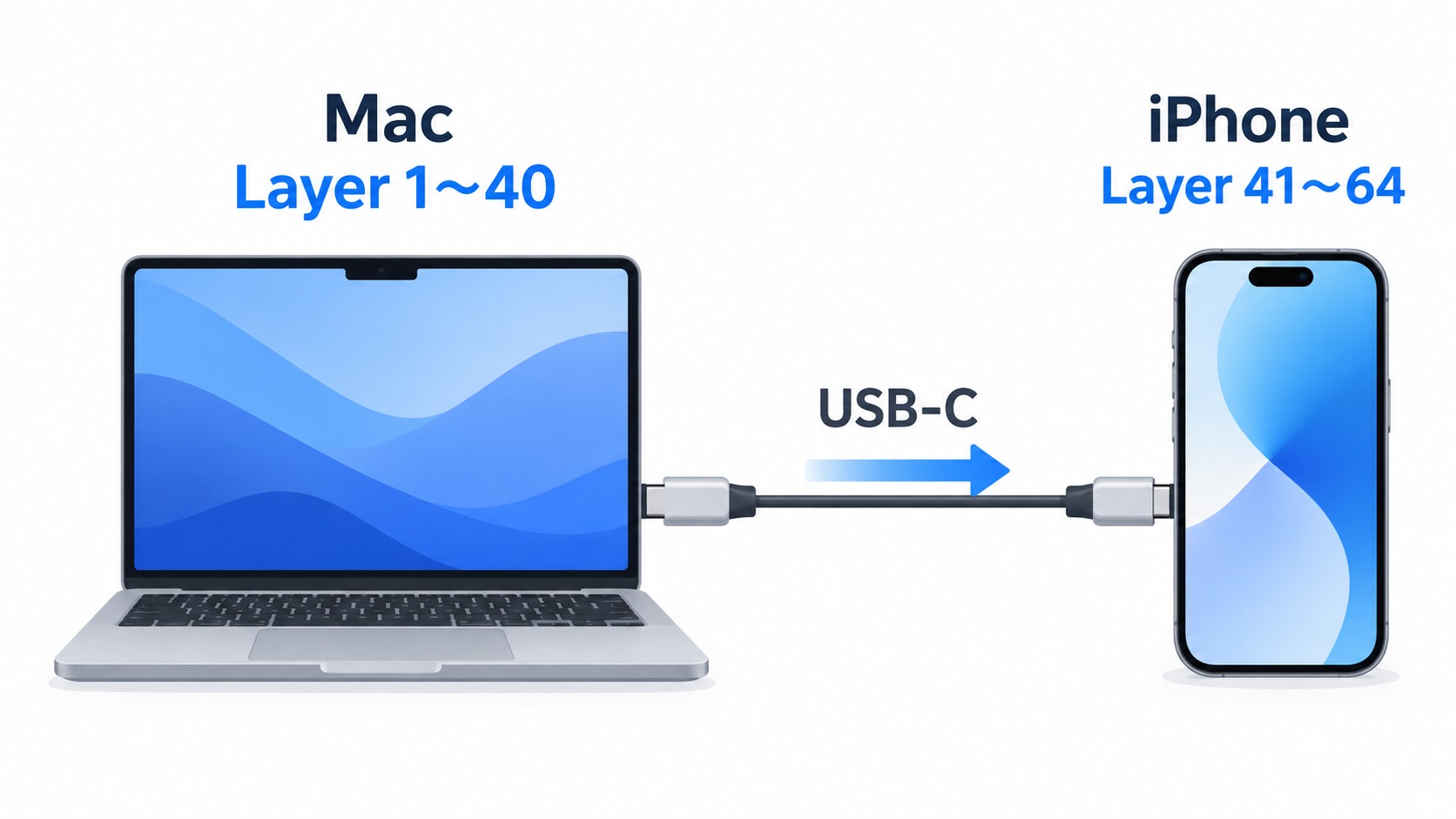
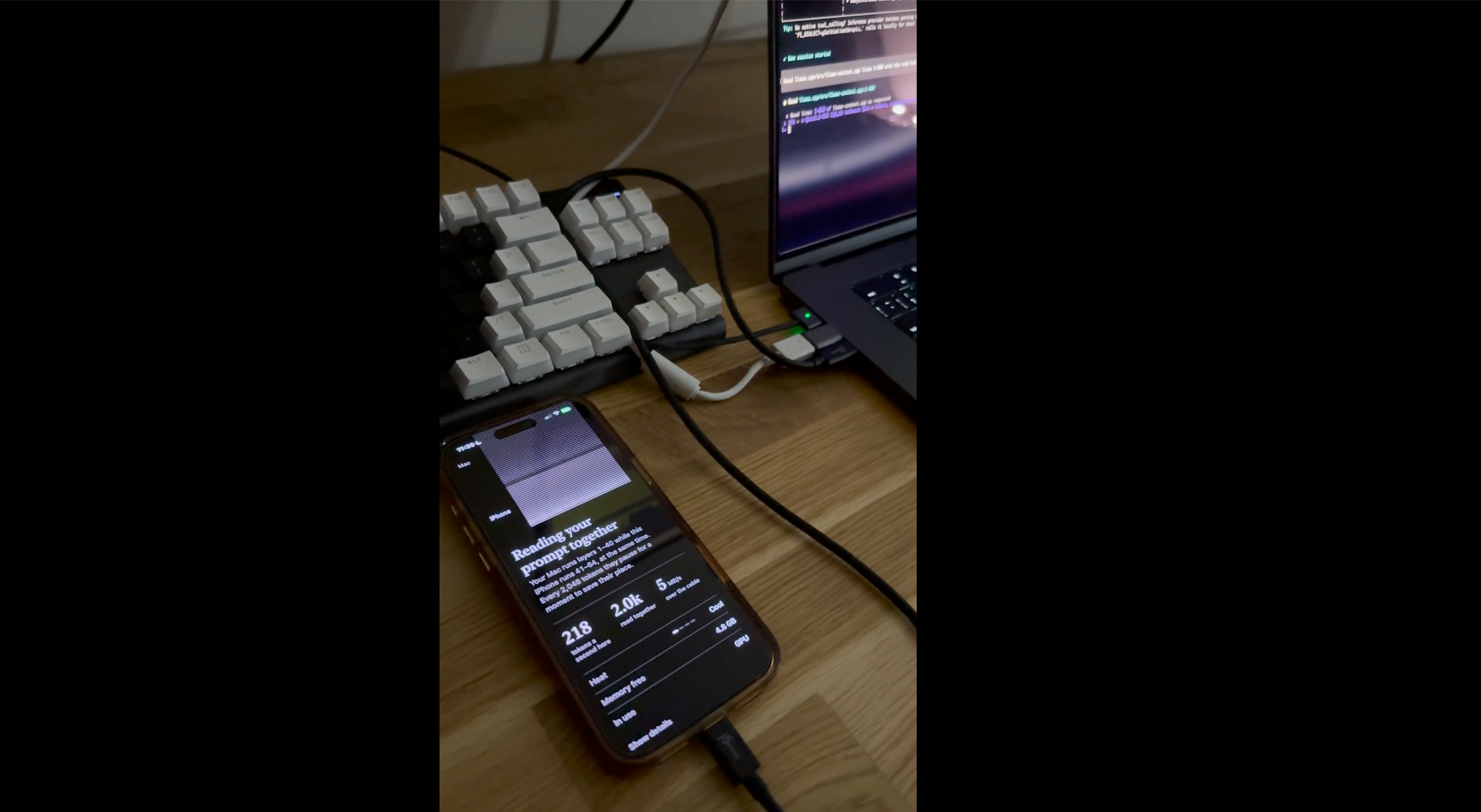
But if it just finished computing on the Mac and then switched to the iPhone, it wouldn’t actually be much faster, so Backburner also uses something like a factory assembly line. It splits the input into small batches of 256 tokens each. After the Mac finishes computing the first 40 layers of the first batch, it immediately hands the result to the iPhone over USB-C, then continues processing the second batch itself; meanwhile, the iPhone is also computing the remaining 24 layers of the first batch.
This way, the Mac and iPhone can work simultaneously, without one having to finish before the other can start, so overall processing speed will naturally improve.
In addition, the transfer speed between the two devices is also important. If the cable is too slow, the Mac has to wait for the data to be transferred to the iPhone after it finishes computing, which slows down the entire process. That’s why the developer uses a 10Gb/s USB-C cable. The USB-C cable included in the box with the iPhone only has USB 2 speeds, so it’s not suitable for running this system.
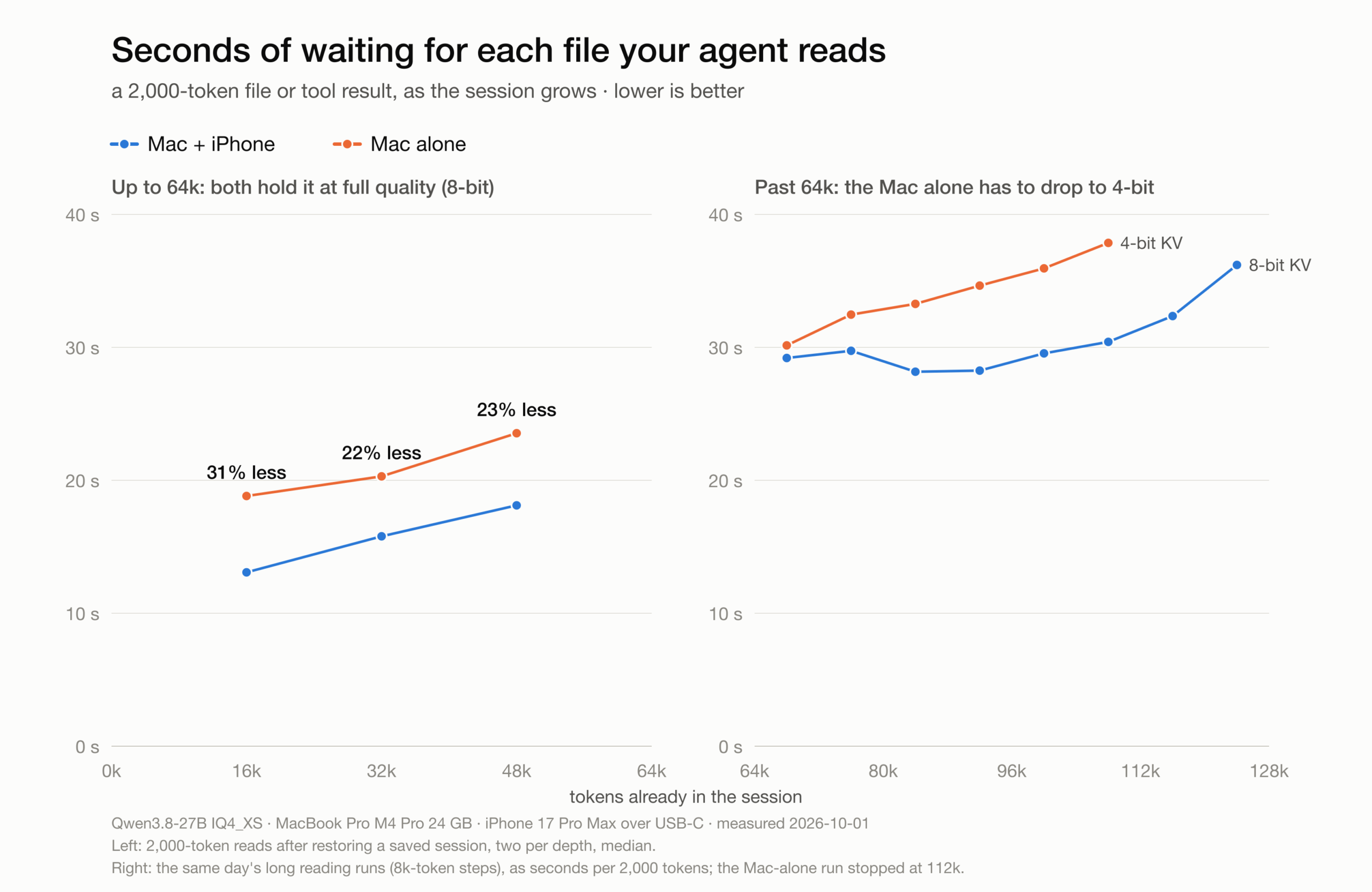
The table below shows the test results. Note that the speed improvement refers to the speed at which the AI “reads content,” not the speed at which it generates answers:
| Context length | Only use Mac | Mac+iPhone | Speed improvement | Waiting time |
|---|---|---|---|---|
| 16K | 109 tok/s | 157 tok/s | +44% | 18.8 seconds → 13.1 seconds (31% less waiting) |
| 32K | 101 tok/s | 130 tok/s | +29% | 20.3 sec → 15.8 sec (22% less waiting) |
| 48K | 87 tok/s | 113 tok/s | +30% | 23.5 seconds → 18.1 seconds (23% less waiting) |
The developer also ran a test with an AI agent tool that was closer to everyday use. He started a new session of about 27,000 tokens. With the original llama.cpp, the first response took 245 seconds. Switching to the modified Backburner version but still using only the Mac shortened it to 228 seconds. After connecting an iPhone to compute alongside it, it dropped further to 168 seconds, nearly 80 seconds less waiting than before.
As the conversation continued, the wait time also dropped from an average of 19.2 seconds to 14.5 seconds, meaning this method not only improved benchmark scores but also significantly shortened wait times in actual use.
In addition, once the context exceeds 64,000 (64K) tokens, the iPhone takes on another job: “helping relieve the Mac’s memory pressure.”
The content an AI has read leaves behind temporary data called KV Cache, which can be thought of as the AI’s “notes.” The longer the content, the larger these notes become, and the more memory they consume. For a 24GB Mac, after loading the model, the remaining memory is only enough to hold about 64K of 8-bit KV Cache; anything longer will easily fail to fit.
At this point, Backburner no longer splits the model for computation across both sides; instead, the Mac runs the full model itself, then moves a portion of the older KV Cache to the iPhone for storage and processing. In simple terms, it’s like attaching an “external notebook that can look up information on its own” to the Mac, so more context doesn’t all have to be crammed into the Mac’s memory.
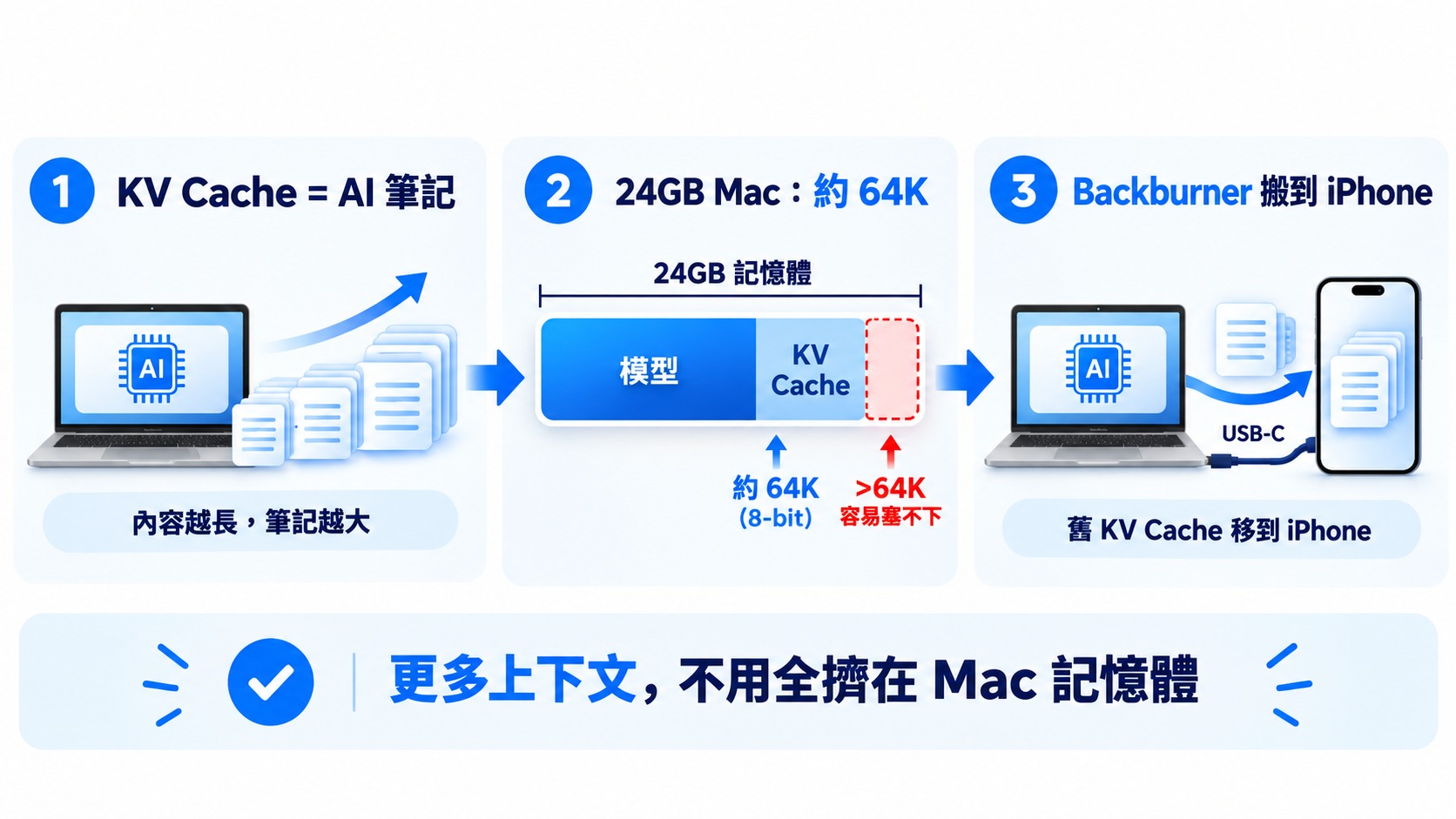
In actual testing so far, developers have found that an 8-bit KV Cache can reach 128K, while a 4-bit one can reach 140K. By comparison, on the same Mac without relying on an iPhone at all, an 8-bit KV Cache can only stretch to about 64K.
Shortly after the project went public, Backburner added a Split Decode mode, further enabling Macs with only 8GB of memory to run Qwen3.8-27B in conjunction with an iPhone.
The approach is likewise to split the model across two devices for joint processing: the Mac handles the earlier model layers, while the iPhone takes over the remaining layers and the final output, so each Token generated requires both devices to jointly complete the computation.
Of course, it’s not very fast in terms of speed; actual testing shows that the text generation speed is about 3.9 Token/s.
Under 4 tokens per second is hardly fast, but for an entry-level Mac with only 8GB of memory, a 27B model couldn’t be fully loaded before; now it can successfully run by sharing the load with an iPhone.
Those interested can go to Backburner ProjectLearn more.
Source: KOCPC Chinese