


We previously introduced a macOS app that supports mixed Chinese and English input, “Jingjing Input MethodAlthough it’s simple and easy to use, since it’s a paid version, many people may not have the budget for it. Recently, I also discovered this quite powerful WeiYin Input Method, which not only supports mixed Chinese-English typing mode, but also has tons of built-in features, including multiple Zhuyin keyboard layouts such as traditional Daqian, Eten, and Hsu, and over 110 preference settings. It’s completely free and open source, so for anyone who finds macOS’s built-in input method hard to use, I highly recommend giving it a try.
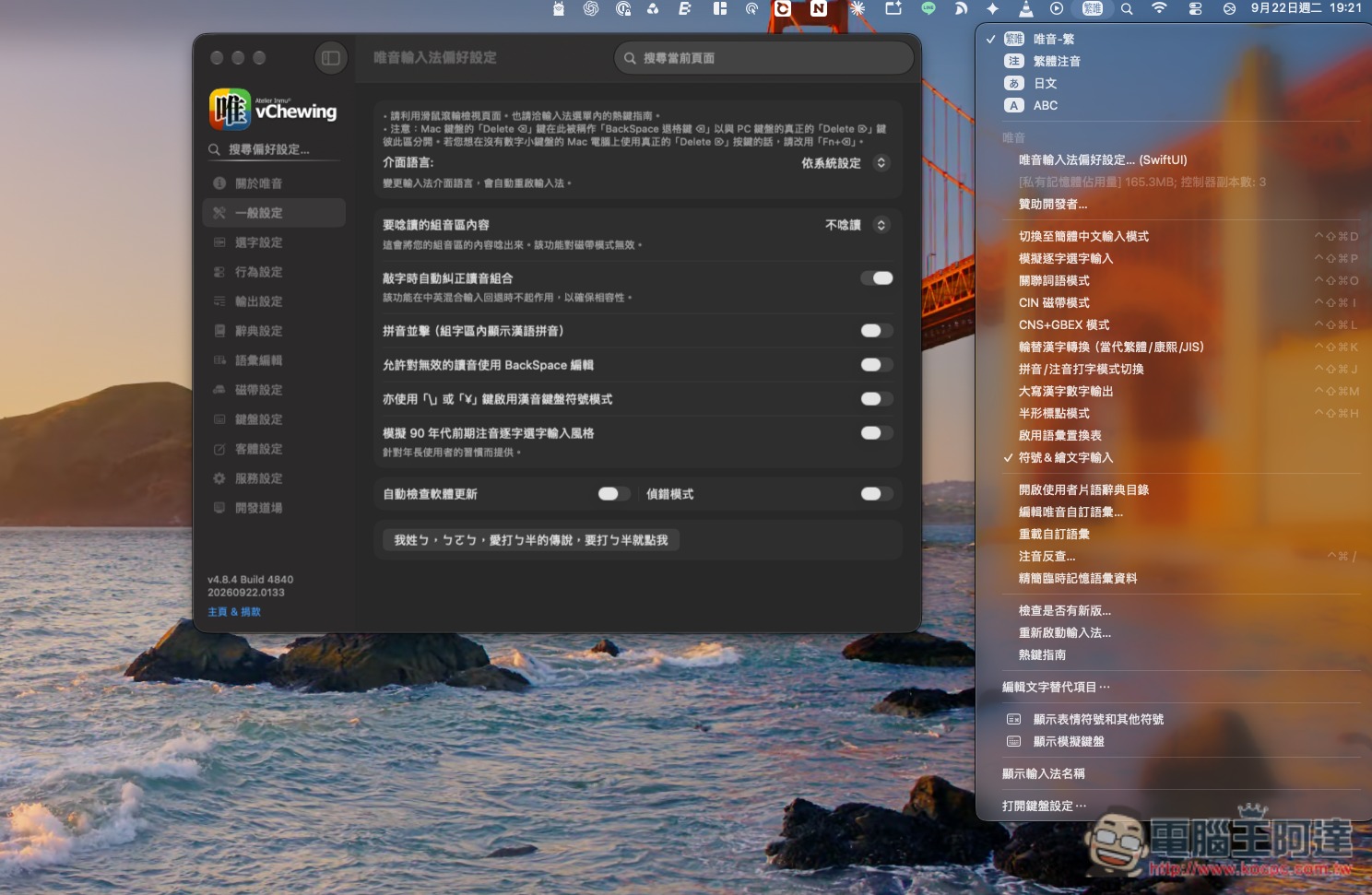
WeiYin Input Method is a completely free macOS input method tool that supports mixed Chinese and English typing and has tons of features.
vChewing (唯音輸入法) is a free and open-source Chinese input method built specifically for macOS. Formerly known as “威注音”, it has been under development and continuously maintained since late 2021. For users who feel that macOS’s built-in Zhuyin input is not feature-rich enough, or who have switched from Windows to Mac and have been unable to find a familiar input experience, vChewing offers a very high degree of customization flexibility and is not limited to ordinary Zhuyin input.
It supports various traditional Zhuyin keyboard layouts, including Dachen, ETen, and Hsu, and also provides multiple romanization schemes such as Hanyu Pinyin, Mandarin Phonetic Symbols II, Yale romanization, and Tongyong Pinyin. People accustomed to the character-by-character selection method of early Windows “ㄅ半” can also use the “我姓ㄅ” setting to quickly switch to an operating mode close to what they used before. In addition, its CIN tape mode can load input method tables for Array, Cangjie, Boshiamy, and others, so even non-Zhuyin users can use Weiyin to build an input environment they are accustomed to.
Customization is also a standout feature. With over 110 built-in preferences, you can adjust details such as the candidate window layout, font size, candidate behavior, keyboard shortcuts, and mixed Chinese-English input. When “Chinese-English mixed input fallback” is enabled, you can type in mixed Chinese and English, reducing the hassle of repeatedly switching input modes. When composing sentences, it also supports moving the cursor directly, cycling through candidate words in place, and adding or excluding custom phrases, which is very convenient for people who need to input large amounts of Chinese over long periods.
In terms of privacy, 唯音 has enabled Apple App Sandbox and by default does not actively connect to the network; related network communication occurs only when the user manually enables “Automatically Check for Software Updates.”
If you have long used the Yahoo! Kimo Input Method or McBopomofo in the past, there are also related ways to migrate user phrases, so you do not have to rebuild your lexicon entirely from scratch. The current mainstream version of VChewing supports macOS 12 Monterey and later, and the official release also provides an Aqua Memorial Edition for older versions of macOS.
Key Features
- Completely free and open source, with no ads or hidden charges.
- Developed specifically for macOS, supports macOS 12 and later.
- There are several Zhuyin keyboard layouts, including Dayi, Eten, Hsu, and others.
- Supports multiple romanization systems, including Hanyu Pinyin, Tongyong Pinyin, Yale romanization, and more.
- Provides a “ㄅ半” character-by-character selection mode, making it easier for long-time Windows users to transition.
- Supports CIN / CIN2 code tables and allows the use of input methods such as Array, Cangjie, and Boshiamy.
- With over 110 preferences, you can deeply customize character selection and the input experience.
- Built-in mixed Chinese and English input, reducing the need to frequently switch input modes.
- Supports user vocabulary and typing learning.
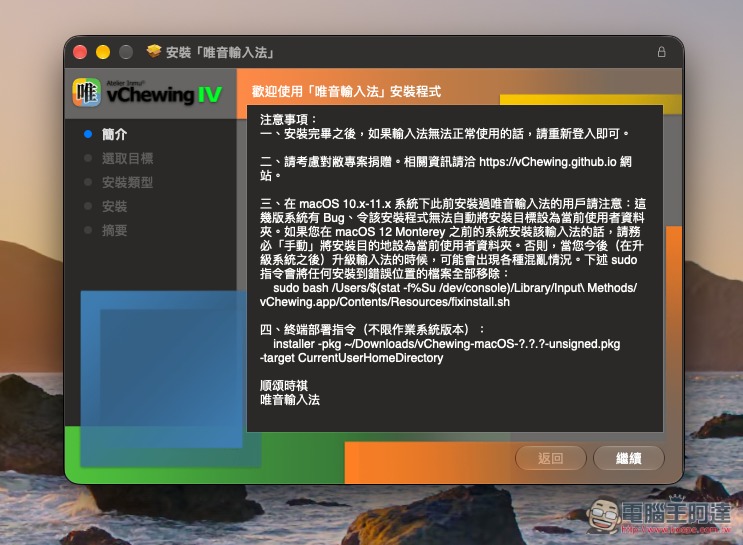
The 唯音輸入法 installation interface is very Windows-like, so just follow the on-screen instructions to install:
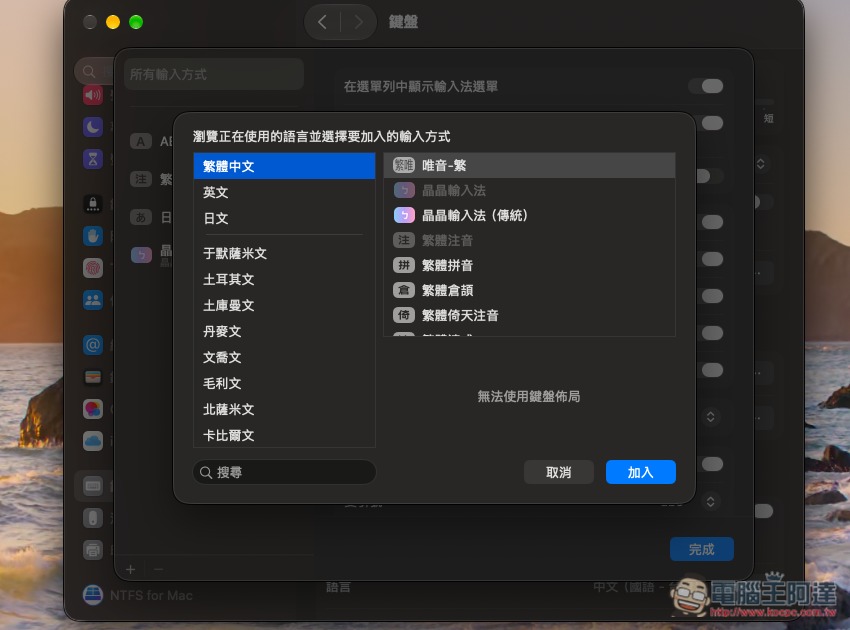
After installation, if it doesn’t appear, you can open the keyboard settings to add it manually. If it doesn’t work properly, just log out and log back in:
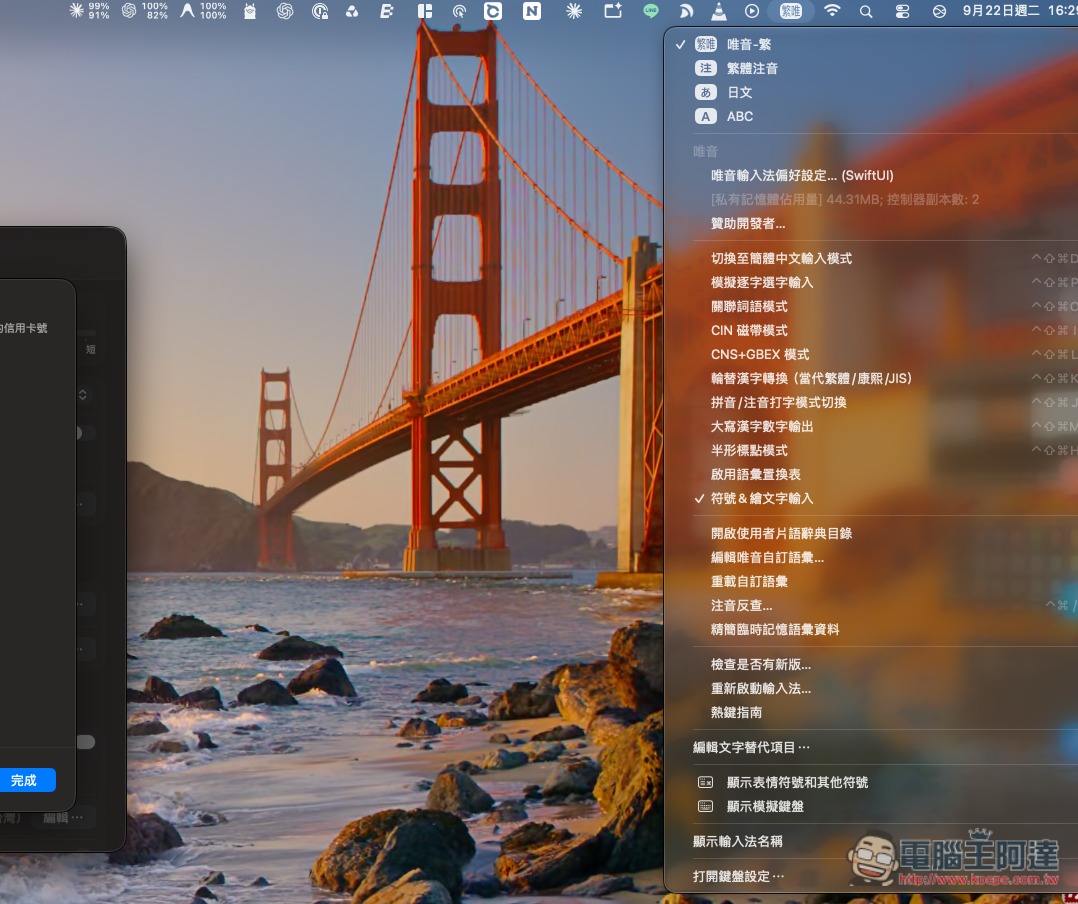
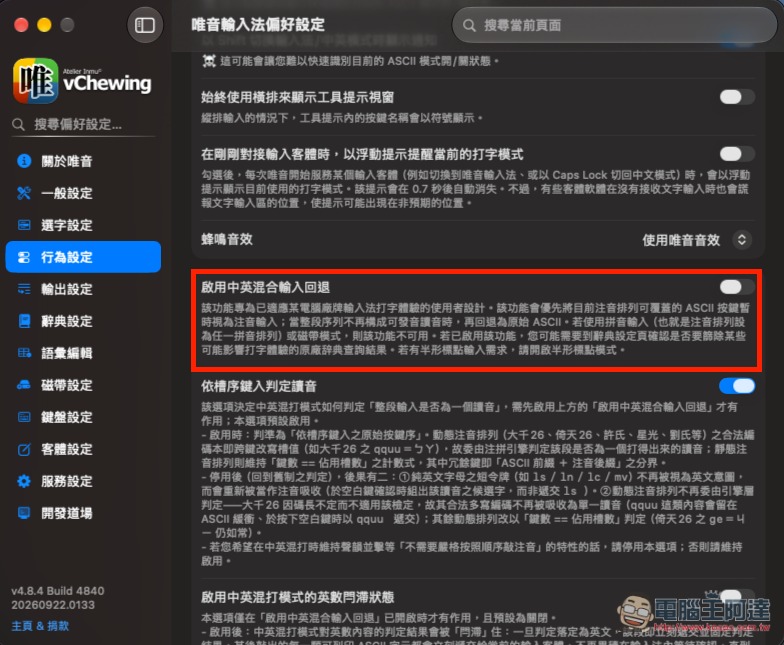
After switching to the Weiyin Input Method, you’ll see a lot of settings, including mode switching. If you want mixed Chinese and English input, you need to go to “Weiyin Input Method Preferences” and enable a feature:
That is, the “Enable mixed Chinese-English input fallback” behavior setting:
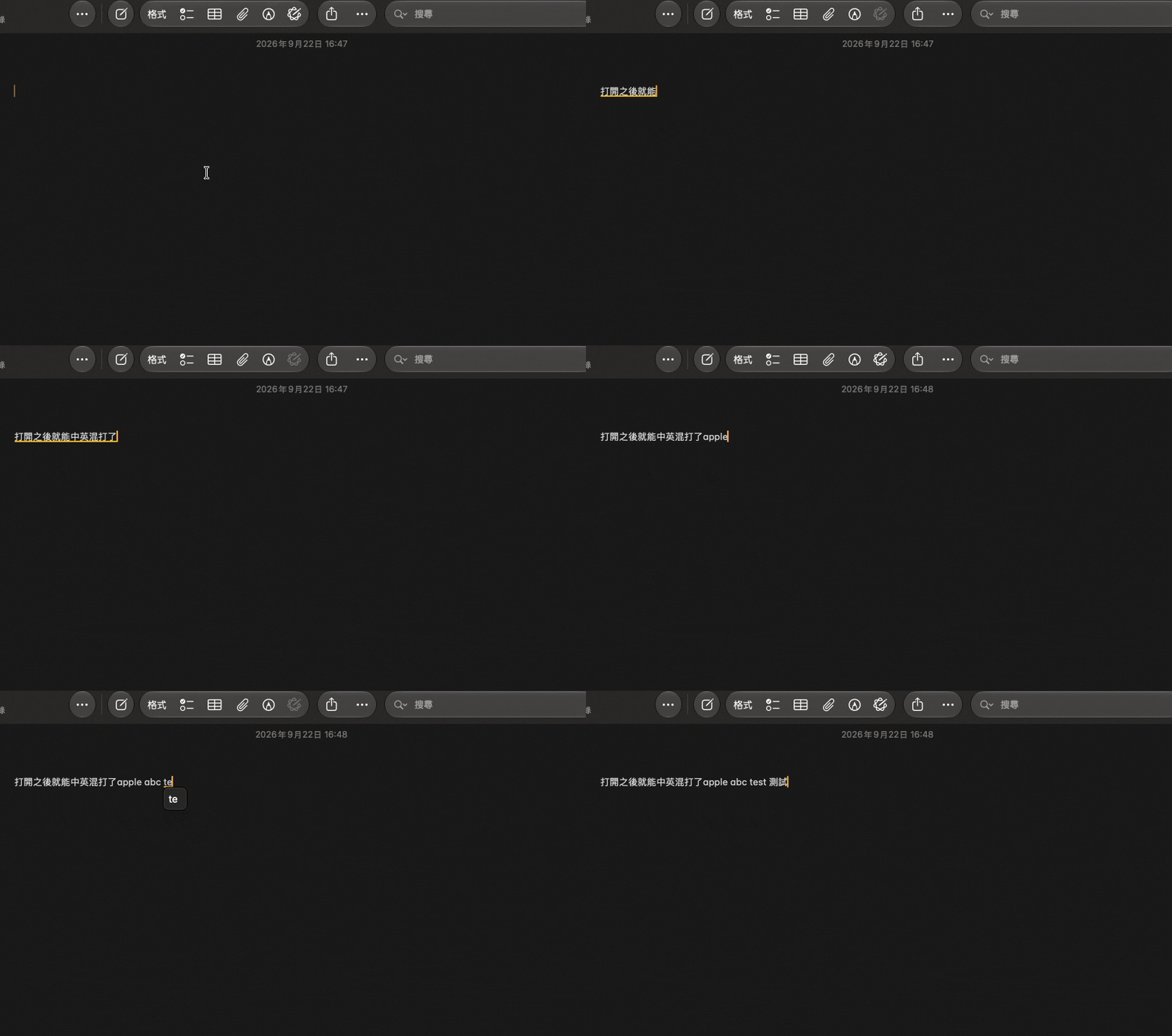
Then you can type in a mix of Chinese and English:
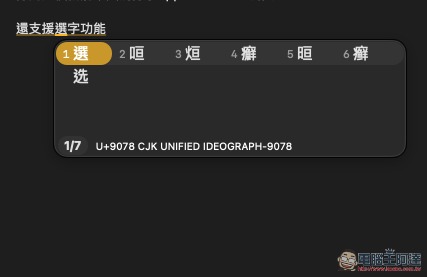
Also supports number-based character selection:
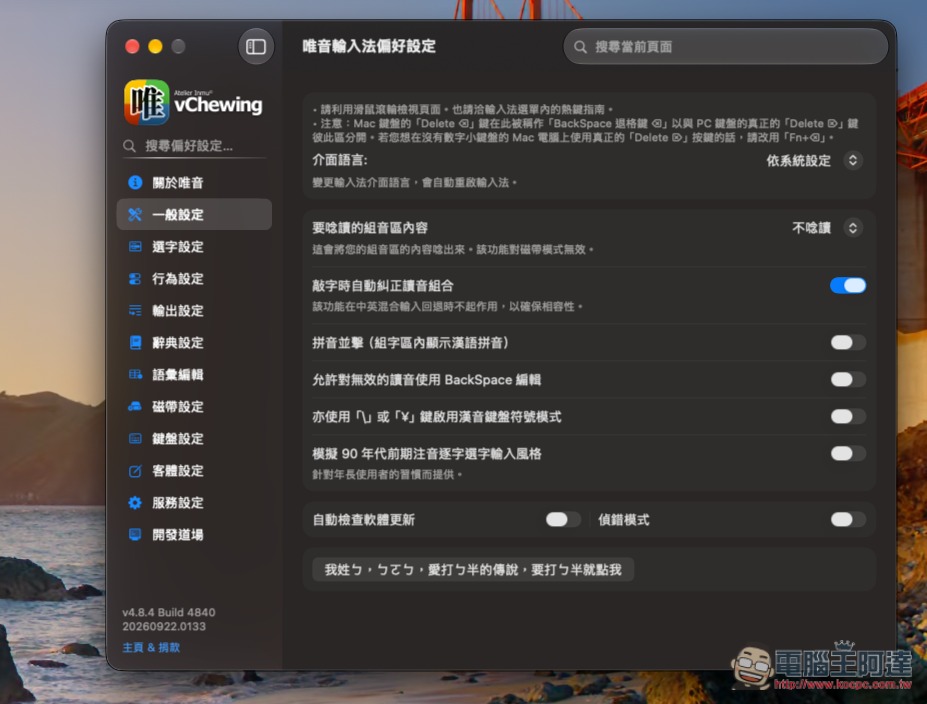
The WeiYin Input Method really offers a ton of features and settings; the rest is for everyone to try out themselves. I think it’s pretty nice to use:
Source: KOCPC Chinese