


Although the quality of images and videos generated by Gemini is quite good, there has always been a frustrating issue: a watermark in the bottom right corner. If you needed to use them for formal purposes, you previously had to use other tools to remove it, which was very troublesome. The good news is that Gemini has finally opened up the option for all users to choose whether to have a watermark. Once turned off, images, videos, and music generated by Gemini will no longer have the ✦ watermark, and the free version can also disable it.
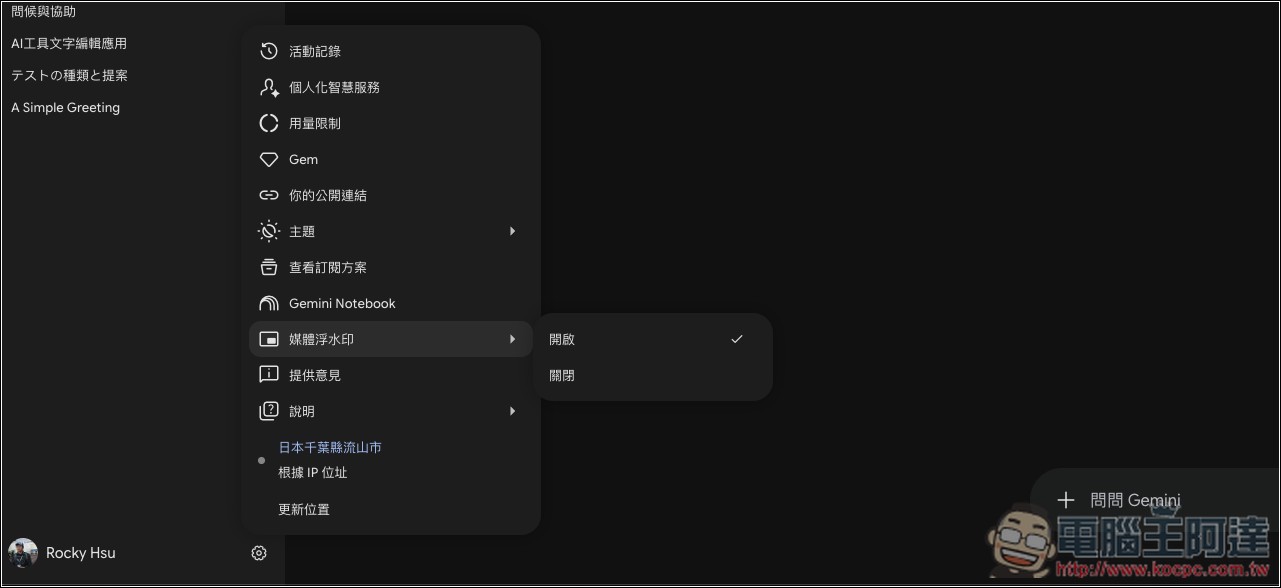
Google is opening up the option to turn off watermarks on Gemini AI-generated content. This applies to Nano Banana, Omni, and Lyria alike, but SynthID will still be in place.
Google Vice President for Gemini Josh Woodward earlier announced this update on X. Starting August 14, the feature to turn the Gemini watermark on and off will be rolled out in batches. In addition to the Gemini app itself, the video editing tool Flow also supports it simultaneously. Google Search is expected to follow later, but there is no specific timeline yet.
The scope covers Google’s three current main generative features, including Nano Banana for images, Omni for video, and Lyria for music. Some of you may not be familiar with Lyria — files generated with it have also had watermarks in the past.
If you’re lucky enough to already have this feature, the process is very simple. Taking the web version as an example, in the settings icon at the bottom left, you’ll see the newly added “Media Watermark” option, which is enabled by default. If you don’t want a watermark, just toggle it off:
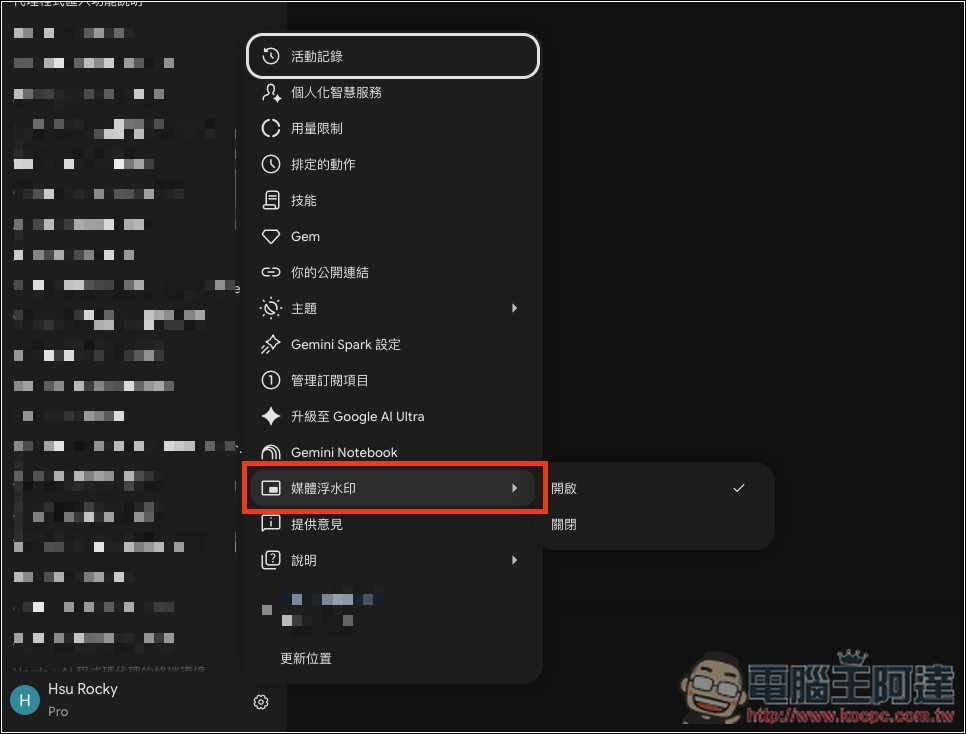
Then the generated images, videos, or music won’t have watermarks. In the image below, the top section shows an image I generated before turning it off, with a watermark in the bottom right corner, while the bottom section shows the result after disabling the watermark feature, and there’s no watermark on the image. I tested both my free account and Pro account, and they both already have this feature.

Another key point is that turning off the visible watermark does not mean the file becomes “completely free of watermarks.”
Google stated that the SynthID invisible watermark and C2PA metadata will still be present, and this cannot be turned off.
SynthID is a technology developed by Google DeepMind that embeds signals directly into pixels, audio waveforms, or frames, making them imperceptible to the human eye. It is also resistant to common processing such as compression, format conversion, and cropping. C2PA, on the other hand, is a cross-industry content provenance standard that consists of metadata traveling with the file, recording who created the file, when, and with what tools.
Josh Woodward said: “We strike a balance between creative freedom and safety, so visible watermarks are now optional, but the invisible SynthID watermark and C2PA metadata will continue to be used to maintain transparency.”
That said, the watermark removal feature came out a bit late. I’m sure many people have switched to ChatGPT for image generation by now, but it should still attract some users back to some extent.
Source: KOCPC Chinese