


Microsoft was recently discovered to have quietly updated the default power and sleep settings of Windows 11, making a number of optimizations for the “Modern Standby” mechanism. It is hoped that the unnecessary power consumption time when the device is idle can be shortened, and the battery life of the notebook computer can be substantially improved. This update applies to both newer devices that support Modern Standby, as well as older models that still use traditional S3 deep sleep mode. This is undoubtedly a belated but worthy improvement for users who have long been troubled by the problem of “running out of battery after sleeping” on their Windows laptops.
What is Modern Standby? Why does it keep giving users headaches?
To understand the significance of this optimization, you must first understand the power management solution of Modern Standby. It has been introduced since the Windows 8 era and operates in the system S0 low-power idle active power state, allowing the device to maintain low power consumption while still performing limited background tasks and achieving nearly second-level wake-up speeds. Simply put, it wants Windows laptops to have a “always online, always connected” experience like a mobile phone, so that when you press the power button or lift the screen cover, the device returns to working status almost instantly (similar to the Macbook experience).
However, the ideal is very full and the reality is very skinny. Modern Standby has been a nightmare for Windows laptop users for years. The Internet is full of complaints, such as: the device wakes up inexplicably after closing the lid and putting it in a backpack, the battery drops from 100% to 20% when waking up, and some users even reported that the laptop overheated in the backpack. The fundamental reason is that although the device in Modern Standby mode is claimed to be “low power consumption”, various background programs, scheduled tasks, and network wake-up events are constantly triggered, causing the device to be frequently pulled from a deep idle state back to a high-active state, and the power is quietly consumed without the user’s knowledge.

New default value is released: the screen turns off in 3 minutes, and the sleep time is greatly shortened
The most direct change this time is to significantly shorten the waiting time for turning off the screen and entering sleep when the device is idle. According to MicrosoftOfficial support documentation, the new default values are as follows:
Modern Standby Equipment:
- Battery powered: The screen turns off after 3 minutes and the system goes to sleep at the same time
- Plug in power: the screen turns off after 5 minutes and the system goes to sleep at the same time
Traditional S3 hibernation device:
- Battery Powered: Screen turns off after 3 minutes, system goes to sleep after 10 minutes
- Plug in power: screen turns off after 3 minutes, system goes to sleep after 15 minutes
These times are significantly compressed compared to past presets. In the past, when Modern Standby devices were plugged in, the waiting time for the screen to turn off and go to sleep was usually more than 10 to 15 minutes, but now it is reduced to 5 minutes. The sleep time of S3 devices has also been shortened from the previous 20 to 30 minutes to 10 minutes on battery and 15 minutes when plugged in.
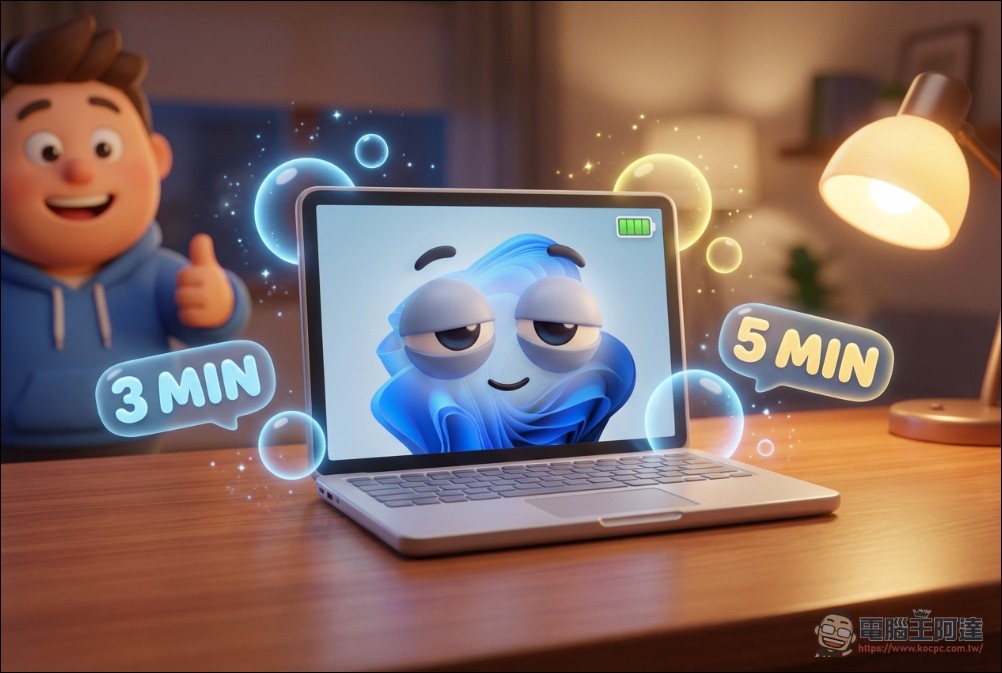
The logic of this adjustment is: after most users leave their seats, the device will no longer be used within the first few minutes, but the system has to wait for more than ten minutes to enter a low-power state, wasting a lot of power. Shortening waiting time is the simplest and most effective way to save energy.
Automatic protection of abnormal power consumption: The system detects strange power consumption and directly locks the wake-up source.
More important than adjusting the default values is the series of underlying optimizations Microsoft has made for Modern Standby wake-up logic. These changes can be called the core highlights of this update. First, when the system detects abnormal power consumption in Modern Standby mode, it will automatically enter a “restricted state” and disable most wake-up sources. In this state, the device can only be woken up by the user’s active operation – that is, pressing the power button or lifting the laptop’s screen cover. All non-user-initiated wake-up methods such as program scheduling, network wake-up, and background task triggering are intercepted by the system. This means that even if an application tries to secretly wake up the device in the background, the system will simply ignore it, completely eliminating the dilemma of “the battery is dead after sleeping”.
Secondly, Microsoft redesigned the input suppression logic for the “cover closing” scenario. The new input suppression feature now works in both battery-powered and externally powered modes. When the laptop is closed and no external monitor is connected, pressing the power button will not trigger the device to wake up – this design is intended to prevent users from accidentally touching the power button and causing the device to wake up accidentally while in the backpack. However, if an external monitor is connected when the cover is closed, the input suppression function will automatically disable, allowing the external screen to light up normally, ensuring that the desktop usage scenario is not affected.
Third, Microsoft removed the voice wake-up function as a wake-up source from sleep state. In the past, some devices supported waking up from sleep through Cortana or other voice assistants, but in practice this feature was rarely actively used by users, and instead became a potential source of background false triggers. Microsoft apparently assessed that the energy savings of removing voice wake-up far outweighed the convenience of retaining it.
S3 traditional hibernation also benefits
Although Microsoft has continued to promote Modern Standby in recent years, the traditional S3 deep sleep mode has not been abandoned. Especially on some older hardware and certain desktop configurations, S3 remains the primary power management solution. In S3 mode, most of the device’s hardware is completely powered off, and only the system memory (RAM) retains the current running session, so the power consumption is lower than Modern Standby, but at the expense of a significantly slower wake-up speed.
This update also reduces the idle sleep timer for S3 devices, from the previous more generous default value to 10 minutes on battery power and 15 minutes on power. Although S3 devices still sleep longer than Modern Standby, this reflects the essential difference between the two modes: Modern Standby is designed to wake up quickly, while S3 prioritizes extremely low power consumption.
The bigger picture behind the scenes: Project K2 and the overhaul of Win11
This optimization of Modern Standby should be part of Microsoft’s larger Windows 11 transformation plan. Just recently, an internal plan allegedly called “Windows K2” was exposed. According to reports from Windows Central, Microsoft’s Windows head Pavan Davuluri has confirmed that he will start addressing user feedback with the goal of making Windows 11 “the most stable operating system in the world.”
The K2 project will be launched in the second half of 2025, focusing on four pillars: Performance, Craft, Reliability and Community. Sources pointed out that in the past, the Windows team pursued agile development too much. Although the speed of feature release increased, software quality and stability were sacrificed. At present, the engineering team has turned to polishing quality, and new features are not allowed to be added to the public preview version before reaching certain targets.
More specifically, the K2 project has set a number of quantitative goals: making Windows 11 so reliable that it “only restarts once a month”, improving game performance to the same level as SteamOS, reducing idle memory usage so that low-end hardware can run smoothly, and fully switching to the WinUI 3 framework to reconstruct core interfaces such as the start menu and execution dialog boxes. This plan is expected to be gradually implemented between the end of 2026 and 2027.
Therefore, the optimization of Modern Standby is the two specific goals of “performance” and “reliability”. Microsoft obviously realizes that instead of constantly stacking new features, it is better to do the basics first and prevent mobile devices from consuming power for no reason when they are idle. This is the most direct way to improve the user experience.

Practical impact on average users
This update has been pushed with Windows 11 24H2 version and will also apply to subsequent 25H2 versions. For most users, these changes will take effect automatically after a system update, without the need to manually adjust any settings. If you are a laptop user, the most obvious feeling should be: the device goes to sleep faster after closing the cover, wakes up quickly when opening the screen, and the laptop in the backpack no longer gets inexplicably hot or loses power. If you’re on a desktop and still in S3 hibernation mode, you’ll also benefit from reduced sleep wait times.
If you want to confirm or manually adjust these settings, you can go to “Settings → System → Power & Battery → Screen, Sleep, and Hibernation Timeouts” to customize them. However, judging from the default values this time, Microsoft’s settings are already quite reasonable, and most users should not need to make additional adjustments. Overall, although this Modern Standby optimization is not an earth-shattering new feature, it solves a pain point that has plagued Windows notebook users for many years. Under the framework of the K2 project, Microsoft seems to be finally willing to let go of its obsession with feature stacking and instead focus on making existing features good. For Windows 11 users, this may be more worth looking forward to than any new feature. I mean, have you ever felt that laptops have been using less electronics recently?
Source: KOCPC Chinese