


Due to work requirements, I often need to issue invoices to foreign customers. Recently, a friend happened to be asking if there is any quick way to create foreign invoices in electronic format. I wanted to write an introduction by the way so that people in need can use it. This Invoice Generator is my most commonly used online invoice generator. It is completely free and has complete functions. After entering the required information, you can download it as a PDF and send it to the other party, which is fast and easy.

Invoice Generator is a free invoice generator that can quickly create electronic invoices by inputting information and provides PDF files.
Invoice Generator is a foreign invoice generator, so the field descriptions are only in English, not Chinese. After entering the generator web page, you can enter the information you need in order. If required means you must fill in:

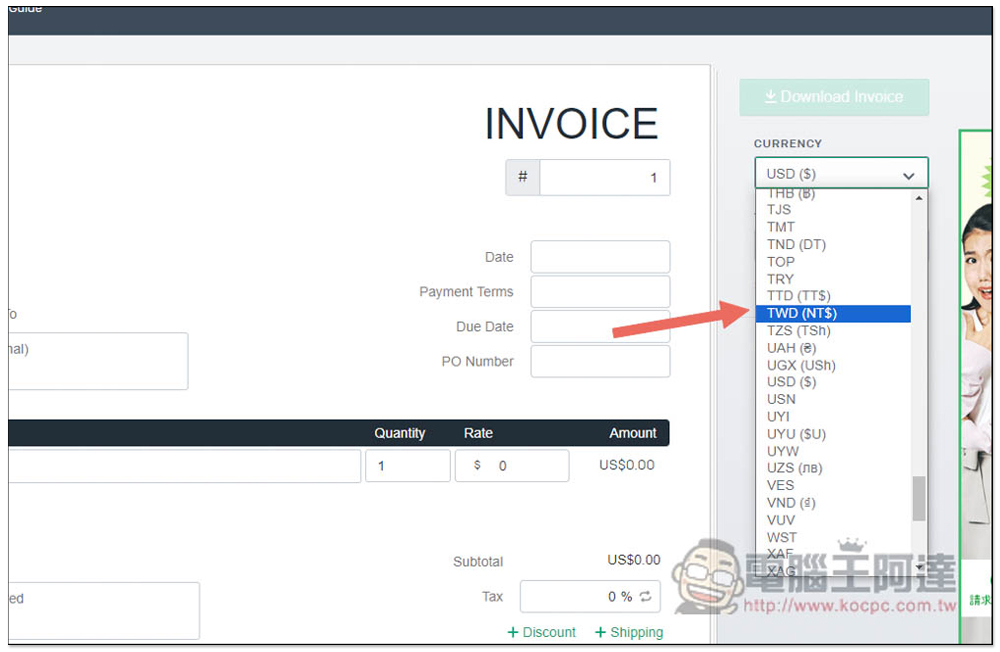
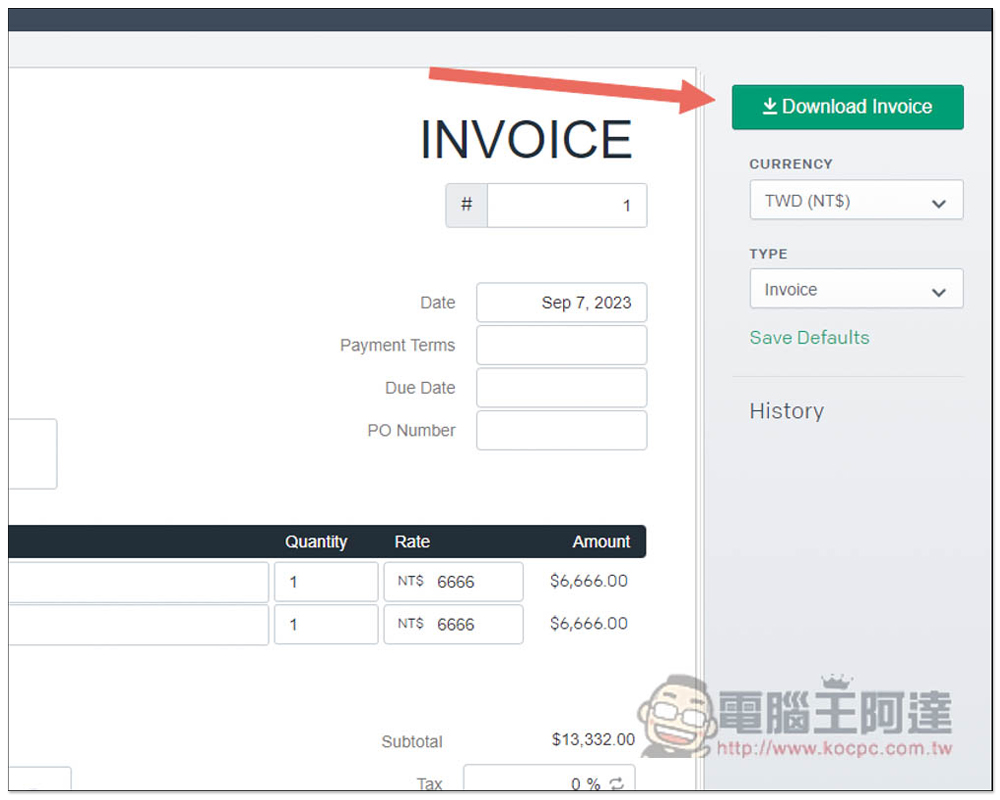
CURRENCY on the right can change the currency. The default is US dollars, and there are global currencies, including Taiwan dollars:
Like this, if necessary, you can put your company logo, fill in your information below, such as: E-Mail, Bill To is to whom, fill in the other party’s information, Ship To is not required. The Item below is the content. For the Ada website, it may be a review article or the like. Fill in the amount in the Rate on the right:
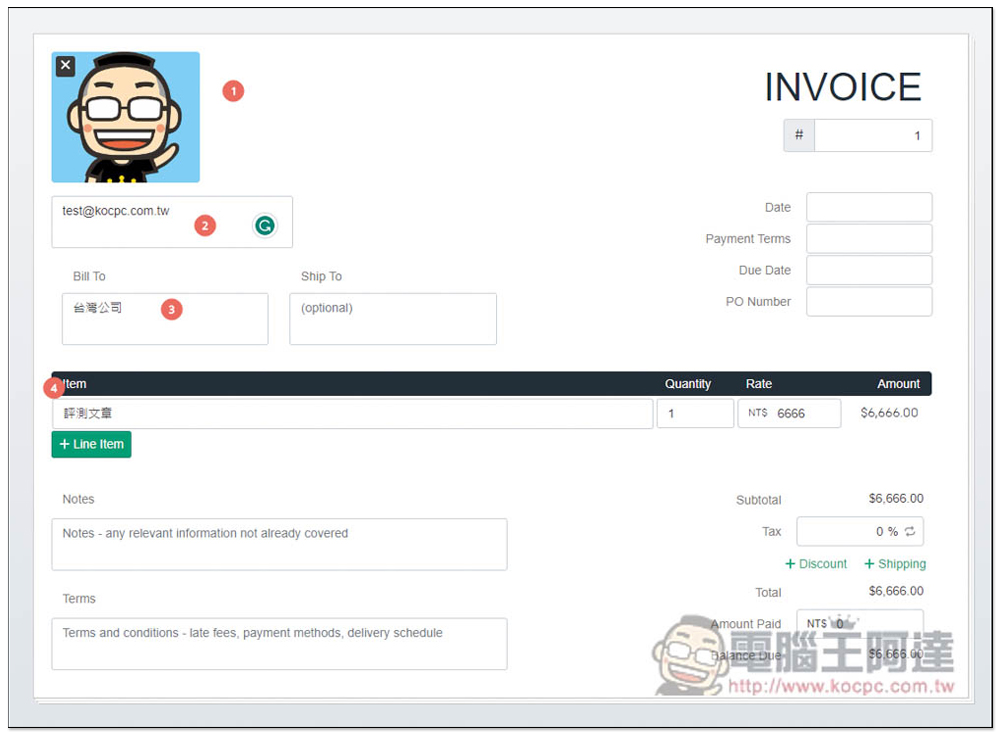
If there is more than one content, you can press + Line Item to add more fields. After the amount is filled in, it will be added up automatically, so you don’t have to do the calculation yourself:

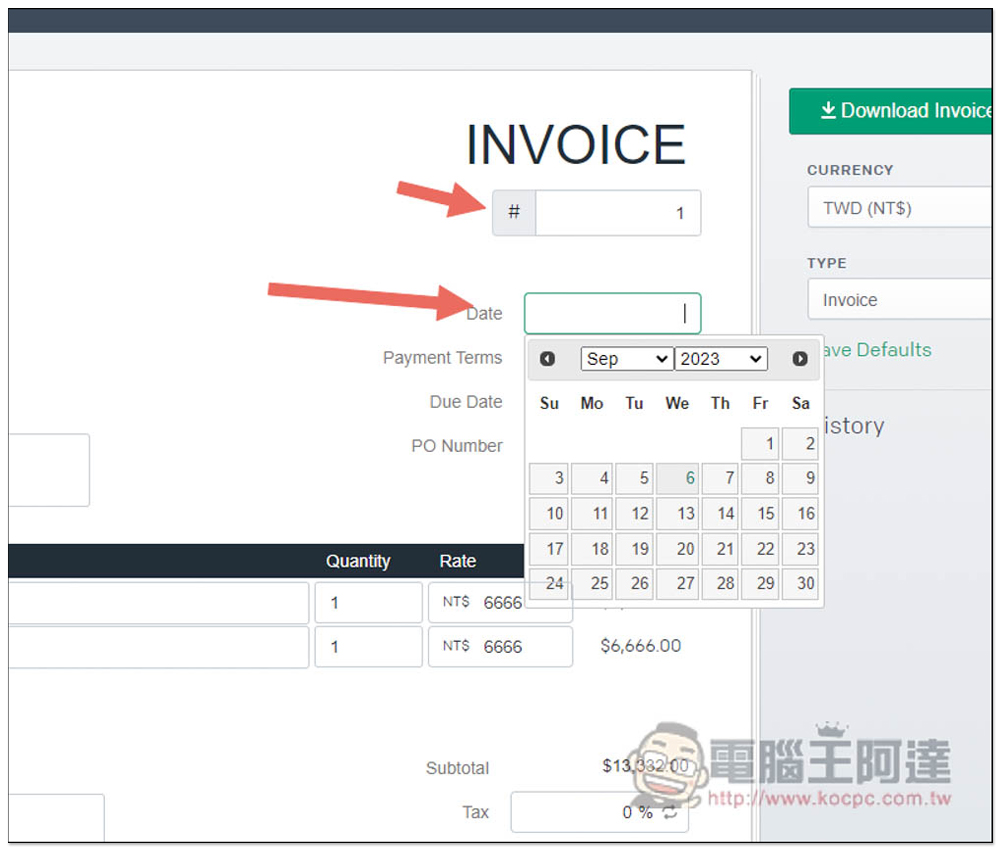
Next is the field in the upper right corner. The invoice number depends on whether you need it. Date is the publication date. Set the options below if necessary. If not, skip it:
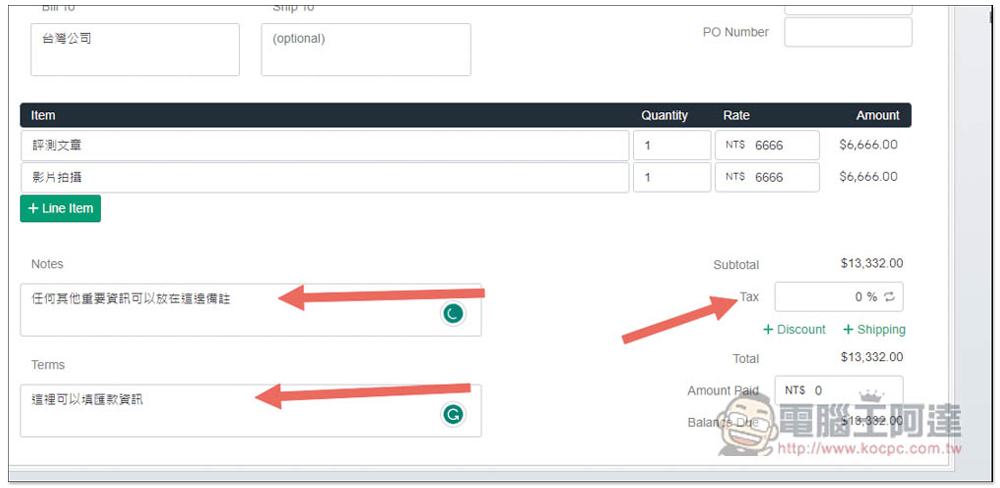
Note in the lower left corner can be used to fill in some important information that needs to be noted on the invoice. Terms is payment information. If tax needs to be added, Tax on the right can be adjusted manually, including discounts (Discount) and shipping (Shipping). The Amount Paid below is the concept of advance payment. If the other party has paid a deposit before, the amount entered here will be deducted by the Balance Due:
After entering everything, click Download Invoice in the upper right corner:
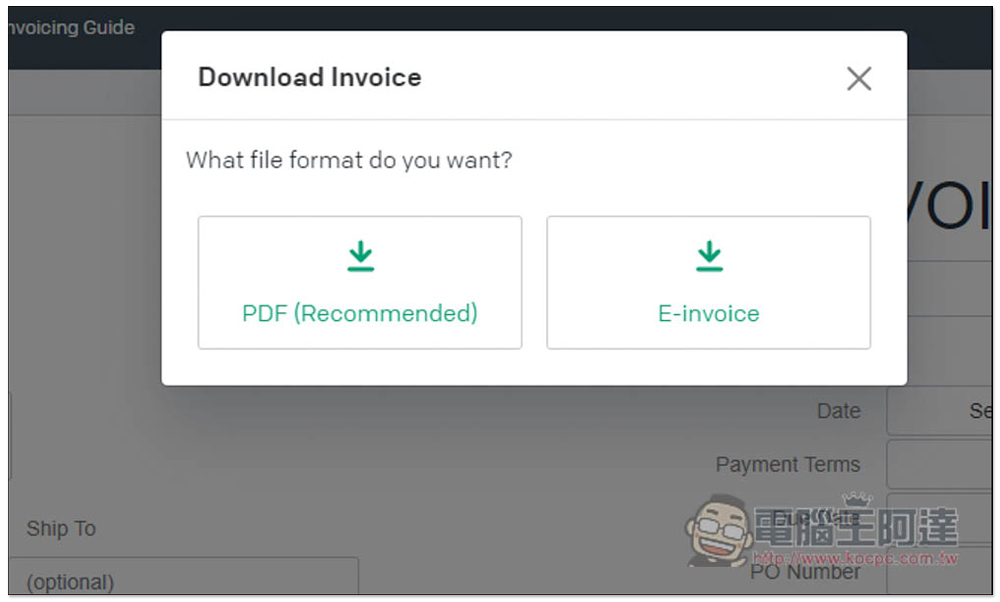
PDF files and E-invoice are provided. PDF is recommended as it will be more flexible in use:
After downloading, you can open it and check it. If there is no problem, you can send it to the other party:

This website will also record the last information you filled in through the browser Cache. The representative said that if you continue to cooperate with the same company and want to issue a second or third-party invoice, you only need to modify the Item content and date, which is much more convenient.
Of course, if you accidentally clear the browser cache, you will have to re-enter everything. As for the company signature, you can add it later through other software, or print it out and stamp it, and then convert it to an electronic file.
In addition to Invoice, the Type option on the right can also be changed to Credit Note, Quote, Purchase Order and Receipt, which can also be used by those who need it.
Source: KOCPC Chinese