


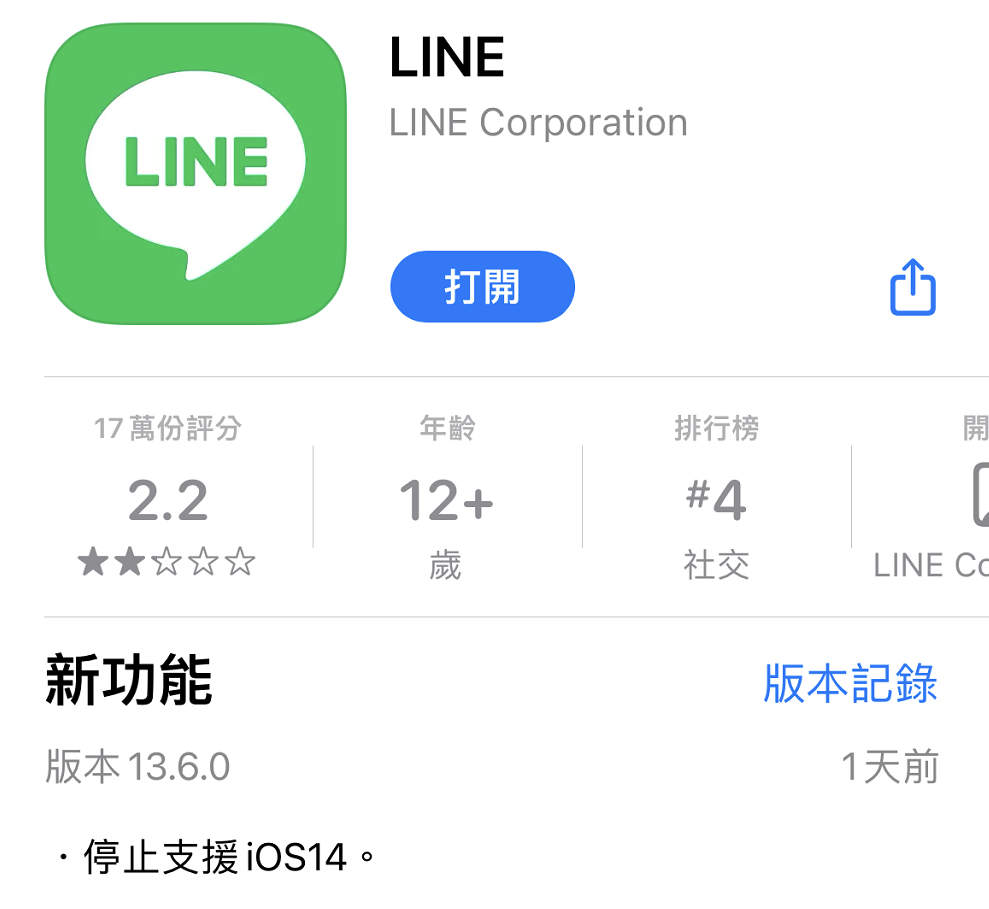
LINE’s recent update for ios indicates that it will stop supporting ios14. In addition, regarding the reminder display, LINE officials have also compiled relevant tutorials, which allow you to set reminders, customize notification displays, and not display the number of unread messages in the LINE community.
LINE stops supporting iOS 14. Official tips for sharing customized notification display
iOS 14 will be available to general users in September 2020. The main new features include the ability to automatically organize apps using the “App Library”, a streamlined design for calls and Siri, “Messages” adding pinned conversations and improvements to groups and Memoji, “Map” adding bicycle routes, a new “Privacy” feature that improves user transparency and controls how apps access your location, photos, microphone and camera. The final version is available for iOS 14.8.1.
In the recent update provided by LINE to the ios app, it is stated that LINE stops supporting IOS14, so people who use the Ios14 system need to pay more attention if they want to continue using LINE.
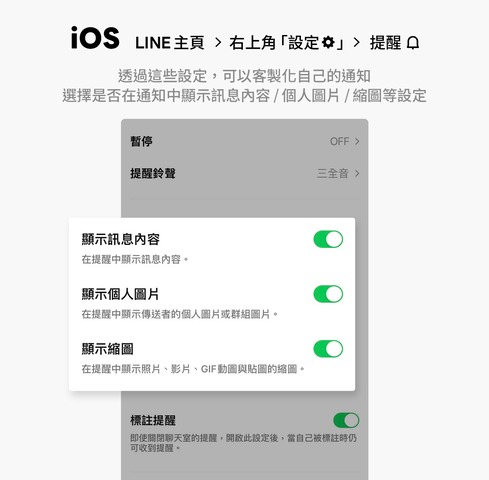
In addition, LINE officials have also compiled relevant tutorials on reminder display. You can set reminders, customize notification displays, and not display the number of unread messages in LINE communities. On the reminder settings page, iOS users can choose whether to display message content, personal pictures, or thumbnails in notifications.
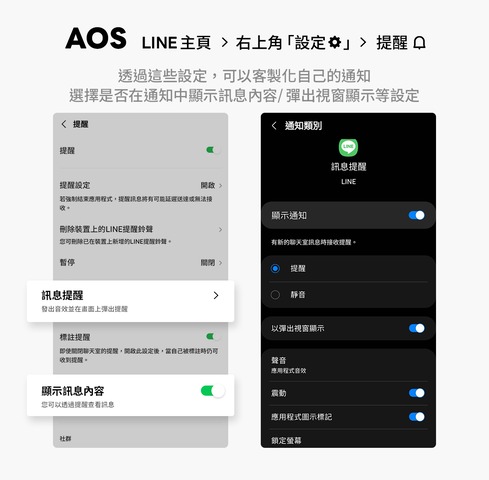
Android users can choose whether to display message content in notifications or set up pop-up windows to display.
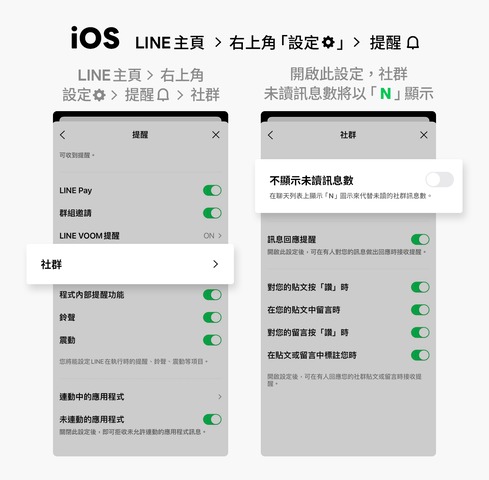
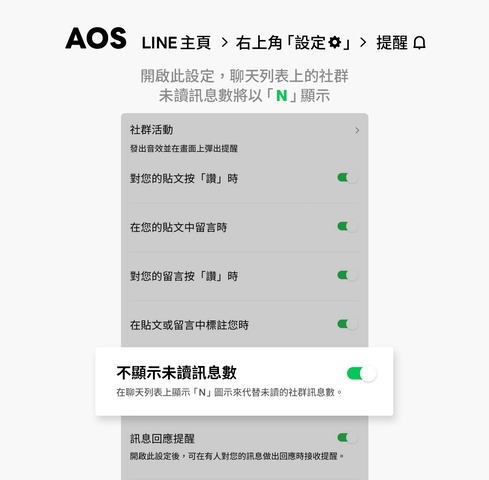
If you join multiple LINE communities at one time, the large number of unread messages may make you a little anxious. In this case, as long as “Don’t display the number of unread messages” is turned on, the number of unread messages in the community on the chat list will be displayed as “N”, and there will be no 999+ notifications.
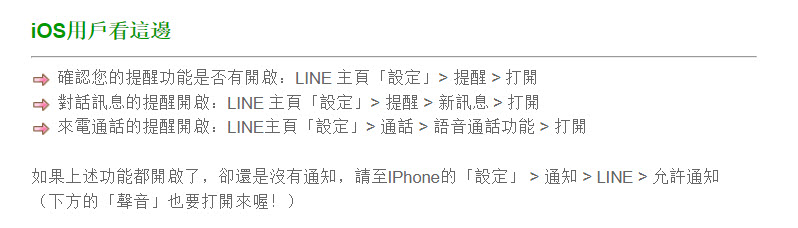
In addition, if there are still no notifications when there are messages or calls on LINE, the official has also prepared a set of solutions for iOS and Android users. For iOS, go to the “Settings” on the LINE homepage to confirm whether the reminder and call functions are turned on.
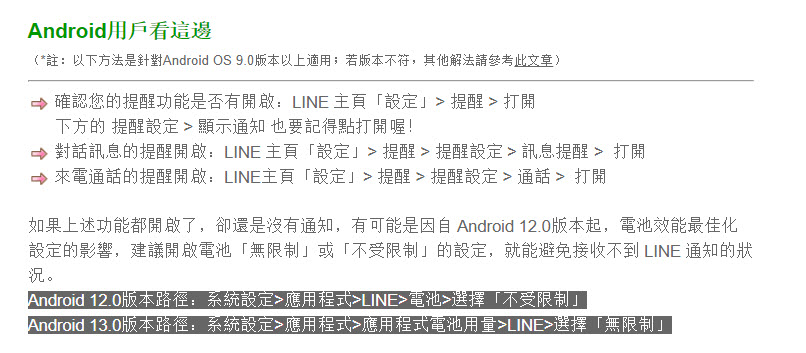
Users with Android OS version 9.0 and above can also turn on the reminder function from: “Settings” on the LINE homepage. In addition, since Android version 12.0, due to the impact of battery performance optimization settings, it is recommended to turn on the “unlimited” or “unlimited” battery settings to avoid not receiving LINE notifications.
Since LINE has stopped supporting ios14, if ios users cannot use it normally after updating LINE, they can confirm their system version.
Source: KOCPC Chinese