


LINE is the most commonly used communication software among Chinese people. For users who frequently use LINE, the capacity of LINE is too large due to the various photos, videos, messages and files they receive every day, making their mobile phones laggy. In order to prevent Line from becoming a giant eater of mobile phone memory capacity, Line’s official blog recently released a tutorial on “Cleaning up LINE accounts before the year”. It is recommended that people who frequently use Line take advantage of the New Year’s holiday to take the time to clean up their Line accounts.
How to clear space in Line account? The following is Line’s official recommended method:
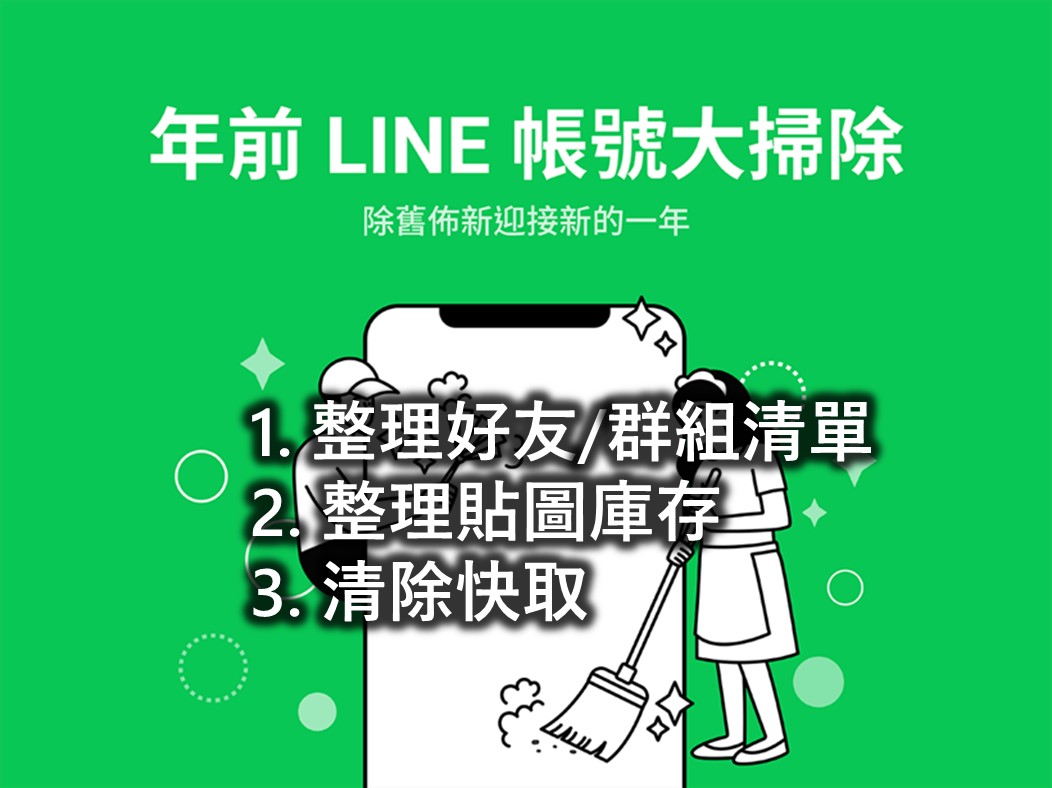
Although the memory capacity of mobile phones continues to increase, with the popularity of audio and video files and the extensive use of communication software, it is really annoying that mobile phones will pop up notifications of insufficient space from time to time. Among them, LINE has often become a big eater of mobile phone memory. LINE alone accounts for dozens of GB of capacity.
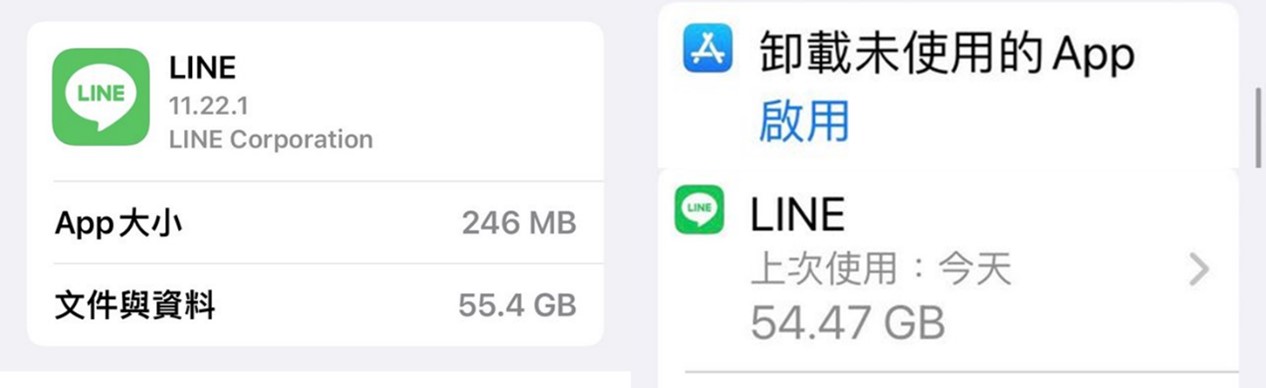
In order to make using LINE smoother, Line recommends the following 3 tips to clean up your Line account on your own:
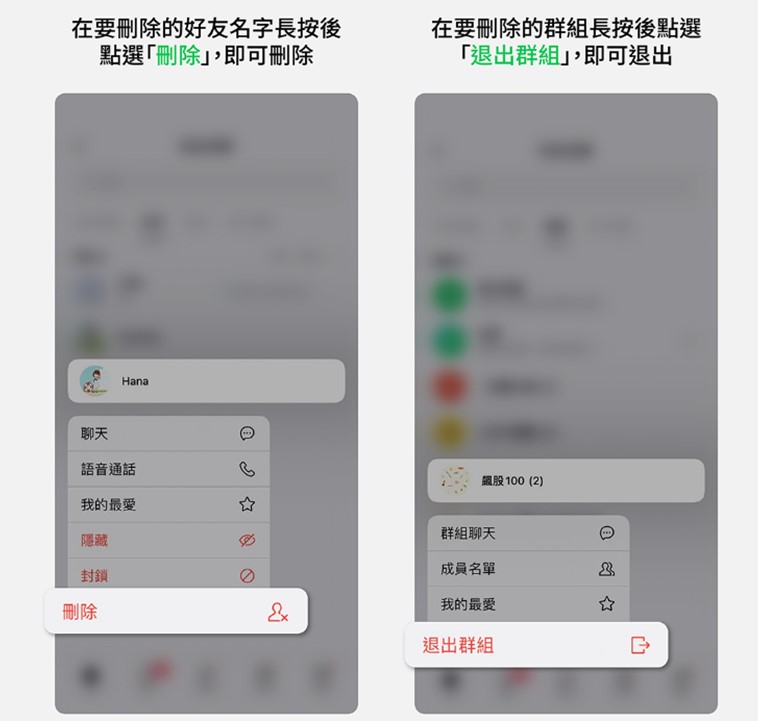
1. Organize the friend/group list and delete ghost friends:
a.Delete friend path: long press the friend you want to delete > select “Delete”
b.Path to exit a group: long press the group you want to exit >select “Exit Group”
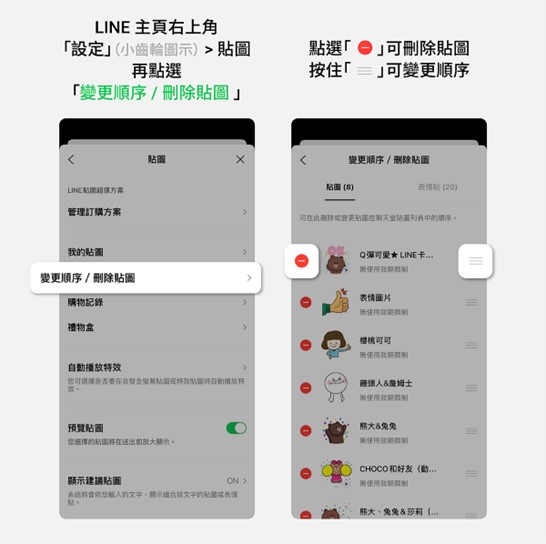
2. Organize the texture inventory and delete unnecessary old images:
LINE“Settings” (small gear icon) in the upper right corner of the homepage > Stickers > Change order / Delete stickers
3. Clear cache to free up space on your phone:
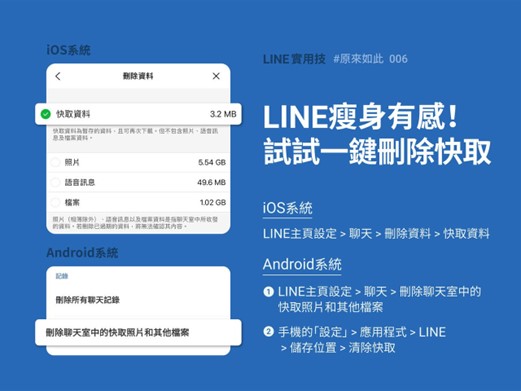
LINE“Settings” (small gear icon) in the upper right corner of the homepage > Chat > Delete data > Clear
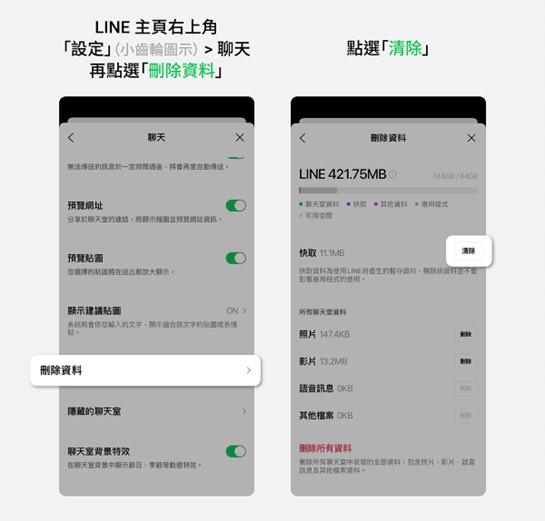
By clearing the cache in this way, text messages in chat rooms, LINE notes, photo albums, and Keep contents will not be affected and will still be retained; pictures, voices, and files will not be deleted; if they have not expired, they can still be downloaded again.
Source: KOCPC Chinese