


Although everyone seemed a little dissatisfied with the revision after the launch of the iPhone 14 series, some features have actually been enhanced. Among them, the cameras of the iPhone 14 Pro and iPhone 14 Pro Max will be able to shoot 48-megapixel ProRAW format images, also known as “48MP” ProRAW. However, the resulting large photo files are subject to limited Lightning transfer rates. Apple officially recommends sharing ProRAW photos through AirDrop.

Due to the large capacity of 48MP ProRAW photos, Apple recommends sharing photos through AirDrop.
Apple ProRAW combines standard RAW format information with the iPhone’s image processing capabilities, allowing more flexibility in editing the exposure, color, and white balance of photos. In iOS 14.3 or above, iPhone 12 Pro and iPhone 12 Pro Max can begin to use any camera equipped to shoot ProRAW format images, and use the “Smart HDR”, “Deep Fusion” or “Night” mode functions. However, due to hardware limitations, even the iPhone 13 Pro And the iPhone 13 Pro Max can only use 12MP to shoot ProRAW photos.
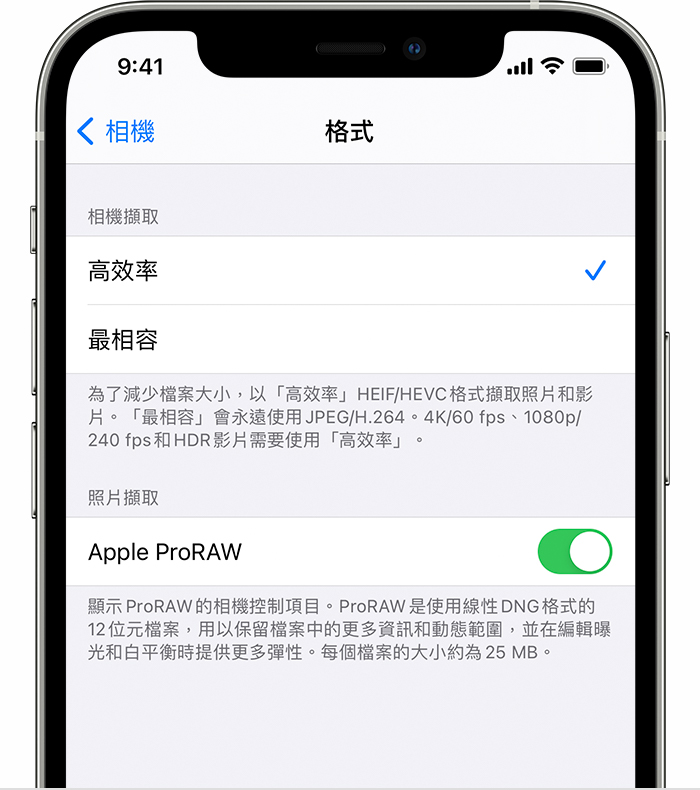
One of the improvements of the iPhone 14 Pro and iPhone 14 Pro Max cameras is that they can shoot ProRAW with a resolution of 48MP. Just go to “Settings” > “Camera” > “Format”, then turn on “Apple ProRAW” under “Photo Capture” and change the resolution to “48MP”.
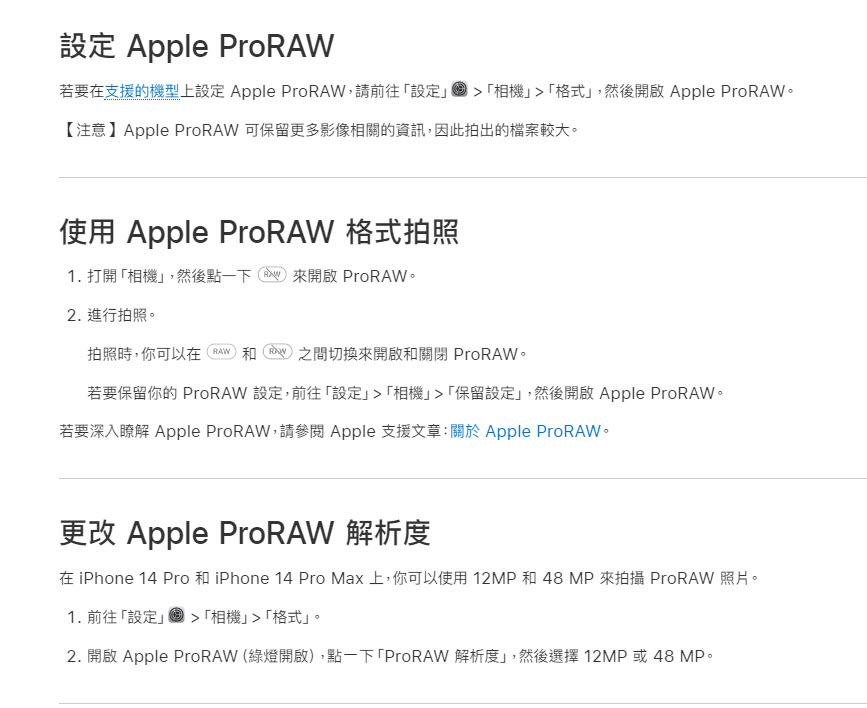
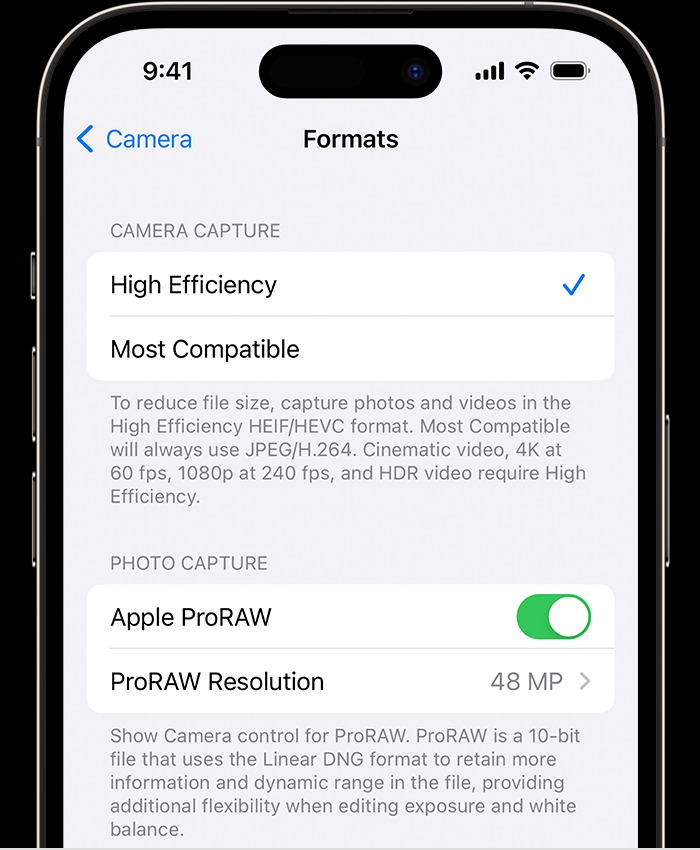
However, higher resolution and more modification flexibility will double the photo capacity. Apple states that the ProRAW file size is 10 to 12 times that of HEIF or JPEG files. Generally speaking, the capacity of a single 12MP ProRAW is between 20-35MB, while the capacity of a single 48MP ProRAW can be between 60-85MB. Therefore, if the capacity of the iPhone is not selected too large at the beginning, it may not be long before the device space is insufficient.
Of course, after taking photos, you will want to share them with friends or transfer them to your computer for backup first. So when facing the ProRAW format with a relatively large photo capacity, what is a better transfer method? Apple’s official recommendation is: In addition to accessing full-resolution original ProRAW files on all devices through “iCloud Photos”; to transfer original ProRAW files from iPhone to other iPhones, iPads or Macs, please use AirDrop.
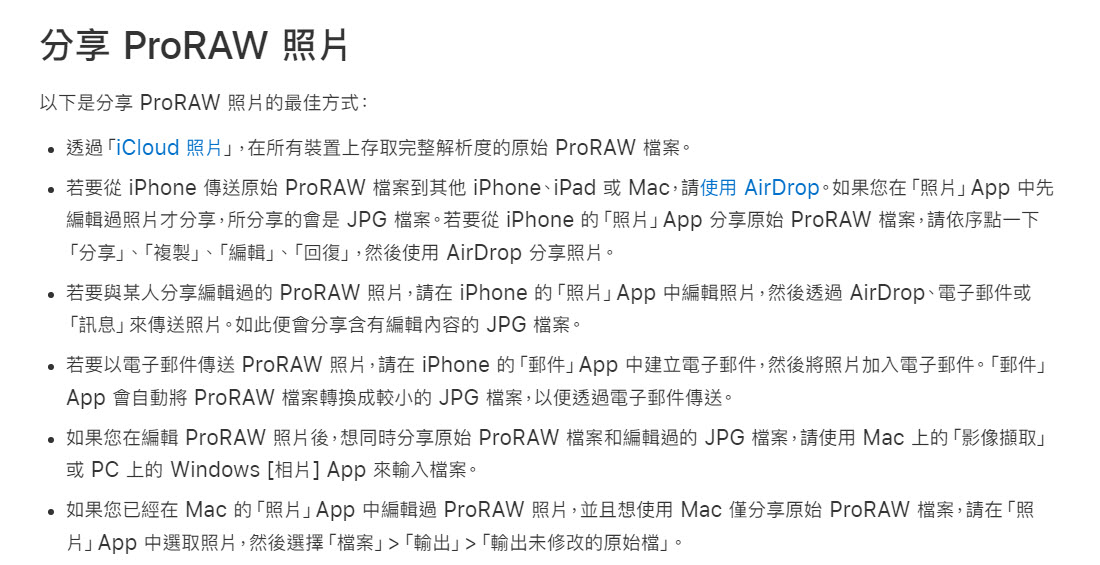
AirDrop should be familiar to iPhone, iPad, or Mac users. As long as the Apple device to which you want to transfer is nearby, within Bluetooth and Wi-Fi signal transmission range, and the receiving settings are turned on, you can easily receive files.

Then someone will definitely ask whether ProRAW can be transferred through a Lightning transmission cable like when jpg photos were transferred to a computer before. The answer is yes, but if there are too many photos, it may take a long time. The reason is that the Lightning connector is limited by hardware limitations. The actual transfer rate is only USB 2.0, with a maximum of 480Mbps. This is why Apple itself does not recommend using Lightning transmission cables for transmission. If you want to enjoy the high speed of wired transmission, you may have to wait for the USB-C connector.
As the iPhone continues to launch new models, Apple is also focusing on taking higher-quality photos, and videos can even be shot at 4K 30 fps. However, high-quality photos and videos mean larger file sizes. If you want to transfer the photos to a computer for further processing, if you are still used to using a Lightning connector transmission line, we may not be able to accept this speed, so the official recommendation is to use “iCloud” In addition to sharing photos via AirDrop, if you are used to using transmission cables and want to enjoy high-speed transmission of high-quality photos and videos, you can only wait until the connector is changed to USB-C.
Source: KOCPC Chinese