


When we are busy at work, it is easy to forget the birthdays of friends or important customers. LINE will remind the user’s LINE friends who have upcoming birthdays recently, and will also remind the user to remember blessings on the birthday. However, for users with large friend lists, someone may have a birthday 365 days a year. These people may be familiar or just acquaintances, so how do you turn off this annoying notification?

LINE’s birthday closing tutorial today: learn this trick to modify and block friends’ birthday notifications!
When we have a friend whose birthday is coming soon in LINE, the friend list will specially classify the “recent birthdays” separately so that users can avoid missing the other party’s birthday. For friends who are about to have a birthday or whose birthday is on the same day, we can also click on the “Send Gift” function to give LINE gifts as small birthday gifts to them.
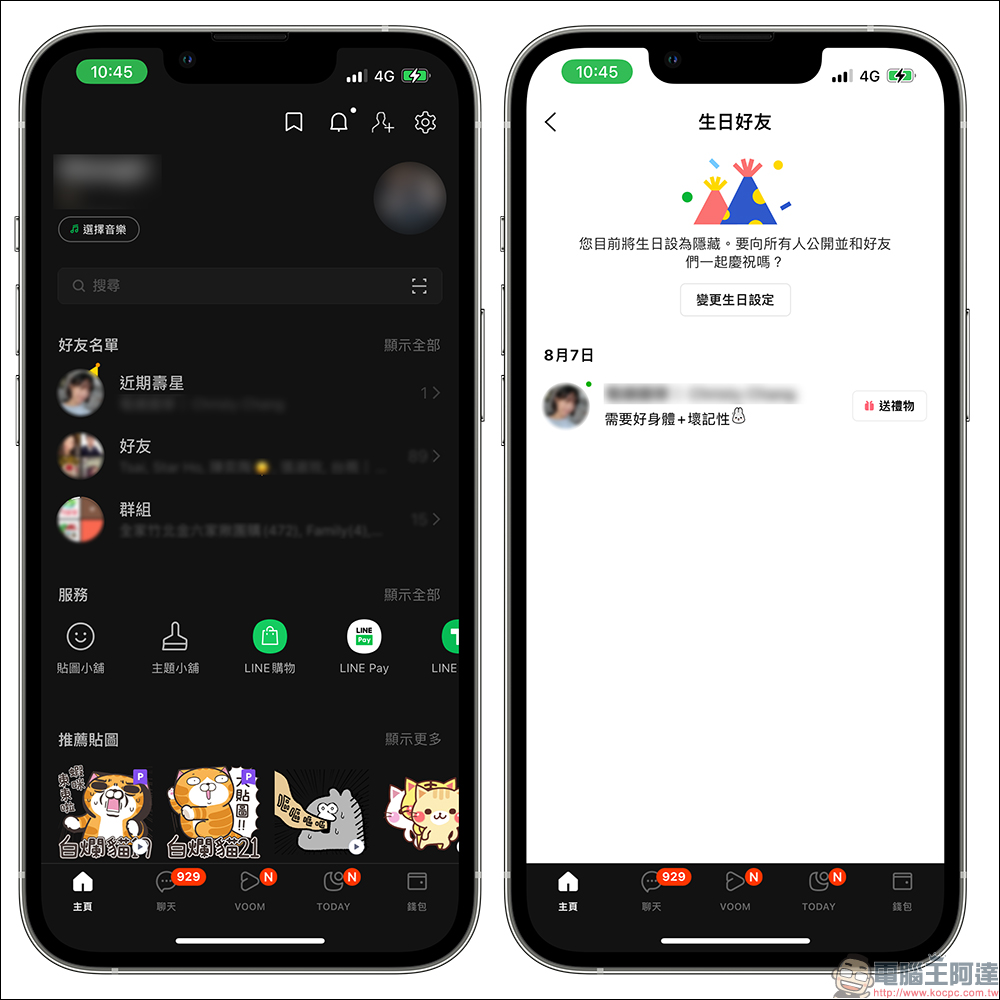
After clicking “Send Gift”, the LINE gift page will automatically open, and then you can choose a variety of birthday gifts! If you are afraid of putting too much burden on each other when buying gifts, it is also a good way to buy a cup of coffee or dessert for the other person and let the other person pick it up when they are free.

However, when facing some friends on the friend list who may only be contacted occasionally and are not familiar with each other, if you have to express something for their birthdays and give gifts to every friend on their birthday, your wallet will probably be empty soon! So if you encounter so many birthday notification reminders, this time I would like to share with you how to modify the birthday notifications for LINE friends. It depends on whether you want to turn off all notifications, or simply remind a few close friends of their birthdays.
By doing this, you no longer have to worry about being interrupted by birthday reminders every day, and you won’t miss the birthdays of important friends!
How to check friends who have recent birthdays? How to turn it off?
In addition to the “recent birthdays” that can be displayed on the LINE friend list, we can also search for “LINE gift notifications” through LINE’s built-in search function. In the LINE gift notifications, friends who are about to have birthdays in the near future will be displayed in the same way as a normal LINE chat room, and you can also directly choose a gift to give to each other. If it has not been modified in the past, LINE birthday notifications should be turned on by default. If you want to adjust it, you can open the function page below and select “Modify Birthday Notification Settings”.
If you turn on your friend’s birthday notification, you will receive a birthday reminder notification on the official LINE gift notification account 3 days before your friend’s birthday.
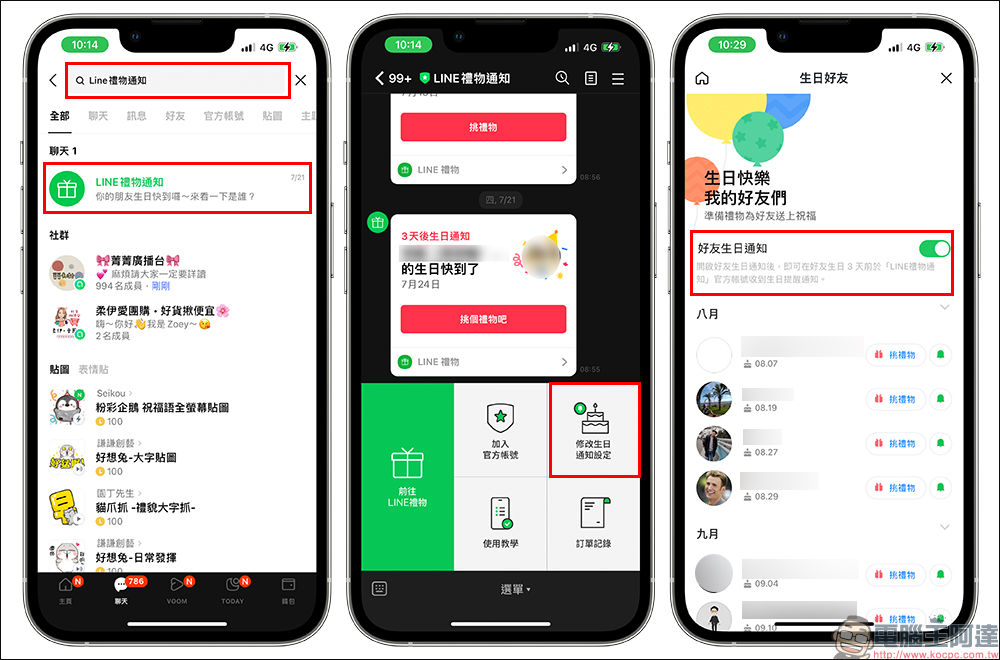
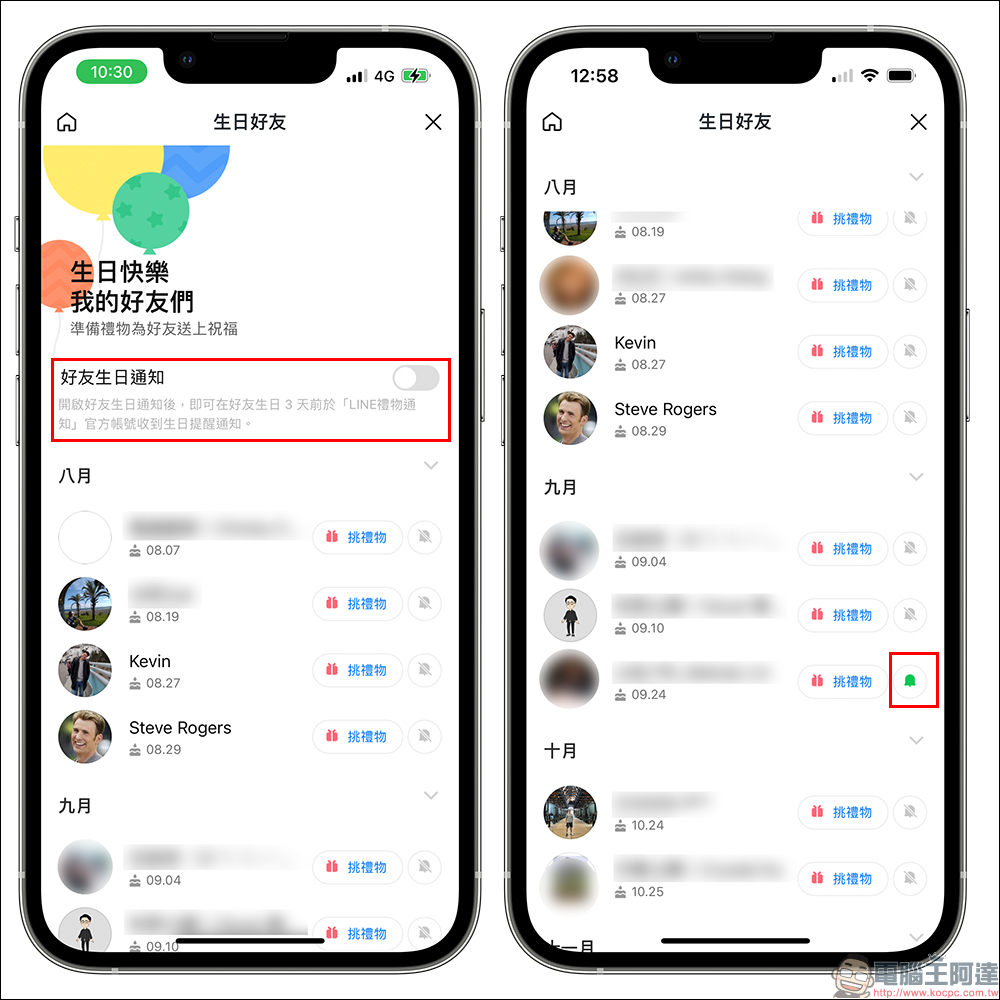
This page will display all friends who have birthdays in recent months. If you want to turn off all of them, just turn off the “Friend Birthday Notification” function. If you still want to keep birthday reminders for some important friends, you can turn off the “Friends’ Birthday Notification” and then separately turn on the “little bell” for the friend who wants to receive birthday reminders for him or her.
After turning on the small bell, the friend will receive birthday notification reminders before his or her birthday is approaching in the future. The author personally recommends that you carefully select which friends’ birthday notifications you want to receive. As for those you are not familiar with, you can actually keep them closed.
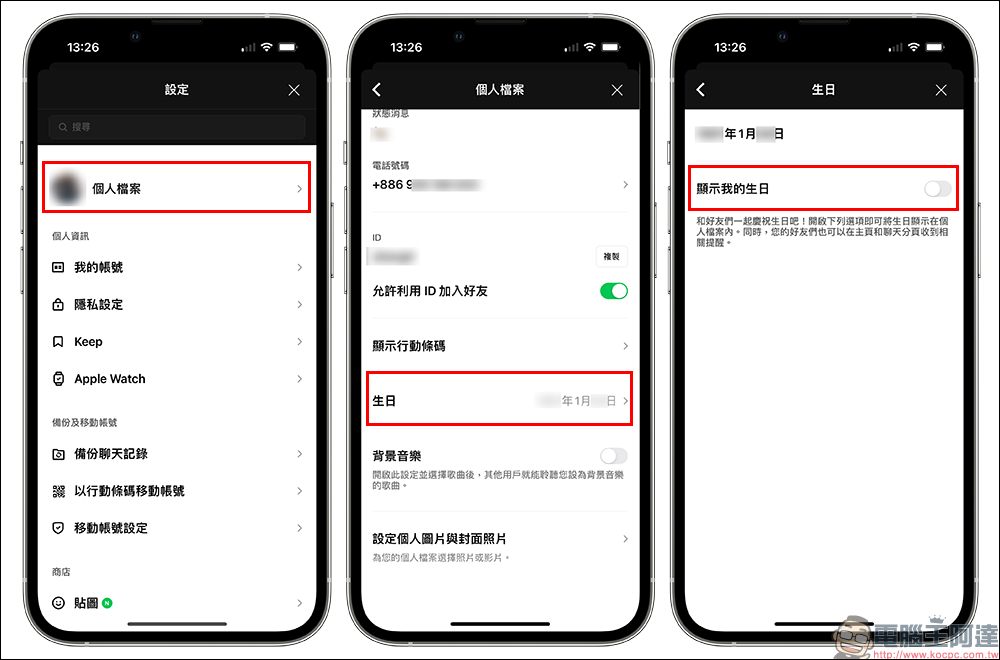
So what should you do if you don’t want your LINE friends to know when your birthday is, and you want to have an unexpected surprise? In fact, LINE birthday reminders are not notified for every birthday. If you turn off birthday display, the birthday will not appear in the birthday reminder of the other party.
We can turn off “Show my birthday” by selecting “Profile” in LINE settings, then clicking “Birthday”. Once turned off, friends’ LINE homepages and chat tabs will not receive relevant reminders.
Further reading:
LINE free sticker collection: 27 LINE stickers, available for free download for a limited time
Source: KOCPC Chinese