


Since iOS 14 began to support the “picture-in-picture” playback function, some applications have supported this convenient feature. However, YouTube App is not yet supported. Some time ago,We have previously introduced how to enable the picture-in-picture feature using the YouTube web version, but at that time, you had to be a YouTube Premium member to use picture-in-picture playback, and therefore derivedHow to use shortcut scripts to break through restrictions and allow free members to use YouTube picture-in-picture playback。
However, now you can use YouTube picture-in-picture playback without using a separate shortcut script! Because YouTube silently restored the restriction that requires paid membership to use picture-in-picture, nowEven if you are not logged in or have a free membership, you can use YouTube picture-in-picture playbackHello!
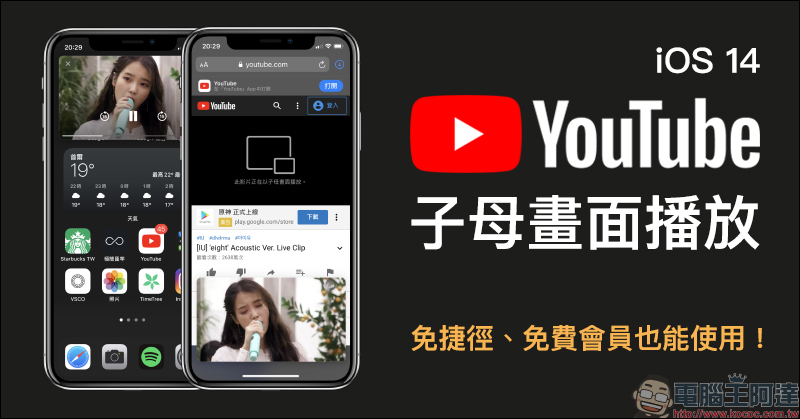
YouTube silently resumes free members and can also use the iOS 14 “Picture in Picture” function, which can be used without shortcuts and fees.
If you still don’t know how to enable YouTube picture-in-picture playback and detailed usage techniques, you can review the previousTeaching articles (click here to go). This article also quickly shares the latest YouTube picture-in-picture playback function. Now even if you don’t have a logged in account or a free YouTube membership, you can use picture-in-picture to play YouTube videos. First open the YouTube web version in your browser, then click on the player to start full-screen playback and you will find the picture-in-picture button:
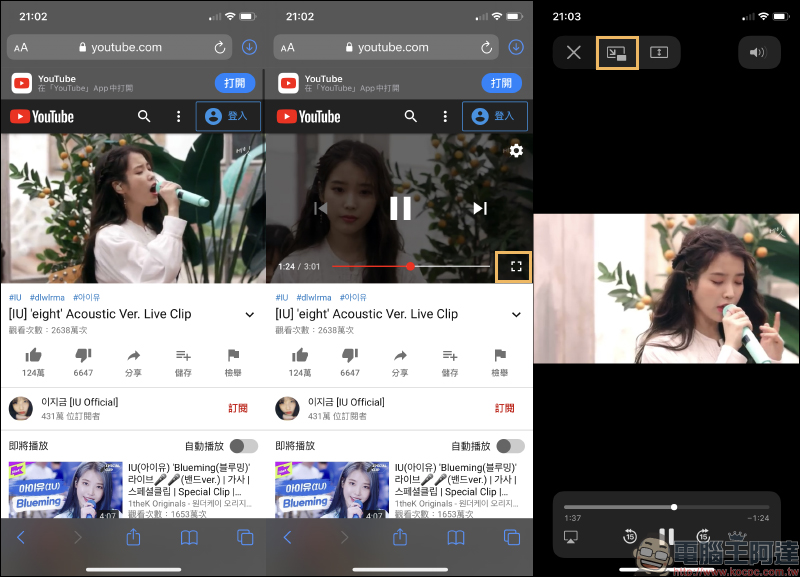
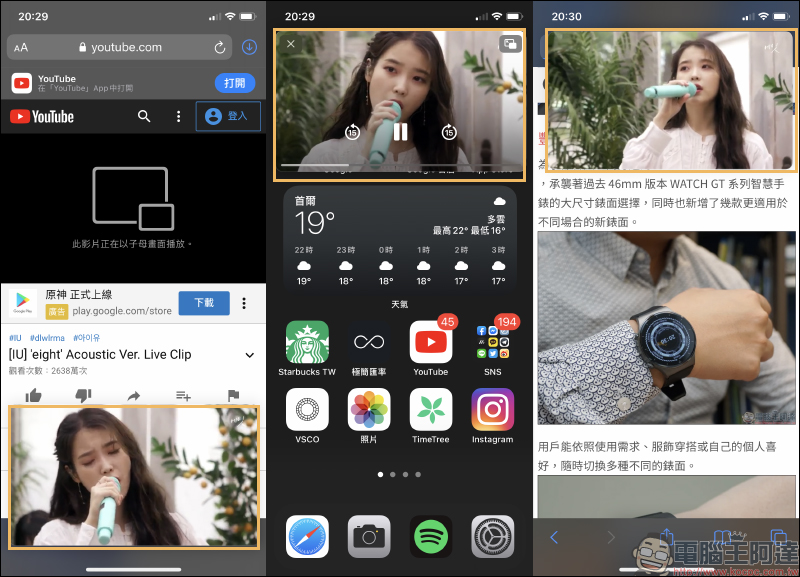
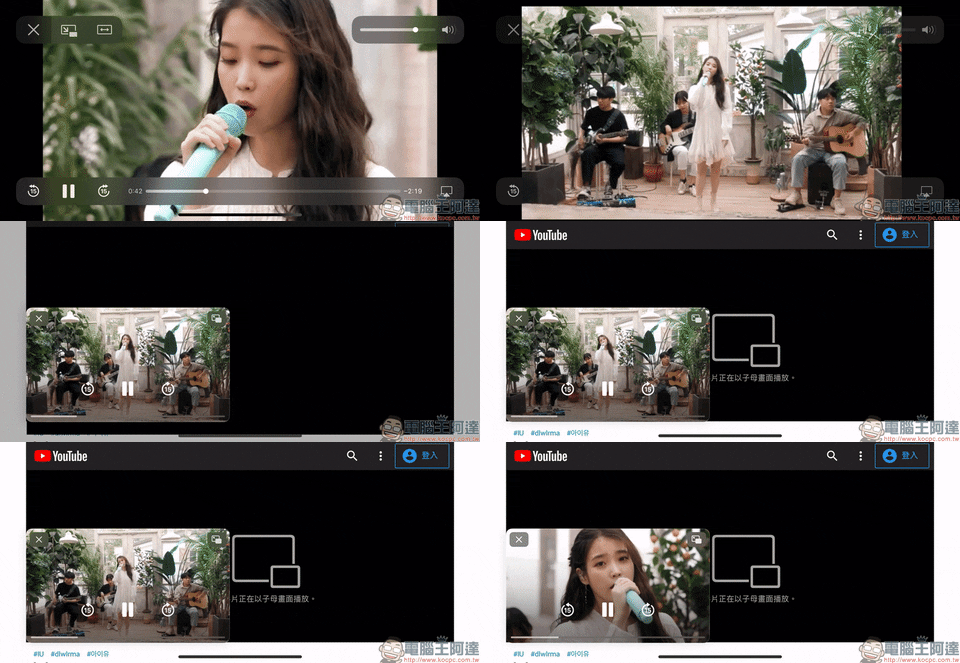
After the picture-in-picture function is enabled, the original video layout will display the message “This video is playing in picture-in-picture”. Then, whether the user switches to other tabs or returns to the iOS homepage, the video will be played in a picture-in-picture display floating on the top of the screen:
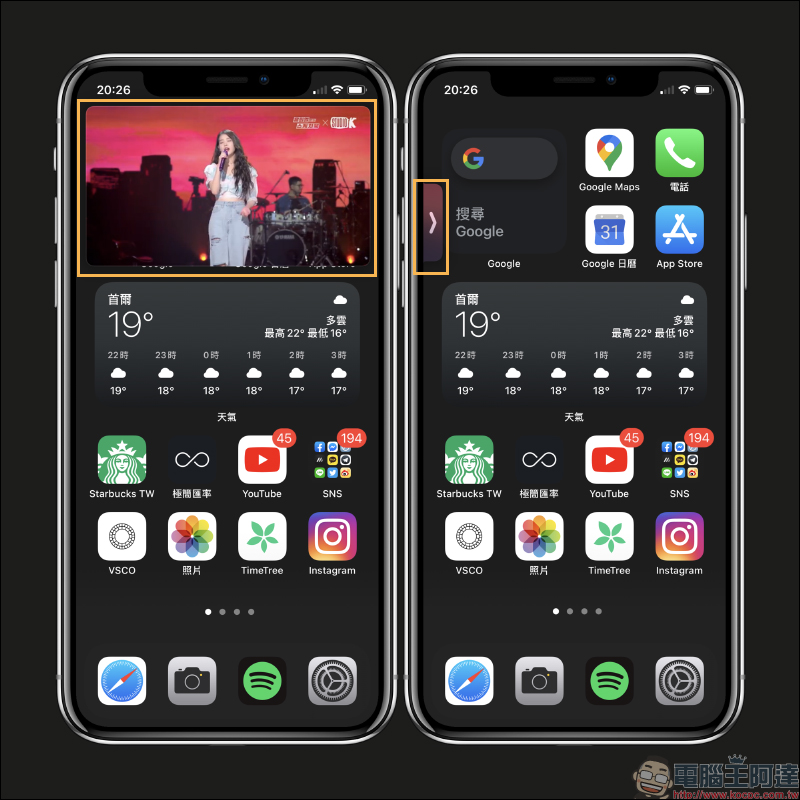
However, sometimes you want to prevent picture-in-picture playback from blocking the screen, and you can also temporarily hide the video to the left and right sides:
When we introduced the method of enabling picture-in-picture on YouTube, you had to be a paid member of YouTube Premium to use it normally. If you are a free member of YouTube or logged in, you can find that although the screen will briefly switch to picture-in-picture display, it will then return to the original playback state without full-screen display after the video is zoomed out. Picture-in-picture cannot be enabled in this state at that time:
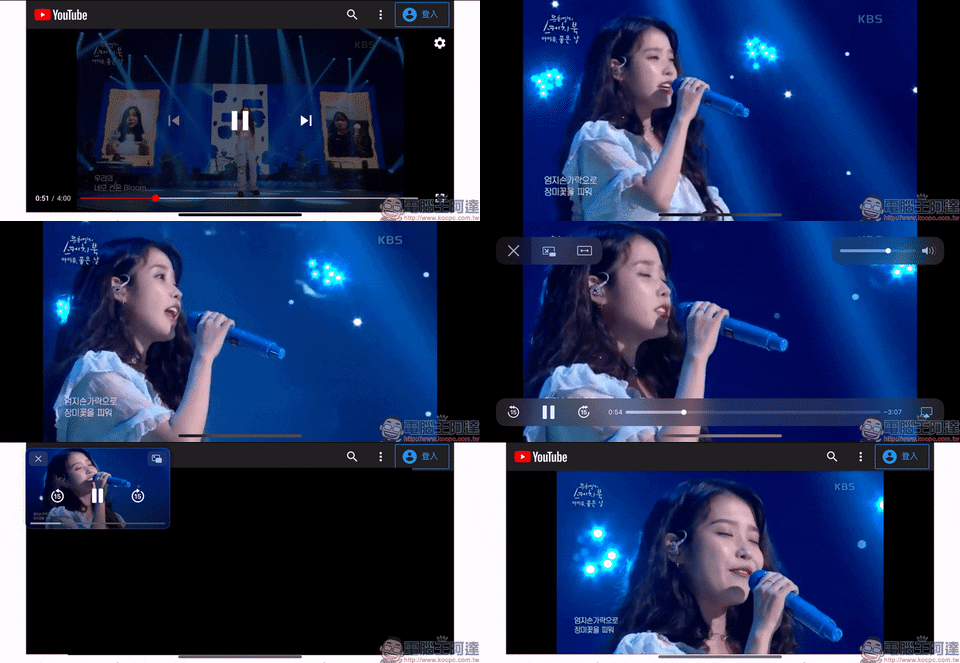
Using the same method now, you can now use picture-in-picture playback without logging in to your account and will not be forced to close:
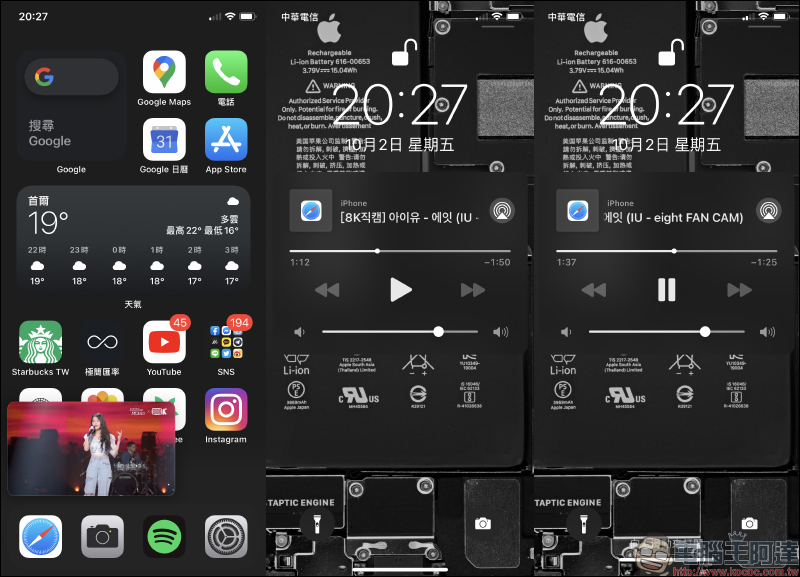
Although the YouTube App currently does not support the “picture-in-picture” function, you must rely on your browser to use the YouTube web version to enable picture-in-picture playback. However, for YouTube users who are free members or have not logged in, the YouTube web version can also support background playback. As long as the screen is locked while the YouTube web version is playing, the playback will be temporarily stopped. Then just press the play button to directly use the background playback function to listen to YouTube audio content.
Further reading:
Tips for hiding the bottom Dock in iOS 14: Perfectly hide the Dock bar at the bottom of the home screen, suitable for both dark and light appearances!
Source: KOCPC Chinese