


Office’s position is looking a bit precarious now that even Claude is entering this market. In the past, Claude could already generate Excel files, but if you wanted to adjust the formulas in them, you still had to do it through Office or Excel—now that’s no longer necessary! Earlier, Anthropic announced the launch of three AI tools—Claude Sheets, Claude Whiteboards, and Claude Dashboards—so spreadsheets, whiteboards, and dashboards can all be completed from start to finish within Claude, without going through other software.
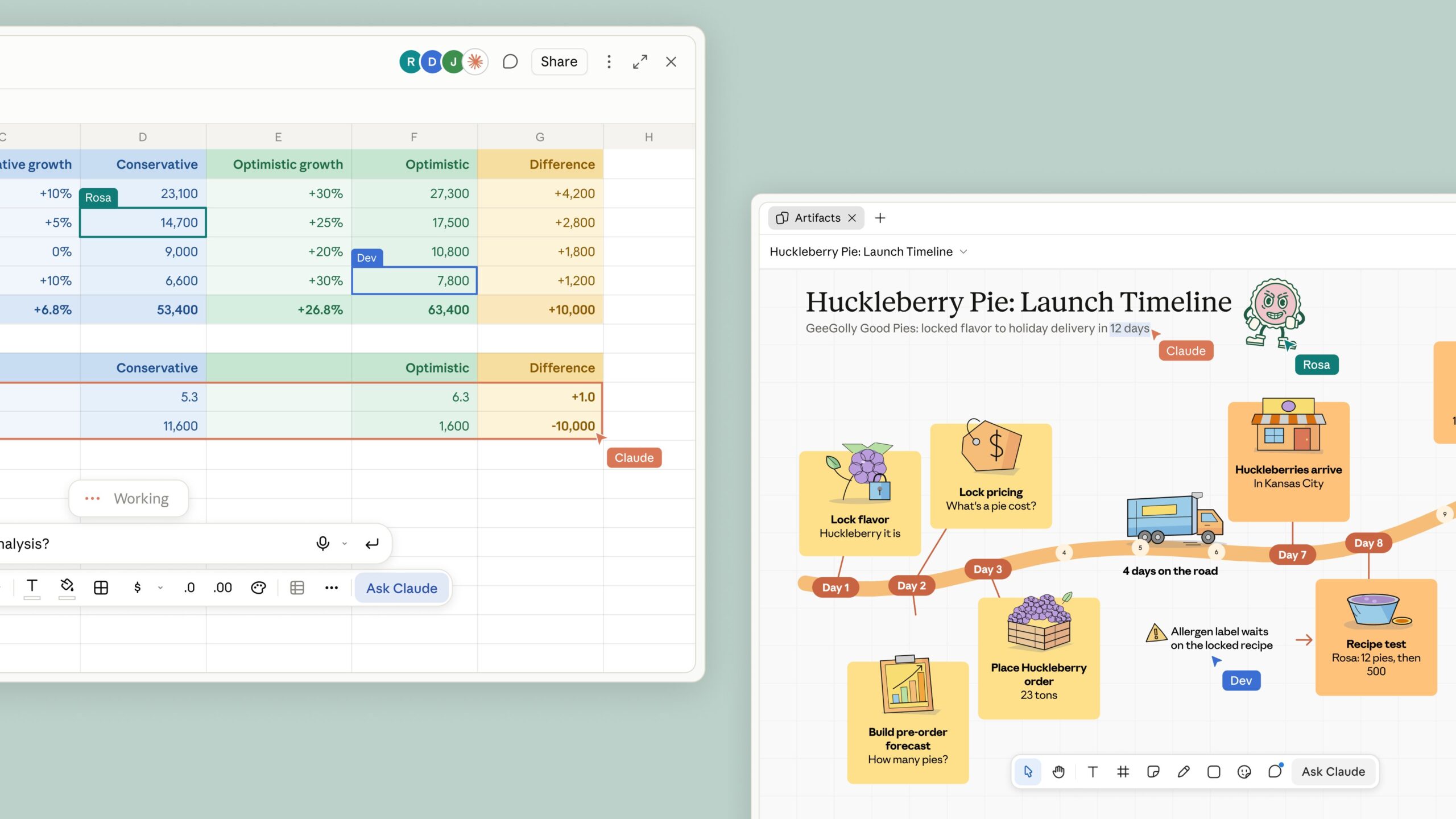
Image source: Claude
Claude Takes On Office Head-On! Launches Sheets Spreadsheets and Whiteboards, and Claude Data Officially Goes Live
Anthropic has launched three new tools: Claude Sheets, Claude Whiteboards, and Claude Data. The first two are entirely new, while Claude Data is the official version of Claude Dashboards—launched on October 8—after it exited beta and was renamed.
Claude Sheets is probably what interests most people. It’s simple to use: first describe your needs in a sentence, such as “Help me create a marketing campaign tracker” or “List this year’s recruitment budget,” and Claude will generate a spreadsheet with multiple worksheets, formulas, formatting, and drop-down menus:
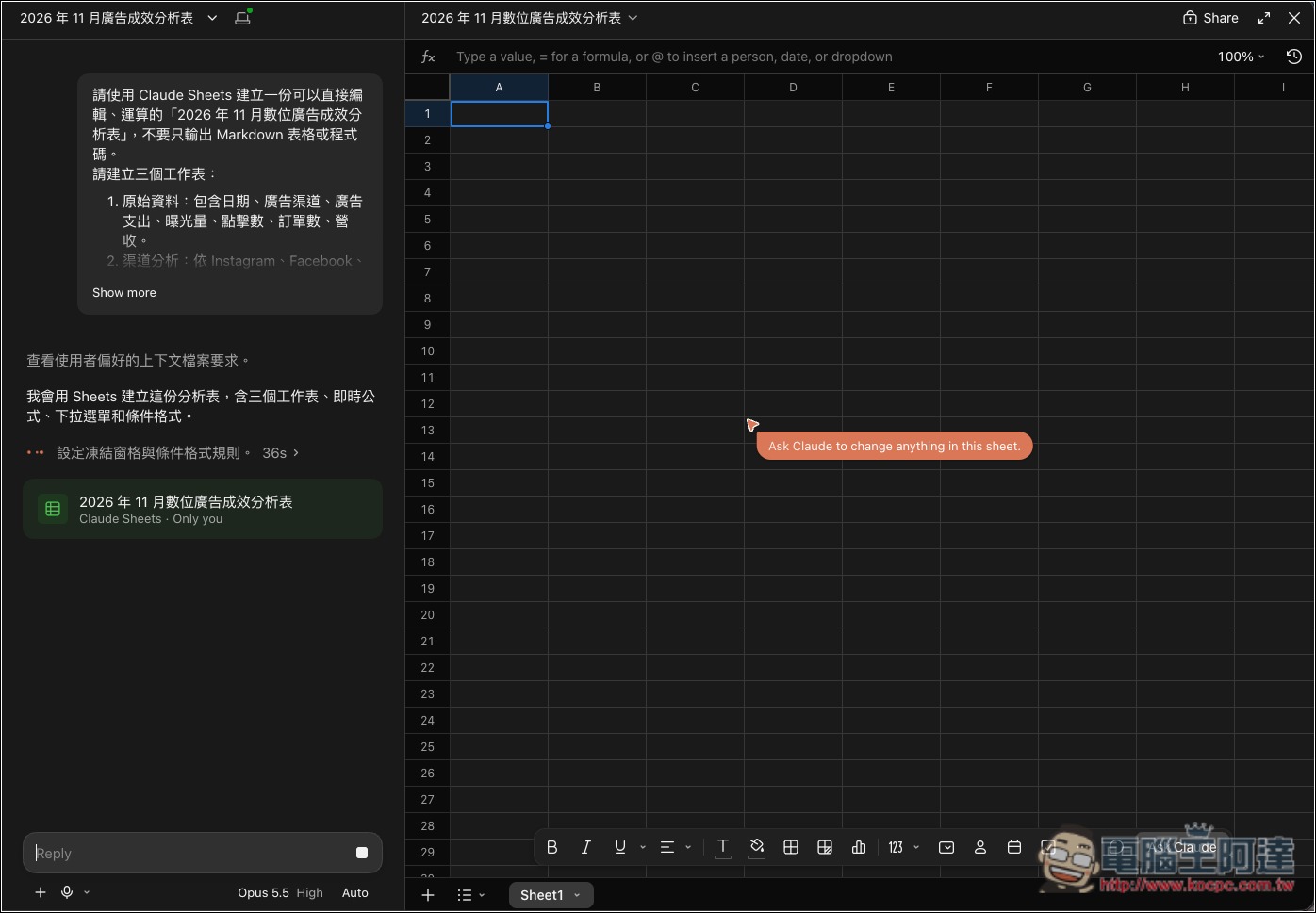
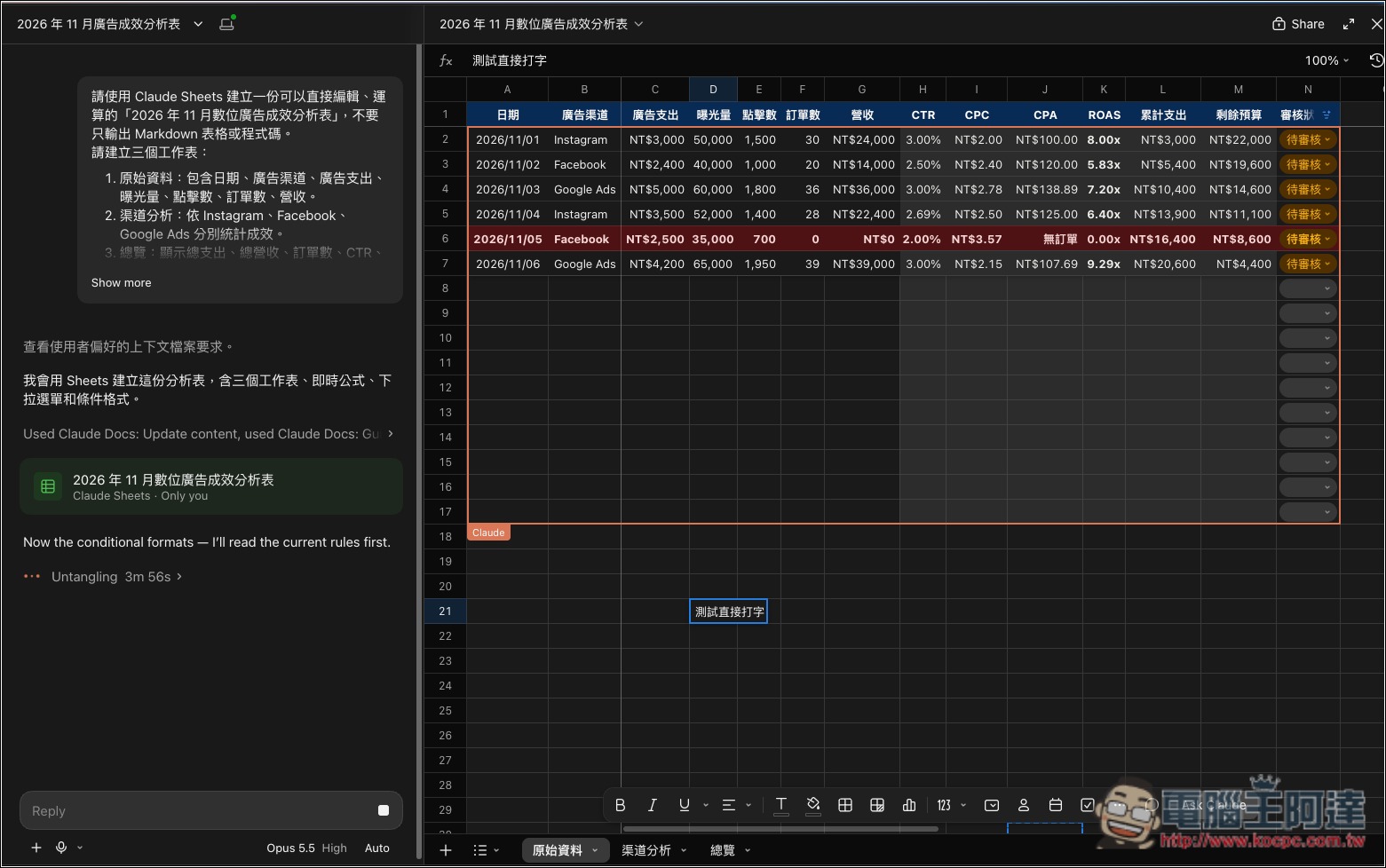
After it’s generated, both you and Claude can edit directly in the cells. Each time Claude makes a change, it will also list the changes so you can confirm what it did—and you can even let the team edit the entire spreadsheet together:
Anthropic also added that Sheets’ current features are still quite basic and will be expanded gradually later, so when full Excel functionality is really needed, other software will still be required.
Claude Whiteboards is a collaborative digital whiteboard. Imagine discussing next quarter’s product launch plan in a meeting: everyone offers many opinions, but the plan hasn’t taken shape yet. At that point, you just need to hand the discussion content to Claude, and it will organize the scattered verbal ideas into a whiteboard, directly laying out the timeline, owners, and deadlines:
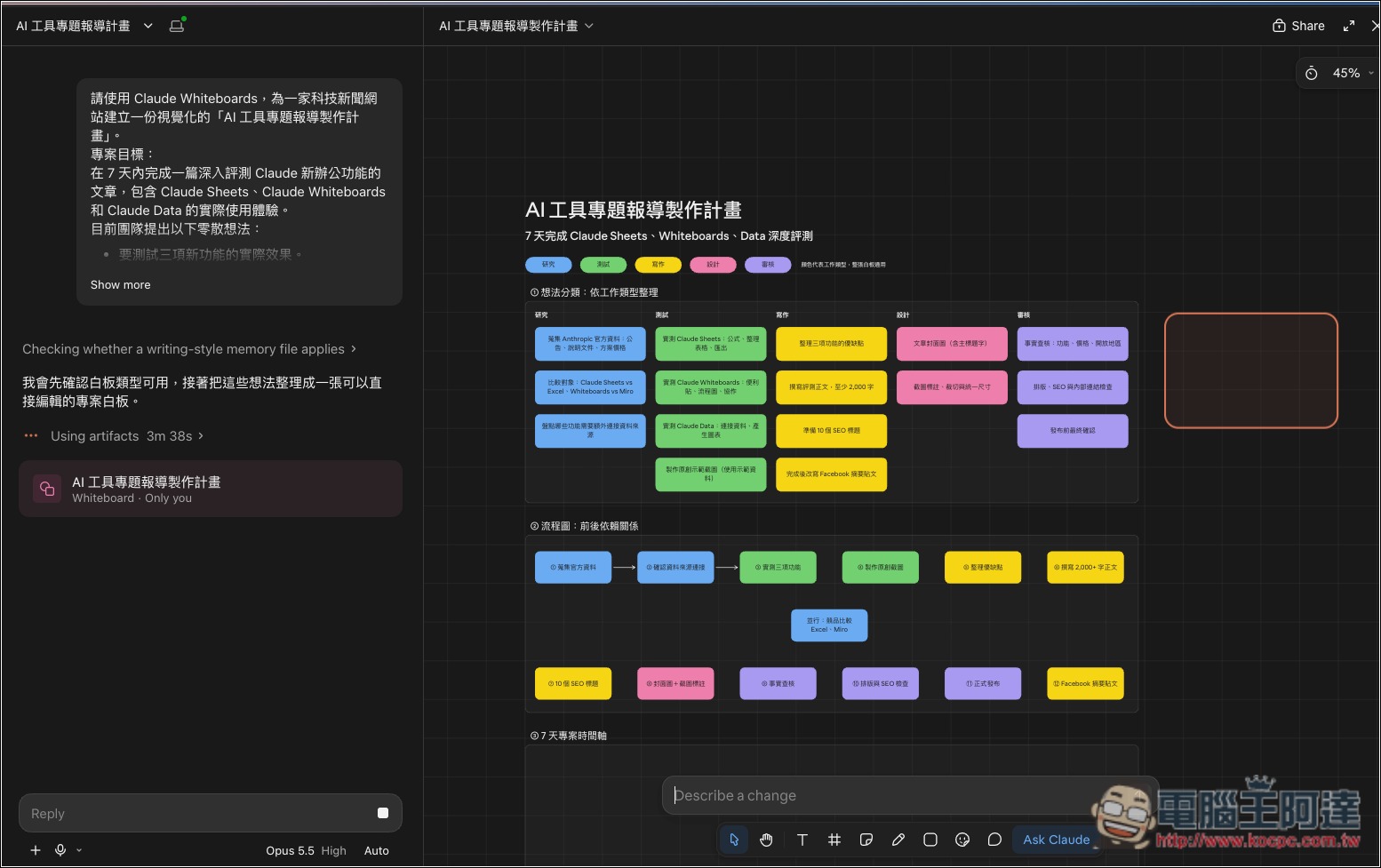
Generated whiteboards also support real-time collaboration, can help group content by topic, and can draft to-dos for each participant. You can also select an area of the whiteboard and ask Claude questions about only that section. After the meeting, the whiteboard can even be converted directly into a document or presentation, or exported to Lucid, Miro, or Vani by Zoho for further editing.
Claude Data was formerly Claude Dashboards. Users ask questions in plain language, and Claude automatically queries the data and builds dashboards; when the data changes, the charts update accordingly. Anthropic says the rename is because its use is no longer limited to building dashboards, and it has added the following main features:
- Certified Queries (Beta): Data teams can first certify the definitions and query logic for metrics such as “revenue” and “active users.” Charts that use these definitions will display a certified badge, preventing different departments from each building dashboards with mismatched numbers.
- Live Sharing (Beta): Colleagues can see the latest numbers even without connector permissions. They can only see the results of approved queries and cannot use your permissions to run other queries.
- Data stories: You can work with Claude to turn data into explanatory content, or create short videos with narration; anything shared must first be reviewed.
- Other management features: support for brand design systems, separately configurable update frequencies for each dashboard, and change tracking (see who changed what and restore to a specific version).
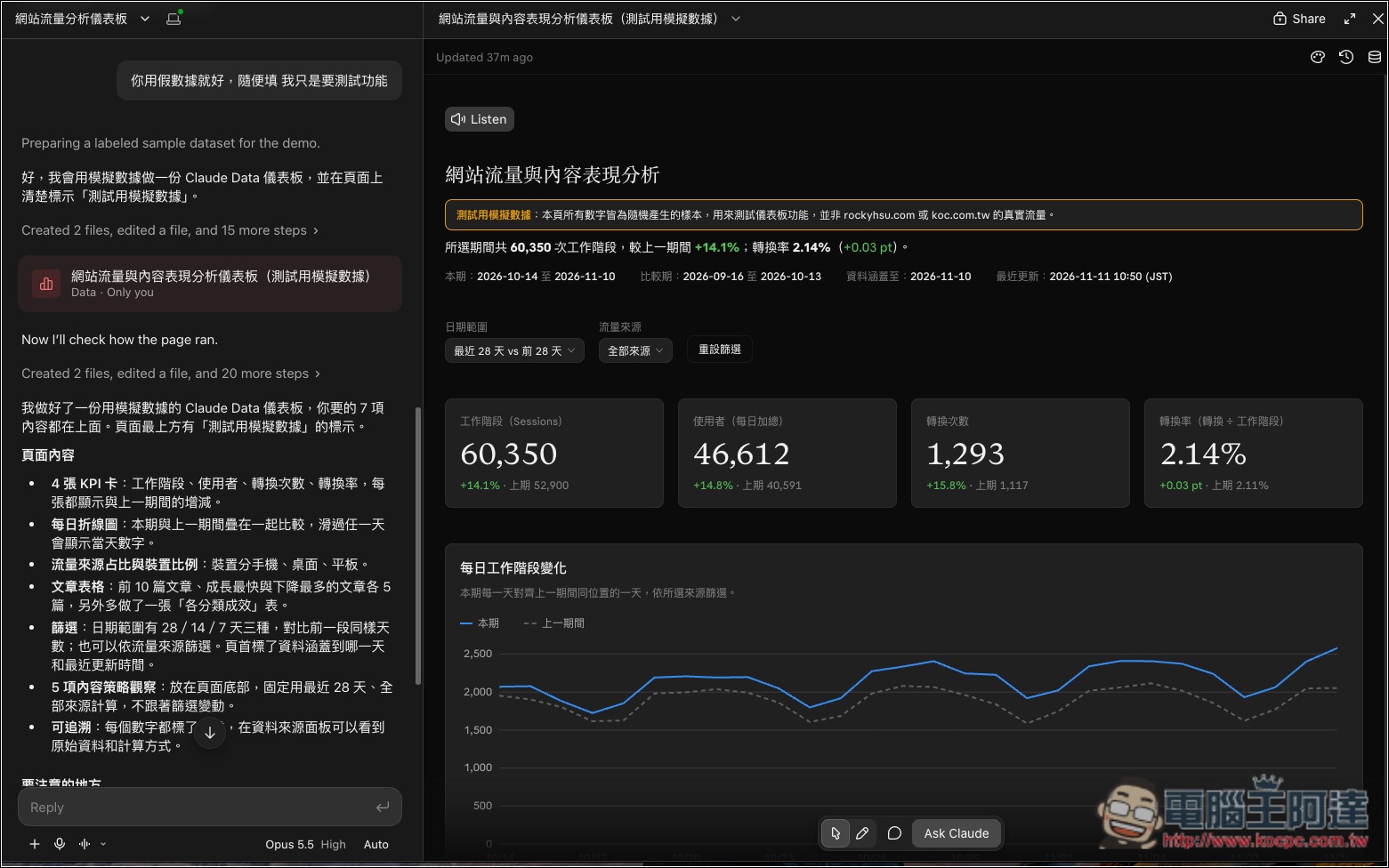
All three tools are now available to all paid plans and can be used on web, desktop, and mobile devices.
Anthropic has also expanded interactive connectors in tandem. The biggest difference from before is that supported apps can open alongside the conversation or switch directly to full screen, and when necessary, the chat window can be collapsed to free up more space.
Officials also gave a few examples:
- Adobe: retouch photos, adjust photo effects, and mark up, edit, or redact PDF content
- Atlassian: Open a Confluence page alongside the conversation, ask Claude to write, edit, and see changes in real time.
- Box: Open the file and ask Claude to modify it; before saving, you can compare the old and new versions side by side.
- HubSpot: Schedule sales pipeline tasks and follow-ups, handled directly in Claude.
- Notion: Ask Claude to create documents or databases as you chat, and you can also edit them yourself.
In addition to these five, Asana, Canva, Carta, Dropbox, monday.com, Smartsheet, Vercel, Webflow, and others are also supported, while Figma, Harvey, and Shopify are still developing integrations. This feature is available on all plans and works on both the web and desktop versions.
Anthropic also mentioned another upcoming Claude Meetings feature, according to TechCrunch introduction, Claude will join video meetings as a visible participant, listening while drafting plans, drawing timelines on the whiteboard, answering questions in the chat, and pulling data from connected work apps:
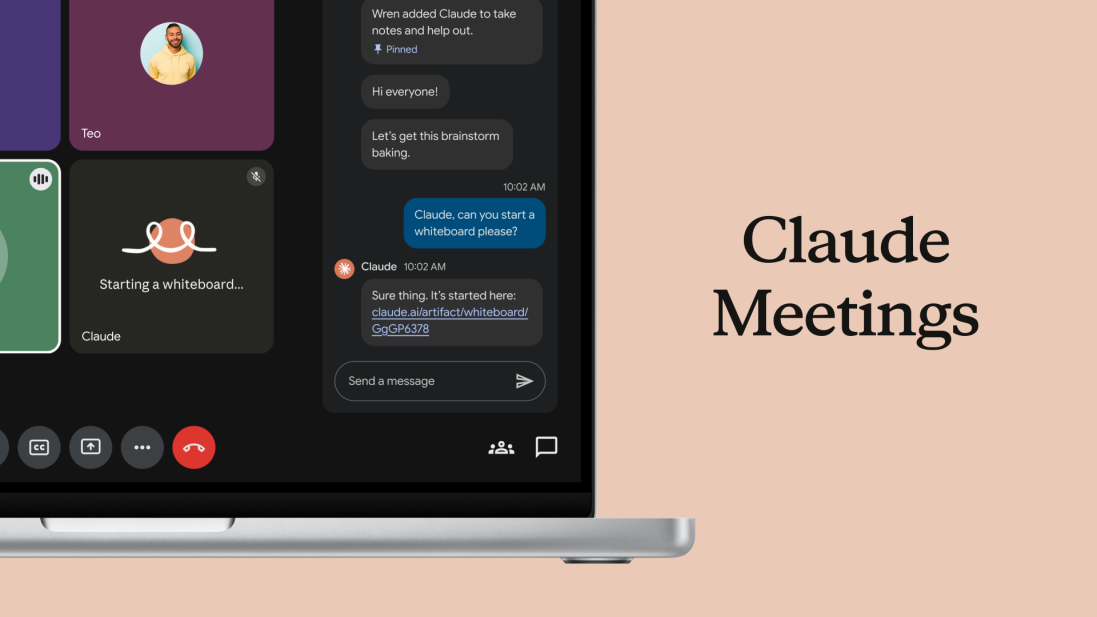
Image source: Claude
Post-meeting meeting notes and action items can be viewed at claude.ai. When Claude joins, it will identify itself in the chat. By default, it will not join when there are external guests unless an administrator allows it, and if an external guest joins midway, it will automatically leave.
Source: KOCPC Chinese