


Many people hope to find an alternative to Adobe Acrobat. Although there are now quite a few free and open-source PDF editing programs, anyone who has used them knows that overall they are still not very easy to use. Moreover, for PDF software, in addition to basic editing functions, how strong its OCR recognition capability is is also very important; only if it is strong can image-based PDF documents be turned into editable versions, and free software is much weaker in this area.
The PDNob software I want to recommend in this article has an extremely powerful OCR feature. The official claim is over 95% accuracy. In my tests, it successfully recognized everything even when the PDF was skewed, mixed multiple languages, or contained similar-looking characters, and it can also edit presentations generated by NotebookLM. It also has built-in AI features that let you directly ask AI about the content of a PDF. Of course, it also has the basic PDF editing features.
More importantly, PDNob PDF Editor is a one-time-purchase version—pay once and use it for life. It’s much cheaper than Acrobat and offers extremely good value. It’s definitely worth considering for students and office workers who use PDFs frequently.
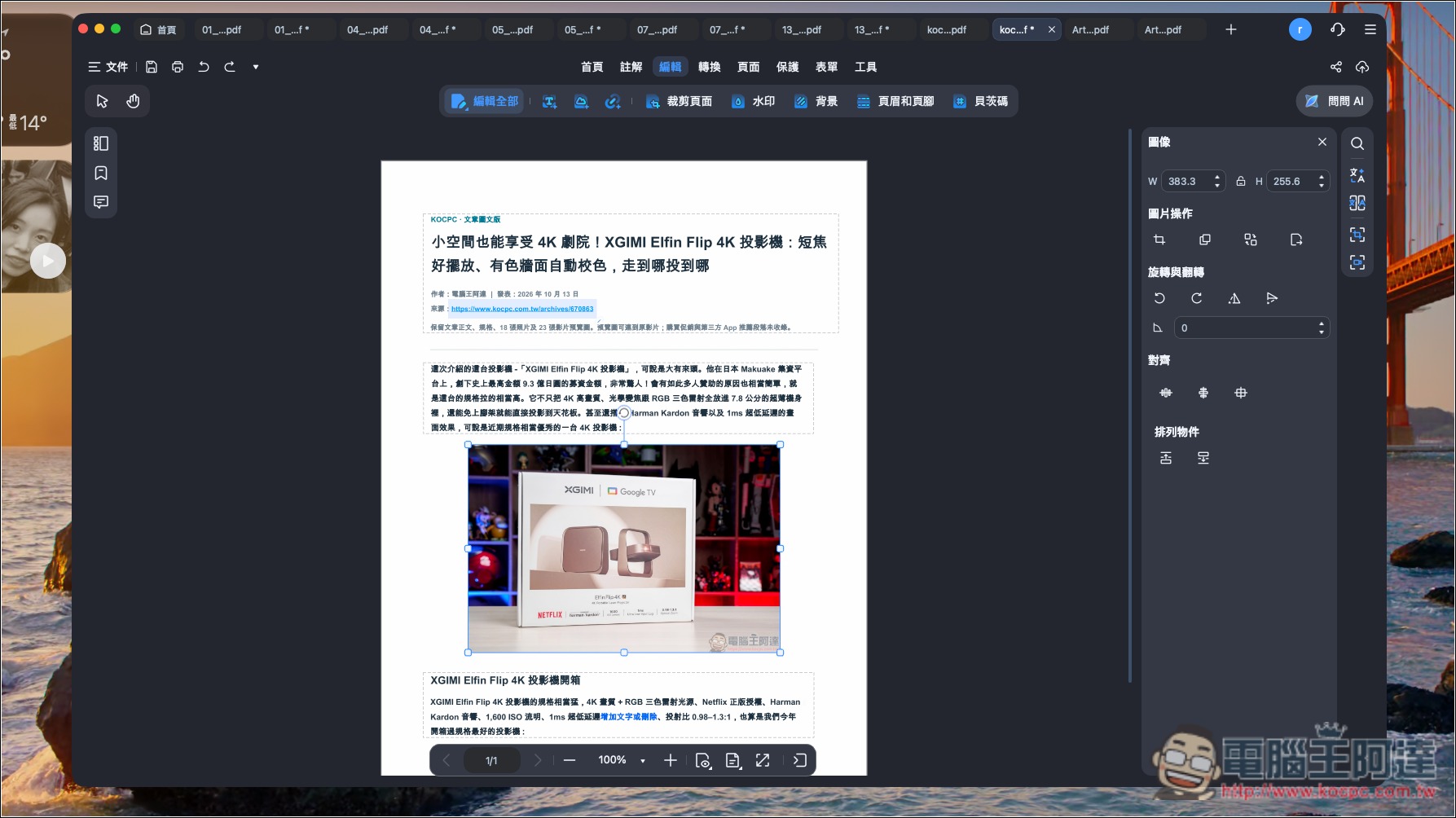
What kind of software is PDNob? A PDF editing software with 95% OCR accuracy and built-in AI.
PDNob is a PDF editor that integrates OCR text recognition, an AI assistant, and various PDF editing features, and supports Windows and macOS.
Unlike typical free tools that can only read PDFs, PDNob not only lets you directly edit the text, images, and layout within a PDF, but also supports format conversion, document merging, splitting, compression, annotation, e-signatures, and more—basically all the PDF tools you’d use day to day are integrated into it.
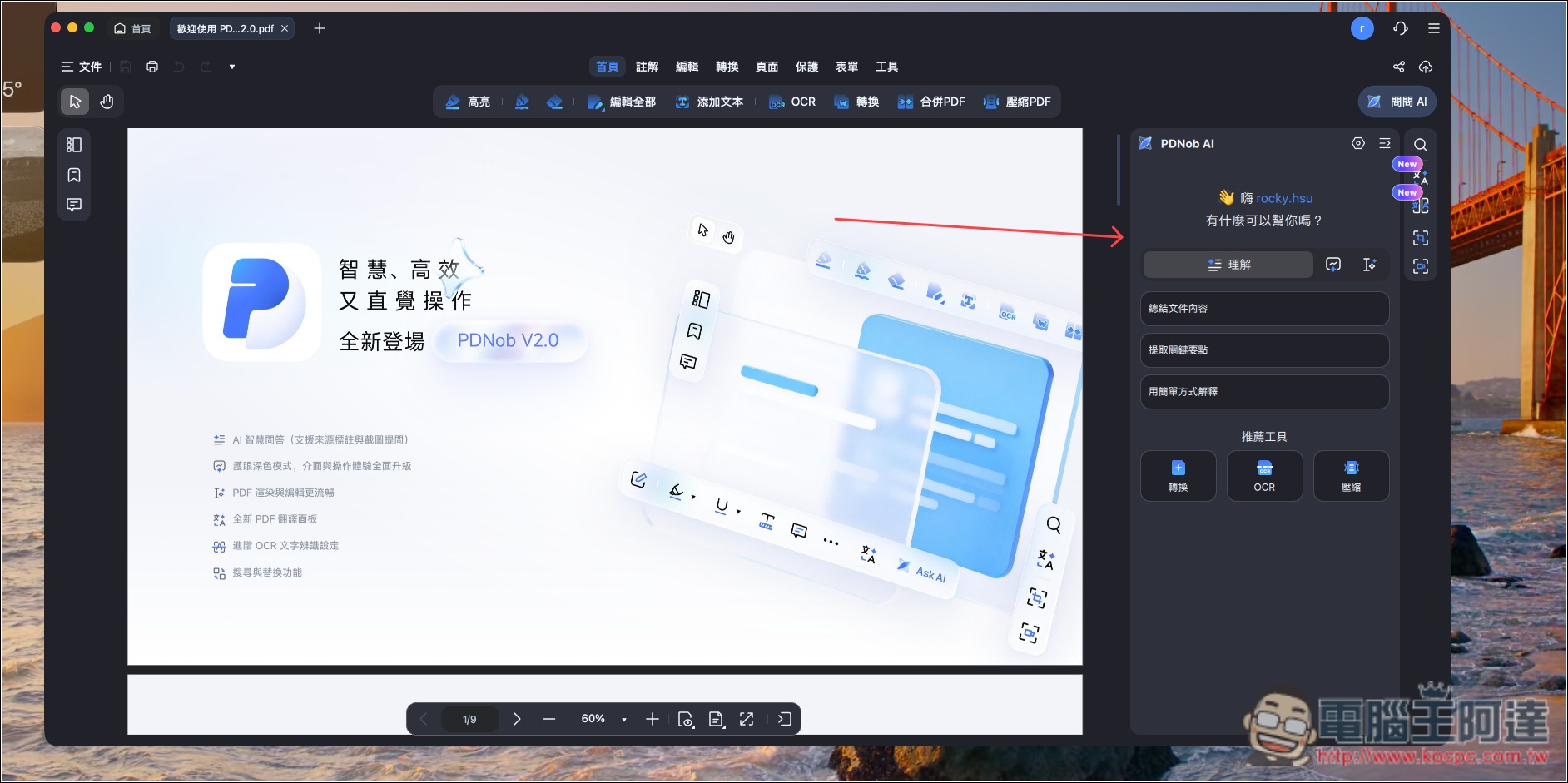
PDNob’s interface is very easy to get started with. Once you open it, the toolbar is at the top, and the AI features are on the right:
One of its biggest features is the powerful OCR text recognition mentioned earlier, which can convert scanned PDFs and image-based PDFs—where text originally cannot be selected—into documents that can be searched, copied, and even edited directly. It supports Traditional Chinese, Simplified Chinese, English, Japanese, and other languages, and also offers advanced features such as skew correction, image enhancement, and noise removal, while improving recognition of low-quality scanned documents.
In addition, PDNob has kept up with the current AI trend by building in an AI assistant that lets you ask questions directly about PDF documents, quickly summarize the key points of long content, and even translate an entire PDF into other languages, with support for bilingual side-by-side reading. For people who often need to read foreign-language materials, research reports, or large volumes of documents, this can save a lot of time organizing information.
PDNob PDF editing software offers a free version, so interested readers can download it and give it a try first.
PDNob OCR hands-on test! Can it accurately recognize skewed PDFs, multiple languages, and handwritten fonts?
OCR (optical character recognition) is, in my opinion, the most important feature of PDF editing software, so of course the first thing to test is this feature. To comprehensively test PDNob PDF’s ability to convert images to text, I prepared many PDF test documents, including:
- Basic Chinese
- Multilingual
- Tables and Procurement Details
- Tilt, low contrast, and shadows
- Tiny text
- Regular script and handwriting-style fonts
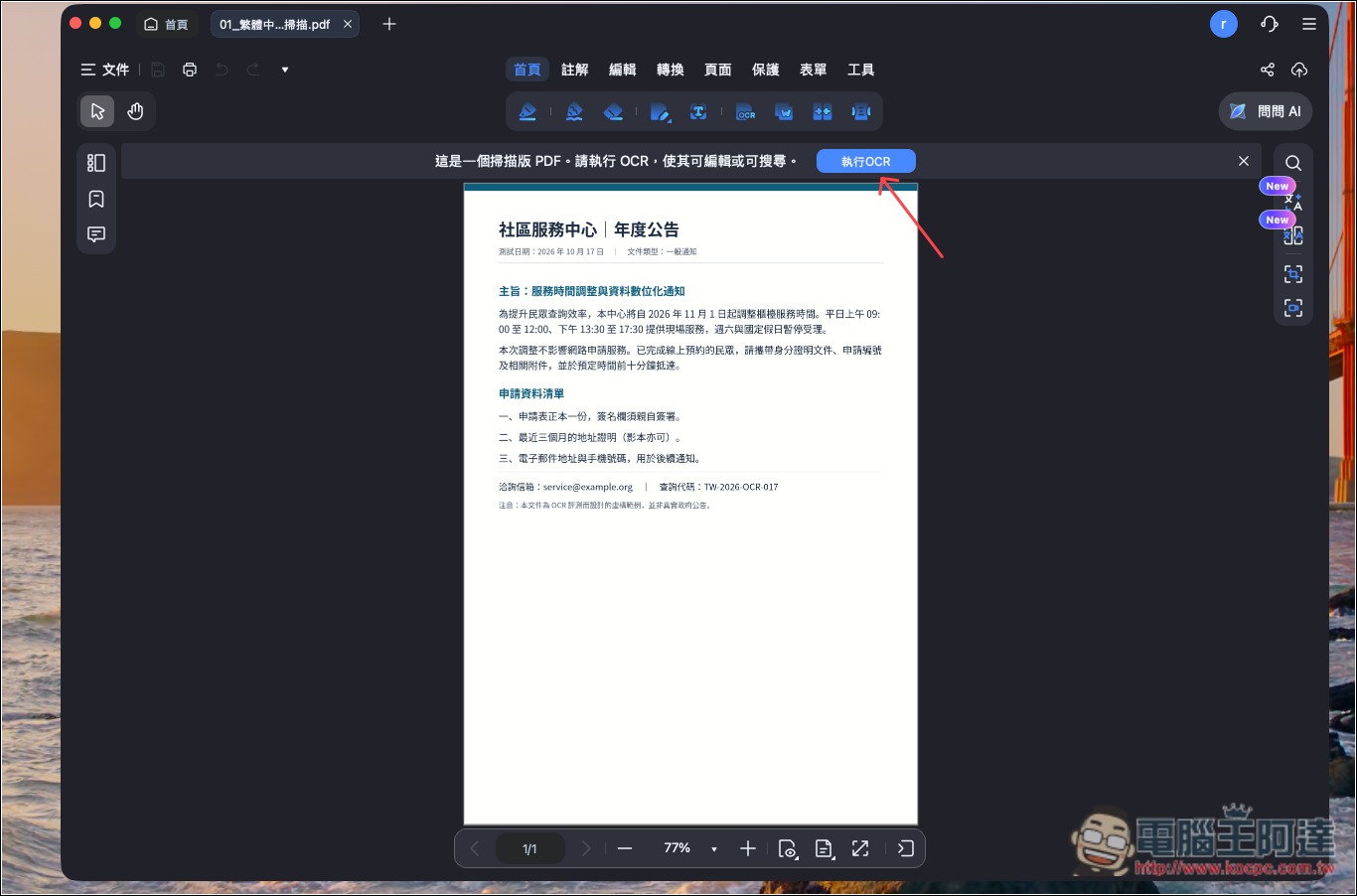
Using OCR is also very simple. After opening a document, if it detects that it is a non-editable PDF file, a prompt to run OCR will appear at the top:
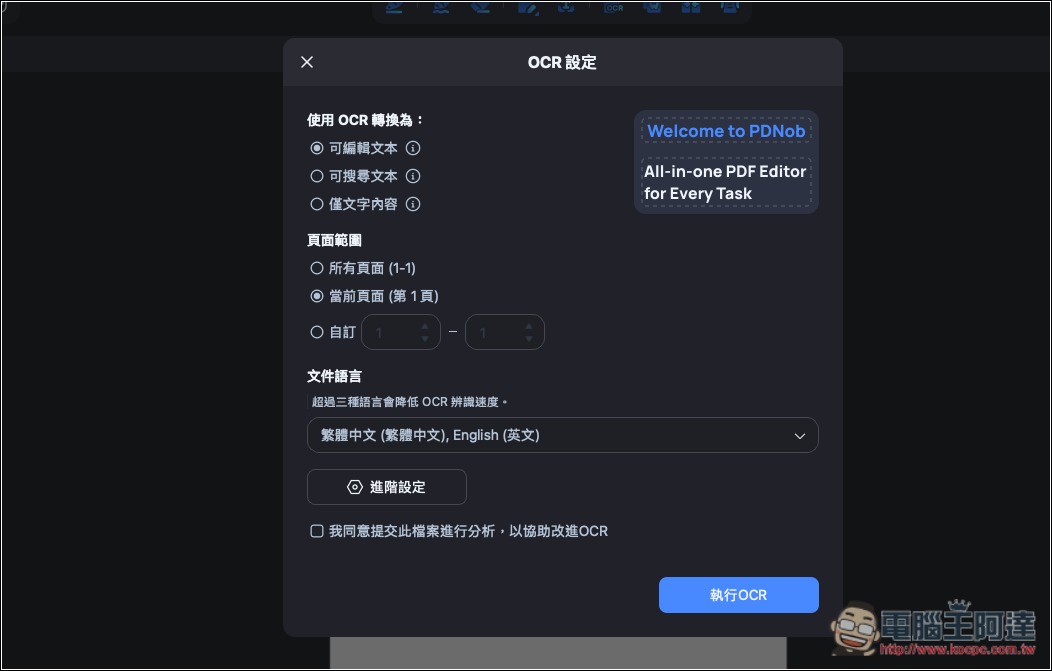
After clicking, an OCR settings dialog will pop up. You can specify whether to convert to “editable text,” “searchable text,” or “text content only.” The page range and document language can also be adjusted to your needs. For languages, note that recognition speed will slow down if you select more than three OCR languages. The submit analysis option below is for whether you want to help the official team improve; if not, you can leave it unchecked:
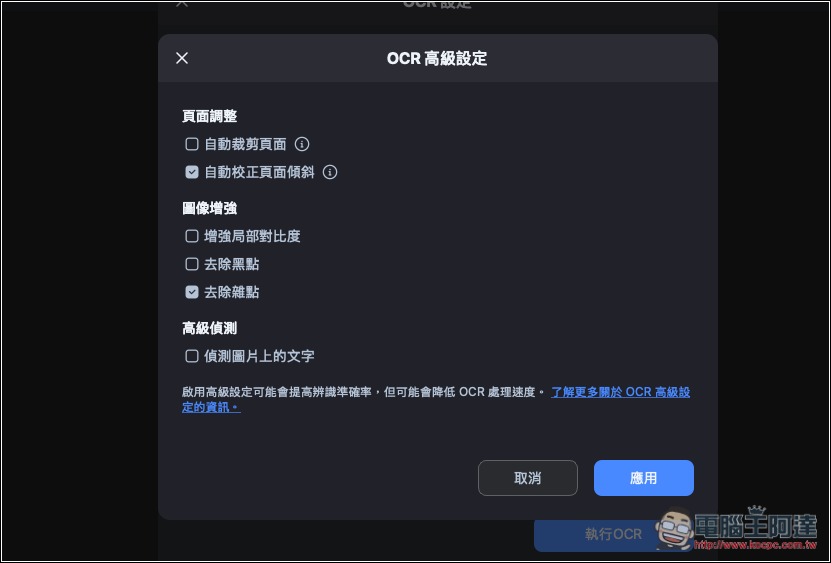
In advanced settings, you can also choose whether to enable “automatically crop pages,” “automatically correct page skew,” “remove noise,” “detect text in images,” and so on:
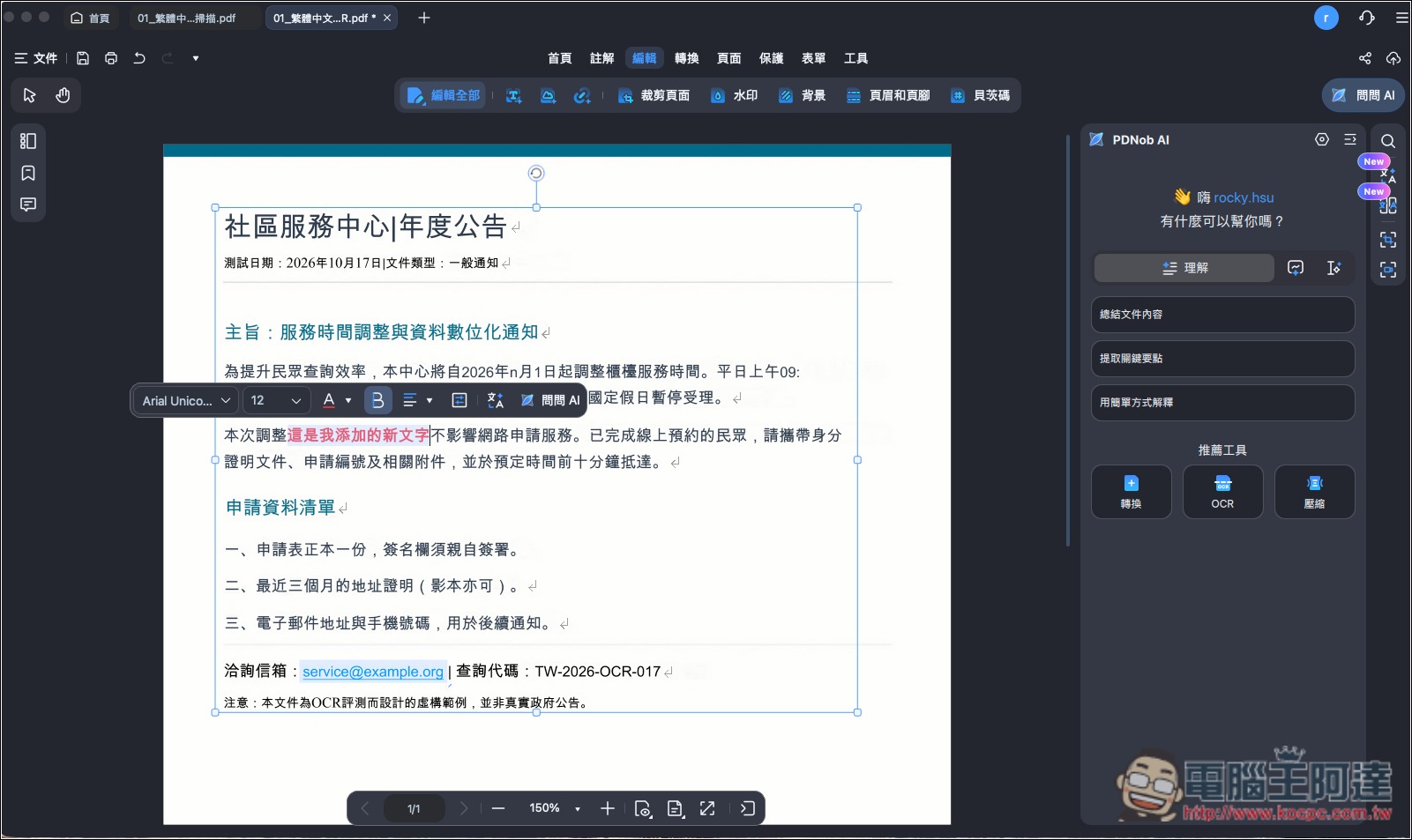
I tested a basic Chinese PDF. After I clicked Run, it finished in under 5 seconds—very fast. The result was also perfect: every character was recognized correctly, everything became editable, and I could add new content:
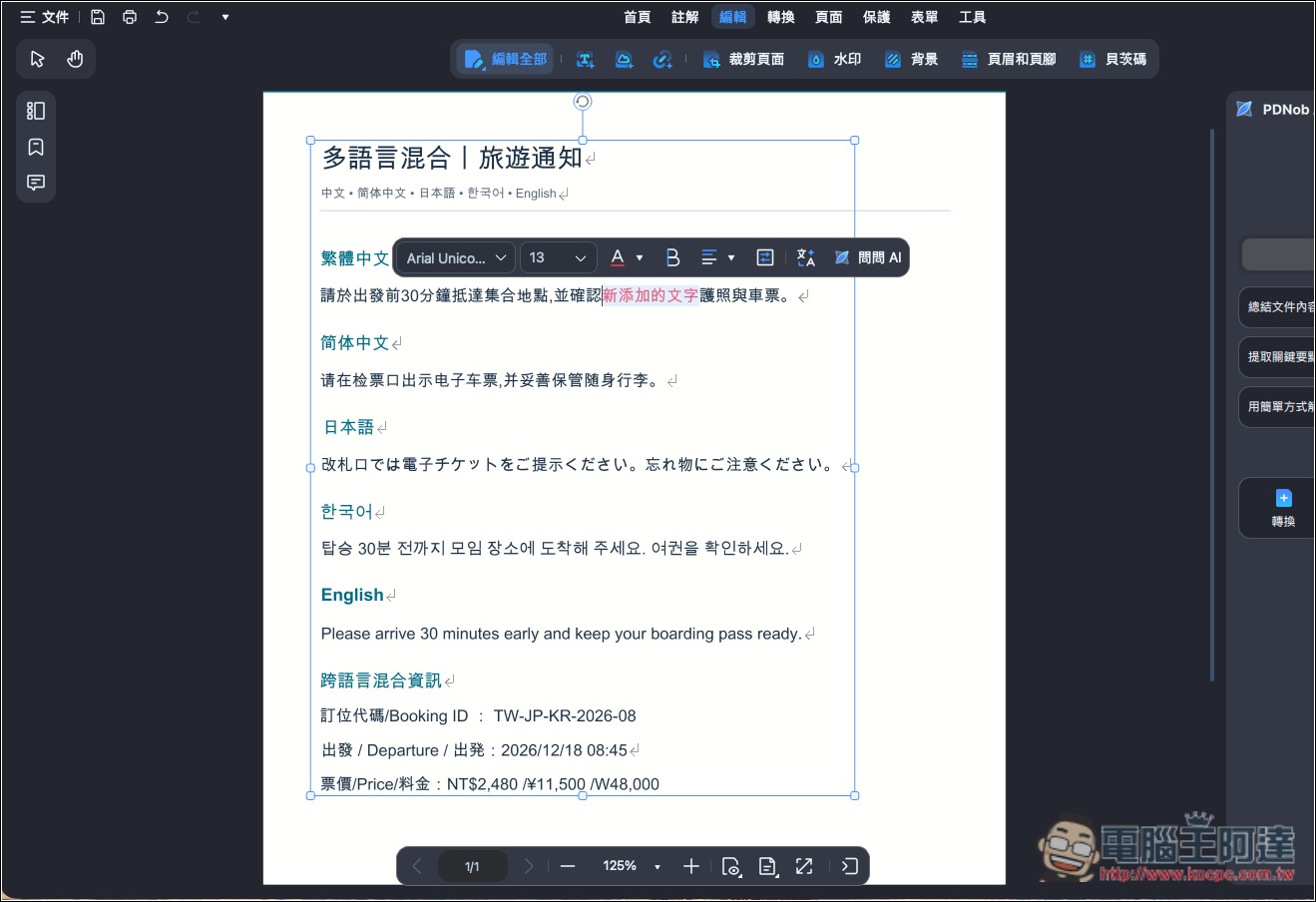
Next is multilingual mixing, including Traditional Chinese, Simplified Chinese, Japanese, Korean, and English:
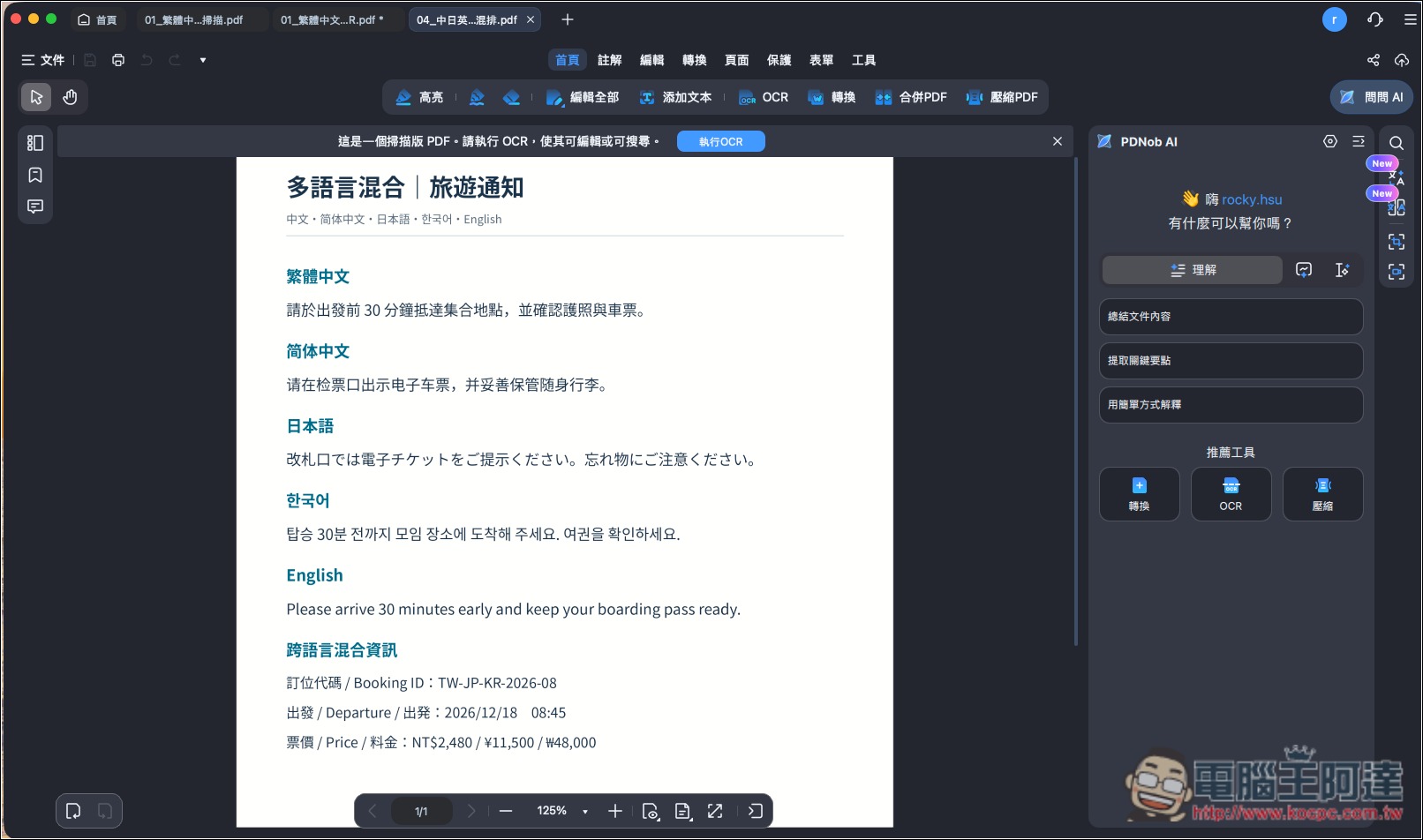
The text is 100% correct, except for one small mistake: the Korean won symbol in the ticket price became W (the correct one is ₩). Overall recognition accuracy reached 98%:
Let’s raise the difficulty a bit: PDF files containing tables:
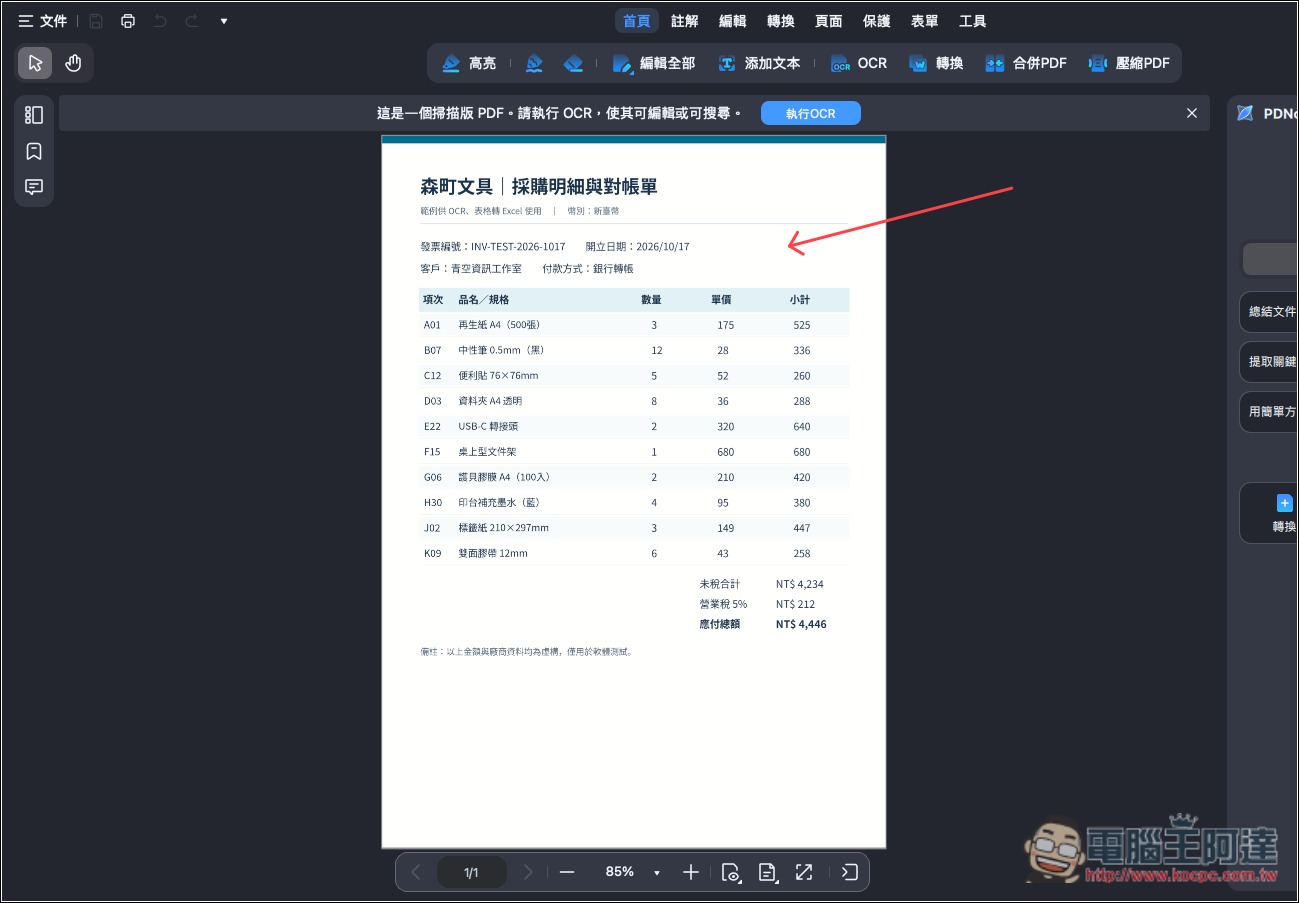
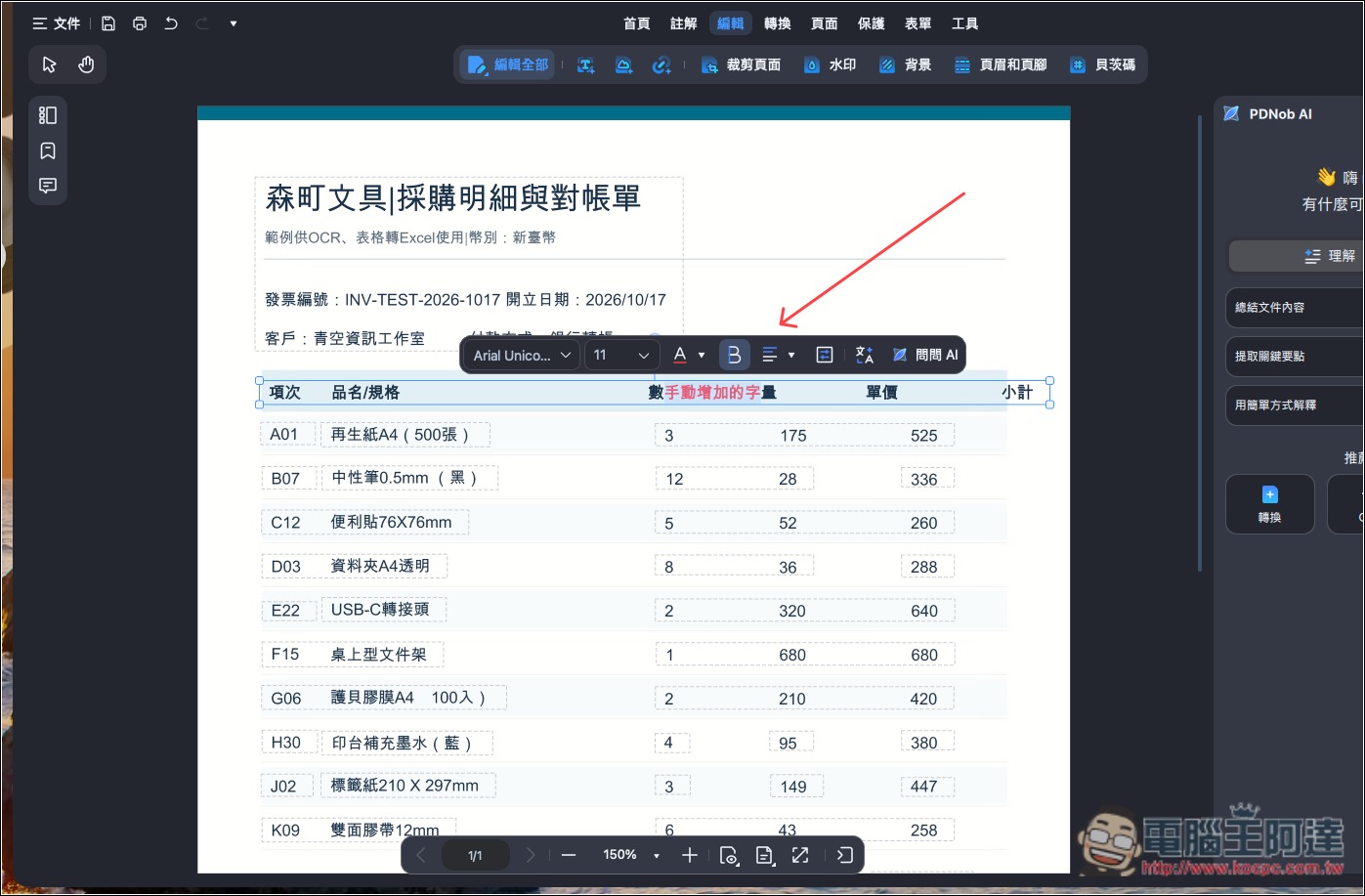
As with the multilingual mixed test, all text was correctly recognized; only a few special symbols were not recognized or were incorrect, with a recognition accuracy rate of 98.60%:
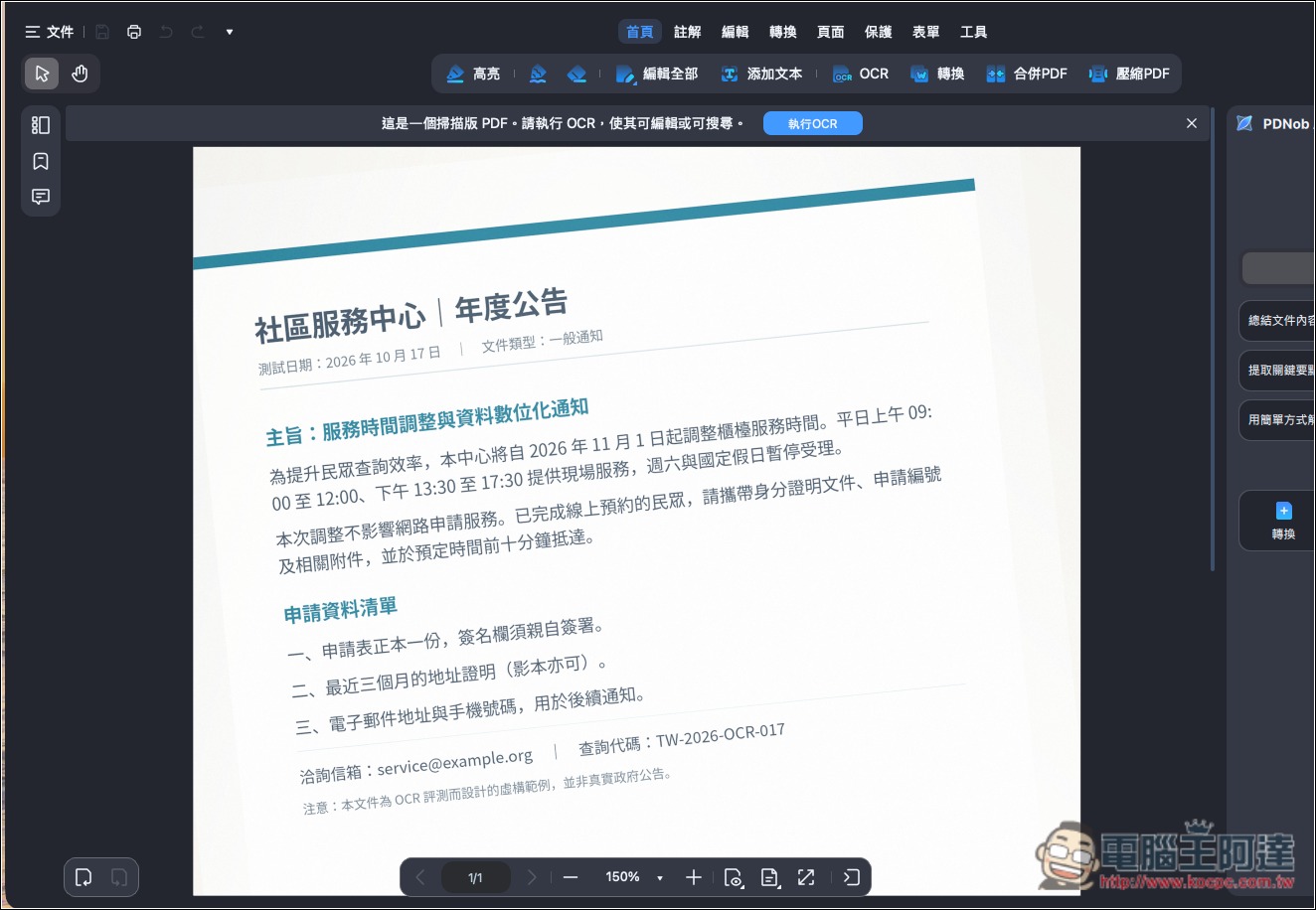
Next, let’s increase the difficulty. First up is a skewed PDF document. By default, OCR will automatically correct the skew; of course, you can also go into the advanced settings to confirm:
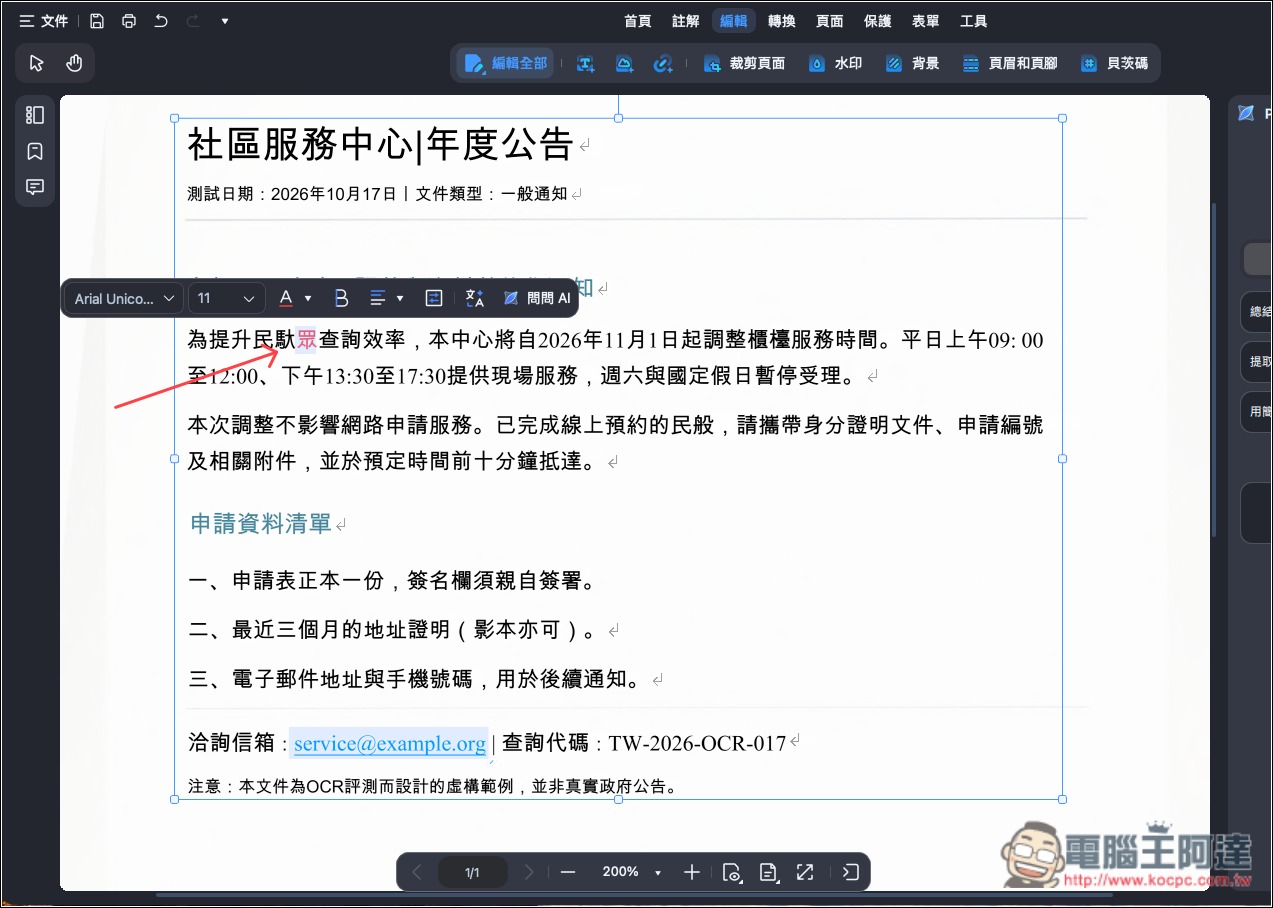
Although a few characters were clearly not recognized correctly, it doesn’t matter—just fix them manually (as shown in the image below, I added the correct “眾”). Overall, even skewed PDFs have a recognition accuracy of 98.51%:
Here’s another small tip: sometimes OCR’s recognition language is set to Traditional Chinese only by default, but a PDF may contain some numbers and English letters. In that case, be sure to add “English,” and the recognition success rate will improve greatly.
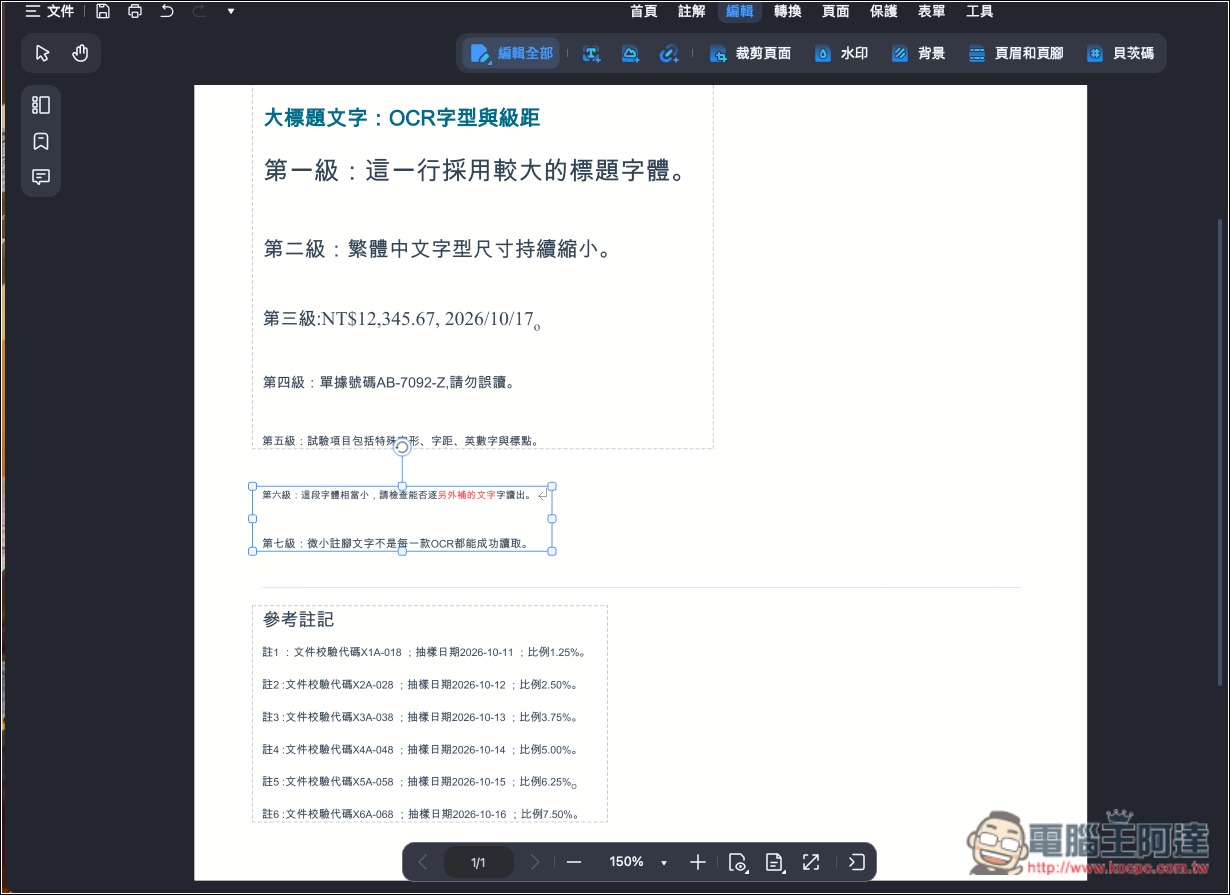
Even if the original PDF contains extremely small text, PDNob still achieves a recognition accuracy of 97.53%, and the errors are mainly full-width characters being converted to half-width; the text itself is correct:
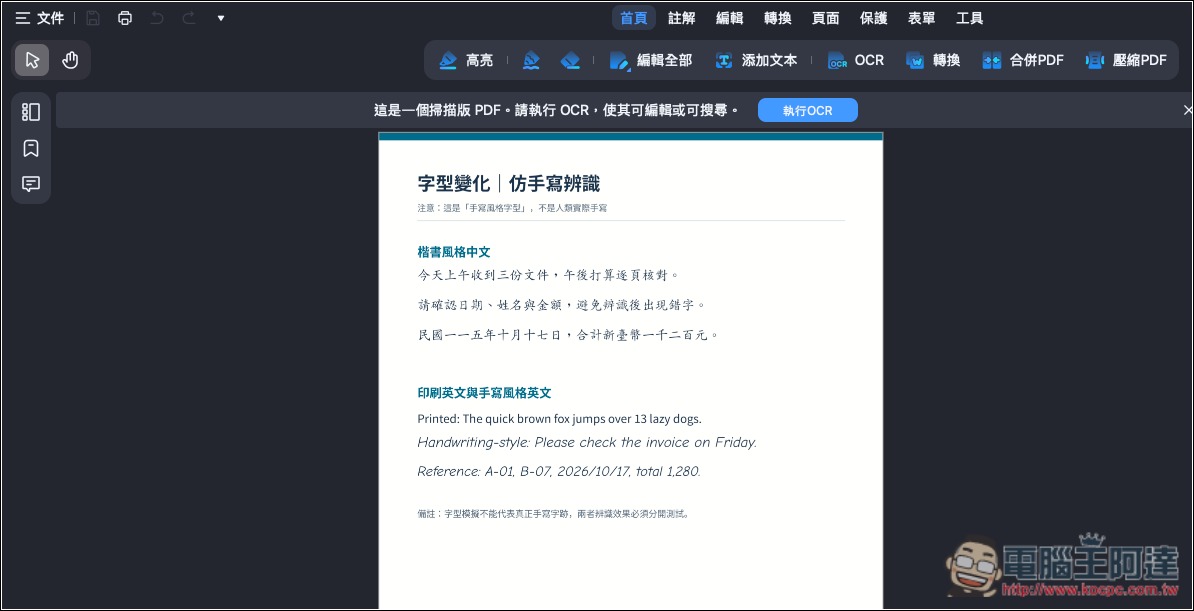
Handwriting-style fonts that are tricky for OCR, of course, also need to be tested:
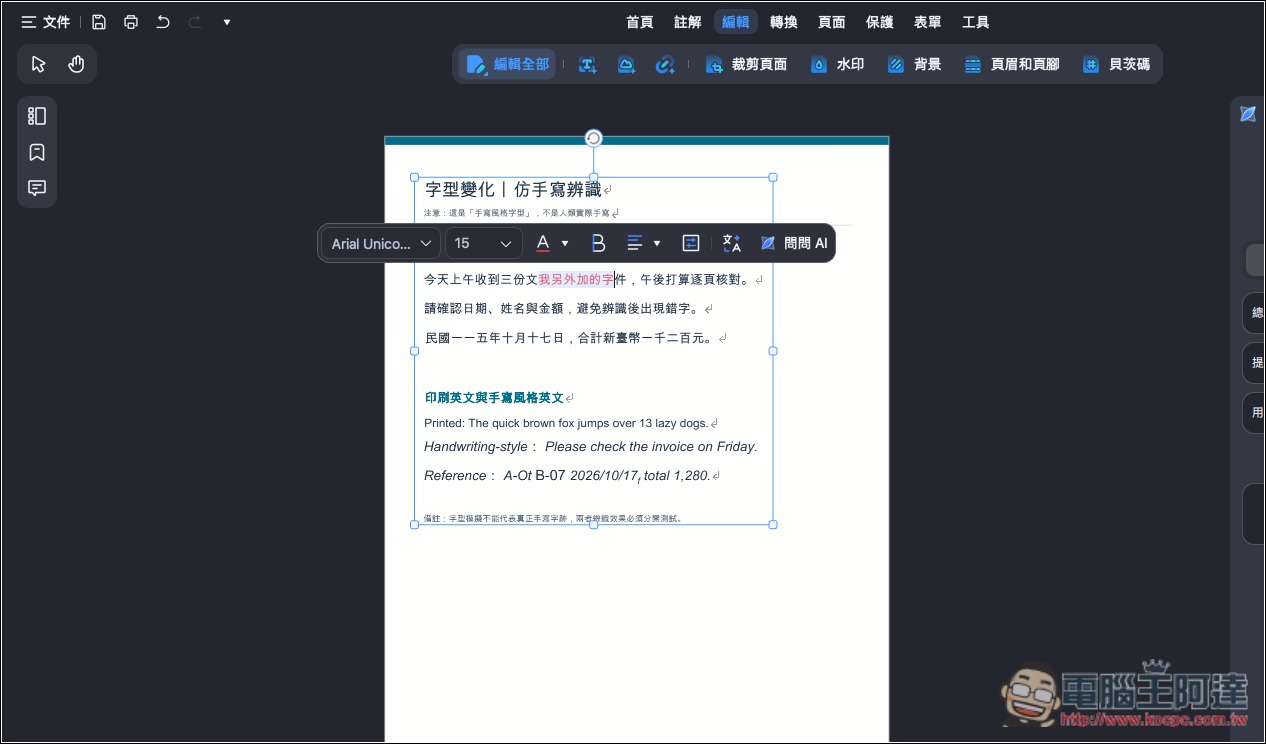
PDNob performs very well at recognizing Chinese characters in regular script, with all Traditional Chinese characters correct. However, there were a few errors in the numbers, English letters, and punctuation marks in the simulated handwritten English, and the overall recognition accuracy was 97.13%:
From the above test results, it is clear that PDNob’s OCR recognition is really strong, and in almost every case it even exceeds the officially claimed 95% accuracy rate.
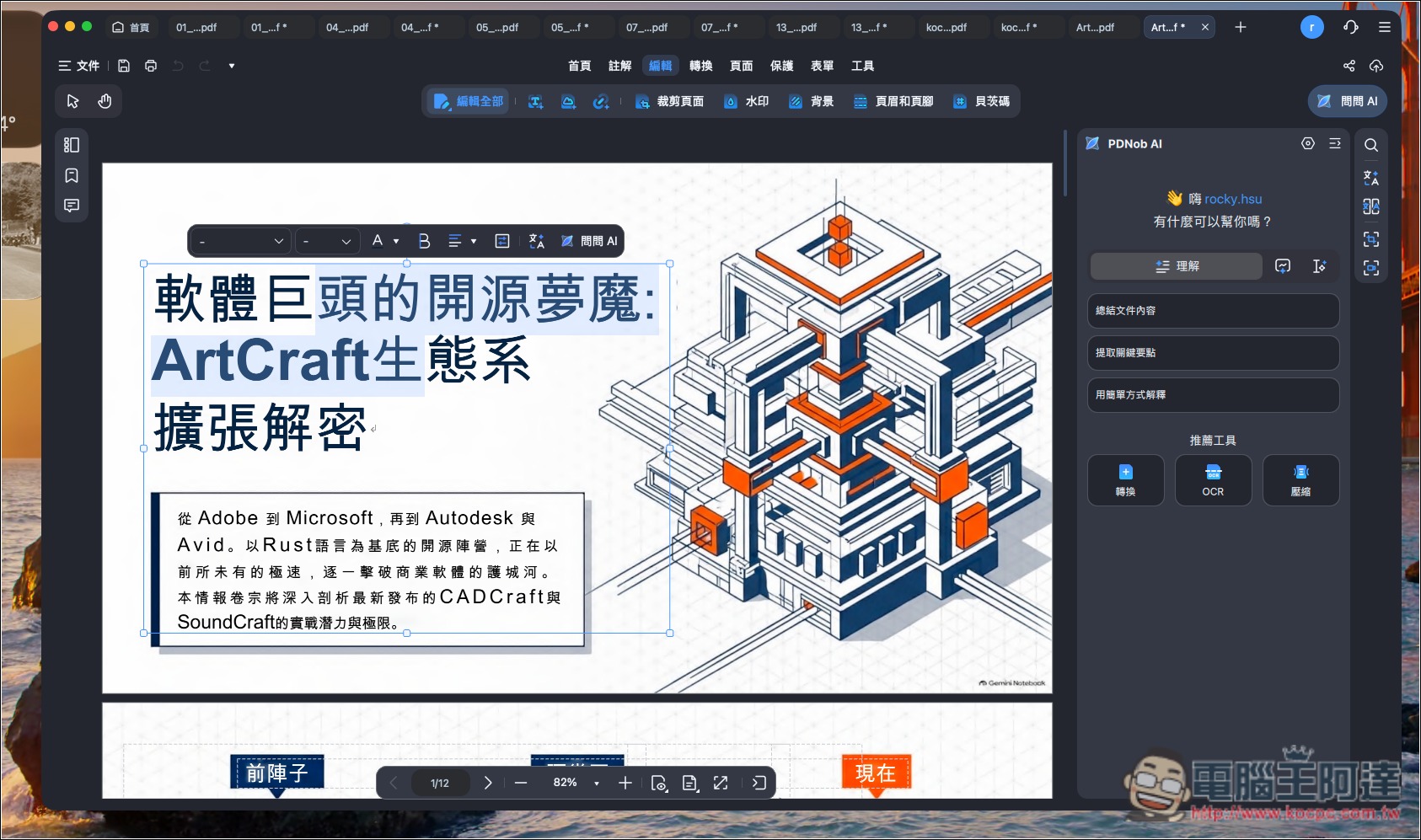
Easily edit presentations generated by NotebookLM with OCR.
Although NotebookLM now also supports editing, it does so by regenerating content with AI, which is less intuitive to use and also has AI usage limits. With PDNob, you can use OCR text recognition to convert it directly into an editable version:
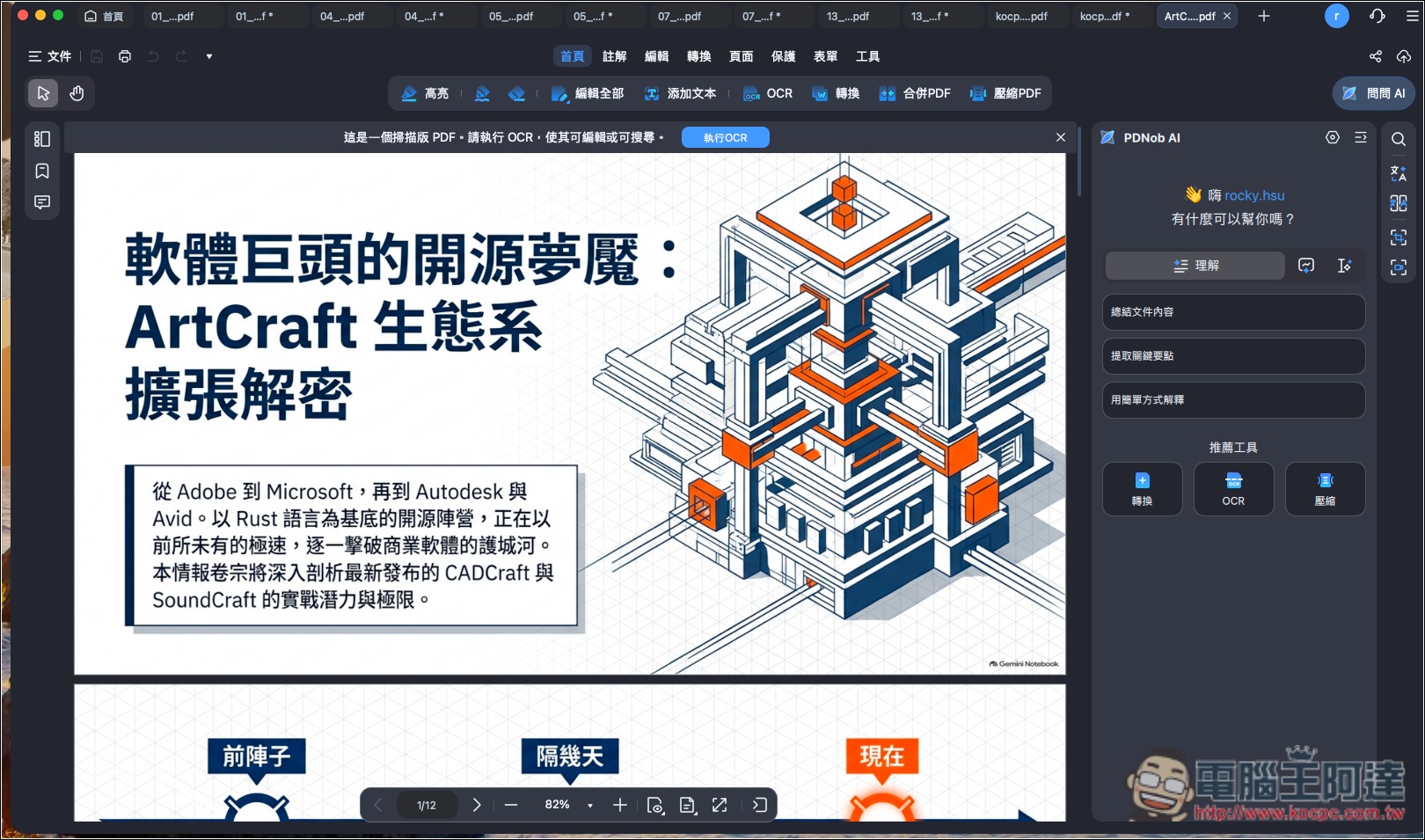
Of course, after conversion, the fonts generally won’t be exactly the same, but by contrast you’ll be able to change them to fonts you commonly use or need, and you can directly modify each part more precisely, or even add new objects and designs to the presentation. This depends on your needs—there are pros and cons:
Built-in AI assistant! You can ask questions directly about PDF content, summarize key points, and translate.
PDNob is also an AI PDF editor, and its built-in AI assistant works much like most AI chat tools: you can ask it any questions about the PDF content to help you understand it quickly.
However, note that the AI features are not free to use. After purchasing the paid version, you get a full 7-day trial. After the trial period, you need to separately subscribe to the “PDNob AI Assistant Plan” to continue using them. The price is not expensive—only NT$1,290 per year—and there are no usage limits, so you can use it as much as you want.
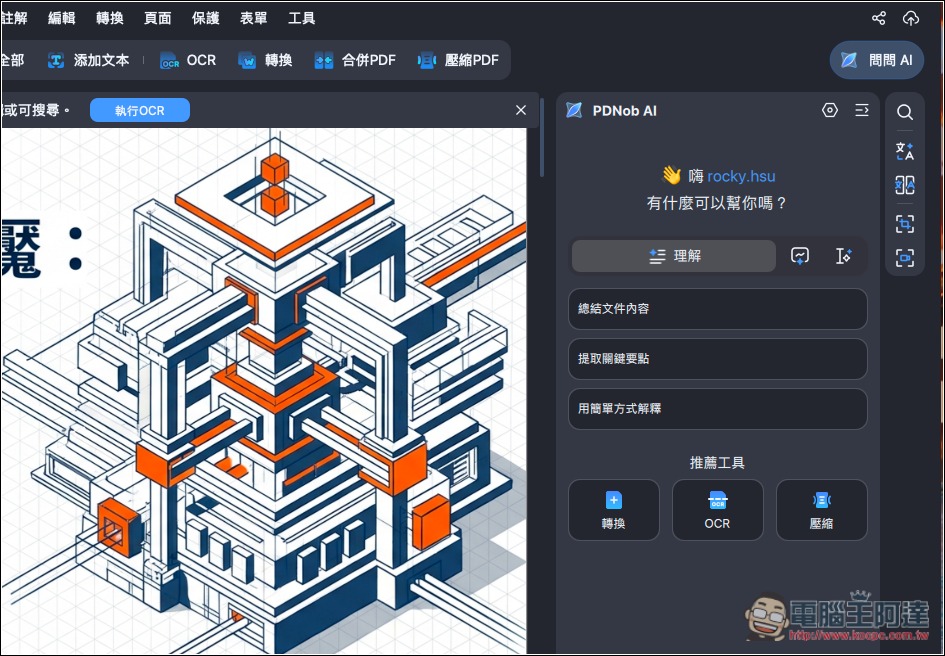
After opening a PDF, you’ll see the “Ask AI” feature on the right. Click it to start a conversation. Three common questions are also preset, including summarizing, extracting key points, and explaining in simple terms:
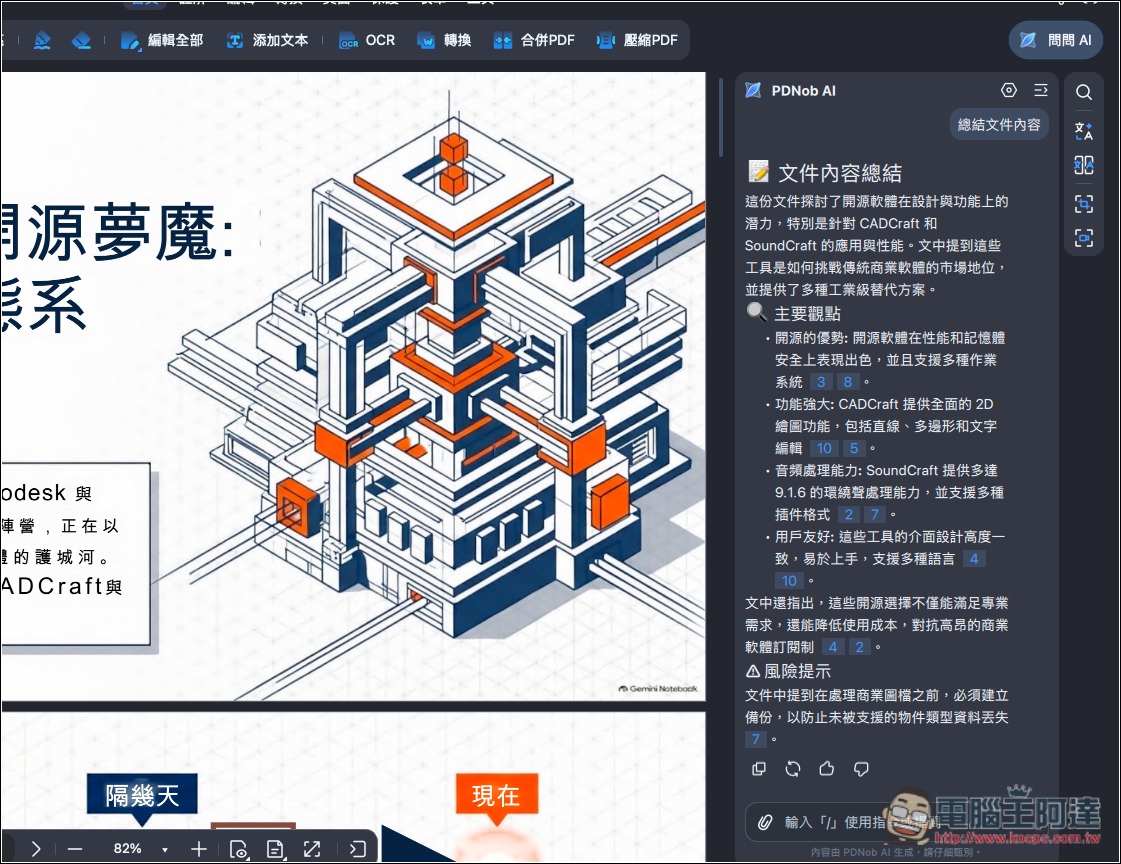
Then the AI will answer based on your question:
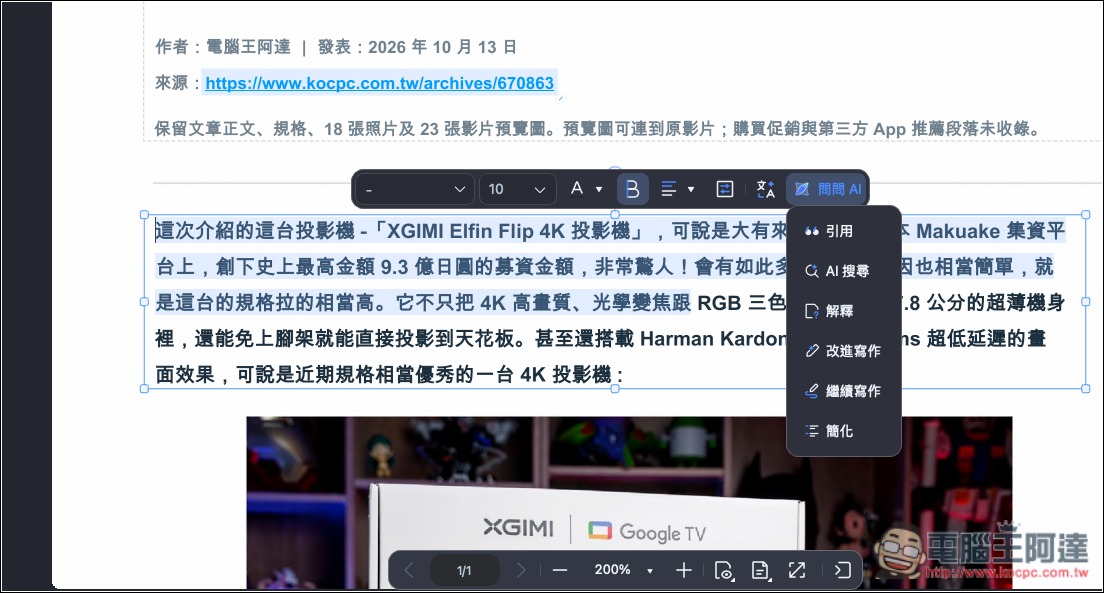
In addition to Q&A and explanations, AI can also help rewrite content, such as improving writing, continuing writing, and simplifying. Just select the content you want to change, and an Ask AI menu will pop up above:
It also has a practical built-in AI translation feature: select the text you want to translate, and it will automatically be read on the right—no need to copy and paste. Then press Translate, and the translated language will appear below:
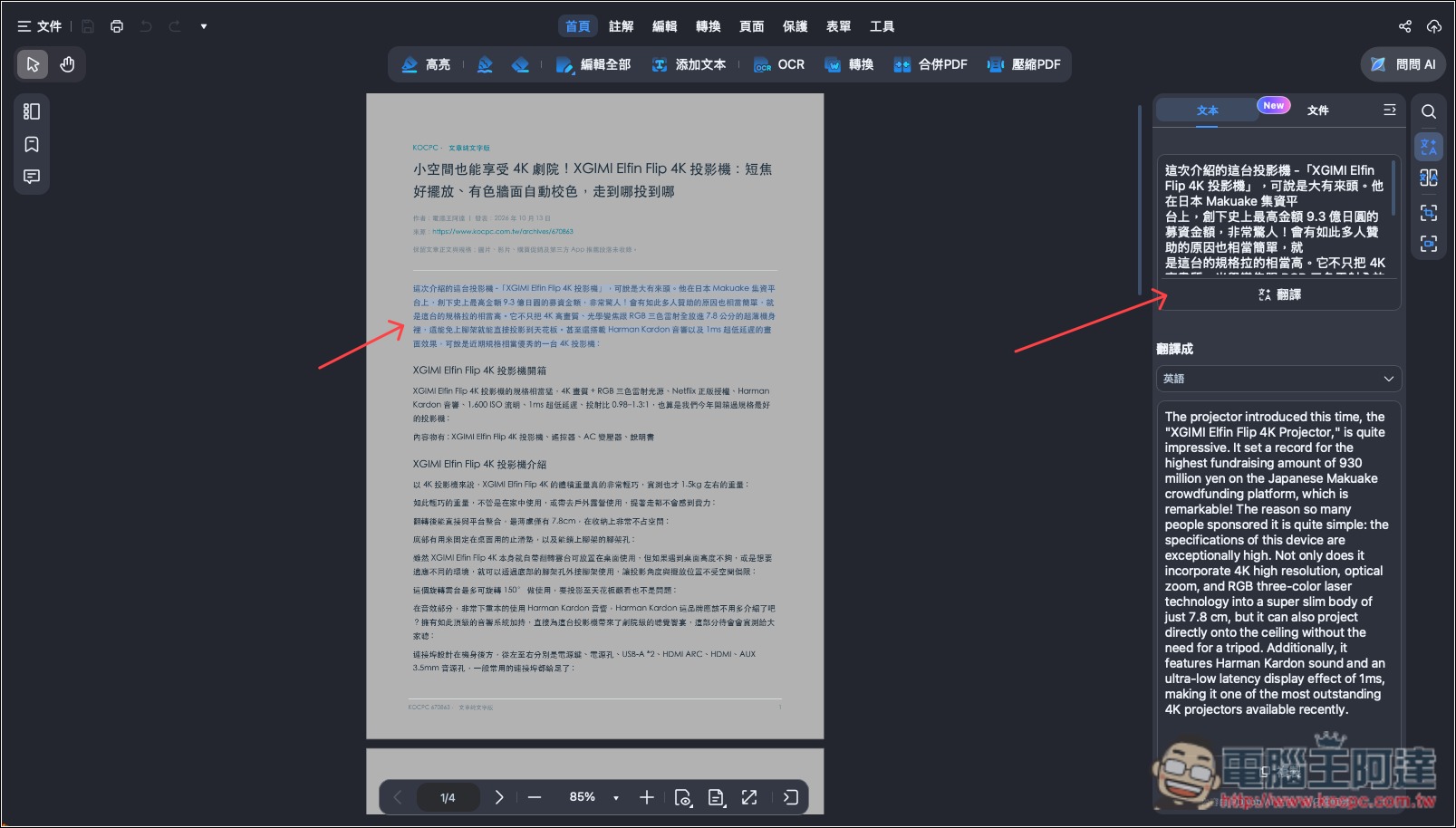
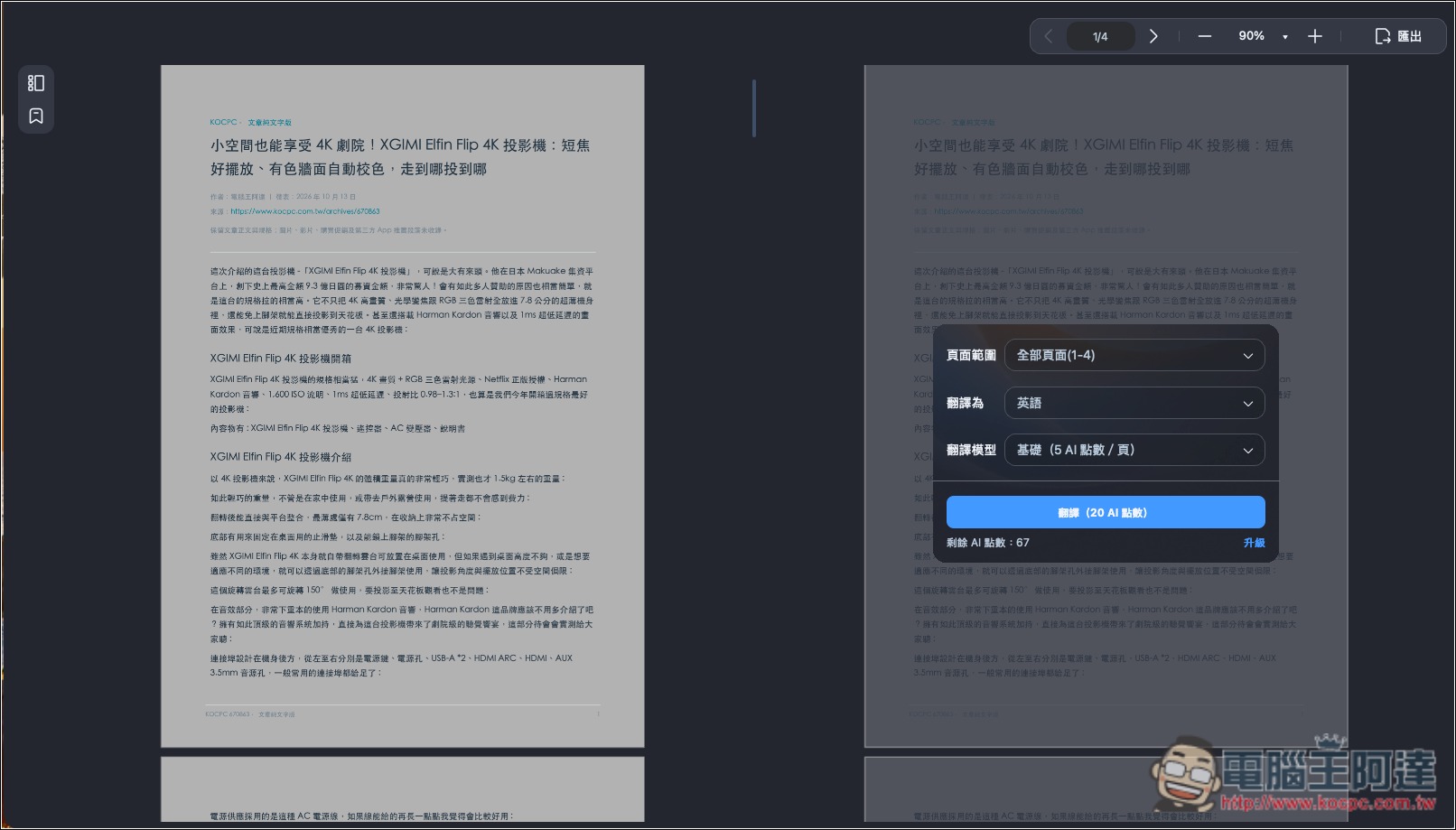
You can also directly translate an entire PDF or specific pages into other languages:
PDF editing, format conversion, and document organization all in one go.
Since PDNob is PDF editing software, it naturally also offers basic features such as editing and format conversion.
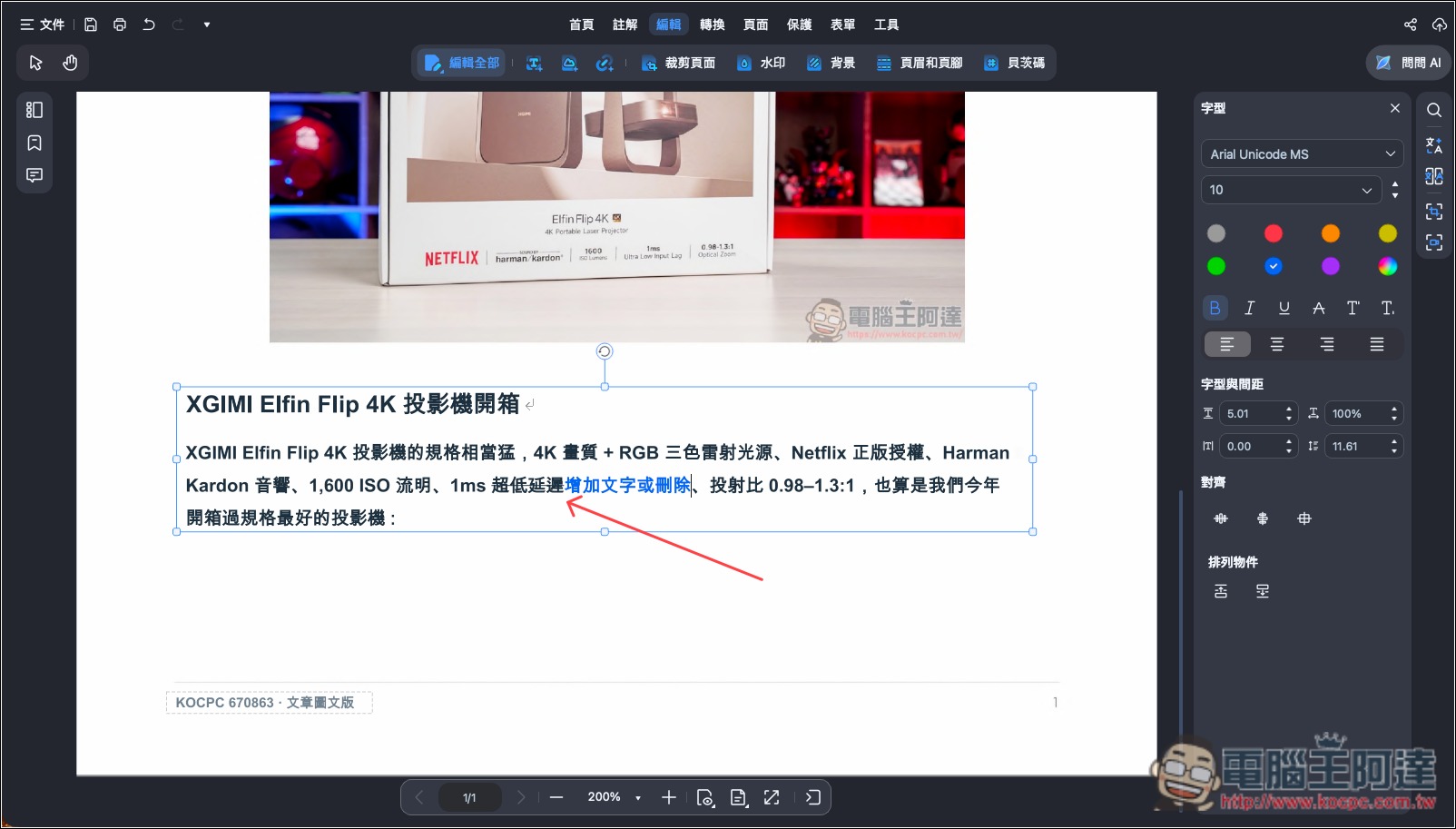
After OCR, you can edit the text in the PDF, including adding new content or deleting what you don’t want:
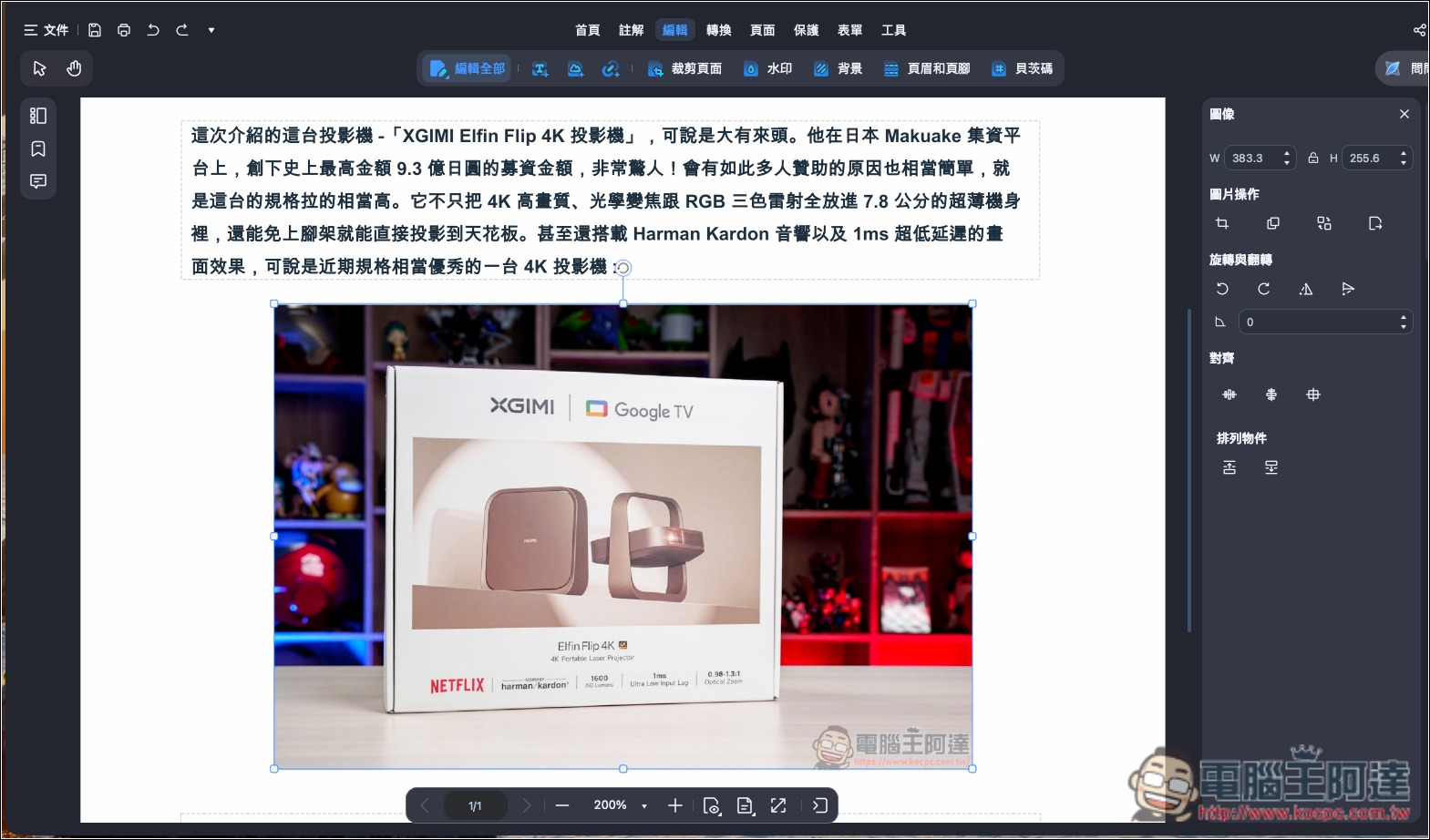
The image part can also be:
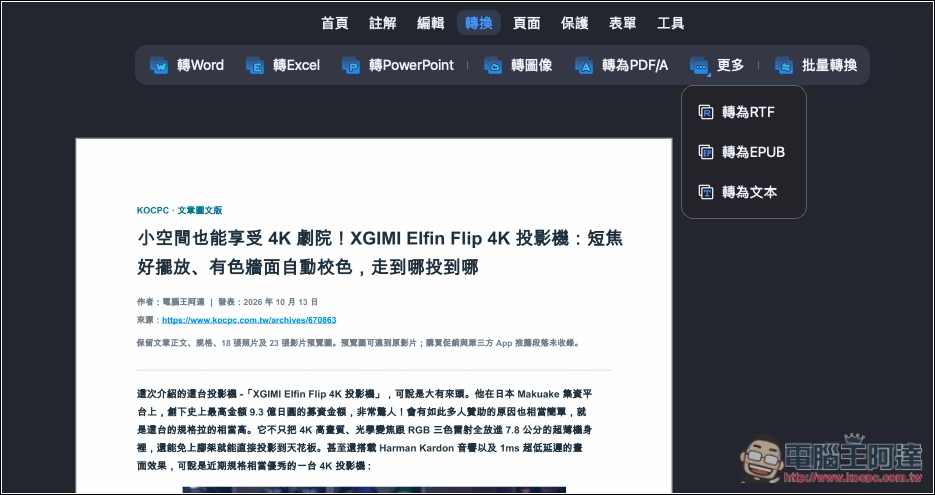
In addition to supporting conversion to Word, Excel, and PowerPoint, it can also convert to images, PDF/A, RTF, EPUB, and text. It also offers features such as PDF merging or compression, and encryption:
Does PDNob cost money? A summary of pricing and free version limitations
Unlike Adobe Acrobat Pro, PDNob offers not only annual subscriptions but also a lifetime one-time purchase option (only slightly more expensive than the subscription). Pay once and you can use all features permanently, including PDF editing, OCR recognition, and format conversion. More importantly, the official provider promises lifetime free updates, so you won’t have to pay extra version upgrade fees—this is very cost-effective.
PDNob also has a free version, so you can try PDF editing, OCR, conversion, and document organization features without paying. However, the free version has some limitations: for example, PDF OCR text recognition and PDF format conversion can each only be used once per week. Although you can export edited PDFs for free, only the first 20 files will be watermark-free; after that, a watermark will appear.
| Comparison item | Free version | Paid version |
|---|---|---|
| Expiration date | No time limit | According to the licensing plan |
| PDF text and image editing | Supported, but output is limited. | Unlimited |
| OCR text recognition | 1 time per week | Unlimited |
| PDF format conversion | 1 time per week | Unlimited |
| Export watermark | The first 20 files are watermark-free. | No watermark |
| Batch processing | There is a limit on the number of files. | Unlimited |
| Cloud storage space | 2GB | 20GB |
| Single file upload size | 15MB | 2GB |
| AI Assistant | Limited free credits | Includes trial credits; unlimited use requires a separate subscription. |
The paid version currently has two pricing plans:
- 1-year license: NT$1,590 (excluding tax), with automatic renewal, cancel anytime.
- Lifetime perpetual license: NT$2,090 (excluding tax). Pay once to use the PDF editor for life, including future free updates.
The two plans differ by only NT$500. If you plan to use it long-term, the lifetime buyout version is definitely the better value. A single license key can be used on up to two computers at the same time, supports both Windows and Mac, and includes free access to the iOS version.
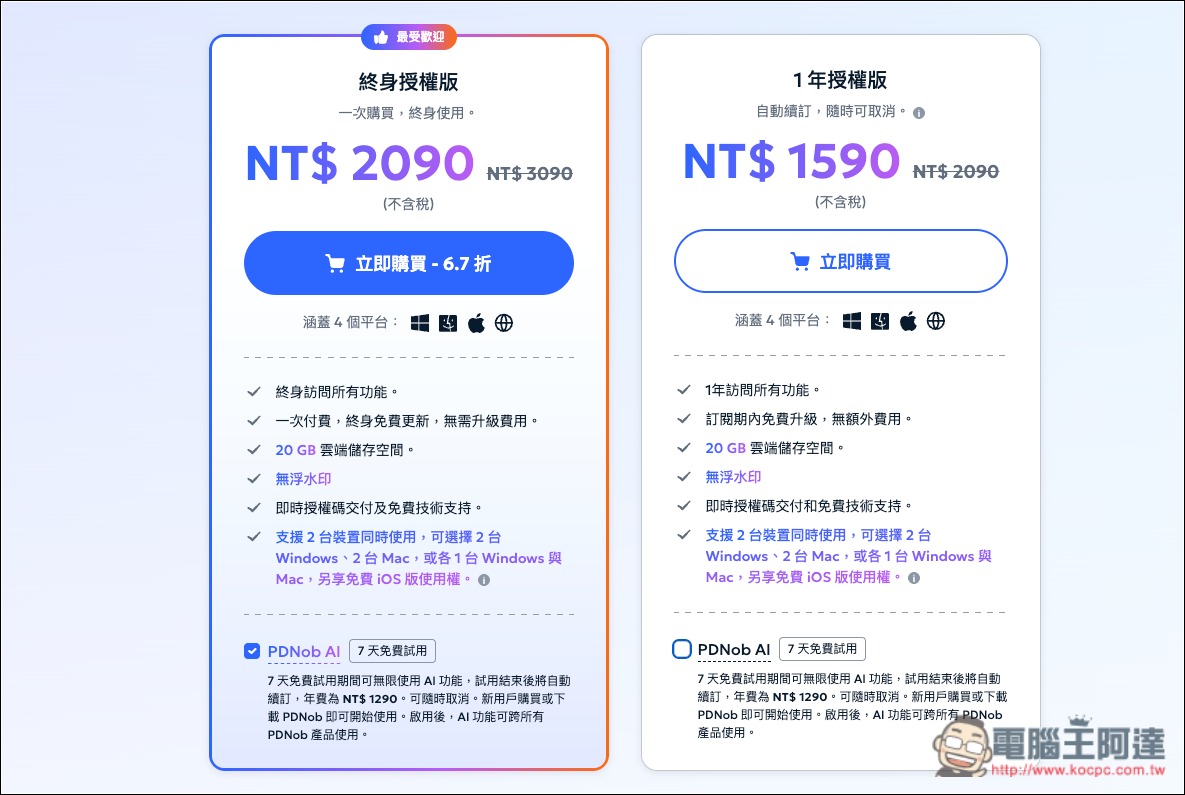
A 7-day free AI trial is also available, and during the trial you can use the AI features an unlimited number of times, depending on whether you need it. If you do, remember to check whether PDNob AI (7-day free trial) below is ticked when purchasing; it is ticked by default.
One more thing to note: before the trial period ends, if you don’t want to continue using AI, remember to cancel your subscription manually; if you don’t cancel, it will automatically renew as an annual subscription when it expires.
How to choose the right PDF editing software for you? 6 key points you must pay attention to
There are many PDF editing software options on the market, ranging from free tools to professional paid software. If you only occasionally read PDFs and add annotations, free tools are generally more than enough. However, if you frequently need to edit text, process scanned documents, or convert formats, pay attention to the following 6 key points when choosing:
- OCR text recognition capabilityPrioritize software that supports Traditional Chinese and multilingual recognition, and check whether it can handle skewed scans, blurry text, and tables. The higher the recognition accuracy, the less time you’ll spend on manual corrections afterward—this is important.
- PDF text and image editingConfirm whether the original text, images, and layout in a PDF can be edited directly, rather than only adding text boxes or annotations. Also pay attention to whether the layout will get messed up after editing.
- Format conversion capabilityIt must support converting PDF to common formats such as Word, Excel, and PowerPoint, as well as whether the original layout can be preserved after conversion. If there is a need for large volumes of documents, batch conversion support would be best.
- File Organization and Security FeaturesPDF merging, splitting, compression, encryption, etc. are also best to have. If you often need to handle important documents, also pay attention to whether these functions are all performed locally.
- AI features and additional costsIf you frequently read long PDFs or foreign-language materials, AI summarization, Q&A, and translation features are very useful, but be sure to check whether they require an additional subscription and whether there are usage limits.
- Pricing and LicensingYou should definitely look for a lifetime one-time purchase option—it’s much more cost-effective than a subscription, and it must include future updates too, not just the current version.
Summary
Overall, in testing, PDNob’s OCR text recognition capabilities were impressive: across various types of PDF files prepared for the test, the actual recognition accuracy was almost always over 97%, which is excellent. Although there were occasional cases of special symbols being recognized incorrectly, full-width characters being converted to half-width, and some text requiring manual correction, the overall accuracy was already very high.
On top of that, it has all the editing and file conversion features you’d expect, can also edit presentations generated by NotebookLM, and includes built-in AI Q&A, content summarization, translation, and other features—it’s truly a PDF editing software that’s well worth recommending.
Pricing is also a major advantage for PDNob. Compared with Adobe Acrobat Pro’s subscription model, PDNob’s lifetime one-time purchase plan can definitely save you a considerable amount in costs.
Source: KOCPC Chinese