


Have you ever had this experience: you see a super-viral Reels video on Instagram, get inspired to try the challenge, and then, just to learn the dance moves, complex transitions, or nail the lip-sync, you have to manually rewind and pause a dozen or even twenty times? That process of repeatedly struggling from memory often drains all your creative enthusiasm before you even start recording.
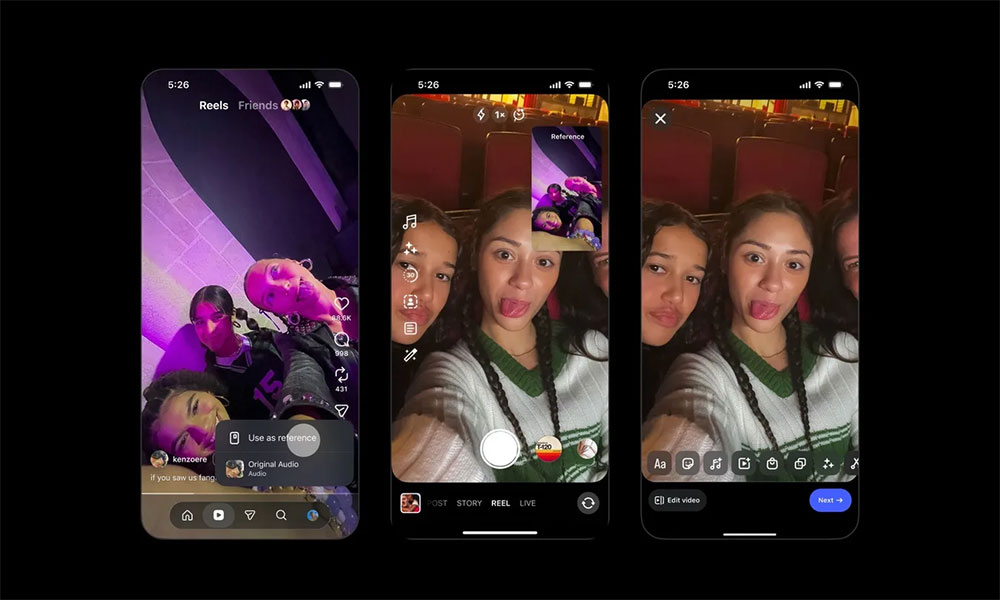
Instagram launches a new “Use as Reference” floating feature! Learn how to easily follow along with popular Reels without memorizing dance moves and transitions.
The good news is that Instagram has clearly noticed this pain point for creators and users alike. Recently, Instagram officially launched a very useful new built-in tool—”Use as Reference.” This feature allows users to float the original reference video in a small window on the screen while recording their own Reels, so you can watch while you film and no longer have to rely on rote memorization to recreate popular videos!
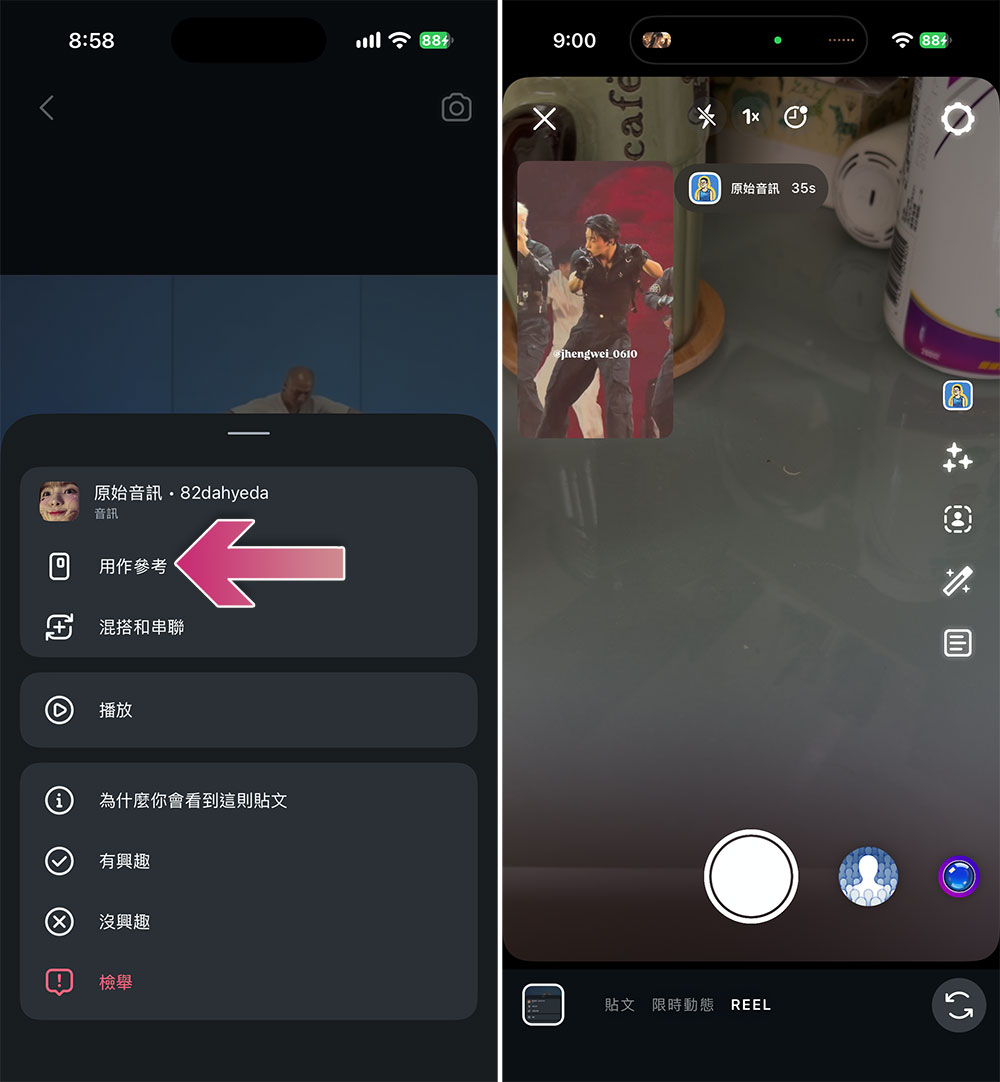
This brand-new floating tool is undoubtedly a huge boon for all types of content creators. Whether you want to take on the hottest dance Trends on TikTok or Instagram, try lip-syncing to a song, or precisely replicate the rhythm, body movements, and camera transitions of viral videos, this feature can greatly improve your shooting efficiency.
The all-new “Use as Reference” feature has the following core highlights:
- Flexible and free-floating picture-in-picture
After enabling the feature, the reference video will float as a small window over the camera view. This small window can be dragged anywhere on the screen, and it won’t block your view or composition at all. - Take control of your playback progress
Before the official recording, you can replay the reference video as many times as you need based on your personal needs; during filming, when you encounter a particularly complex breakdown move or difficult transition, you can also pause the video at any time to practice repeatedly, ensuring every detail is perfectly in place. - Thoughtful Custom Countdown Timer
When you’re ready to press the record button, a customizable countdown timer option appears on the screen. This helps creators prepare before shooting begins, so that from the very first frame of the video, they can sync precisely and seamlessly with the music beats and motion rhythm of the original video.
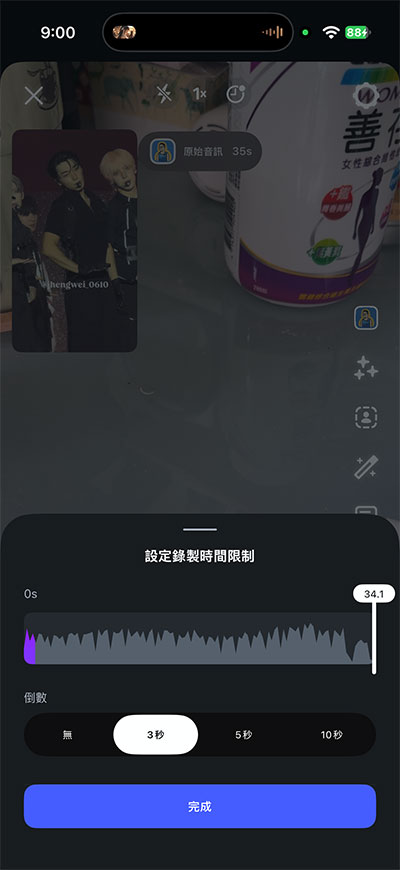
How do you use Instagram’s “Use as Reference” feature?
The operating steps are very intuitive and simple:
- Find a Reels short video on Instagram that you especially like and want to imitate or recreate.
- Click the “three-line menu” (More) in the bottom-right corner of that Reel.
- Find and click the “Use as Reference” option in the menu. The system will then automatically switch to the camera recording screen, while the original video appears alongside in a floating window.
Currently, this feature has a length limit—it only supports Reels short videos up to 90 seconds long. Although Instagram has not given a specific reason for this time limit, it is already quite sufficient for most short-video challenges. Of course, we also look forward to future updates that further relax the duration limit and support longer video footage.
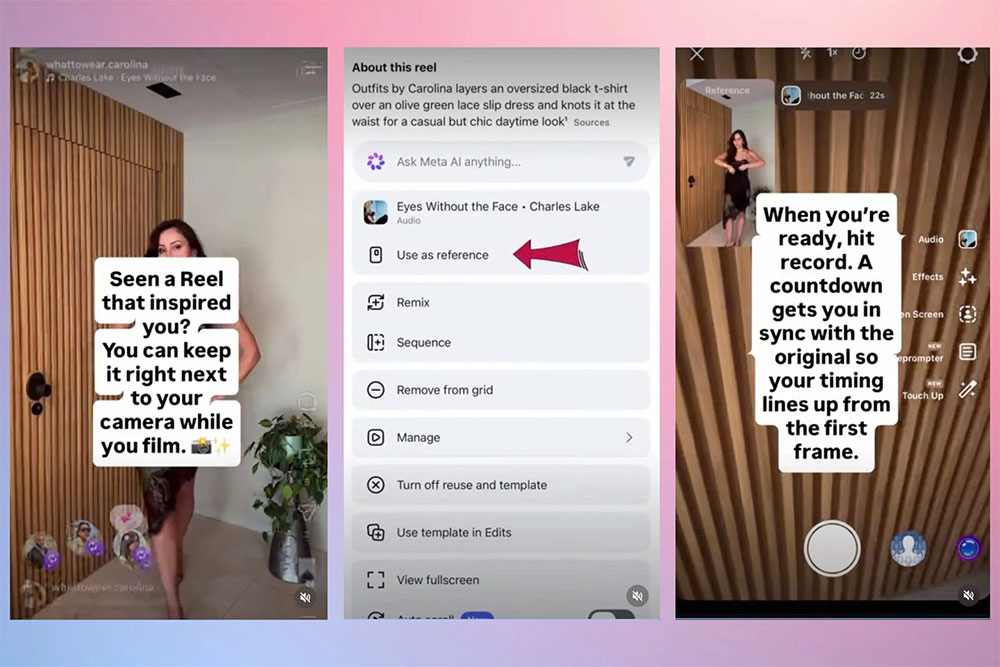
Instagram officially stated that this new feature has begun rolling out to users worldwide starting today. However, there is currently a slight difference in device support: the “Use as reference” floating tool will initially be available only to iOS (iPhone) users. As for the vast Android user base, Instagram says the corresponding version is currently in active development, and Android users may need to wait a while longer before they can officially experience this convenient follow-cam tool.
Source: KOCPC Chinese