


With the end of this year’s WWDC Developer Conference, many users with developer qualifications have begun to dig out more details about the new Apple ecosystem system that have not been mentioned. Although Apple has announced at the press conference that the new generation iPadOS will no longer be able to project full-screen content to the same screen ratio as the tablet, and will officially begin to support wide-screen external screen specifications. However, as to how “extensive” such support can be, some people are now directly trying it. Continue reading Someone took the iPadOS 16 beta and connected it to a 32:10 ultrawide screen, and it works and is awesome! Report text.
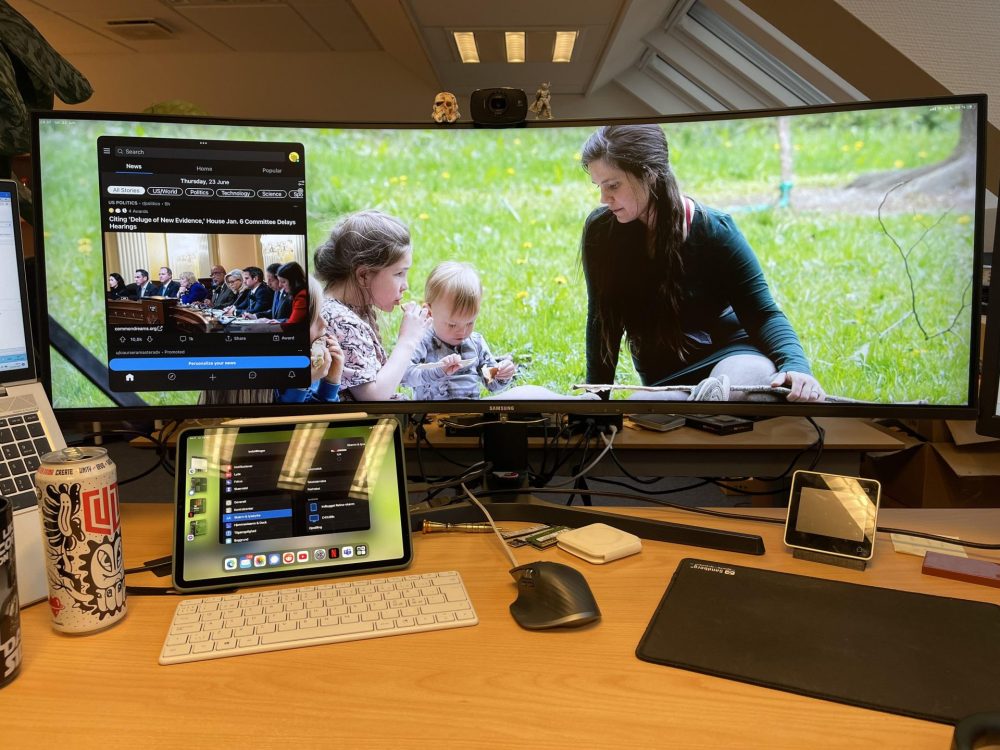
▲Image source: Wphilipsen
Someone took the iPadOS 16 beta and connected it to a 32:10 ultra-wide screen. It works and is awesome!
Since the beta version of iPadOS 16 was released, it seems that most of the reports we have seen are related to limitations – such as the possibility of being removed from its original use as a home hub (see more:In iPadOS 16, you can no longer use your old iPad as a HomeKit smart home hub), as well as directly taking iPad productivity to the next level“Prescene Scheduling” only supports M1 SoC or abovenews – although Apple also mentionedConsideration points for this, it feels reasonable, but it also makes people feel a little lonely. However, with the launch of iPadOS 16 Beta 2, some people have tried the wide-screen support mentioned at the press conference.
And when he posted a photo of the ultra-wide screen connected to his hand. It instantly makes people look forward to the subsequent performance of iPadOS 16! Because he looks really handsome.
According to a photo shared by user Wphilipsen on Reddit forum. He mentioned that after updating iPadOS 16 Beta 2, he confirmed that his 32:10 Ultra Wide screen can be fully supported directly through the M1 iPad in his hand (32 is fine, 21 ultrawide should also be OK? Finally, there are not too many black bars on the left and right!).
You can see in the photo that not only is it used directly with the keyboard and mouse, but you can also see the effect of the new iPadOS 16 connected to the 32:10 Ultra Wide screen, which directly displays the front-screen window scheduling interface on dual screens. I feel like my productivity has been greatly upgraded!
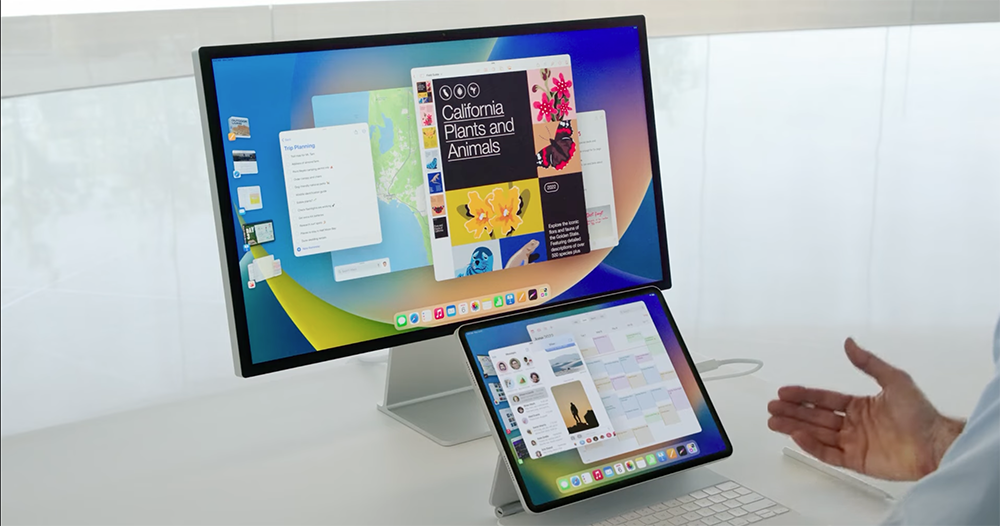
That is to say, after sharing this post, everyone immediately began to pay attention to the system limit of 4 applications displayed at the same time on each screen, which means that a maximum of 8 “floating window” applications can be executed at the same time. In fact, on an iPad screen that can reach up to 12.9 inches, this limitation seems to be okay. But on such an ultra-wide screen, it seems a bit “not enough”?
But this can only be said that this should be just the beginning of iPad’s journey towards greater productivity. Personally, I think maybe Apple could consider turning off the built-in iPad screen and using an external screen to use more apps on a single screen on a larger or wider screen? I believe that if 6~8 apps can be displayed on the external screen, it will “better” meet the productivity needs of most users, right?
Further reading:

Source: KOCPC Chinese