


The new generation of iOS 16 seems to bring the core user experience of Apple Watch (even health functions such as step counting are built-in!) directly to the iPhone screen. And it continues to enhance the experience around the sharing function, messaging, privacy and other related functions of mobile devices, and also improves productivity. Continue reading “Better Apple Watch” iOS 16 announcement: more interactive lock screen, sharing and more seamless reporting of content.
▲Picture source for this article: Apple
“More Apple Watch” iOS 16 released: more interactive lock screen, more seamless sharing!
The annual Apple Developer Conference always gives everyone a quick preview of various new iOS features, and will soon provide iPhone users with a public beta version next month (July) to try and assist in testing, and then target the official launch in the fall. This WWDC22 still maintains the same pace. It is confirmed that it will be available for installation and use on iPhone 8 and later models. As for what useful functions there are? Just read on!
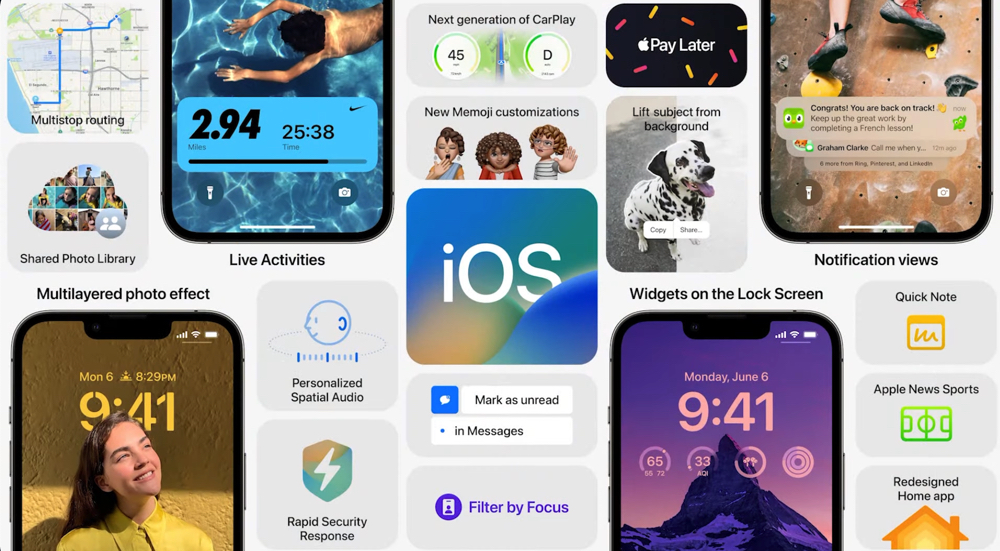
Apple Watch experience integrated into iOS
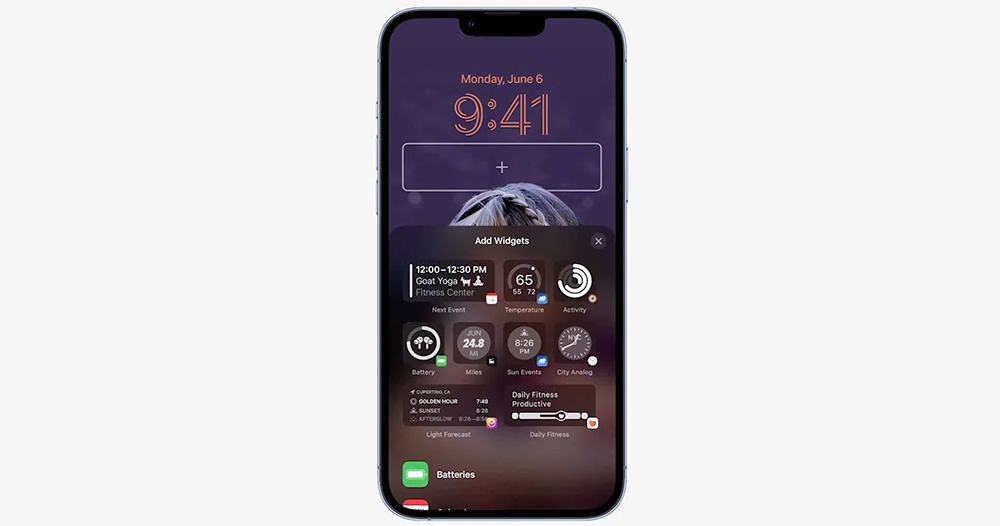
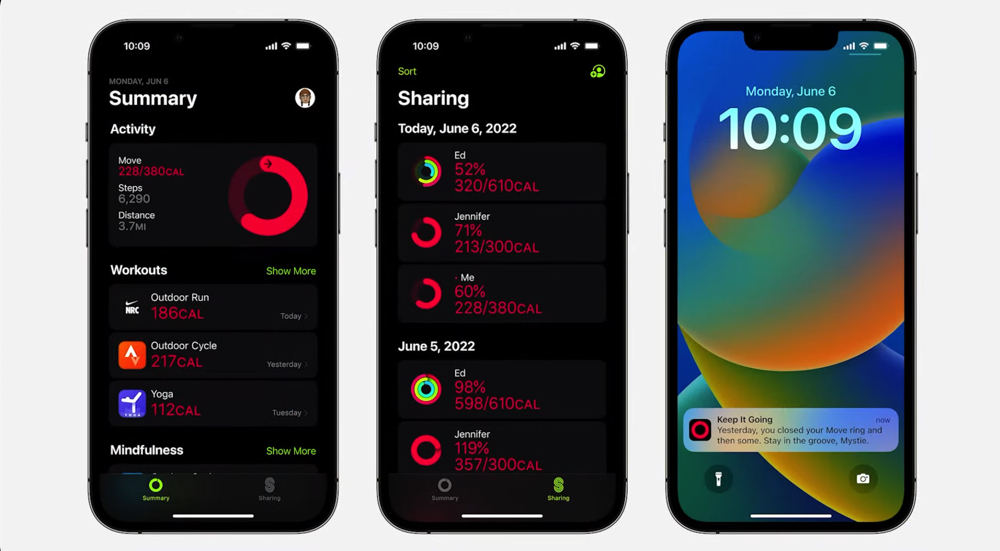
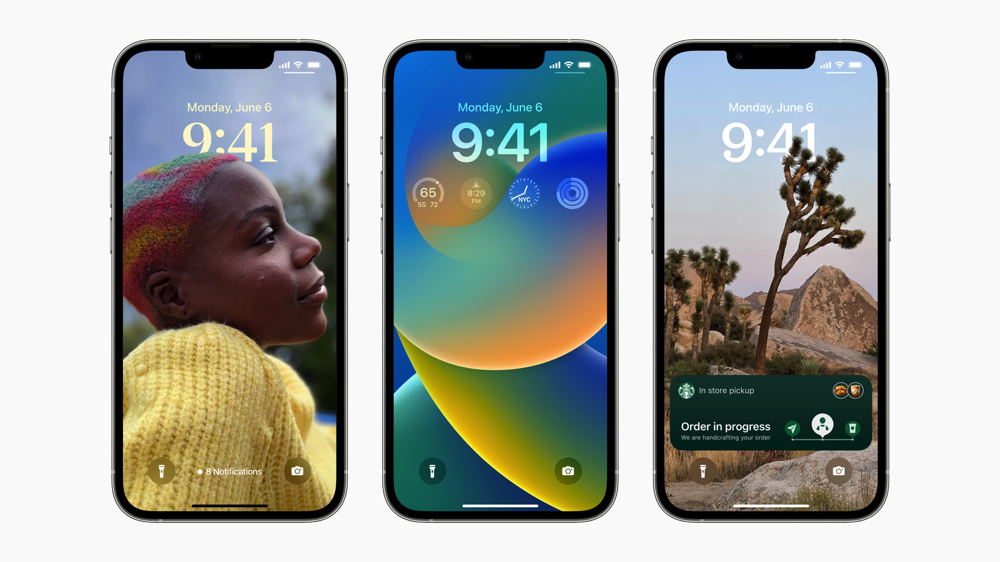
The most interesting change of the new generation iOS 16 system is that complex functions similar to Apple Watch can be added below the lock screen time to make full use of the iPhone’s lock screen (well… it seems that the iPhone’s support for the companion screen is about to be announced?).
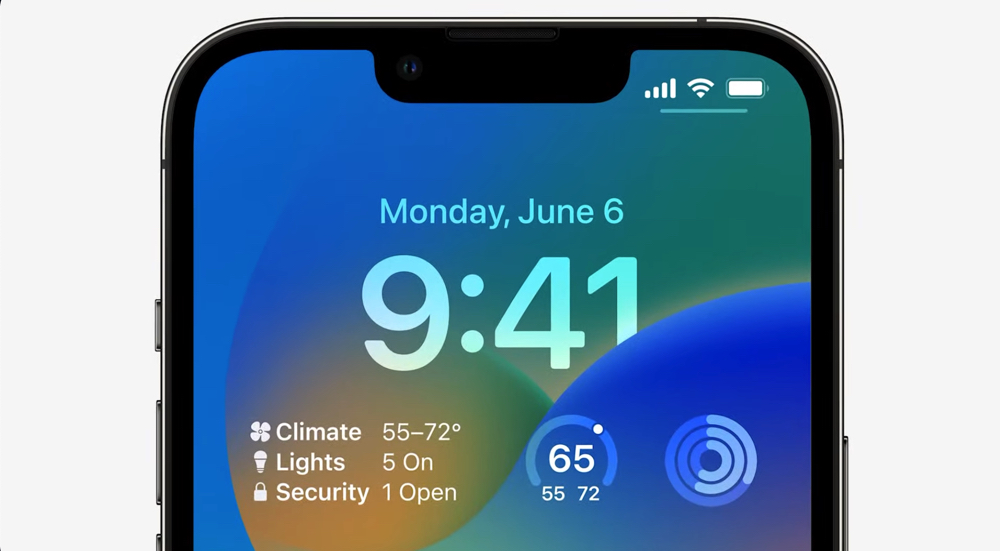
Just like how the Apple smart watch system is used, the settings page can be brought up by long pressing the lock screen. Not only can you choose various themes to apply to the time and information items that Apple Watch can provide, such as calendar, weather, time (alarm clock!), battery, fitness information, etc. – yes, some Apple Watch fitness functions such as steps, distance, stairs climbed and fitness training are also transferred to iPhone.
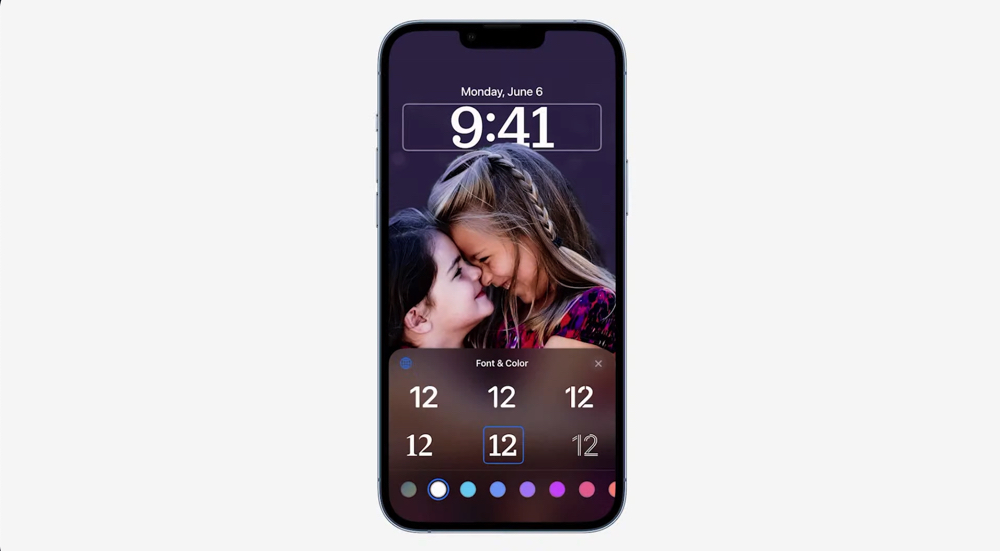
You can also use the depth-of-field segmentation function that can be used on Apple Watch to make portrait photos more three-dimensional, and supports the function of applying filters (so you don’t have to specially retouch the wallpaper).
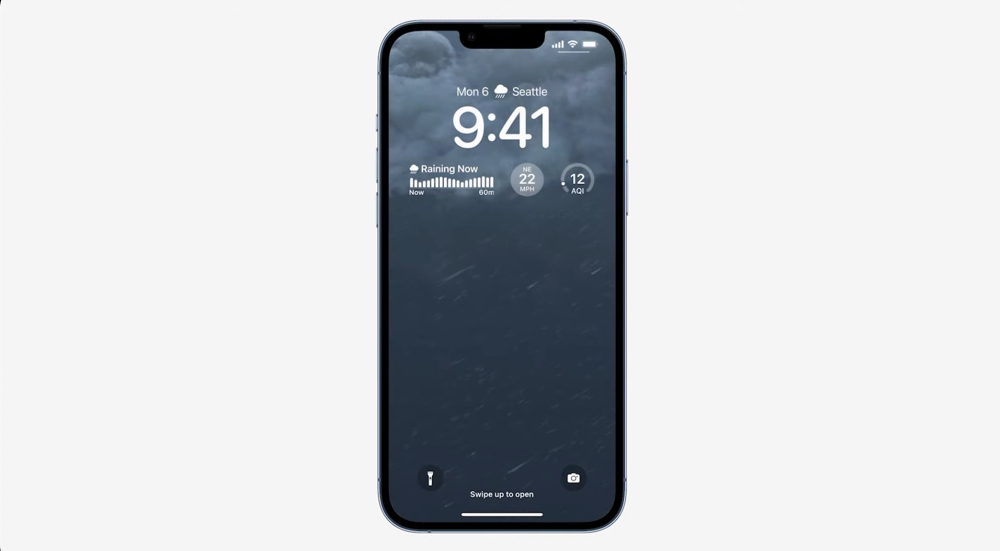
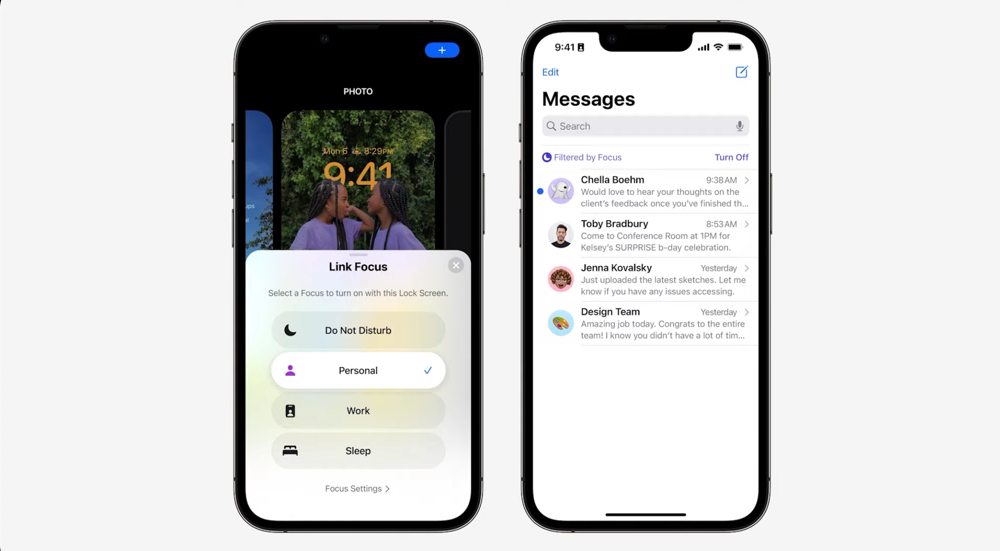
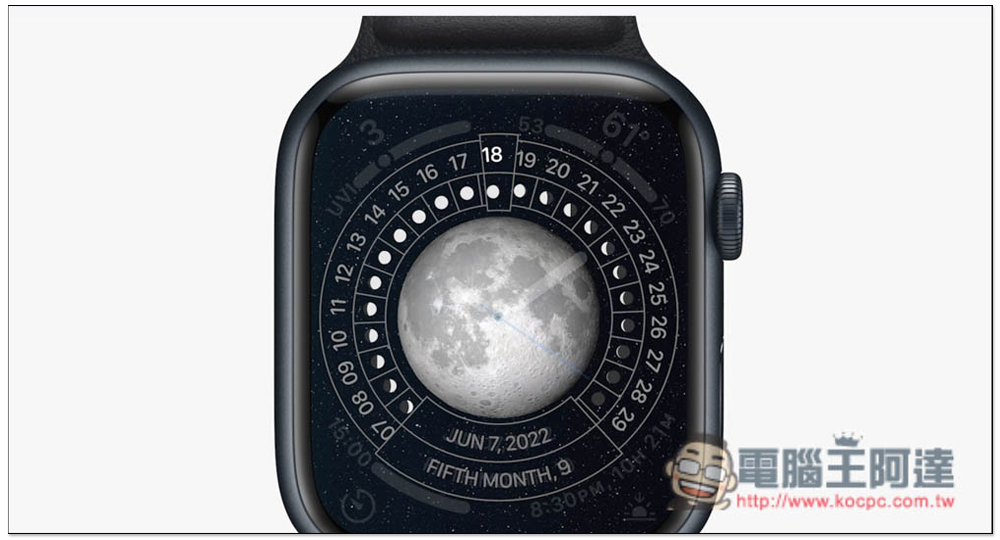
In addition to the complex function bar that can quickly grasp information, through the album area of locking the screen wallpaper, you can also add wallpapers that can change according to the weather, and “astronomy” themed surface chart wallpapers of the earth, moon, and solar system supported by Apple Watch. These backgrounds even support seamless animation when entering the wallpaper from a locked page. The related functions of the lock screen can also be linked to the focus mode provided by iOS 15 to switch the lock screen.
General notifications are received at the bottom, and the stage is reserved for “real-time updates”
Speaking of notifications, iOS 16 places notifications and the new “Live Activities” widget at the bottom of the lock screen. Let the beautiful lock screen background no longer be obscured by various notifications like before – I wonder if everyone has this problem? But apparently Apple has always wanted to “deal with” these annoying notifications. First, in iOS 15, the summary function was used to help users organize notifications during the do not disturb/focus period. This update allows notifications to have more collapsed and organized states.
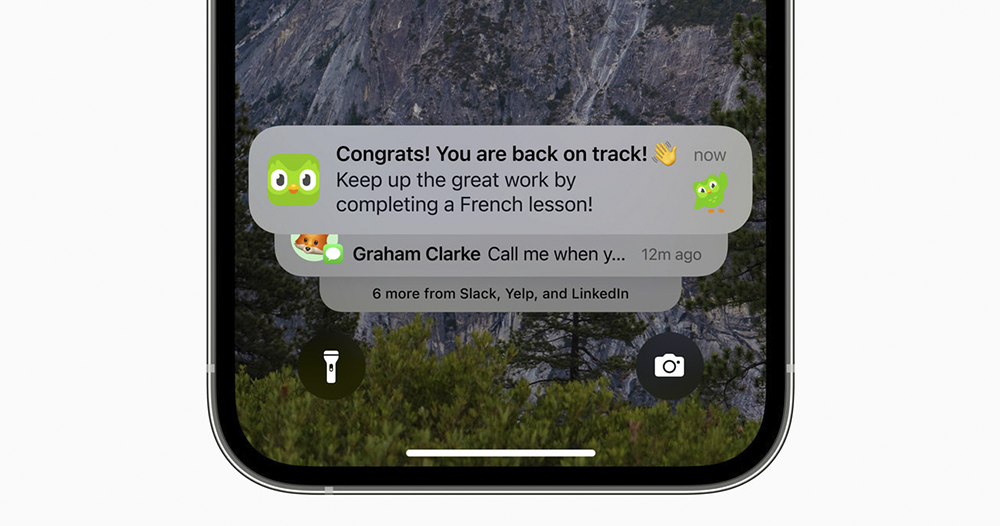
For “notifications” that are sometimes particularly annoying, have extremely high frequency of notifications, or require high immediacy. Apple provides developers with a new real-time dynamic notification block, so that notification-intensive situations such as tracking delivery and Uber ride progress, real-time fitness training status, competition scores, etc. can occupy a top floating window interface similar to a music player (or Apple Watch app) to display information in a more real-time screen.
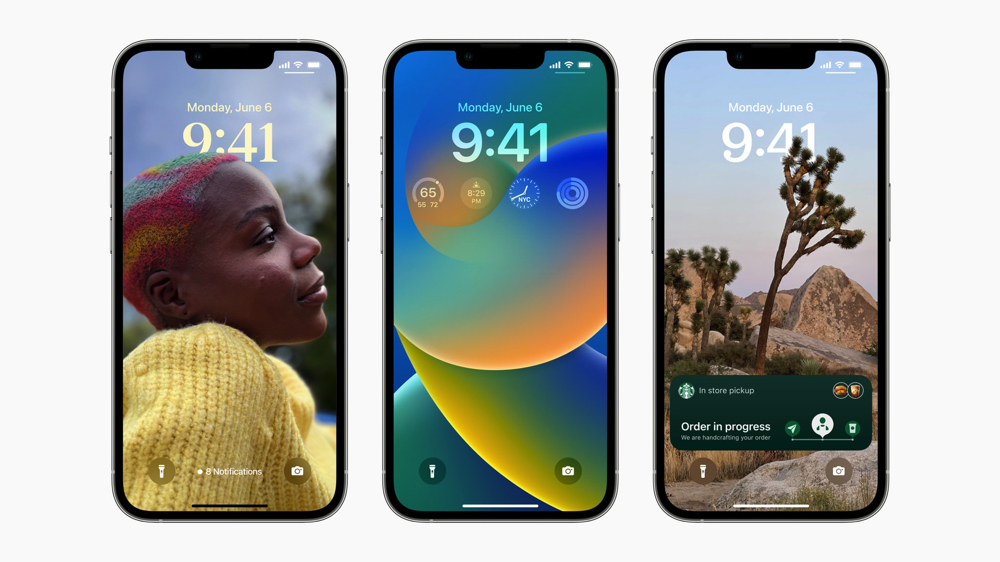
The best part is when the notifications have been squeezed to about 1/3 of the bottom. Now Apple can also allow you to “re” store notifications between the flashlight and camera shortcut buttons, turning them into a thin line of text prompts for “X notifications” – somewhat similar to the way the Android system collapses more notifications that are no longer visible on the screen. But in the iOS system, the intention is more to reduce interruptions so that users can focus more on The beauty of tablecloth on the information you want to get first.
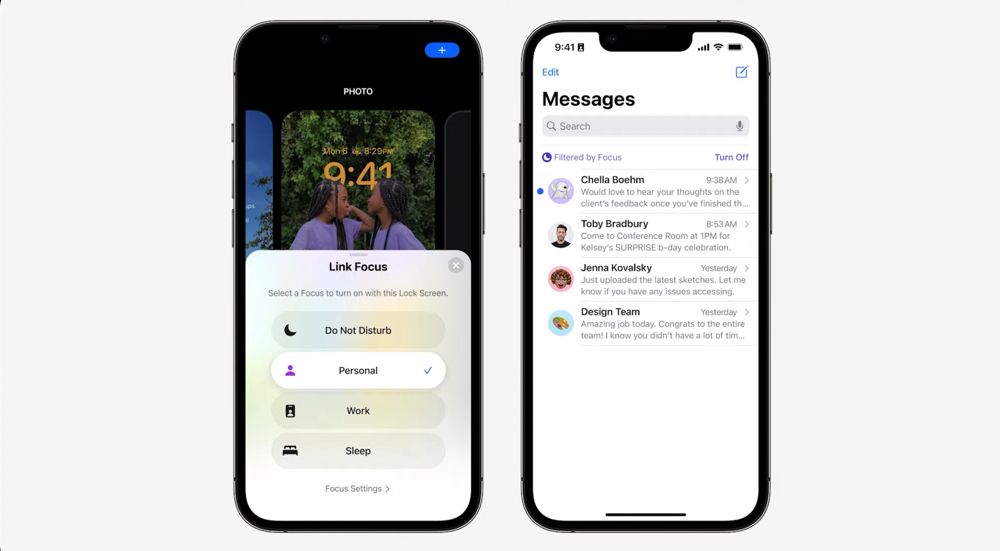
Speaking of “focus”. This time the focus mode also deeply cooperates with system applications including calendar, mail, messaging and Safari, and can support displaying items in different categories, so that users are not only not disturbed by irrelevant notifications, but also can focus on the tasks they want to lock.
AI with a stronger sense of presence
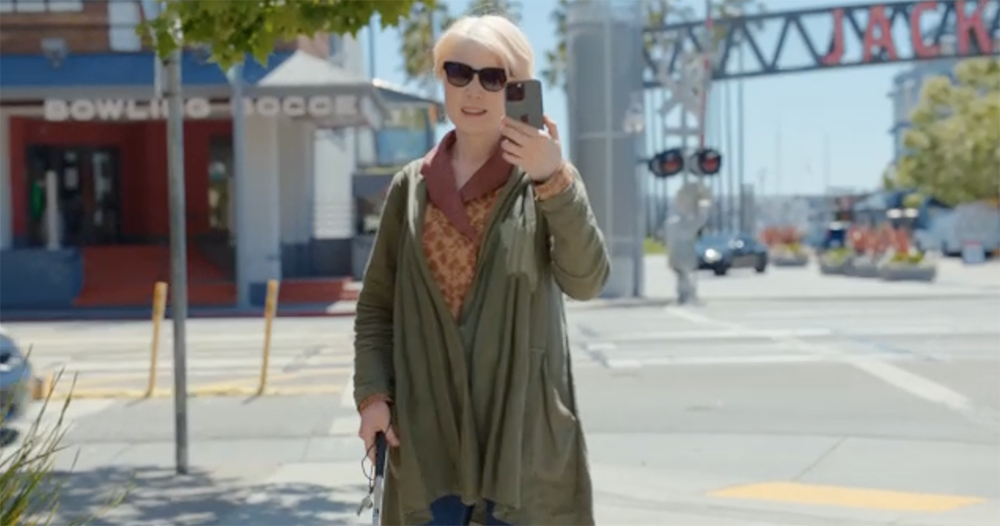
The AI deep learning function that the smart system focuses on is also the focus of every update. In iOS 16, we can see that mobile phones are becoming more and more powerful in helping humans perceive the world. We previously reported that Apple announced in advance of Global Accessibility Day“Door Detection” barrier-free function, is also confirmed to be coming in this update.
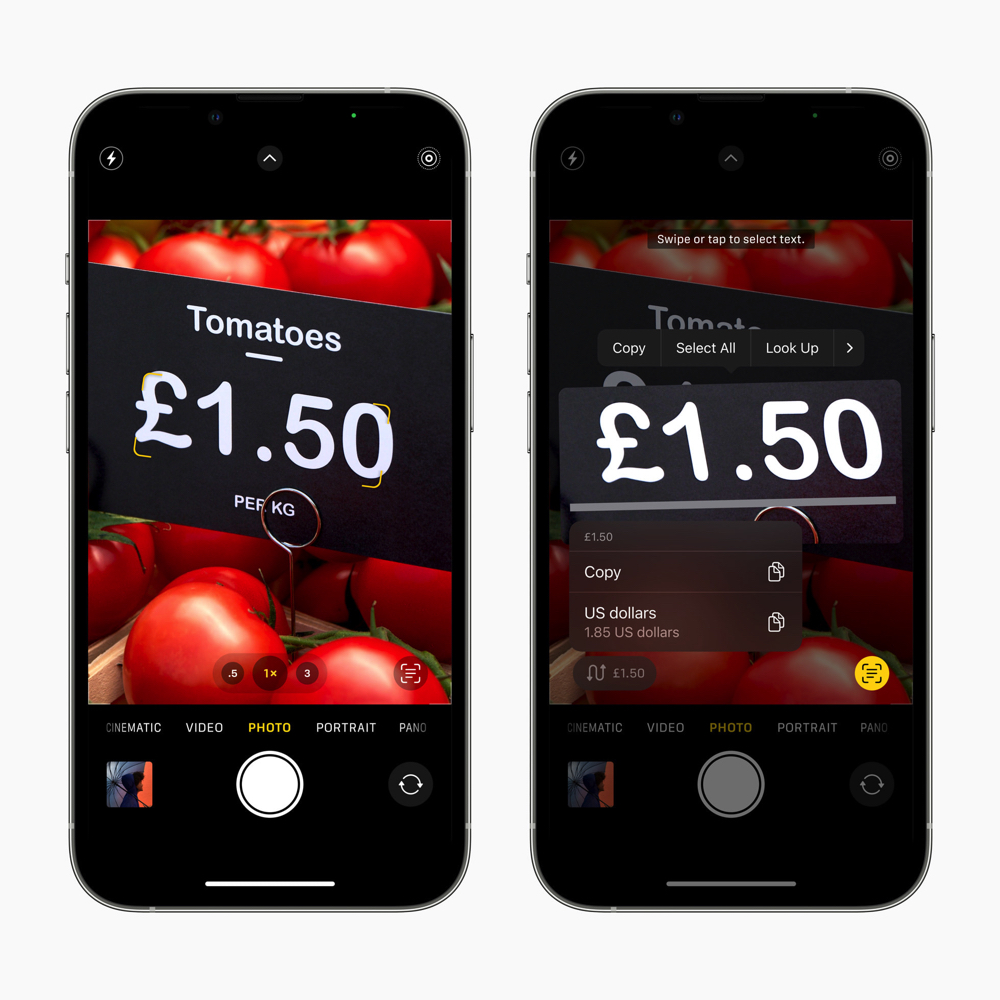
Functions like this that help humans better understand the surrounding environment are now better connected with image functions. For example, the “original text” function that can recognize and even translate the text in the picture is not only built into the translation app. This time, it can also support real-time conversion of units such as price and exchange rate in pictures, and support direct recognition and interaction of original text in the video pause screen.
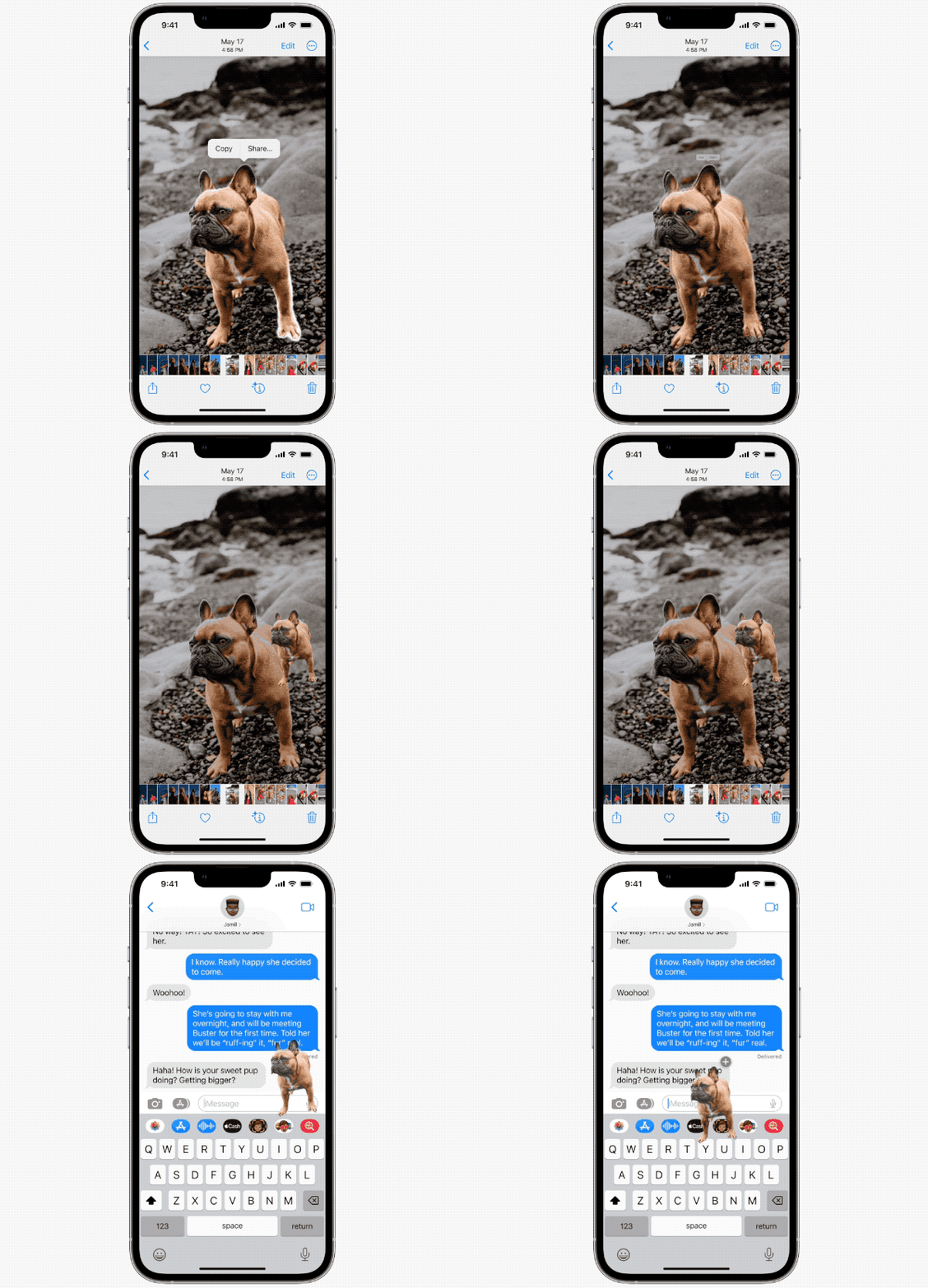
What makes AI even more “ferocious” is that Apple will use the “Image Query” search function that can query image themes in pictures, combined with the same machine learning image semantic classification technology. Use it for the image processing function of depth-of-field segmentation such as portraits to achieve the background removal function of “cutting out” the subject in the picture – just… you can directly “remove” dogs and other creatures in the photo (it should also support objects, right?) and share it in the message.
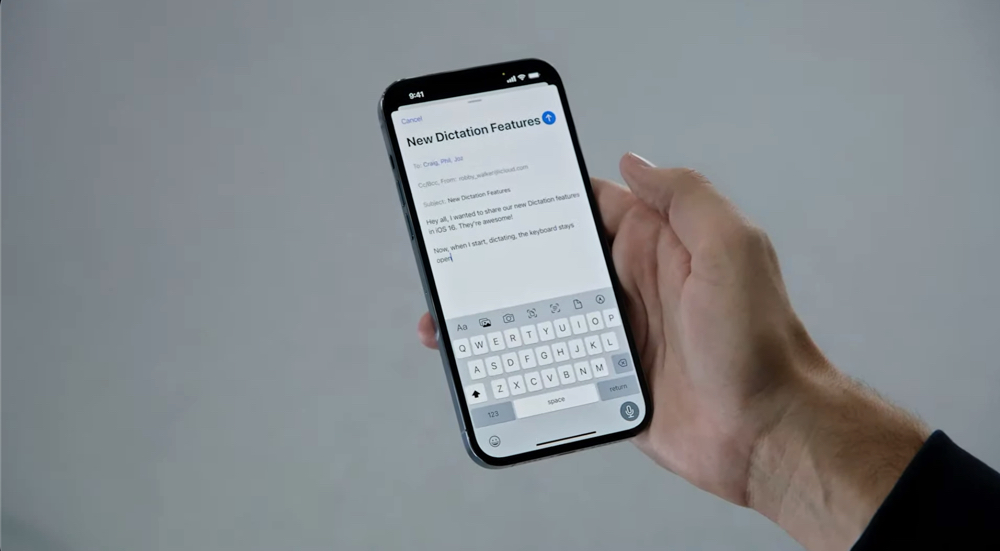
Apple also uses this somewhat dazzling AI function in “text input”. The input function is no longer limited to switching between dictation and keyboard. It will be possible to start dictation at the same time when typing on the keyboard to achieve seamless input between the two (I don’t know the practicality, but it feels cool to input like this). This feature also supports automatic punctuation and detection of voice keywords to input emoticons. In addition, Siri, the AI voice assistant that many people are introduced to for the first time, has added extended function support for automatically sending messages and hanging up calls.
A more comfortable sharing and messaging experience
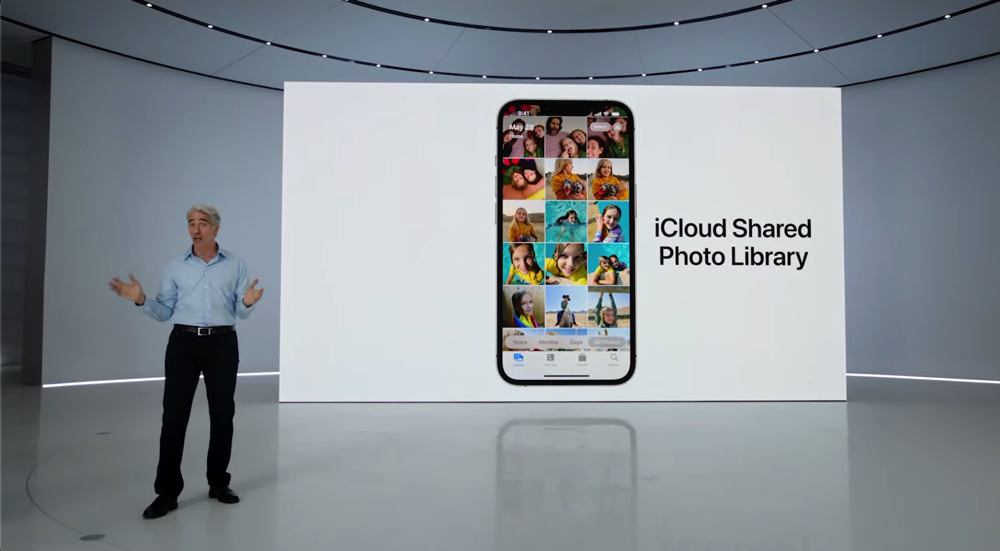
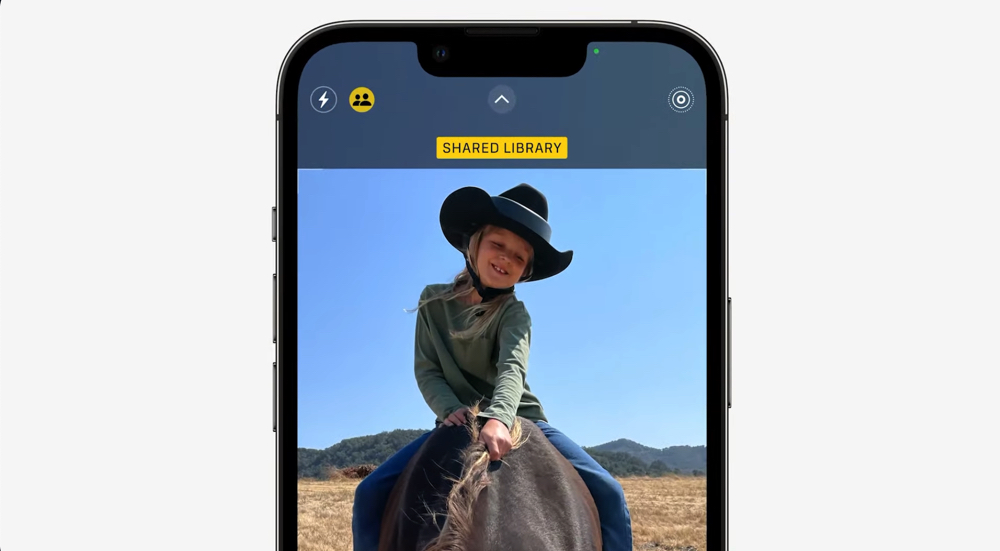
Related features that make life more “fun” by encouraging sharing include “iCloud Shared Gallery” that can collaborate with up to six users. This feature is independent of the user’s own gallery and allows users in the group to freely add and delete photos and videos in the edited shared gallery. iOS 16 will also integrate the camera interface and add a button that allows you to share directly when taking a photo – once the photo is taken, the photo will be saved directly into the shared gallery. In addition to manually arranging and adding to the gallery, the system can also support the quick sharing function of automatically activating sharing to this gallery when a member is nearby.
The previous simulcast sharing function has been extended to the messaging app in this system. In addition, Apple also provides instant editing and even recall functions for its own iMessage application. You can also change the dialog box mark back to unread status in the message bar. The Mail app can also support the “cancel sending” function during a short window period and remind users to add attachments when editing emails. You can also use Remind Later to redisplay email notifications and Follow up to passively and actively remind users that they need to reply or process the email.
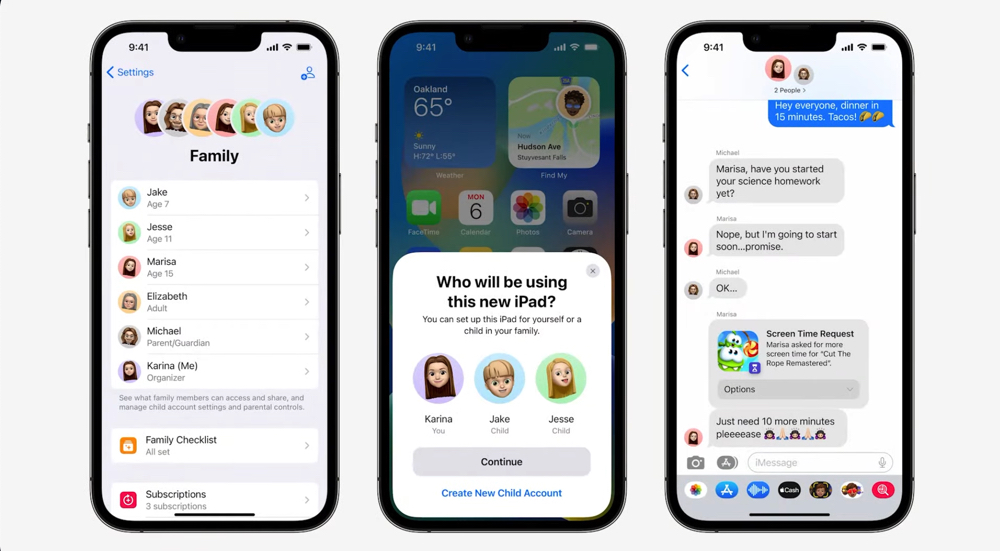
The family sharing function has become simpler for children’s account setting interface and process. In addition to being the same as regular Apple devices, you only need to be close to the new device to add the child’s account to the new device through the device used by the parent. Children can also accept or decline screen time extension requests simply through messages.
In addition to the functions that are willing to share, the privacy functions related to more proactive protection of oneself are also the focus of iOS 16. To help protect users whose personal safety is threatened by domestic or intimate partner violence, Apple has also introduced a Safety Check feature that can urgently reset and revoke others’ access to their privacy-related information – and also help users more easily manage authorized objects and applications.
Other feature improvements
This time iOS 16 continues to extend the seamless sharing function to more services. For example, the digital key function that was added previously can also be sent and shared with others through messages and emails. Sharing identity information through the “wallet” can also share information with a certain level of privacy protection according to needs.
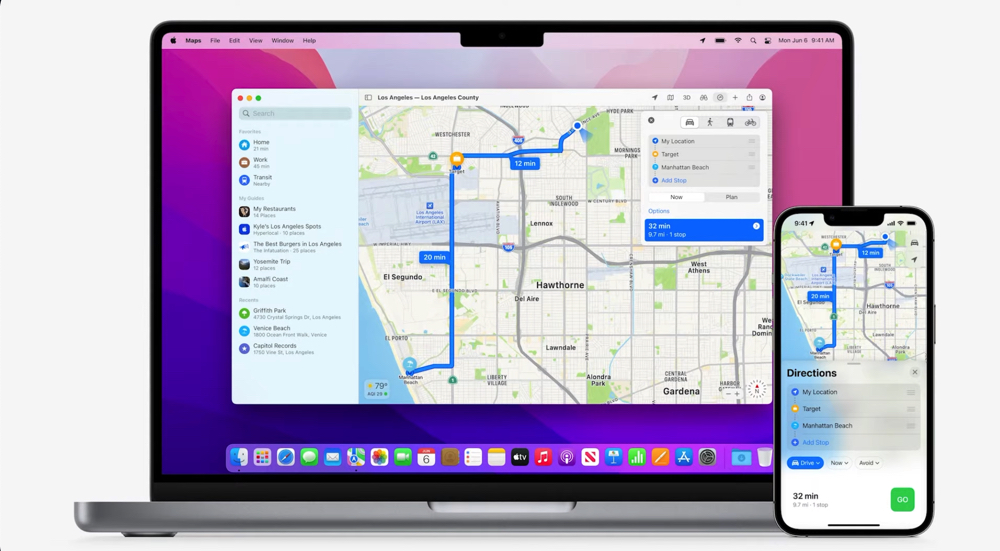
In addition to supporting 3D landscapes and shared vehicle displays in more countries, Apple Maps also hopes to become your best journey planning tool with support for planning up to 15 stops and the ability to share routes from Mac to iOS. In addition, for the public transportation experience part, Apple will not only add fare display, but also prompt to confirm or even add value when the ticket card balance is insufficient for a seamless experience – eh… it would be better if Taiwan could also support rapid transit cards (QQ).
The home app that can control integrated IoT devices has also had a revamped interface, and it has been confirmed that it will support the Matter standard. After introducing support for some fitness functions of Apple Watch, iOS 16 also added a new “medication” tracking and management function for health apps.
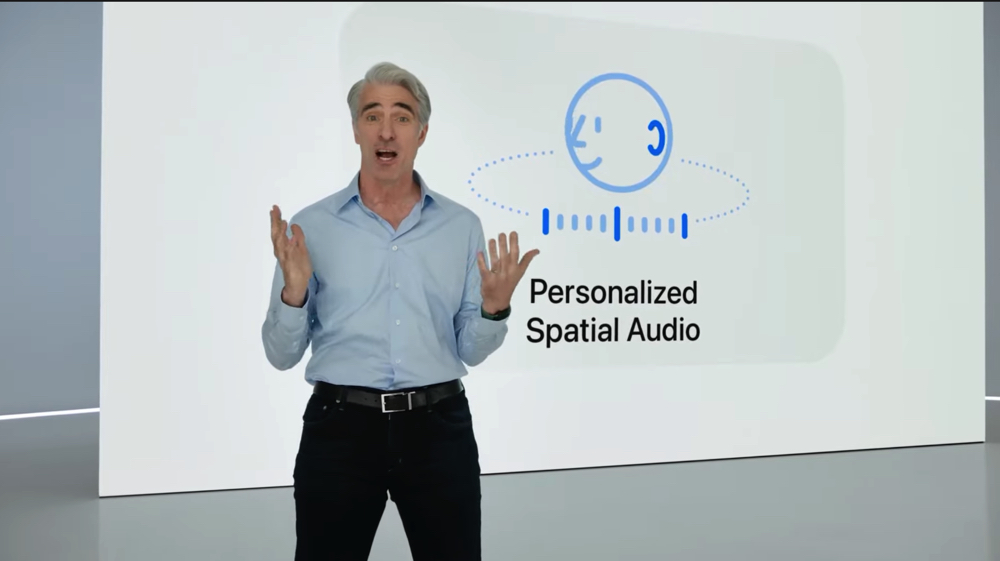
Finally, one of the editor’s most curious features this time is the “Personalized Space Information” function. According to the official press release, the iPhone’s True Depth Sensing camera can be used to create a more personalized listening experience – the text description should add personalized dynamic information generated by more precise positioning detection of the head to achieve better head tracking spatial audio effects.
And as the press conference ended,Some foreign media also mentionedIt seems that the Face ID biometric recognition function, which was originally used for the TrueDepth camera, will officially provide the horizontal unlocking function already provided by iPad Pro in this iOS 16. If there is further support information or developer preview test experience in the future, the Computer King Ada team will also give you in-depth related reports.
Conclusion: The concept of the best partners of mobile phones and smart watches extends from hardware to software
In this iOS 16 update, I personally think that Apple’s choice to integrate the watchOS experience into the lock screen is a very interesting change. In the past, it was more or less felt that Apple did not import the built-in step counting function of other mobile systems into iOS devices because of the Apple Watch.
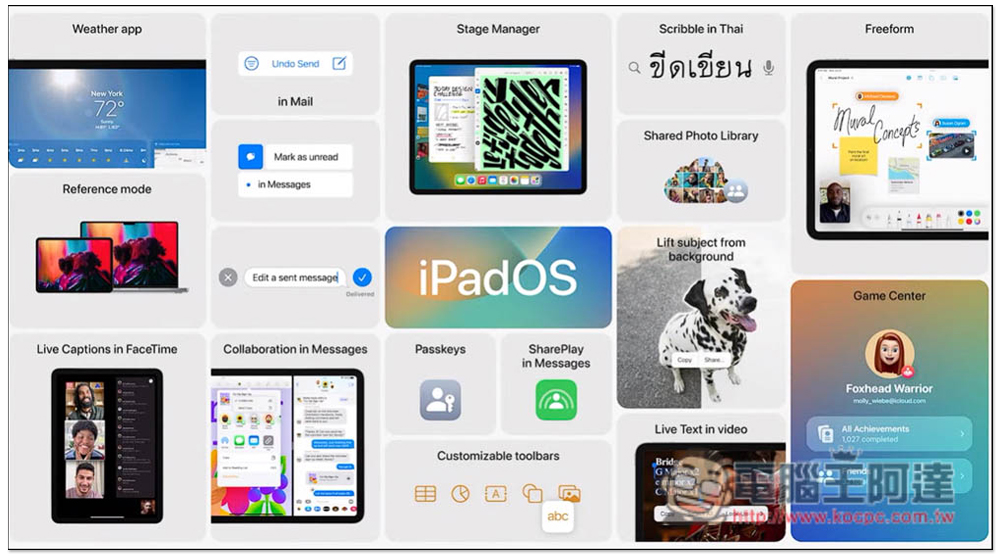
Now it seems that as watchOS becomes more and more self-contained, it has developed more fully. Apple seems to have passed the hurdle in its mind and integrated the experience of wearable devices into the mobile system in one fell swoop (why does it feel like watchOS has graduated?). Speaking of which, the iPadOS, which incorporates the latest feature of macOS “Pre-screen Scheduling” and fully supports external screens, seems to be the same? I mean, in fact, Quick Memos on the iPad has also come to iOS 16 this time – it’s really an integration of various ecosystems.
Personally, I think this general trend of various integrations has always been a major direction of progress for WWDC. As for how this experience actually works, and what other hidden functions have not been revealed? We will have to wait for subsequent experiences to know the answer.
Further reading:
iPadOS 16 is here! Make iPad more productive and collaborate easier

Source: KOCPC Chinese