


Microsoft has added a new Mica element design to Windows 11, which can create a better visual hierarchy to enhance the user experience, and it also claims that it will not affect system performance. In the latest Microsoft Edge version, Microsoft has also introduced this element, but it is still experimental, so you need to open it manually to experience it. If you want to try it first, I will teach you how to open it below.
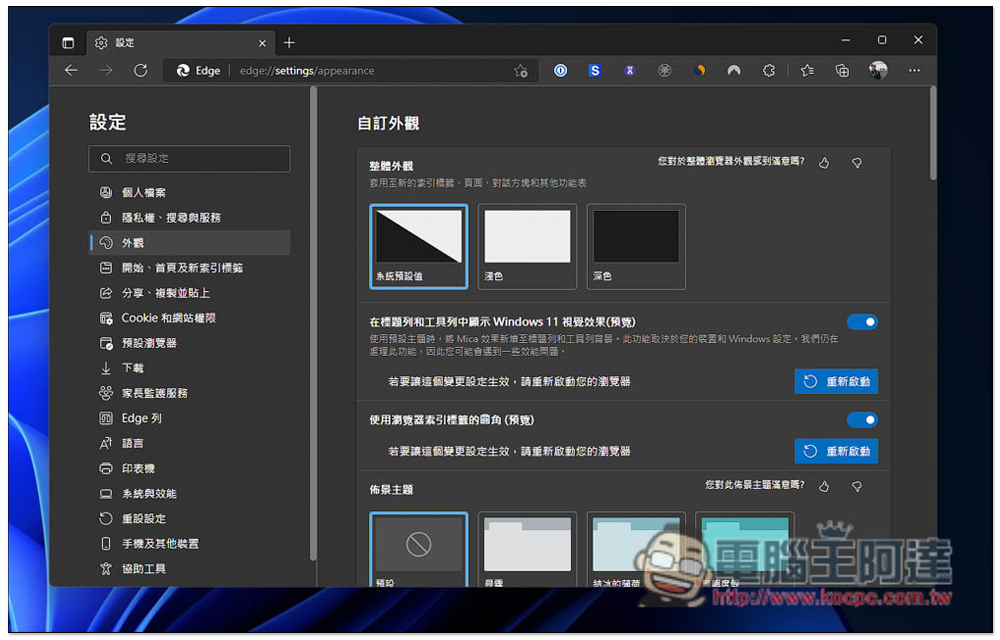
The latest version of Microsoft Edge welcomes new look Mica design features
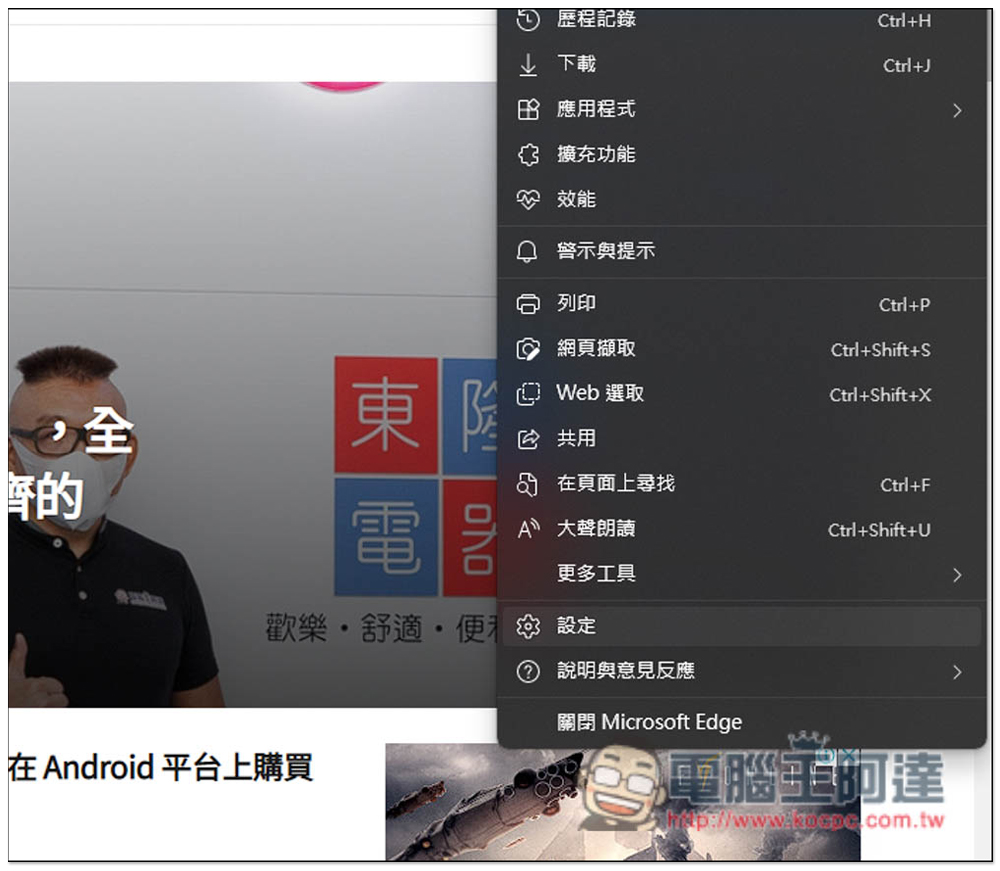
First of all, please make sure that your Microsoft Edge has been upgraded to the latest version. If you are not sure, please open the… window in the upper right corner and go to the “Settings” option:
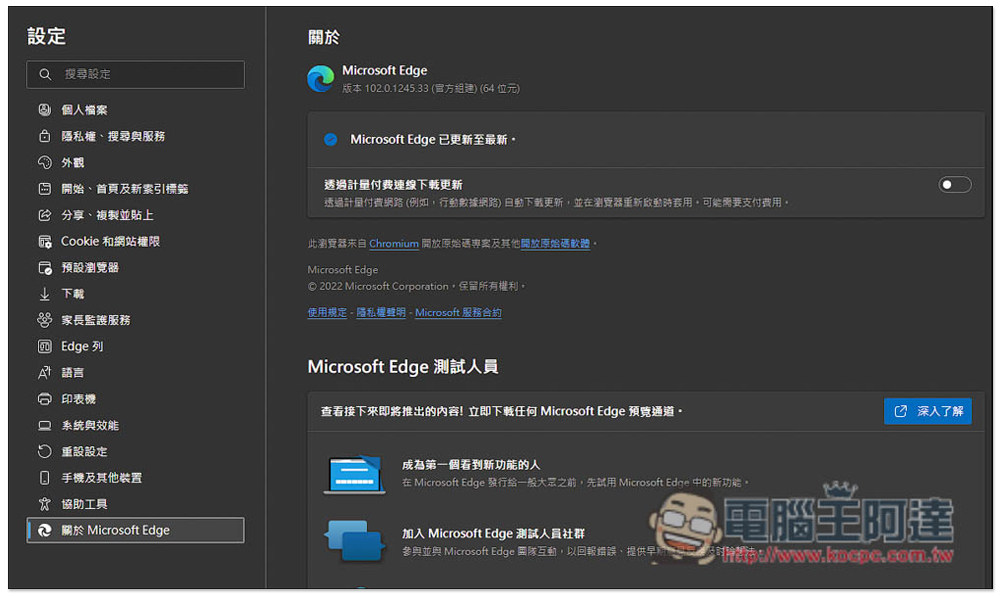
After opening the settings tab, select “About Microsoft Edge” on the left, and it will automatically confirm whether there is a new version on the right. If so, it will be automatically updated. Please restart the browser after the update. The latest version is currently 102.0.1245.33:
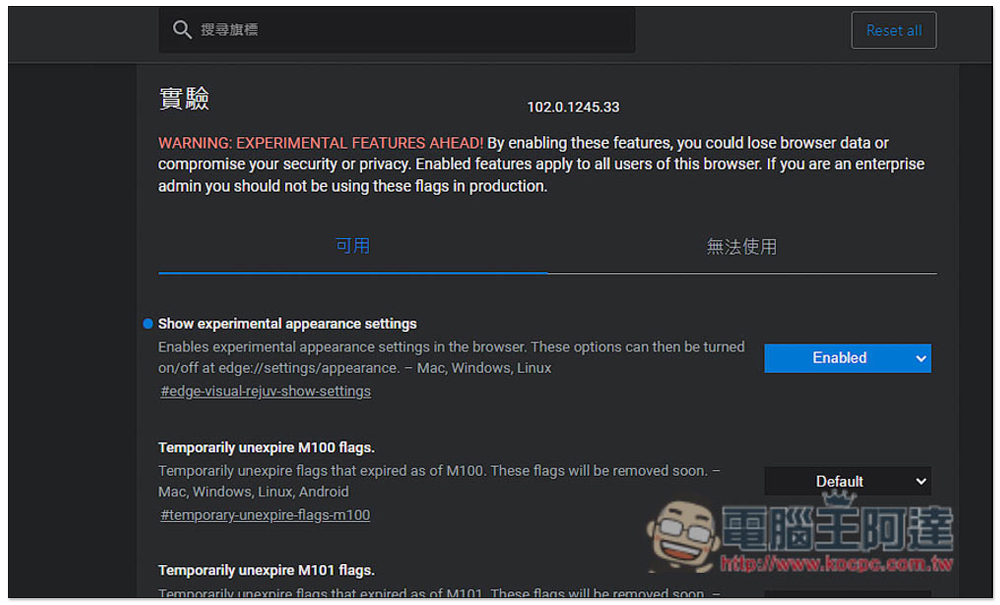
Then enter edge://flags/ in the address bar, you will enter the experimental function menu, enter “Show experimental appearance settings” in the search field above, and you will find this option:
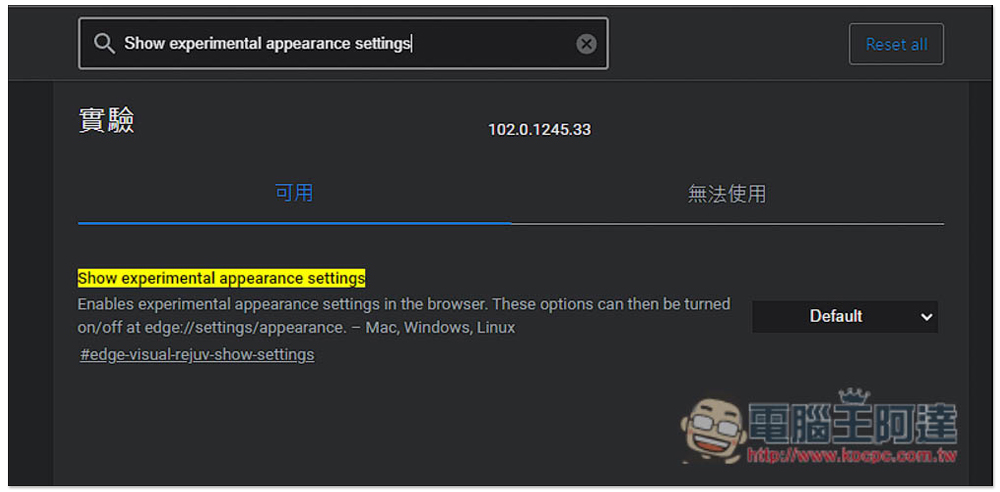
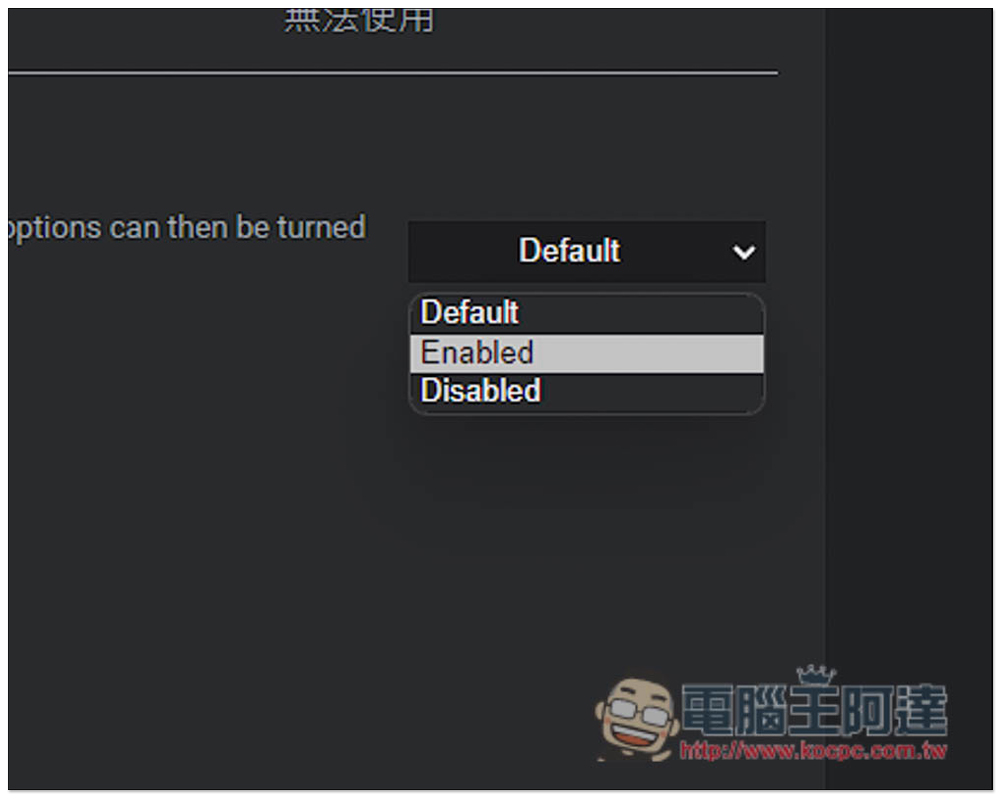
Open the menu on the right, change Default to Enabled, and then restart the Microsoft Edge browser:
After restarting, confirm that Show experimental appearance settings shows Enabled, and this part is complete:
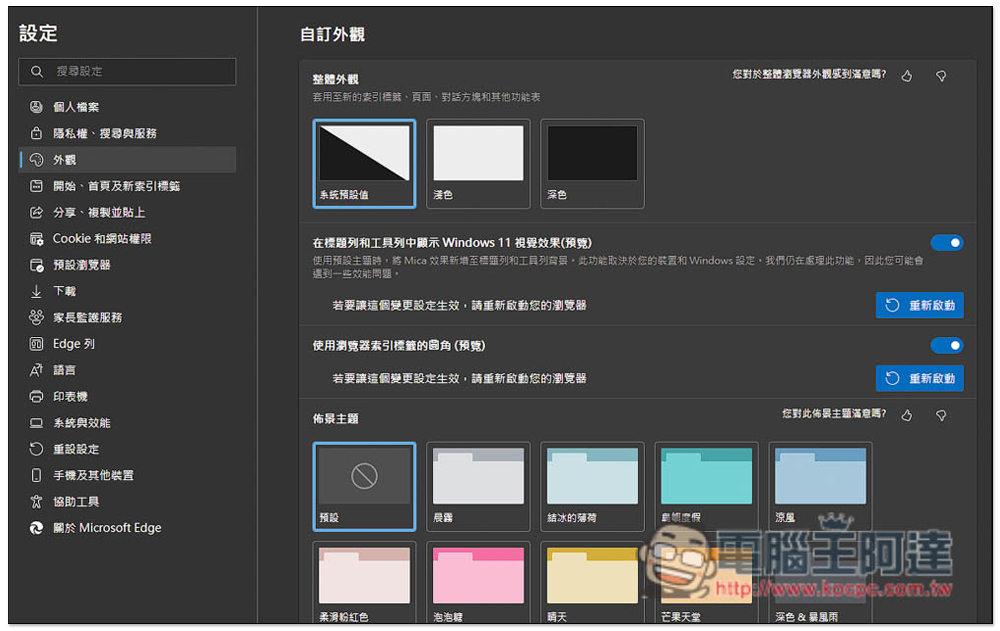
Open the settings function of Microsoft Edge again, go to the appearance menu, and you will see the two options “Show Windows 11 visual effects in the title bar and toolbar (preview)” and “Use rounded corners of the browser index tab (preview)” on the right. Turn them on, and then restart the browser:
The picture below shows the appearance of these two new appearance features before they are turned on. Pay attention to the title bar and toolbar. The colors are a little different. The title bar is black and the toolbar is gray:

After opening, the two colors become unified, and the design of the new paging icon in the upper left corner also changes slightly:

Overall, I really don’t feel much difference when these two functions are turned on. As for whether it looks better or not, that’s a matter of opinion. I think the change is too small and there’s nothing profound about it.
In addition to this, Microsoft Edge may also add a new “Drop” feature in the future, allowing users to share and save files and notes across platform devices by logging in to the same Microsoft account in the Edge browser of each device. However, currently only Microsoft Edge Canary 104 users can try it first, and it seems that only a small number of them have received it. Those who are interested can download and install Microsoft Edge Canary and try it to see if you will be one of the lucky ones.For a more detailed introduction, please click here to read:
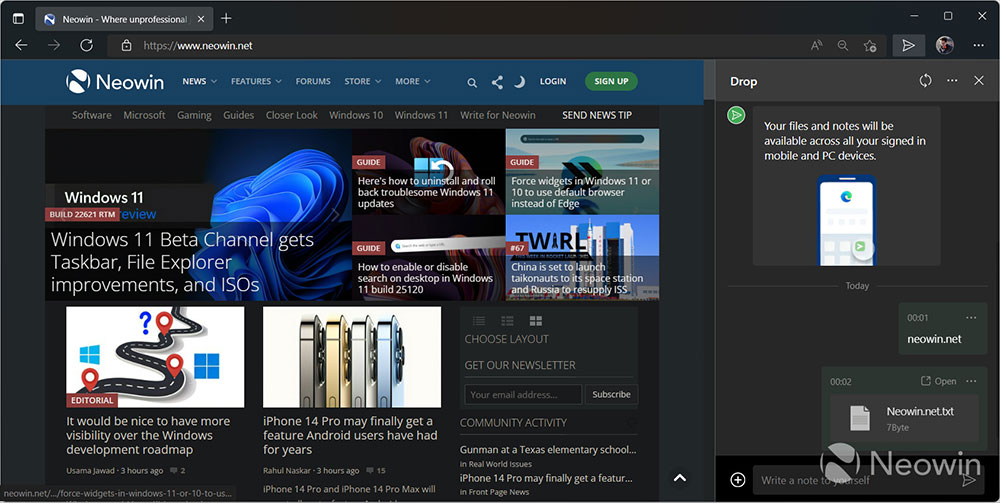
(Image source: Neowin)
Source: KOCPC Chinese