


As the Google Assistant voice assistant becomes more and more versatile, has more and more functions, and its “jurisdiction” is getting wider and wider. The full variety of functions also makes the existing functions a bit like stacking – specifically, all the setting options are as long as 32 items (if the calculation is correct XD), and even a folding option was later added, which allows people to temporarily put away “all settings” out of sight. Although this is indeed a temporary solution, I believe that having such a function also means that Google is aware of the confusing situation of options. Now it seems that they have finally come up with a way to improve the settings menu of Google Assistant. Continue reading Google Voice Assistant Settings Menu Revamped, Where Are All the Functions? Let me take you directly to the text of the report.

▲Image source: Google
Google Voice Assistant Settings Menu Revamped, Where Are All the Functions? Let me show you directly
With the updated Google Home app, I believe everyone has enjoyed the ability to quickly and easily understand the current status of all home IoT devices and Google Home/Nest devices through the capsule square buttons, and even operate them quickly through the buttons.
Speaking of which, the most powerful aspect of an experience like Google’s is that it can use artificial intelligence voice assistants to execute a series of functions through simple voice commands. Because of this, Google’s voice assistant function setting options have also changed over time, stacking up to more than 30 massive settings. However, since these options are basically added on a rolling basis, there has been a bit of a lack of more logical organization over the years. As a result, the settings page of Google Voice Assistant had to add shortcuts for collapsing all settings and quickly going to some settings – probably because you don’t want people to slide the settings page to the point of going crazy.
It’s just that these experience adjustments are obviously not a permanent solution.
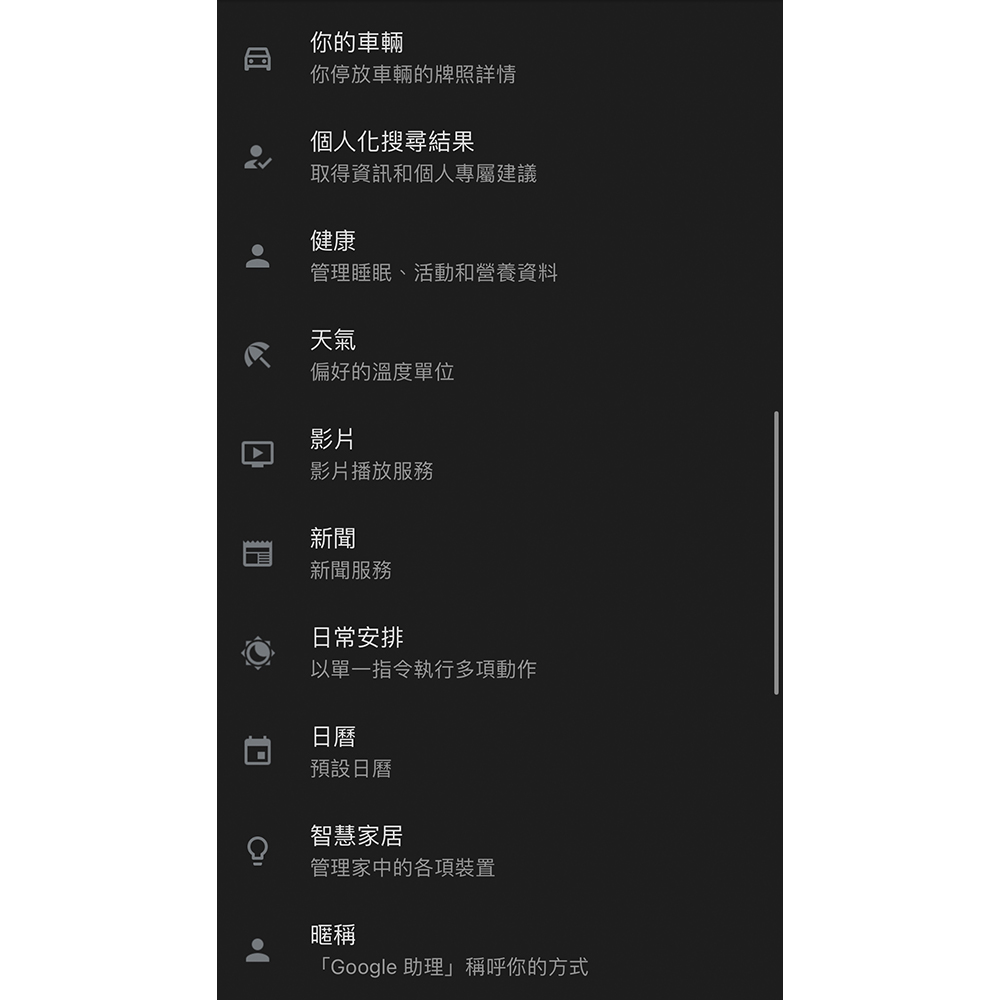
Foreign media 9to5Google recently disassembled the APK and discovered that after the revision of the Home app, Google is also preparing to completely organize the function options page – finally!
Not only has the sorting been adjusted, but three major block categories (Chinese for temporary translation) including “Customize your Assistant”, “Get things done” and “Manage apps & services” have been added. This makes the overall use more logical – as if there is another smart system in the iOS and Android systems.
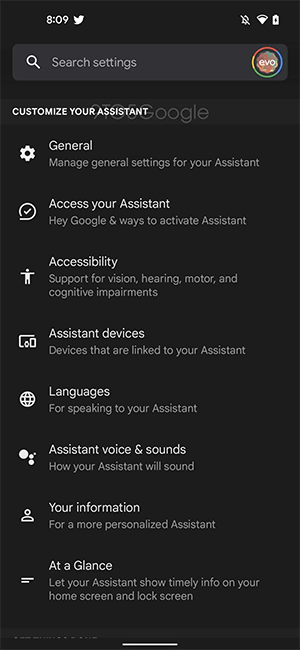
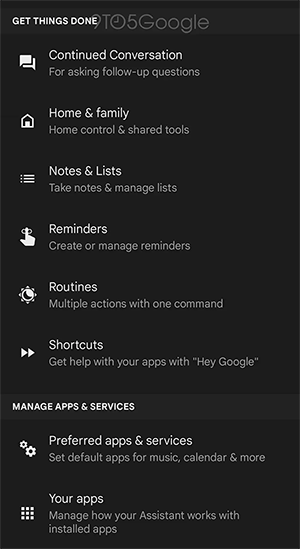
Source: 9to5Google
Google has canceled the “Frequently Used Settings” item that was pinned to the top of the original voice assistant. The category of customized Google Voice Assistant has been sorted into related functions, and the “Language” that has been at the top for a long time has also been adjusted – after all, this setting should not be commonly used, right? Although in the past, due to work purposes, I often switched to English to try out new functions; functions such as continuous conversations, notes and lists, and daily arrangements are classified into task categories; in terms of options, there are also small adjustments to merge functions.
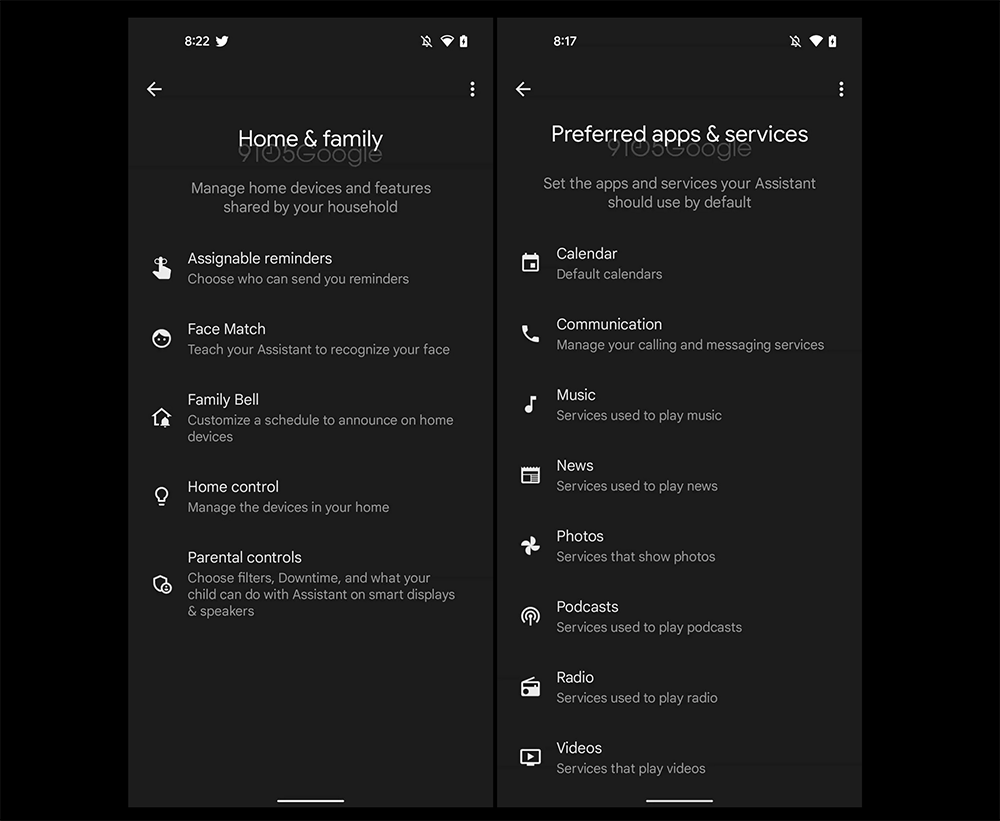
To be honest, this setting page should be used by very few people who often need to adjust it. But I believe everyone will be surprised by the numerous options every time they come in. This improvement also includes a search method that enables text input directly at the top of the page. It also really gives people a very “smartphone system” experience. It seems that the ecosystem of voice assistants and the Internet of Things has indeed developed to a considerable extent!
Further reading:
Source: KOCPC Chinese