


In late November,Microsoft has clarified to the public that it will not use data from Word and Excel to train its AI.Now Microsoft is going a step further to let users better control how data such as text and voice conversations in Copilot is used to train and manage AI models, while also using data from both the sidebar and the browser. These settings are currently being publicly tested in the Canary version of Microsoft Edge.

Microsoft Edge browser now lets users control how Copilot AI uses training data.
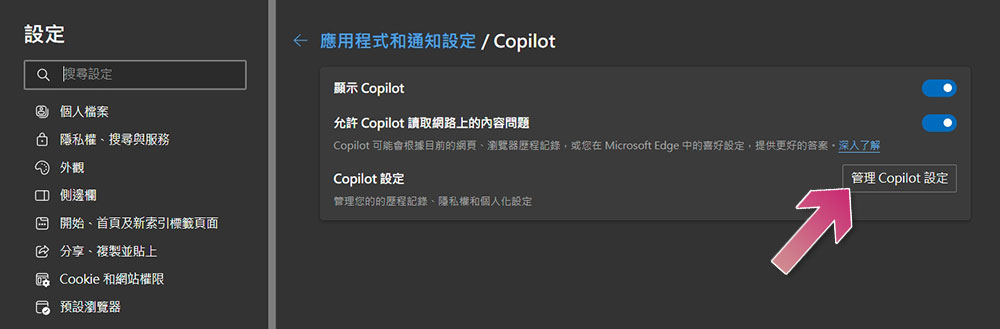
With the latest version of the Microsoft Edge browser Canary build, you can try out these new settings. On the settings page, click “Sidebar,” select “Copilot” under “Apps and notifications,” then press the “Manage Copilot settings” button. This allows users to manage privacy, personalization, and history. The new Copilot UI in the Edge sidebar offers dedicated settings that can be selected directly from the three-dot icon, including three items: privacy, voice, and about.
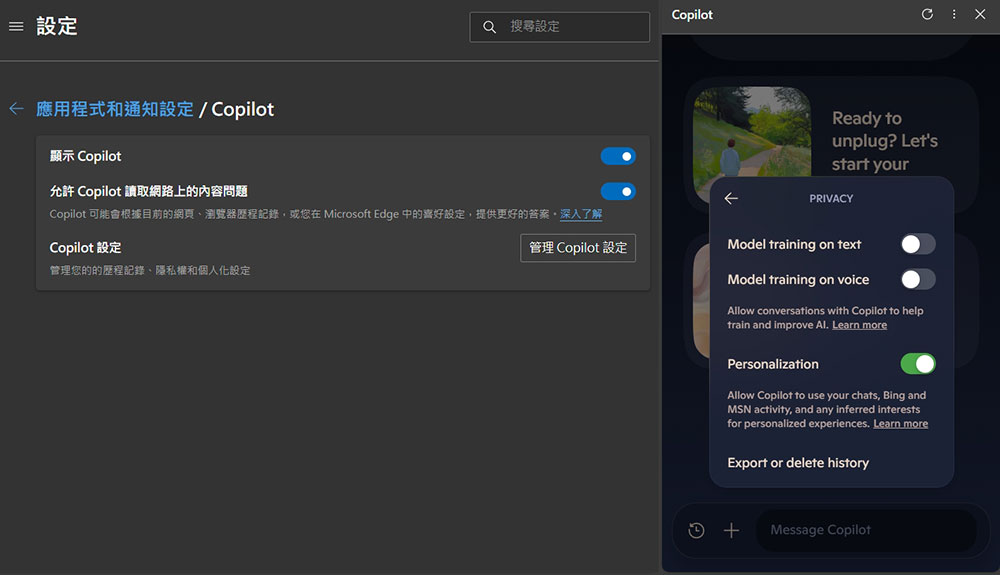
Under the privacy settings section, there are three switches (in the right sidebar of the image below, from top to bottom):
- Text model training
Choose whether your text conversations with Copilot are used for training and improving AI. - Speech model training
Control whether your voice interactions with Copilot are used to train and improve AI. - Personalization
Personalize your Copilot experience using your chats, Bing search, and MSN activity, as well as your interests.
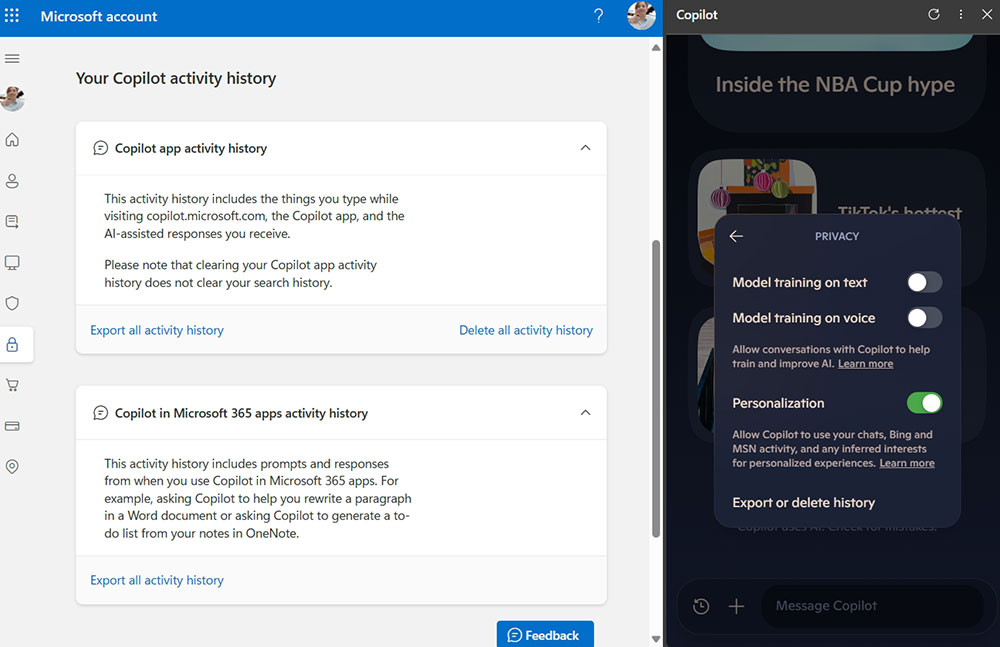
Click “Export or delete history” at the bottom. After logging in to your Microsoft account, you can choose to remove or export the interaction history of the Copilot APP on the page, as well as export the activity records of Copilot in Microsoft 365.
By offering fine-grained control over AI training and the use of personal data, Microsoft makes it easier for users to manage their privacy settings while still benefiting from AI. In addition to the Canary version of Microsoft Edge, you can also use this in the Edge browser on Android. Microsoft also plans to prompt users to set frequently used websites as apps for quick launch.
Source: KOCPC Chinese