


LINE Pay mobile payment is applicable to more and more stores. For many daily purchases, people only need to open the LINE Pay App on their mobile phones to scan membership cards, electronic invoice carriers and payment barcodes. Recently, the LINE Pay team also launched the LINE Pay App 1.2.0 update based on user feedback, adding three payment collection page optimizations.
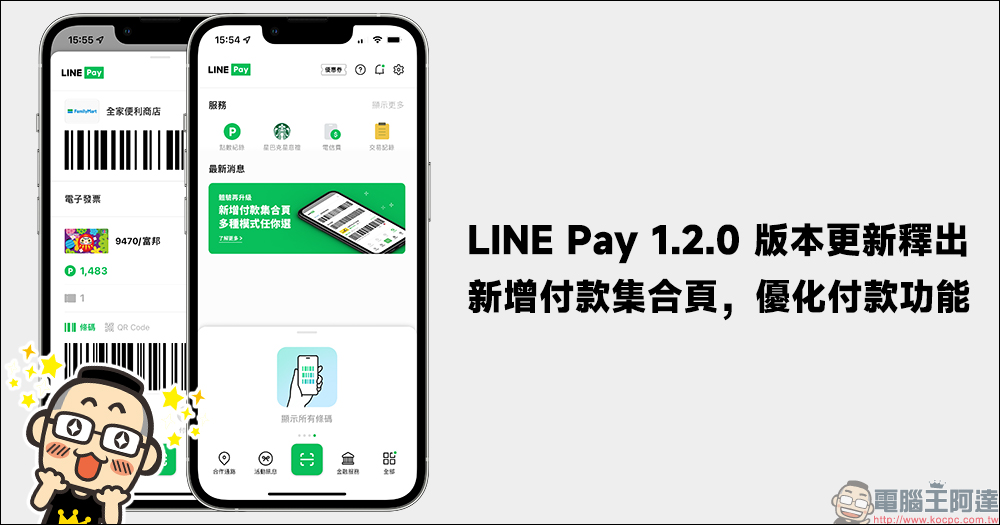
LINE Pay App 1.2 update released: 3 major payment functions optimized for a better payment experience!
After the epidemic, people will have more opportunities to use mobile payments to replace cash checkouts. LINE Pay mobile payment can integrate membership cards, vehicle barcodes, and payments. It can also be used with credit cards to accumulate LINE POINTS points and directly use them as discounts when paying, making the payment experience more convenient. However, although LINE Pay is already very useful, the interface continues to be optimized based on user feedback. The recent update to LINE Pay App version 1.2.0 added a payment collection page and optimized payment functions.
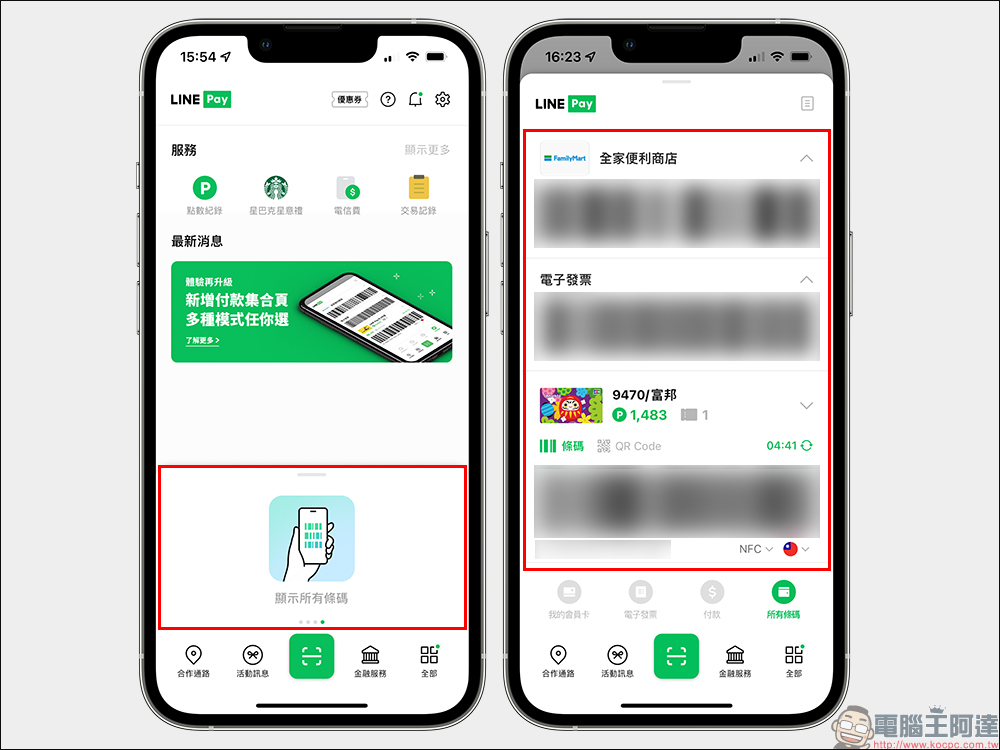
Payment function optimization 1: Added “Payment Collection Page”, integrating membership cards, electronic invoice carriers, and payment barcodes
After this update, the main new payment collection mode is added. This method will collect the user’s membership card, electronic invoice carrier and payment barcode on the same page. This display method has also appeared in past LINE Pay versions. Now if users like this payment method, they will have this additional payment mode to choose from. LINE POINTS points discount can also be used directly at checkout after activation. The original payment method of sliding left and right to switch payment barcodes, membership cards, and electronic invoice vehicle barcodes is still retained in the other original buttons.
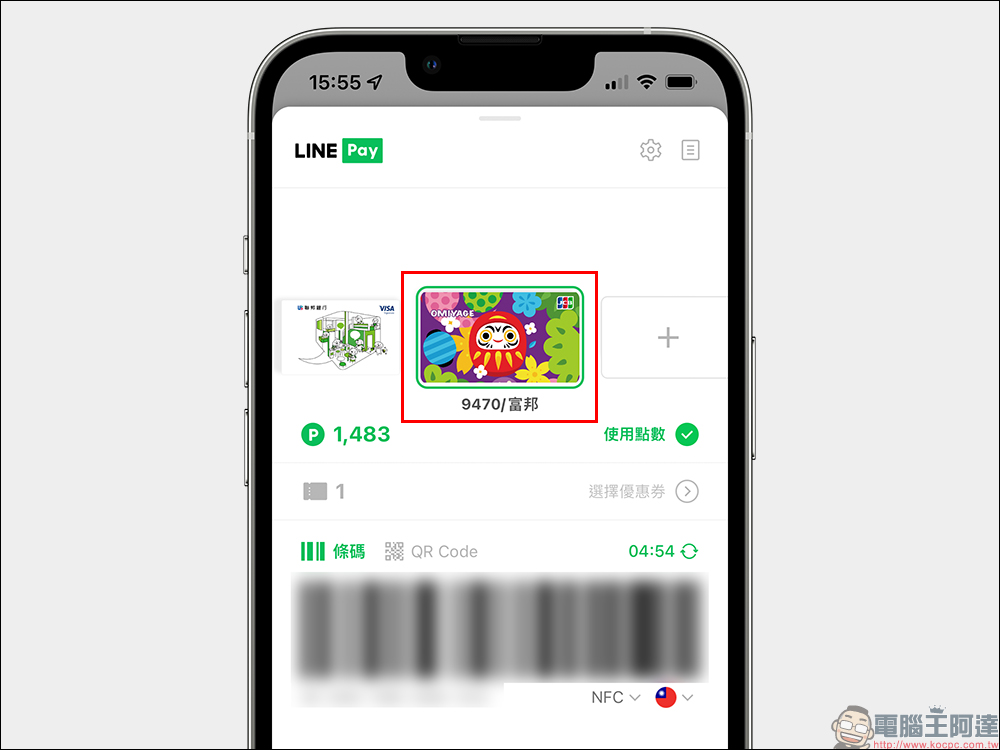
Payment function optimization 2: card selection display is clearer
LINE Pay can be bound to multiple different credit cards for payment. However, certain cards may have extra rewards in different store channels and dates. If you choose the wrong card when paying, you may not be able to get the best consumer rewards. In order to avoid this situation, LINE Pay App 1.2.0 has been updated to add a green border to the selected card, which can be more clearly identified, so you no longer have to worry about selecting the wrong card.
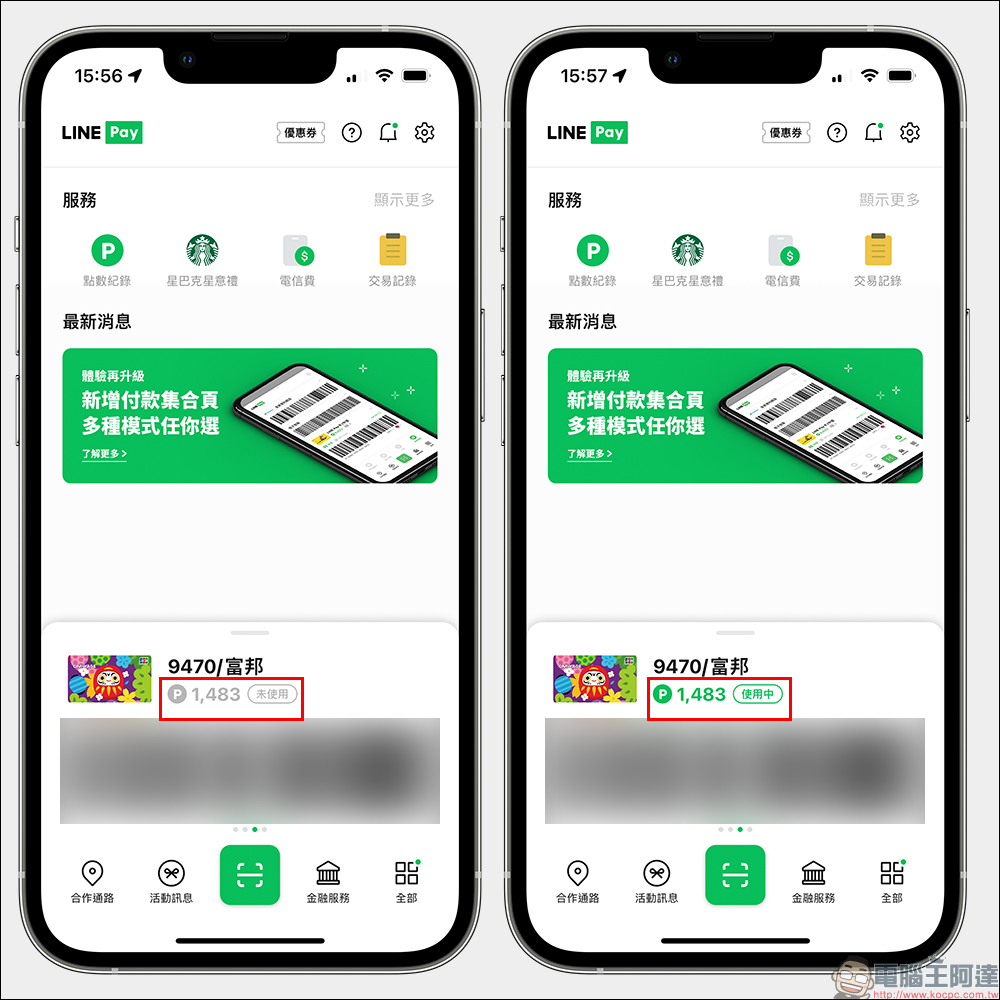
Payment function optimization 3: point usage status display
The LINE Pay App version 1.2.0 update also adds an “unused” or “in use” icon to the point usage status, making it easier for users to quickly confirm whether the point discount function is enabled when making payments. The point discount status can be displayed regardless of whether the payment page is expanded or collapsed. The rewards of LINE POINTS points are equivalent to cash rewards at a ratio of 1:1, making it very convenient to directly redeem them.
Also shown on the same show: A new credit card platform that integrates financial services and makes online application more convenient
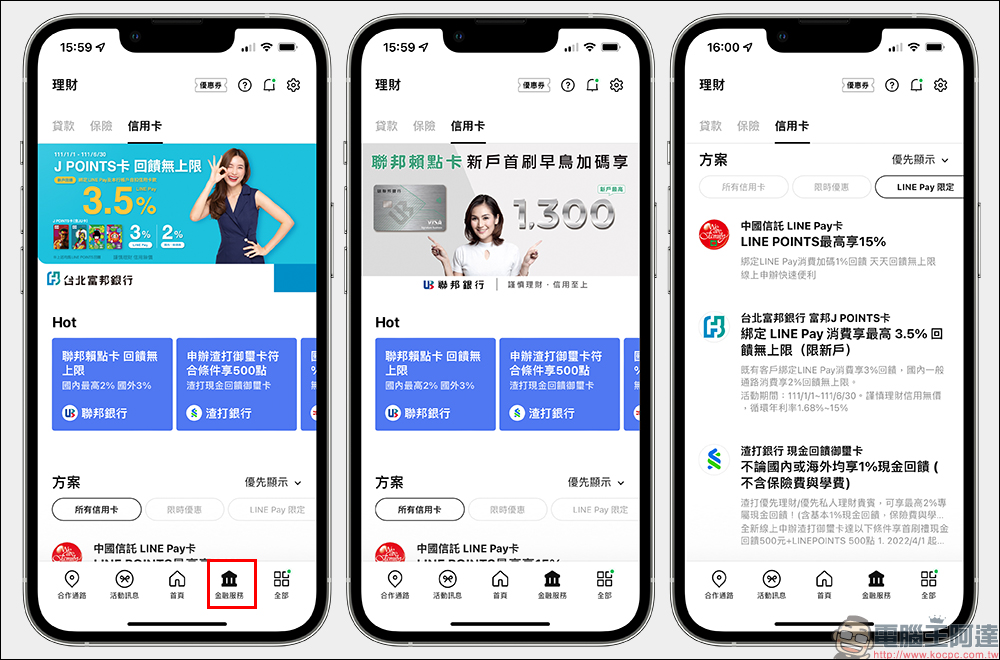
In addition to optimizing the experience of the three major payment functions, the LINE Pay App version 1.2.0 update adds a “Financial Services” section to the App. On this page, users can compare the latest rebates of various bank cards and apply for a credit card online.
Further reading:
LINE free sticker collection: 18 LINE free stickers, the cute Dragon Boat Festival stickers are available for download for a limited time!
Source: KOCPC Chinese