


You’ve probably seen videos of ChatGPT’s advanced voice mode, and its powerful real-time responses and processing make you want to try it—but it’s currently only for paid users. In fact, Google’s own Gemini Live offers similar capabilities and is free for everyone, no payment required. Here’s how to enable Gemini Live.
Steps to enable Gemini Live voice mode
Google’s Gemini Live is a new feature launched in August. Although several months have passed, it still doesn’t support Chinese yet, which is why users in Taiwan don’t see this feature when they open the Gemini app.
This also means that you just need to change the language to English to enable the Gemini Live feature! However, on the flip side, you can only chat in English; if you speak Chinese, the AI won’t understand, but for the responses, you can ask Gemini to reply in Chinese. I tested it successfully.
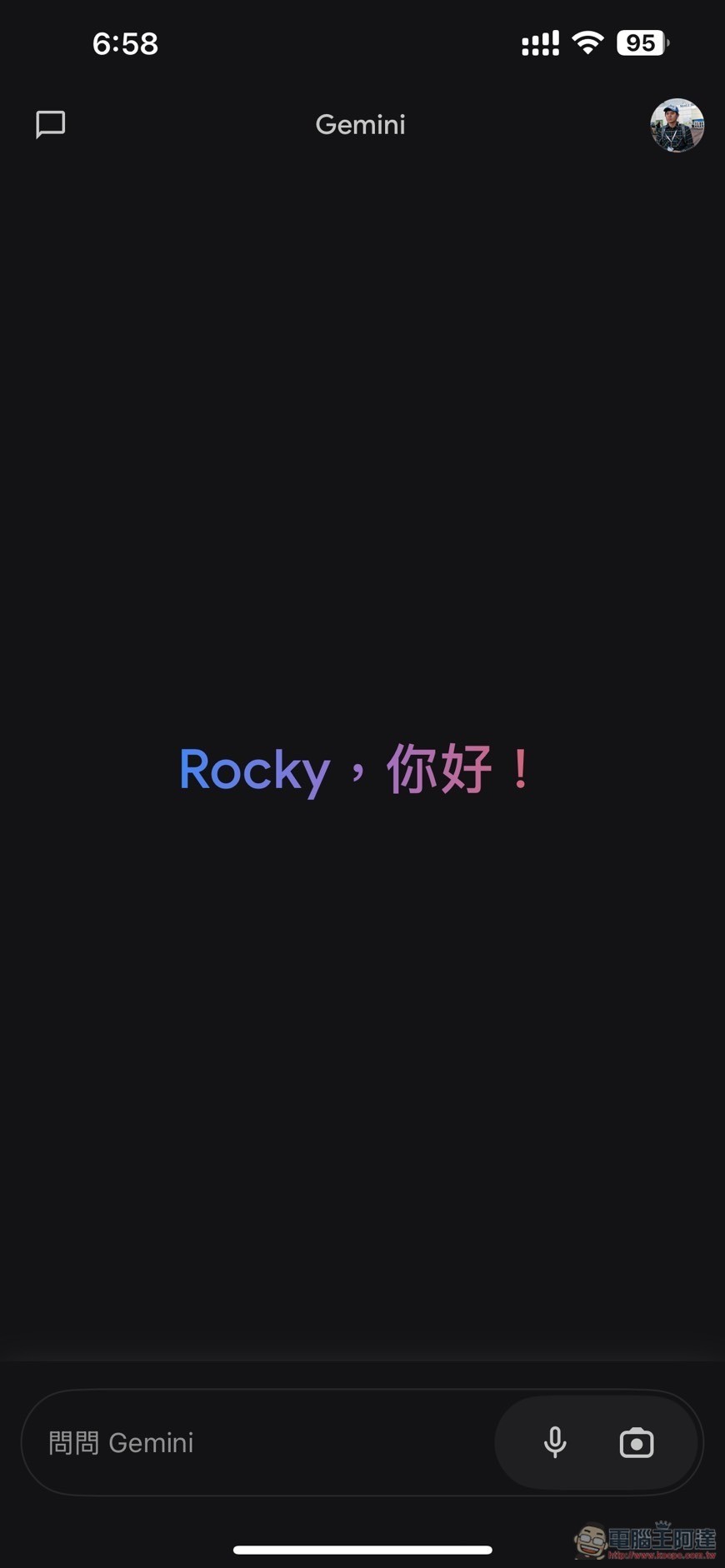
After opening the Gemini App, if the language is set to Chinese, the Gemini Live feature icon will not appear in the bottom-right corner:
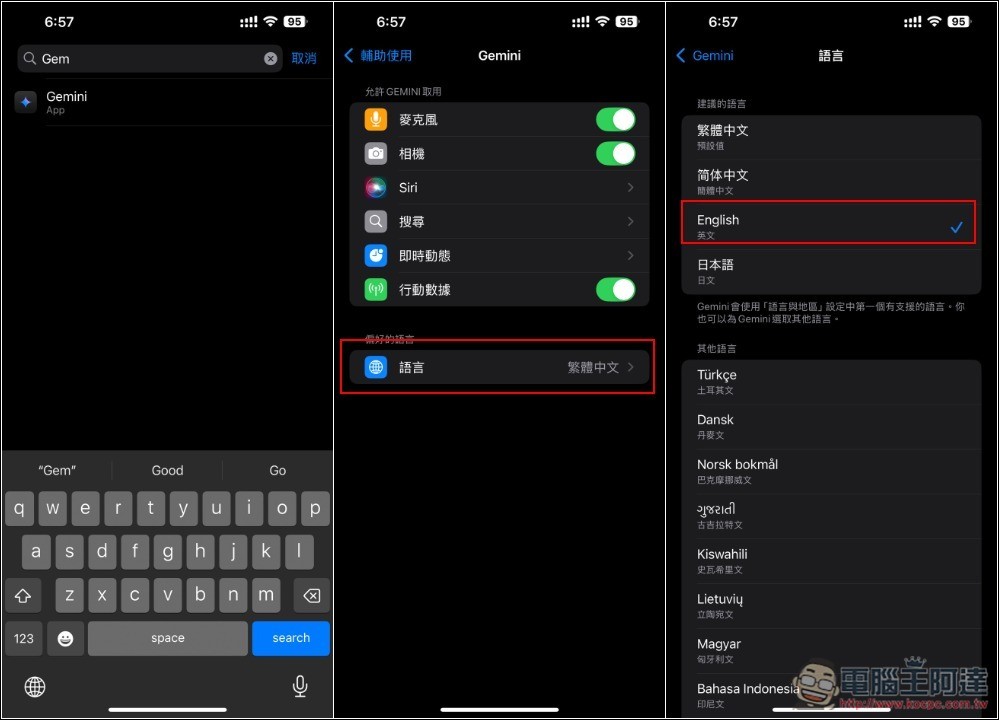
Using the iPhone as an example, open iPhone Settings and find the Gemini App option. After entering, you will see the language settings. Change it to English and that’s it:
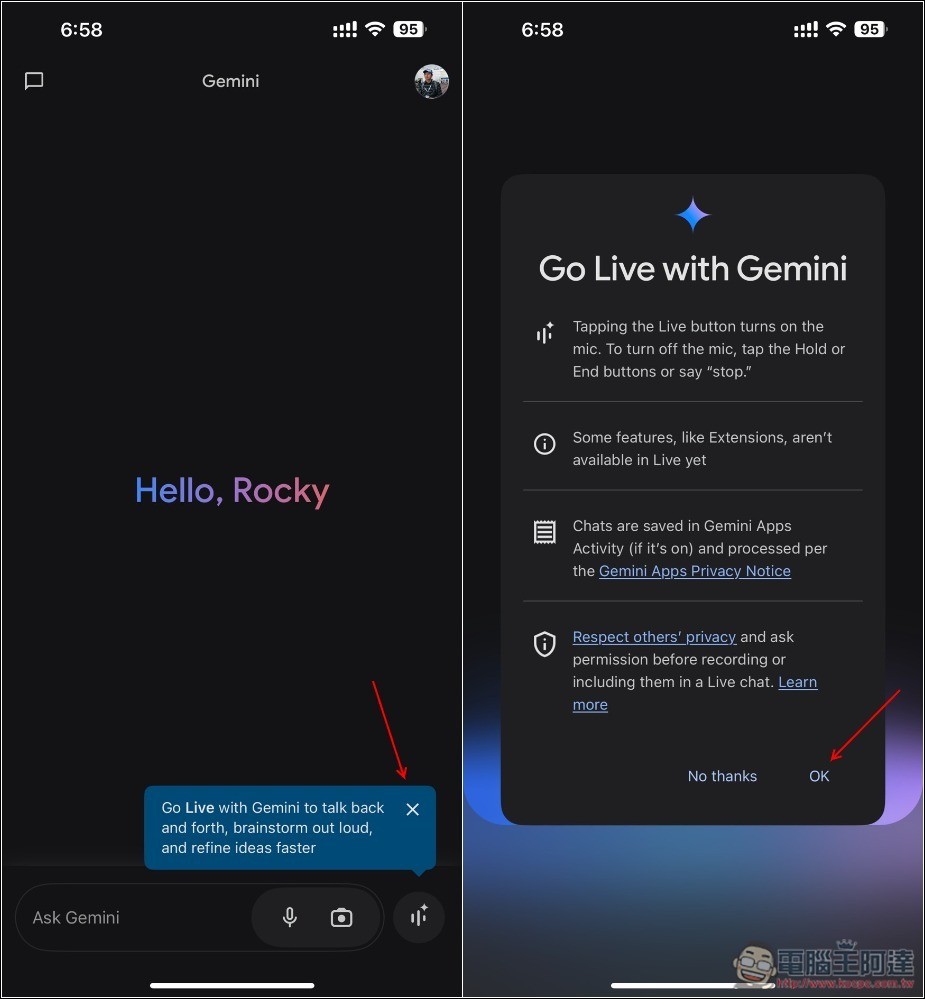
Open the Gemini app again, and a Gemini Live feature icon will appear in the bottom right corner. Press OK to start chatting:
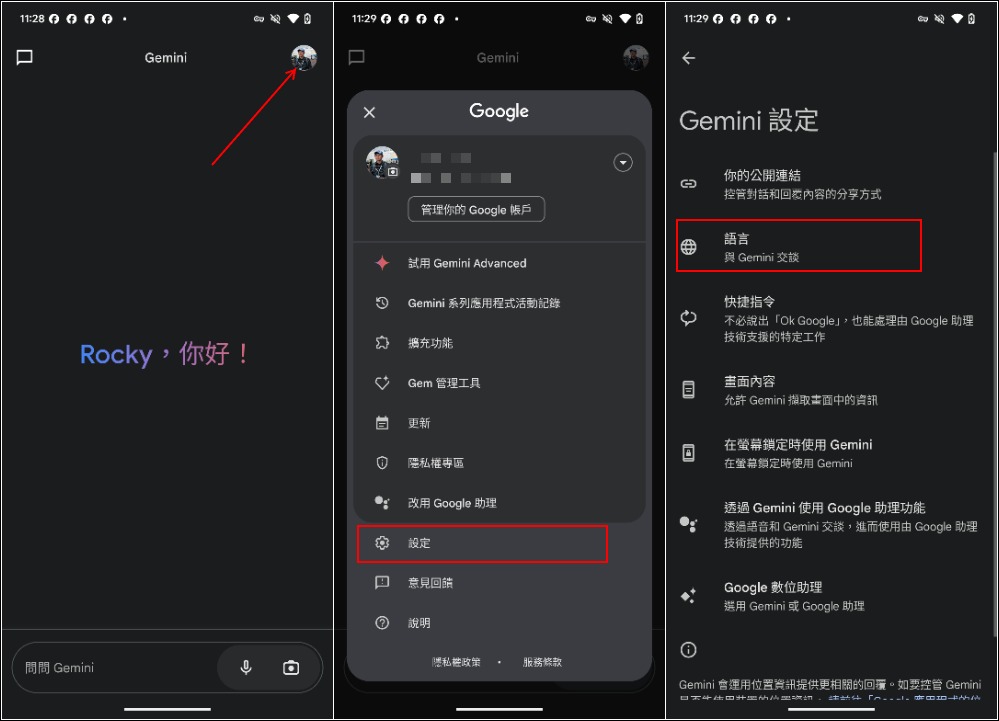
As for Android, it’s simpler: just change the language settings directly in the App. Open your account at the top right, go to Settings -> Language:
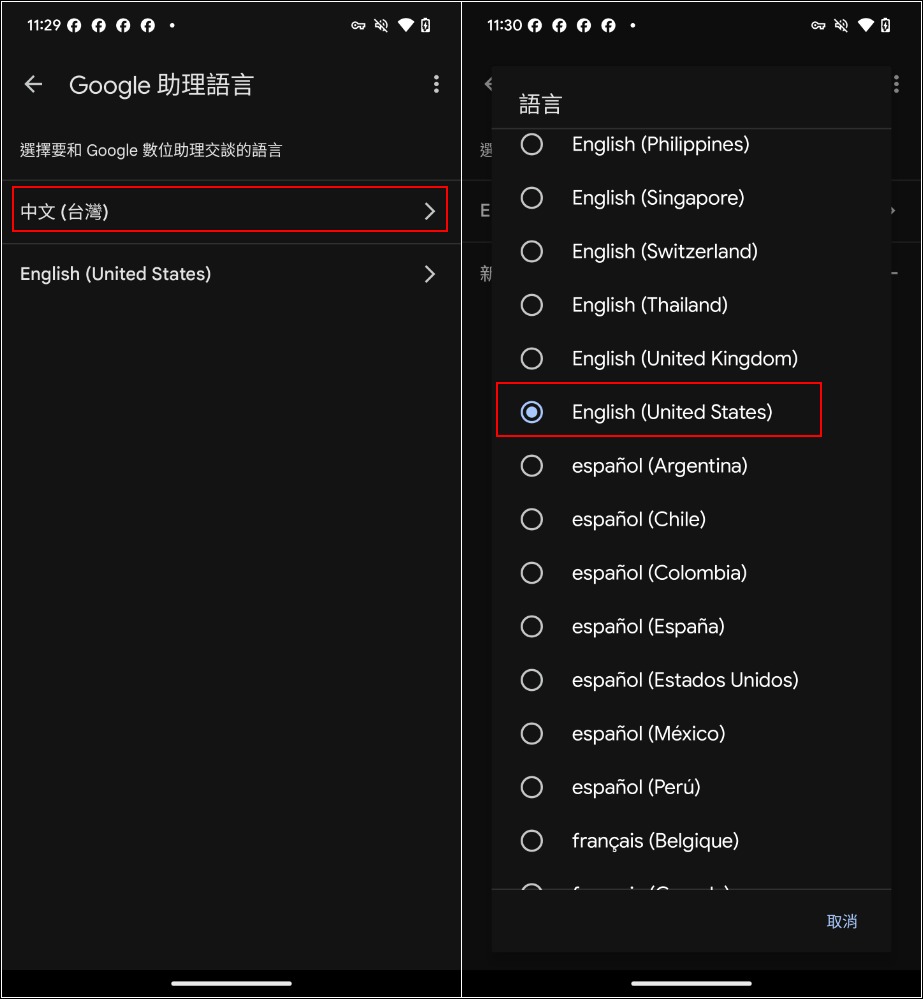
Change the first original Chinese (Taiwan) to English; I chose American English:
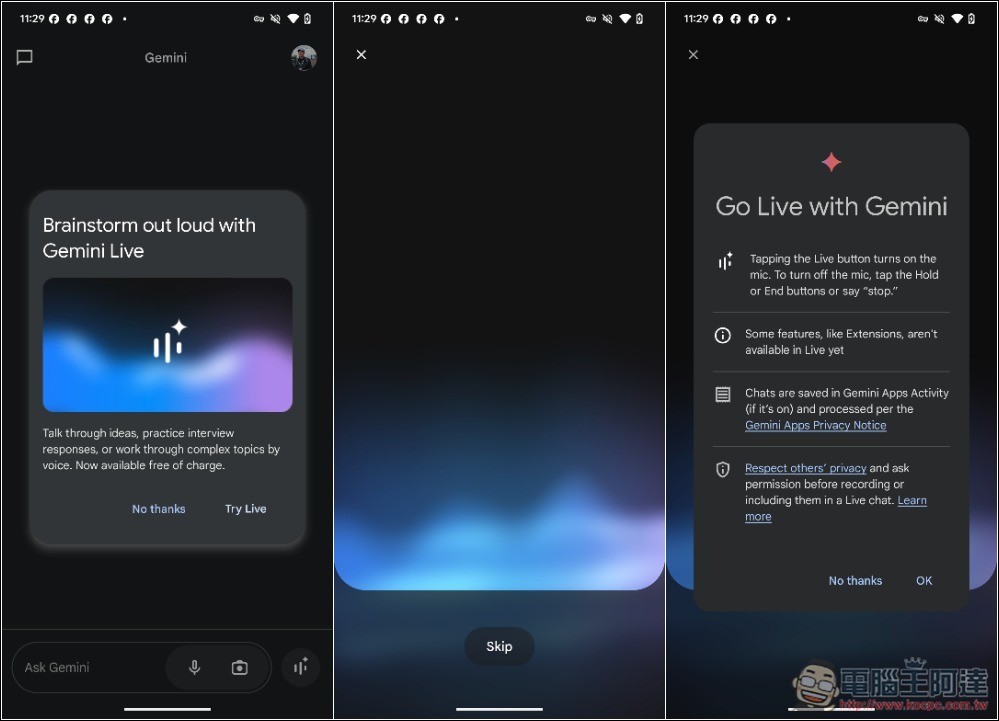
Then after returning to the home screen (or reopening the Gemini App), the Gemini Live feature will pop up, and you can start chatting with Gemini AI, but again it only supports English conversations:
When chatting, if you speak Chinese, it will interpret it as something else and give random answers, so you must speak English. For the response part, you can first ask it to use Chinese, so no matter what you ask, it will answer in Chinese:
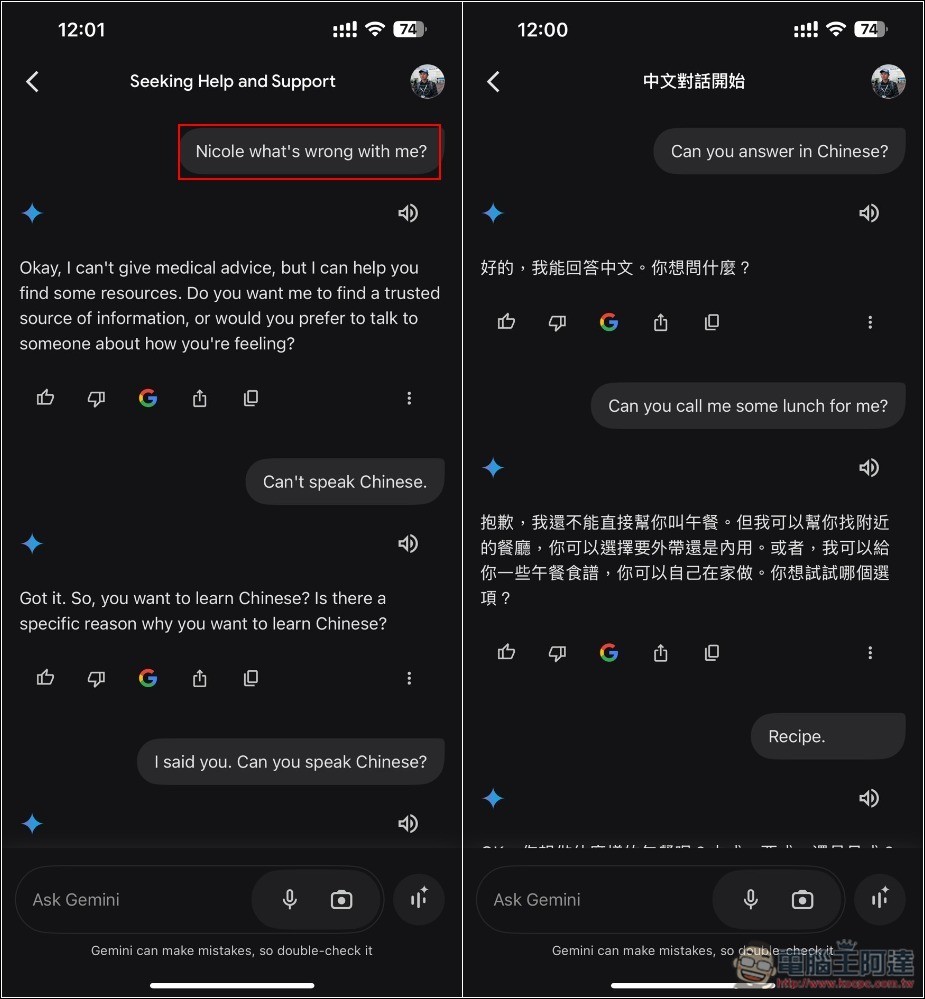
So, for people who aren’t great at English, you can first translate the questions you want to ask into English, and then just read from the script.
Does the free version of Gemini Live have usage limits?
As of now, there are no restrictions—you can chat for as long as you like.
However, based on feedback from several netizens, I’m not sure if it’s only the free version that has this issue, but sometimes in the middle of a conversation, there are signs of poor signal or disconnections.
I have to say, Google letting everyone use Gemini Live for free is really generous. Competitor OpenAI’s ChatGPT advanced voice mode is only available to paid subscribers, and it has a daily usage limit—it’s not unlimited.
Of course, there’s still a gap in functionality. ChatGPT supports multiple languages, including Chinese, and I also think the quality of its chat content is better than Gemini.
What languages does Gemini Live support?
Gemini Live now supports over 40 languages, including: English, Belgian German, German, Swiss German, Austrian German, Australian English, Indian English, British English, Argentine Spanish, Chilean Spanish, Colombian Spanish, Mexican Spanish, Peruvian Spanish, Swiss French, Brazilian Portuguese, Indian Hindi, and more.
The Chinese version isn’t available yet, but it’s expected to be added soon, so you shouldn’t have to wait too long.
Source: KOCPC Chinese