


With Google’s determination to aggressively develop generative AI features, its services—including Google Docs, Sheets, and even Google Drive cloud storage—have all begun to see a blue-starred Gemini AI feature appear among their functions. And before the end of the year, Google has apparently prepared a surprise feature for cloud file management. Continue reading: Too many files in Google Drive to manage? Learn how to use Gemini to find a needle in a haystack—and even summarize content.
▲Image source for this article: Google
Too many Google Drive files to manage? Here’s how to use Gemini to find the needle in the haystack—and even summarize content.
Following Google’s commitment to actively developing generative AI features, its services, including Google Docs, Sheets, and even Google Drive cloud storage, have all started featuring the Gemini AI with a blue star icon. And before the end of the year, surprisingly, Google is also preparing a surprise feature for cloud file management.
According to an announcement on Google’s official blog, most users eligible for the Gemini add-ons should have already received a new cloud file management feature. It will allow direct summarization and retrieval for entire folders – and of course, the key highlight includes asking questions about documents in a single folder (which is great).
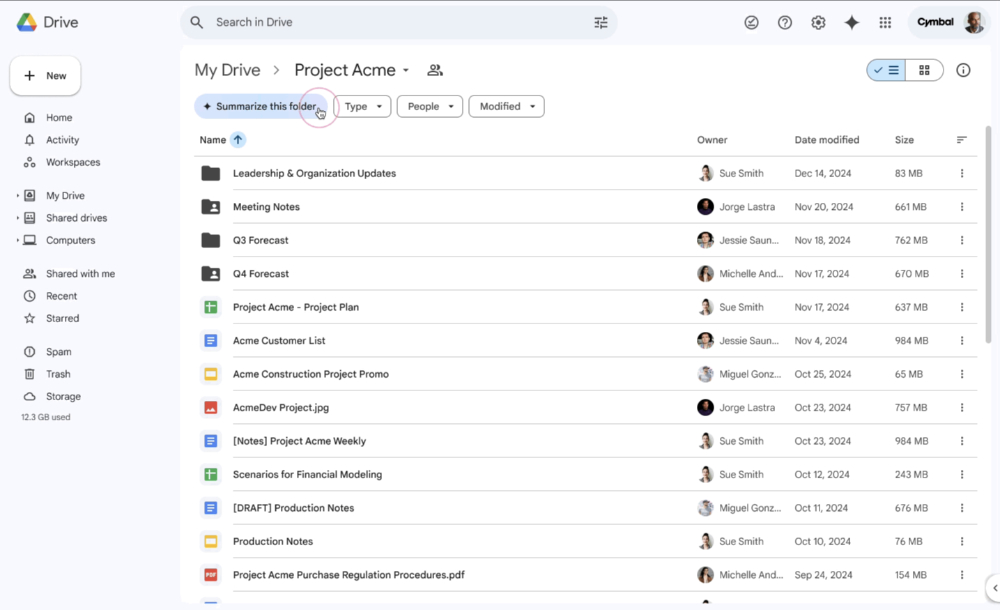
Compared to the previous hassle of dragging and dropping files into Gemini’s sidebar, this experience lets you go directly to the quick button shown below items in the Google Drive folder path to find “Summarize this folder” — a button for summarizing folders.
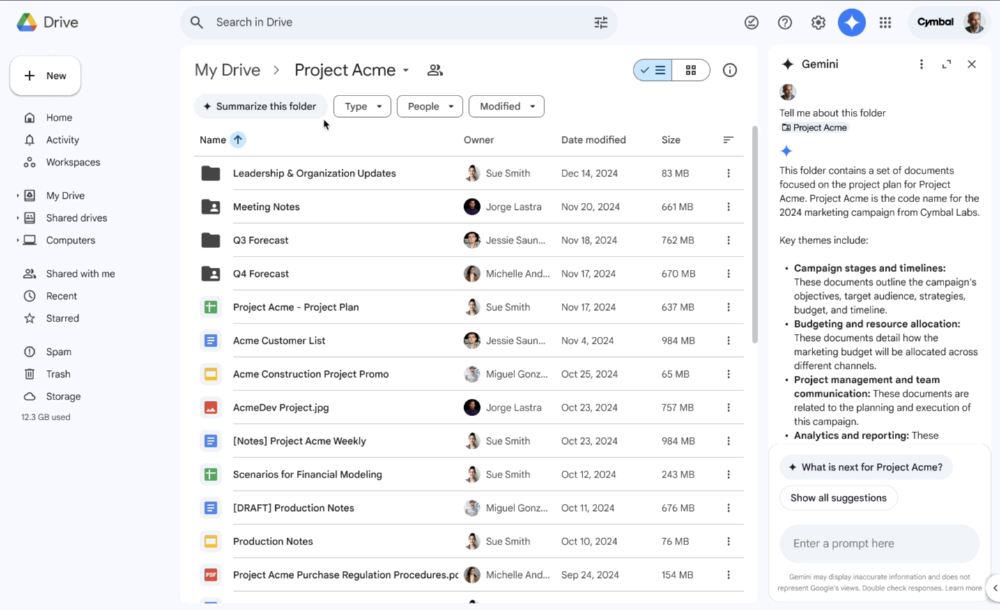
After clicking in, the Google Drive web interface will automatically open Gemini’s sidebar on the right to start analyzing; at the bottom, there will also be suggested text for continuing to ask questions in the chat interface, and you can enter your own questions – basically this part is the same as the typical generative AI experience, except now you can summarize folders with a large number of files at once, ask fact-based questions (limited to the document data in the folder), and so on.
Speaking of which, Google also mentioned that Gemini’s data analysis feature for Drive files is currently limited to plain text, PDFs, spreadsheets, and presentation files. The image and video analysis capabilities that everyone would intuitively expect to be very useful aren’t supported yet – though given how aggressively Gemini AI is expanding its availability, it feels like that should probably change in the future, right?
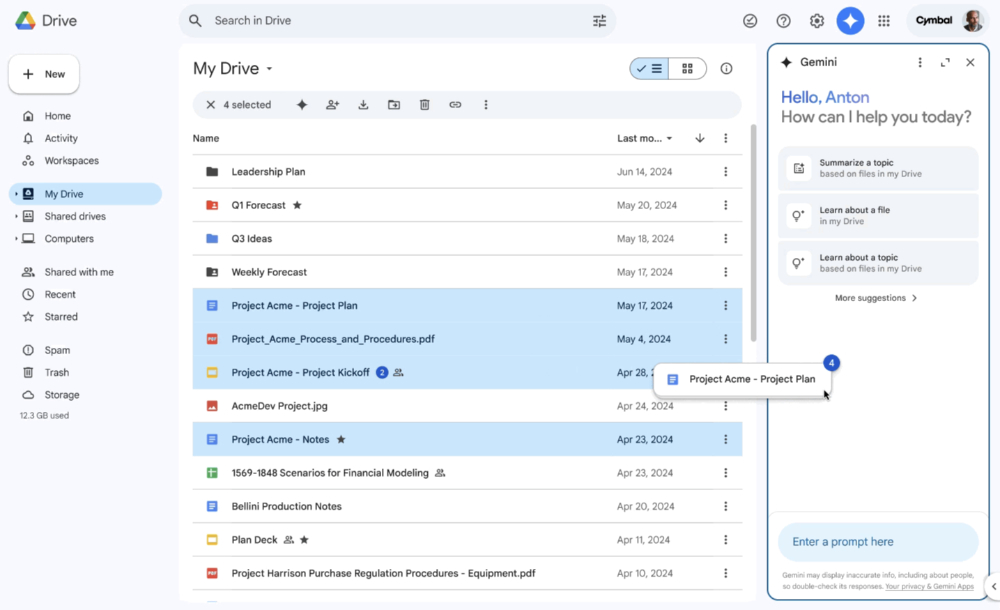
▲ Figure: Previously, you could directly drag files into the Gemini sidebar to read them.
As for eligibility, aside from subscriptions that can access the Gemini add-on, this feature is currently only available to Google Workspace users (including Business, Enterprise, Education, and Education Premium, as well as Google One AI Premium members). Unfortunately, personal accounts are not supported yet. So if you’re waiting for all users to get access, you might have to hold on a bit longer.
Citation source:Google Workspace UpdatesVia:PhoneArena|
Further Reading:

Source: KOCPC Chinese