


Although the iPhone is becoming more and more powerful nowadays, it is a technological product after all, and you will still encounter it occasionally iPhone white applestatus. For most users, they definitely don’t know how to solve it, especially when white apples keep happening and the computer cannot be turned on, which is very annoying. This article has compiled the methods to solve the problem of infinite white apples on iPhone. You only need to follow the instructions. If it is not a hardware problem, it can basically be repaired without sending it to an Apple repair center.
- Further reading:Is iPhone/iPad update stuck/unable to update? iOS 16 update guide to teach you how to solve this problem
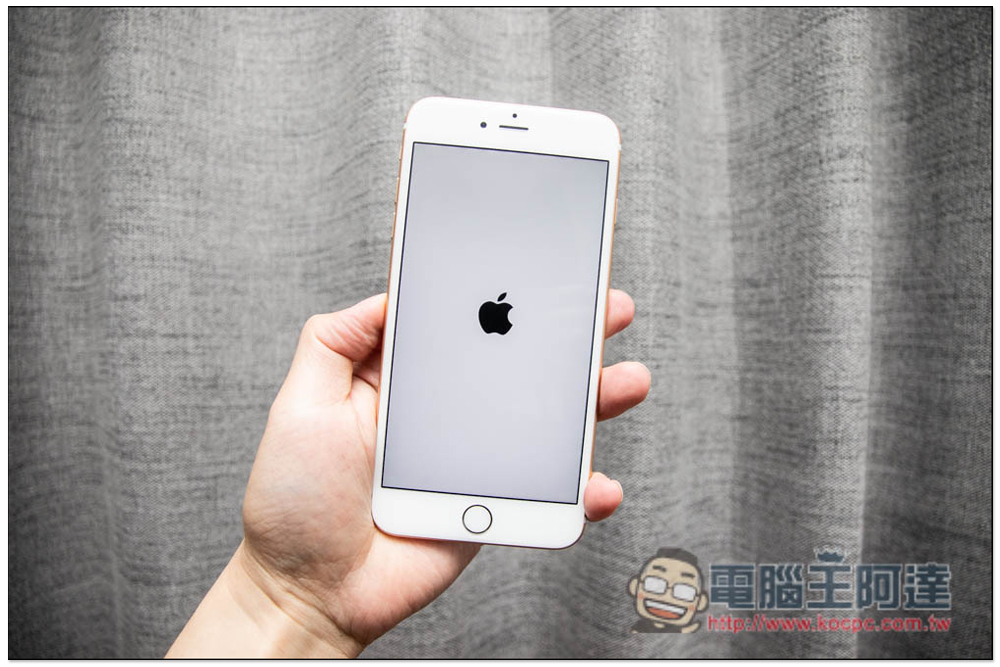
Why does iPhone become white apple?
There are many possible reasons, the more common ones are as follows:
- The iPhone system software may be corrupted: This usually occurs after upgrading an older iPhone or updating the iOS version.
- Recover or transfer corrupted files from iCloud or iTunes backup.
- The iPhone has been jailbroken (or has been attempted): Jailbreaking will cause some software problems, and there is a chance that the iPhone will be stuck on a white apple.
- Hardware damage: In the past, you may have accidentally dropped or bumped your iPhone, which may have damaged the internal hardware and stuck on the white Apple screen.
- iPhone has insufficient memory(relatively rare): A few foreign users have been in Apple official forumreflect this issue.
If it’s just the first four points, you can basically fix it by yourself, and you don’t need any professional knowledge. Wait, I will recommend a set of software that can solve the white apple problem in just a few simple steps.
Internal hardware damage is difficult to detect from the appearance. Our recommended method is to try to solve it yourself first (through the tutorial below). If it doesn’t work, it may be internal hardware, and then send it to an Apple repair center.
The easiest way to fix iPhone infinite white apples: Use iMyFone Fixppo
iMyFone Fixppo It is a very powerful set of repair tools that can solve most iOS, iPadOS and tvOS problems. iPhone White is one of them. Not only is it easy to operate, but it will not lose any data in standard mode. You can use it with confidence. It is available in Windows and Mac versions.
STEP 1: Connect iPhone to computer, open Fixppo software and use standard mode
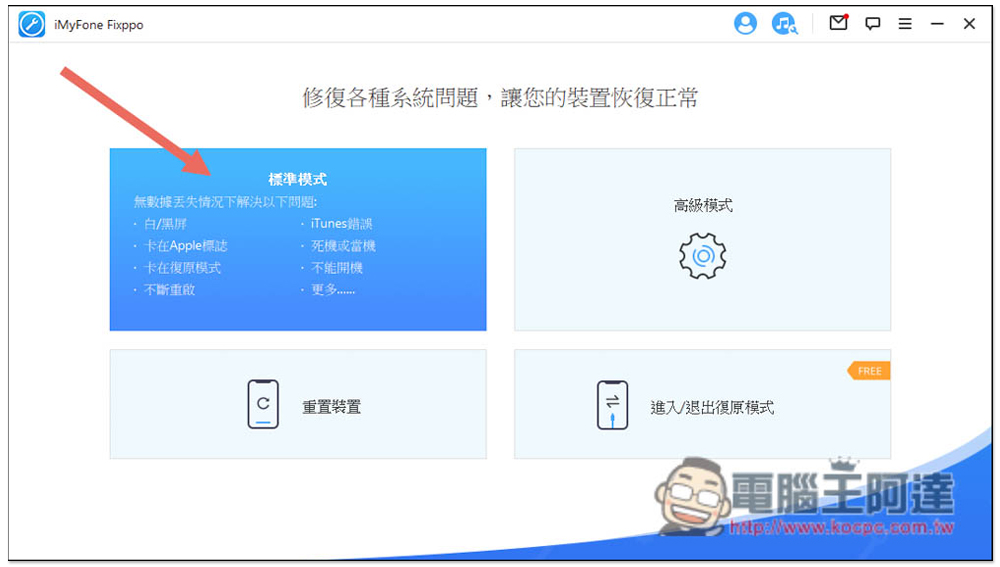
First, connect the iPhone to the computer using a Lightning cable, and then turn on iMyFone Fixppo Software, you will see four modes, please use the “Standard Mode” in the upper left corner:
STEP 2: Follow the instructions to switch iPhone to recovery/DFU mode
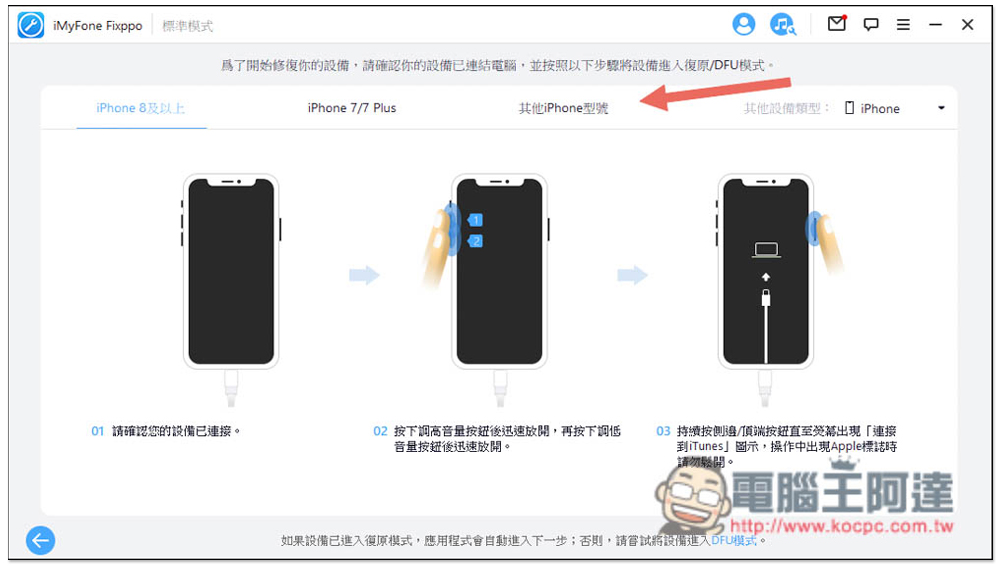
Before repairing, you need to put the iPhone into recovery/DFU mode. There will be instructions on the screen, which depends on which iPhone model you have. Mine is an iPhone 6s Plus, which is older than the iPhone 7 series, so you have to refer to the instructions on “Other iPhone Models”. iPhones with Face ID are all “iPhone 8 and above”:
STEP 3: Download and install firmware
Fixppo will automatically detect your iPhone model and the latest firmware version, so you don’t have to choose, just confirm that the iPhone model is correct. If yes, please click download. Downloading will take a while, and the files are quite large, exceeding GB:

STEP 4: Start repairing
After downloading, please click “Start” and the iPhone repair will begin:

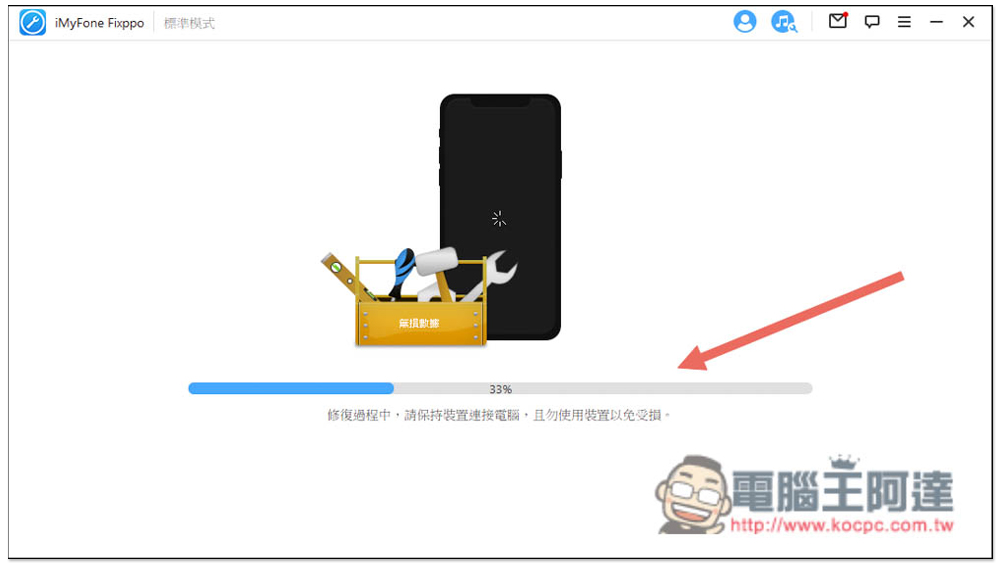
During the repair process, remember to keep your iPhone connected to the computer and do not use it to avoid errors:
STEP 5: Repair successful
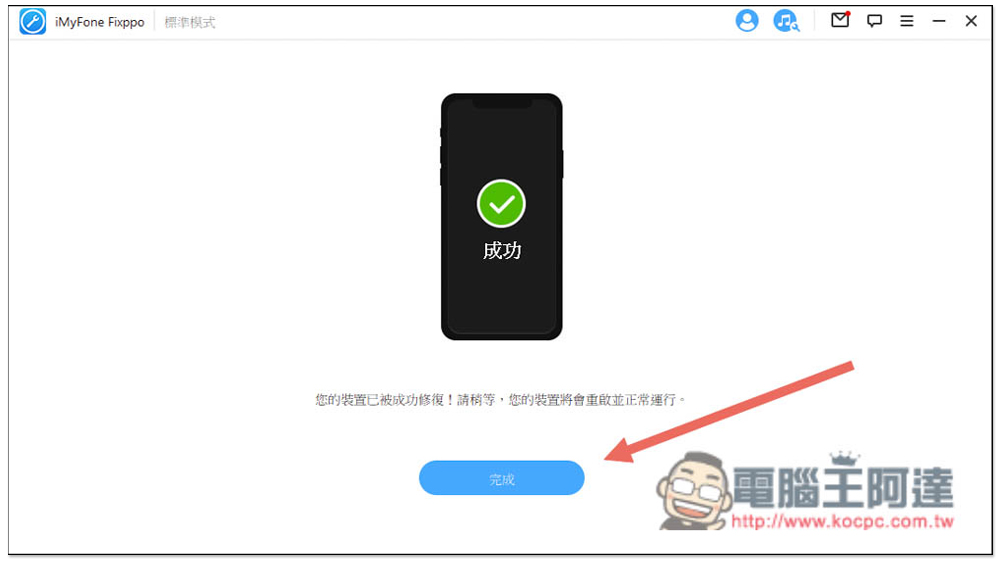
The repair will probably take a few minutes, so just let it run. When this screen appears, it means the repair is complete. Your iPhone will restart, and then you should be able to enter the desktop normally without getting stuck on the white apple screen:
Use iTunes to fix iPhone white apple problem: it may erase all iPhone data
Apple’s official iTunes can also solve the problem iPhone unlimited white appleHowever, please note that this method may “reset and clear all iPhone data”, which means that if you have not backed up before, the data will not be retrieved, so please think clearly before operating. In addition, you must also know how to switch your iPhone to recovery mode. Simply put, you can do it yourself, which is why I prefer the previous method.
- Open iTunes and connect your iPhone
- Switch your iPhone to recovery mode (if you don’t know how to do it, you can check it on the official website)
- iTunes will pop up the message “There is a problem with iPhone and needs to be updated or restored.” After pressing update, it will try to update the system. If it does not help, you can only use “Reply”, which will clear all data on the iPhone:

I’ve tried both of these methods, but still can’t solve it?
If you have tried both of these methods and still can’t solve the iPhone white apple problem, it is likely that there is a hardware error, and the hardware can only be sent to an Apple repair center for testing. You can go to the official website to find the nearest Apple Store or authorized repair center near you.
Here is also a method recommended by many people abroad, but I think it has no effect: “Force restart iPhone”. You can also try it. The method of force restart is different for each iPhone model.
On iPhone, iPhone 8, or iPhone SE (2nd generation and later) with Face ID
- Press and quickly release the volume up button
- Press and quickly release the Volume Down button again
- Press and hold the side button
- When the Apple logo appears, release the button
iPhone 7
- Press and hold the Volume Down button and Sleep/Wake button simultaneously
- When the Apple logo appears, release both buttons
iPhone 6s, iPhone SE (first generation) or earlier models
- Press and hold the Sleep/Wake button and the Home button simultaneously
- When the Apple logo appears, release the button
What kind of software is iMyFone Fixppo?
iMyFone Fixppo In addition to solving white apple problems, Fixppo can also fix problems such as stuck in recovery mode, unable to boot, frozen or crashed, iTunes errors, constant restarts, failed updates, and downgrading iOS without jailbreaking. It can be said that Fixppo can fix almost all iPhone and iPad problems, big and small, and it is as simple as the operation above. Anyone can easily get started, and there is no need to ask for help when encountering problems.
Therefore, for those who have been iPhone and iPad users for a long time, it is worth collecting a set.
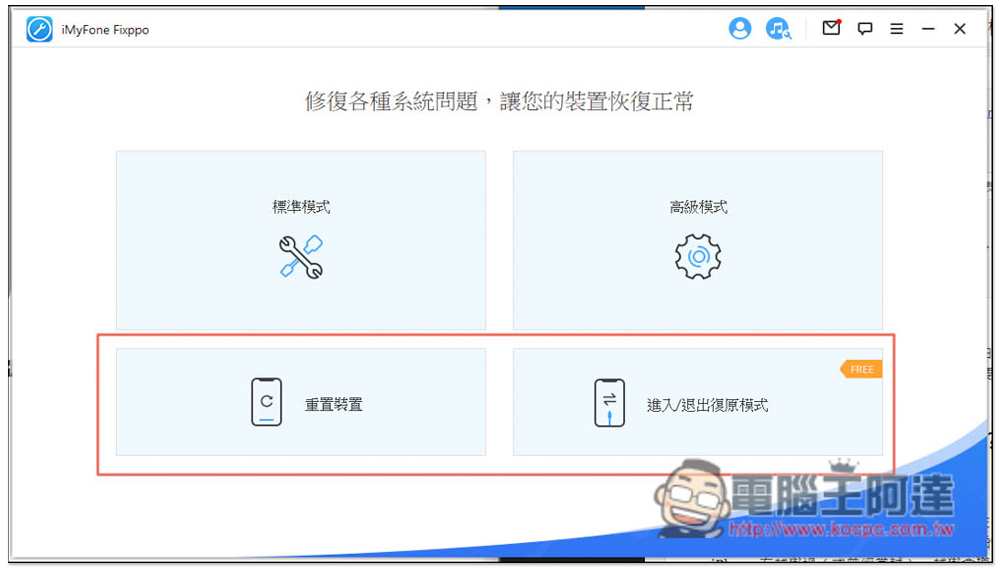
Fixppo also has an advanced mode that can repair iPhone problems more deeply, including forgotten screen unlock passwords and problems that cannot be solved by the standard mode. However, this mode will clear all data on the iPhone, so remember to develop a good habit of backing up at any time, so that you will not be afraid of not having a backup when you encounter problems in the future:

There are also options below to reset the device and enter/exit recovery mode, the latter of which is available in the free version:
Summarize
The above is the solution iPhone white apple repairmethod, for novices, I would recommend just using it directly iMyFone Fixppo, simple and effective. If even iMyFone Fixppo cannot solve it (standard and advanced modes), basically iTunes and other methods should be useless.
iMyFone also has Fixppo’s instructional video for unlocking iPhone white apples. Those who need it can also watch it (supports iOS 15.4):
iMyFone Anniversary Event
In addition, from May 9th to May 30th, iMyFone will also launch an anniversary event, with discounts on a variety of software and a combination package, including:
- iMyFone ChatsBack for LINE lifetime plan only costs NT$1,679, save NT$1,010
- iMyFone AnyTo + iMyFone MagicMic one-year plan is only NT$1,870, saving NT$1,099
- iMyFone Fixppo + iMyFone LockWiper one-year plan is only NT$2,279, saving NT$1,099
iMyFone Anniversary Event Page
Enter the discount code “SE10C” at checkout to enjoy an additional 10% discount (excluding software already discounted on the event page):

Source: KOCPC Chinese