


Storing and moving files is a tedious task when you have to transfer them to an external device, but storing them directly in the cloud is much more convenient. Cloud storage allows you to view files and photos from any phone, tablet or computer connected to the Internet, and download them on demand. Even if your phone changes or your computer crashes, cloud storage will provide you with an online backup to ensure your files are never lost.
Which cloud storage should I choose? Focused summary of five mainstream services: Google Cloud Drive, OneDrive, Dropbox, Box, and Amazon Cloud Drive
For those who have to work from home and share files with colleagues, the importance of cloud storage cannot be overstated. Many cloud storage services offer free tiers and different pricing options so you can choose the one that suits your needs, often distinguishing between personal and business plans. Since there are more and more cloud services and they are more and more commonly used in life, the author willFive mainstream cloud servicesSorted out, including their respective operating methods, advantages and disadvantages, etc. First, let’s take a look at the comparison (the table below is based on the personal version):
| OneDrive | Dropbox | Google Cloud Drive |
Box |
Amazon |
|
| Free storage | 5GB | 2GB | 15GB | 10GB | 5GB |
| Paid options |
Subscribe individually Includes M365 subscription |
$9.99/month: 2TB |
65 yuan/month: 100GB |
$10/month: 100GB |
$1.99/month: 100GB |
| Support system | Android、iOS、Mac、Linux、Windows | Android、iOS、Mac、Linux、Windows | Android、iOS、Mac、Linux、Windows | Android、iOS、Mac、Linux、Windows | Android、iOS、Mac、Linux、Windows、Kindle Fire |
Google Drive
Google combines a complete set of productivity tools with storage in Google Drive, and with the service you get other tools like Docs, Spreadsheets, and Presentations along with 15GB of free storage. This service also offers enterprise and team versions, which you can use on Android and iOS mobile platforms as well as Windows and MacOS computers. If you already have a Google Account, you can access Google Drive directly by going to drive.google.com and enabling the service.
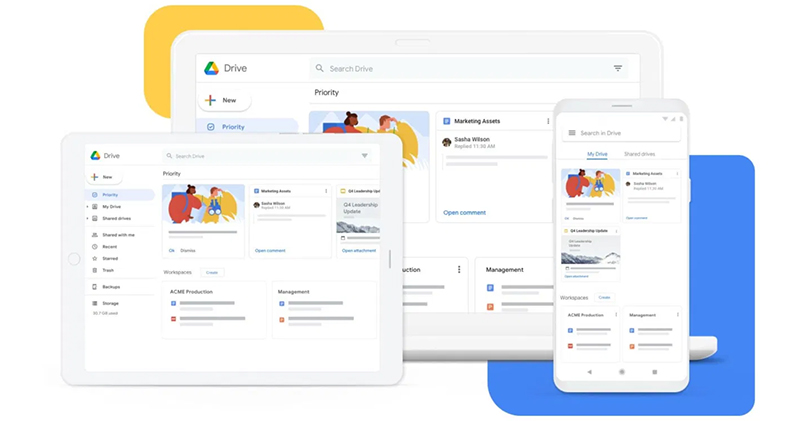
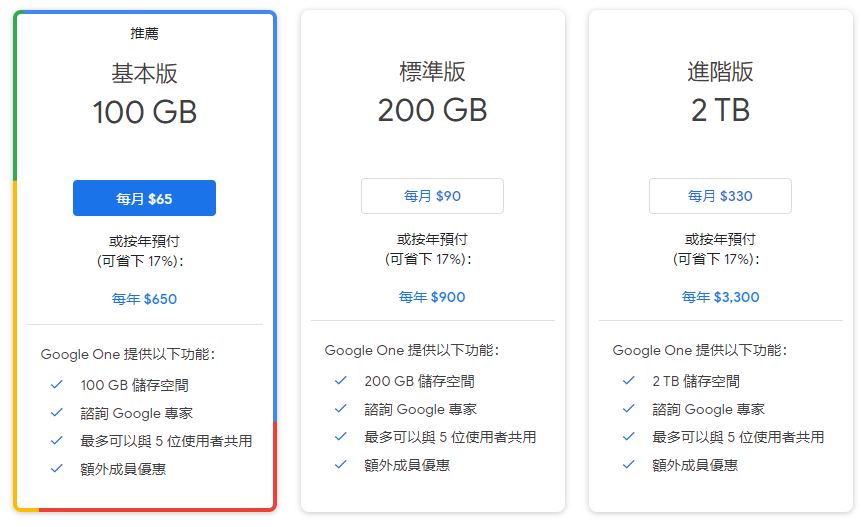
You get 15GB of storage for anything you upload to Drive, including photos, videos, documents, Photoshop files, and more. However, you must share 15GB with your Gmail account, photos uploaded to Google Plus, and any profiles created in Google Drive, unless you subscribe to Google One to expand the capacity. Sign up for a Google One membership for $65 per month and get 100GB of space that can be used in Google Drive, Gmail, and Google Photos, and you can access many other features, such as automatic backup of your Android device’s photos, messages, and contacts.
Google Drive pricing
Since Google One replaces paid Google Drive, if you need to expand your Drive storage beyond the free 15GB, here are the prices for Google One:
Microsoft OneDrive
OneDrive is Microsoft’s storage option, and if you’re using Windows 8 or 10, OneDrive should be built into your operating system and you should be able to find it in File Explorer. Anyone can use it on the web, or download the app for iOS, Android, Mac or Windows. The service also offers its 64-bit Sync in public preview, which is useful for users working with larger files. You can store any type of file on the service, including photos, videos, documents, etc., and access them from any computer or mobile device. The service also organizes your files, so you can change how OneDrive sorts items or layouts; when you turn on Camera Upload, photos can be automatically sent to the cloud, organized through automatic tagging, and searched by photo content.
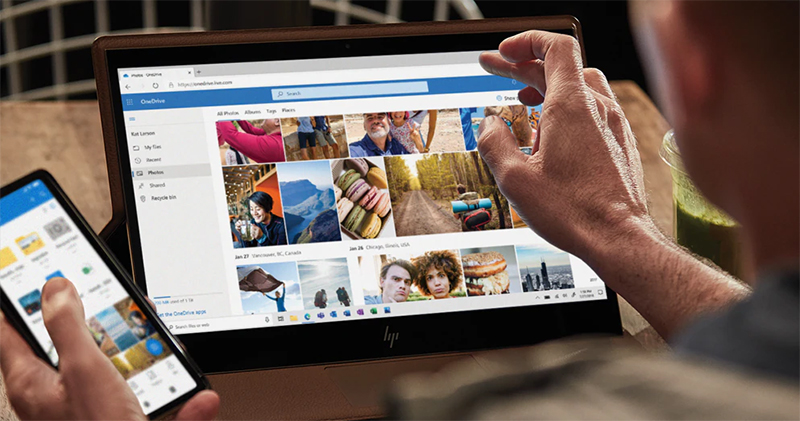
By adding Microsoft Office apps, you can streamline teamwork by sharing files or photos with others for collaboration. OneDrive notifies you when something is edited, allows you to set a password for shared links for added security, and makes files available offline. The OneDrive app also supports functions such as scanning, signing, and sending documents using your phone’s lens. Plus, OneDrive backs up your content, so even if your device is lost or damaged, your archives are protected. There is also a feature called Personal Vault, which adds extra security to files through authentication.
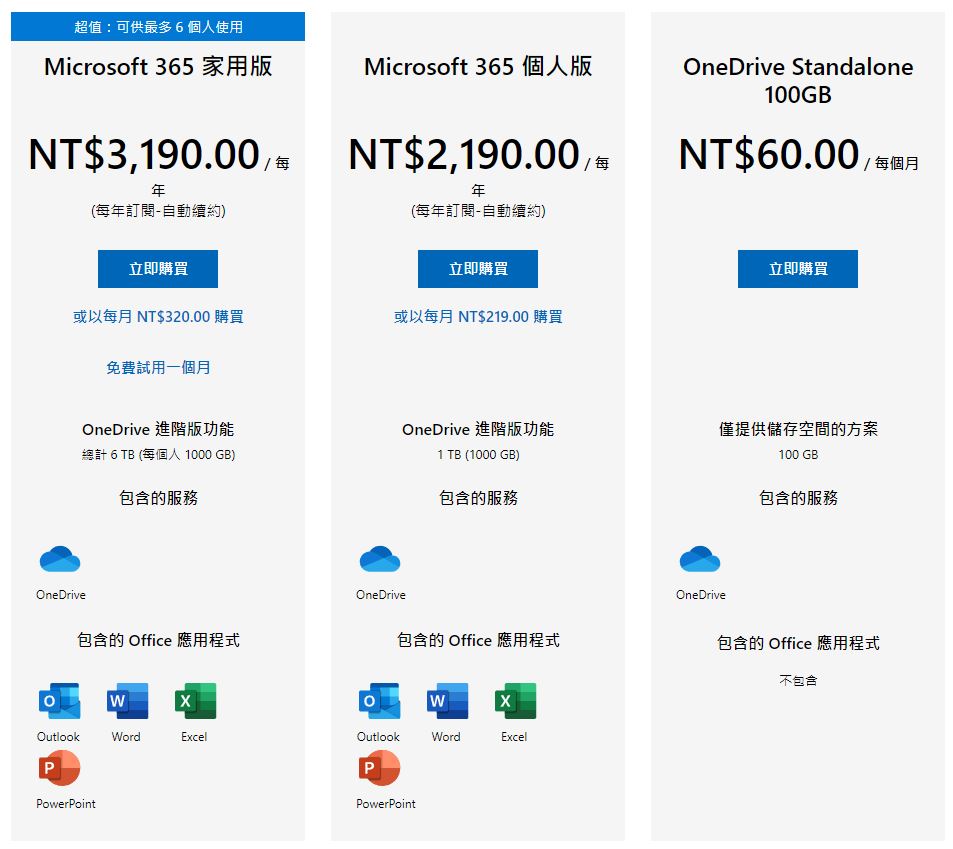
Microsoft OneDrive pricing
In addition to the basic free plan, which gives you 5GB of free cloud storage, OneDrive can be upgraded to three different paid plans. Other options include:
Dropbox
Dropbox is the most popular service in the cloud storage world because of its reliability, ease of use, and simple setup. Your photos, documents, and files live in the cloud, where you can access them anytime from the Dropbox website, Windows, Mac, and Linux, as well as iOS and Android devices. Dropbox’s free tier is accessible on all platforms. You can also have peace of mind as you keep your archives safe with features (even on the free tier) like syncing archives from your phone, camera, or SD card, restoring anything deleted in the past 30 days, and Version History, which lets you restore edited archives to their original versions within 30 days.

Dropbox also provides easy ways to share and collaborate with others on projects, no more annoying notifications telling you that an attachment is too large. You can create links to share files with others to edit or view, and they don’t need to be Dropbox users to collaborate. With a paid upgrade, users can also take advantage of features such as mobile offline folders, remote account deletion, file watermarks and priority live chat support.
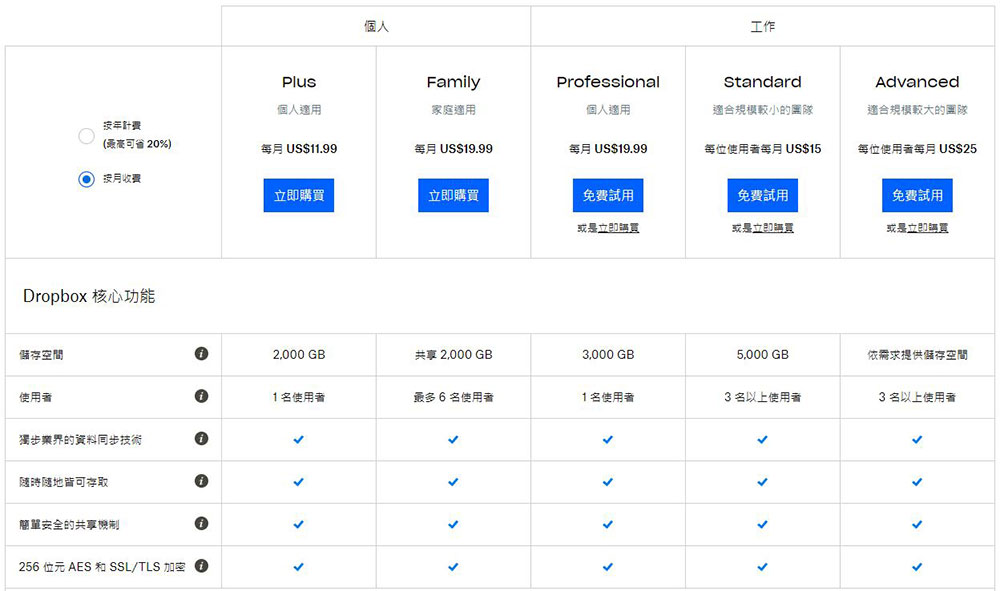
Dropbox pricing
Box
Not to be confused with Dropbox, Box is a standalone cloud storage option for archives, photos, and files. Compared to Dropbox, Box is similar in features like assigning tasks, commenting on someone’s work, change notifications, and privacy controls. For example, you can decide who in your organization can view and open specific folders and files, and who can edit and upload files. You can even password-protect individual files and set expiration dates for shared folders.
Overall, while Box is available for personal use, it has more enterprise features, with built-in features that are particularly useful for businesses. In addition to collaboration with Box Notes and storage accessible across different platforms, the service offers Box Relay to help improve workflow efficiency, and Box Sign for easy and secure electronic signatures. Business users can also connect to other applications, such as Salesforce, to easily save files to Box. There are also plug-ins for Microsoft Teams, Google Workspace, Outlook, and Adobe that let you open and edit files saved to Box from these applications.
Box Pricing
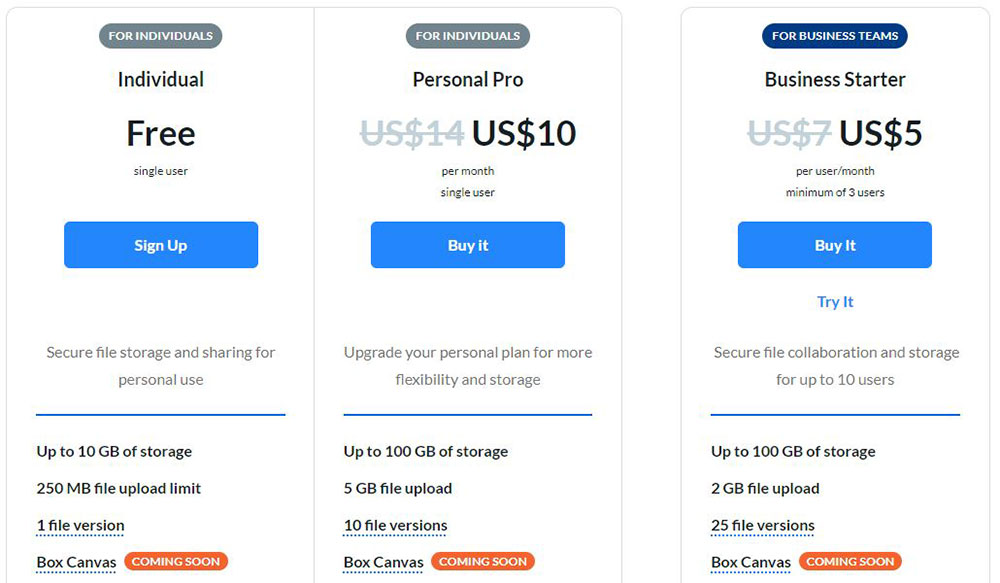
For business plan subscription please refer toOfficial website。
Amazon Cloud Drive
Amazon sells you almost everything under the sun, and cloud storage is no exception. With its Cloud Drive service, Amazon wants to be the place where you store all your music, photos, and other files. When you sign up for an Amazon account, you’ll get 5GB of free storage to share with Amazon Photo.
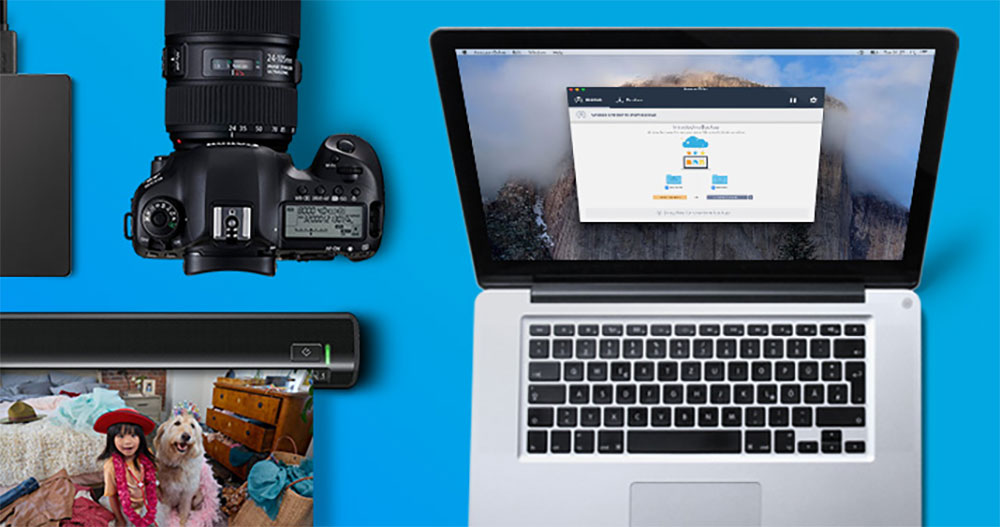
While Amazon Photos and Drive are both cloud storage services, Amazon Photos is designed specifically for photos and videos and has its own iOS and Android apps. In addition, you can upload, download, view, edit, create albums and display media on compatible devices. Amazon Drive is strictly for file storage, sharing and previewing, but it is compatible with PDF, DocX, Zip, JPEG, PNG, MP4 and other formats. You can use them to save, organize and share files across desktop, mobile and tablet devices.
Amazon Cloud Drive pricing
With a basic Amazon account, you get 5GB of free storage to share with Amazon Photos. Upgrade your Amazon Prime account ($13 per month or $119 per year) and get unlimited photo storage in addition to 5GB of video and file storage. You can also upgrade from the boost you get with Amazon Prime, getting 100GB of storage for $2 a month; $7 a month gets you 1TB, and $12 a month gets you 2TB.
Why isn’t there Apple’s iCloud?
Here I would like to explain why Apple’s iCloud is not listed among the five mainstream. Since this service can only be used in Apple’s ecosystem, it is not available for other systems such as Android and Windows. It also makes it a relatively limited and high-threshold cloud service, which is not conducive to sharing and collaboration with others. But if you originally use iOS and Mac devices, and the people you share files with are within the Apple ecosystem, iCloud is indeed a reliable option worth considering.
Source: KOCPC Chinese