


Recently, LINE has released the LINE 12.6.0 version update. This time, a more convenient one-click copy function is added for LINE users who want to share their LINE ID during use. Even if the LINE ID is a long list, don’t be afraid! At the same time, this update also brings 4 updates including a more optimized background color of the textured keyboard in dark mode!
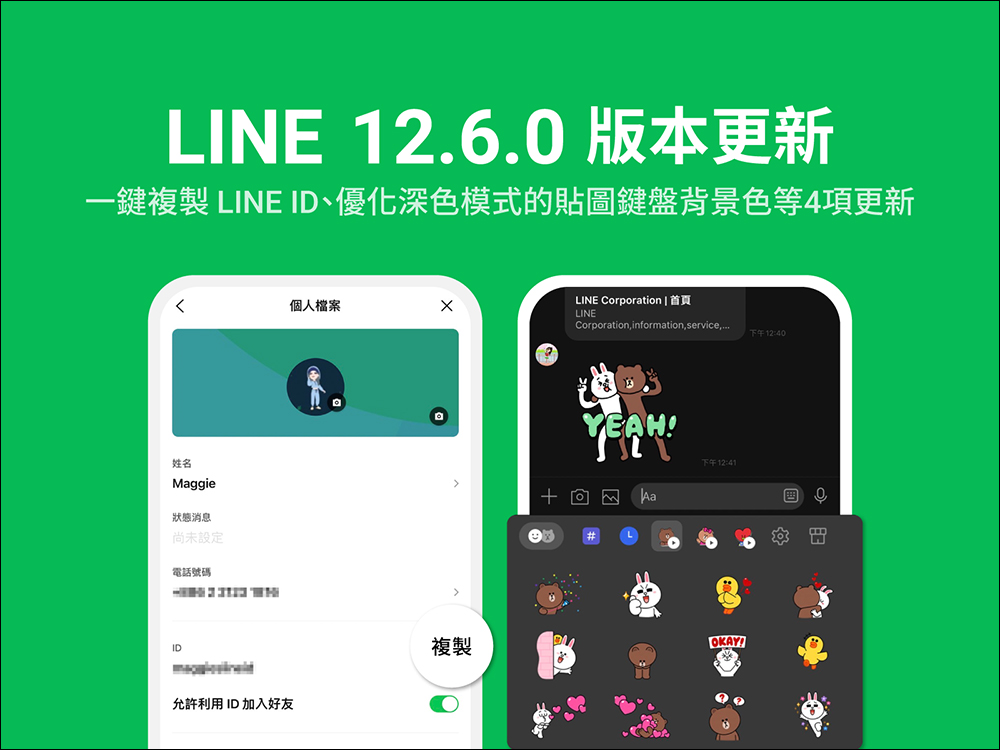
LINE 12.6.0 update: One-click copy of LINE ID, optimized dark mode textured keyboard background and other 4 updates
Based on user feedback, LINE will release application version updates from time to time to optimize the interface and add new features to give users a better experience. LINE recently launched the LINE 12.6.0 version update. The Android version was launched last week (21st). iOS users will have to wait a little longer. The iOS version update will be launched soon! As for what adjustments or new features are included in the LINE 12.6 version update? The four most important updates are summarized below:
Update 1, copy LINE ID with one click
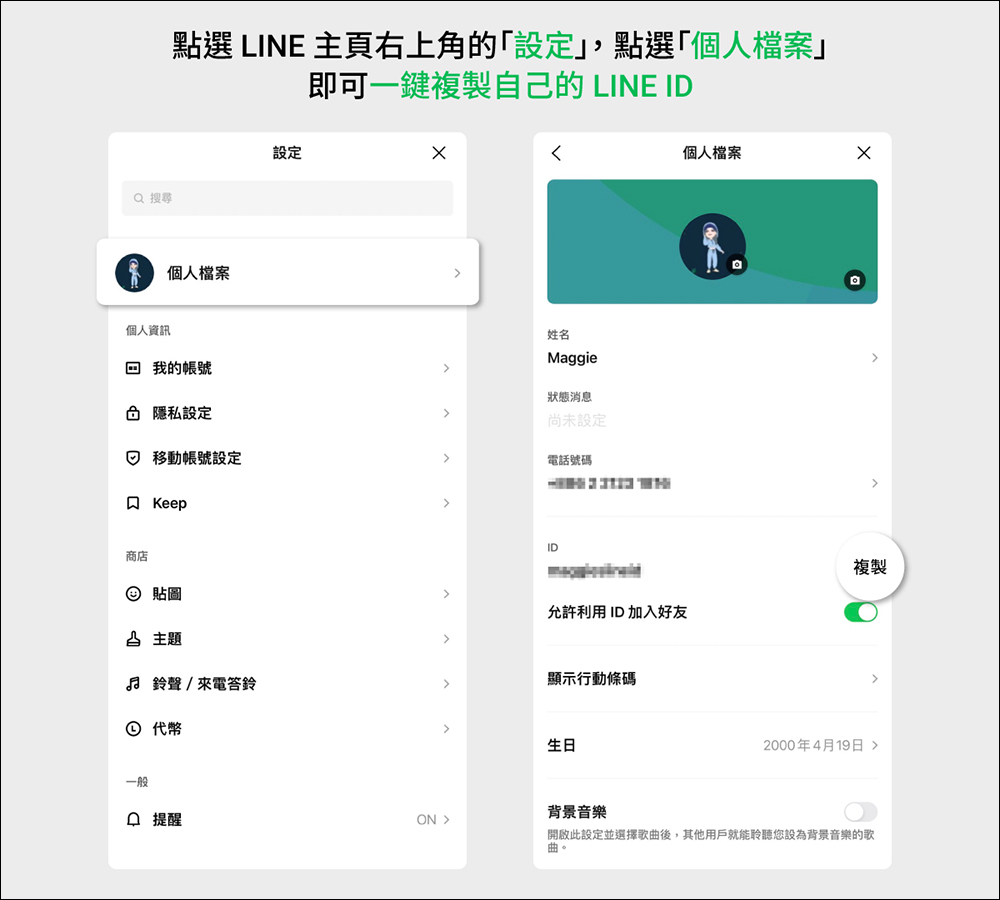
In addition to phone numbers, scanning QR Codes or clicking links to add LINE friends, LINE ID is a relatively simple and stable way to add friends. However, the length of the LINE ID set by each person is different. Some people’s LINE ID is too cumbersome, and it also takes a lot of time to type when sharing the LINE ID. If friends type directly, they may accidentally enter the wrong word or add the wrong person. However, after this LINE 12.6.0 version update, users can directly click the “Copy” button to copy their LINE ID and share it. Just click “Settings” (*gear button) in the upper right corner of the LINE App homepage, then click “Profile” and you will see a “Copy” button next to the LINE ID. Click it to directly copy the LINE ID to add friends to others.
However, I would like to remind you that if you want to use this method to let new friends add you as LINE friends, you must remember to turn on “Allow adding friends by ID”, and then the other party can enter their copied LINE ID to successfully search and add LINE friends.
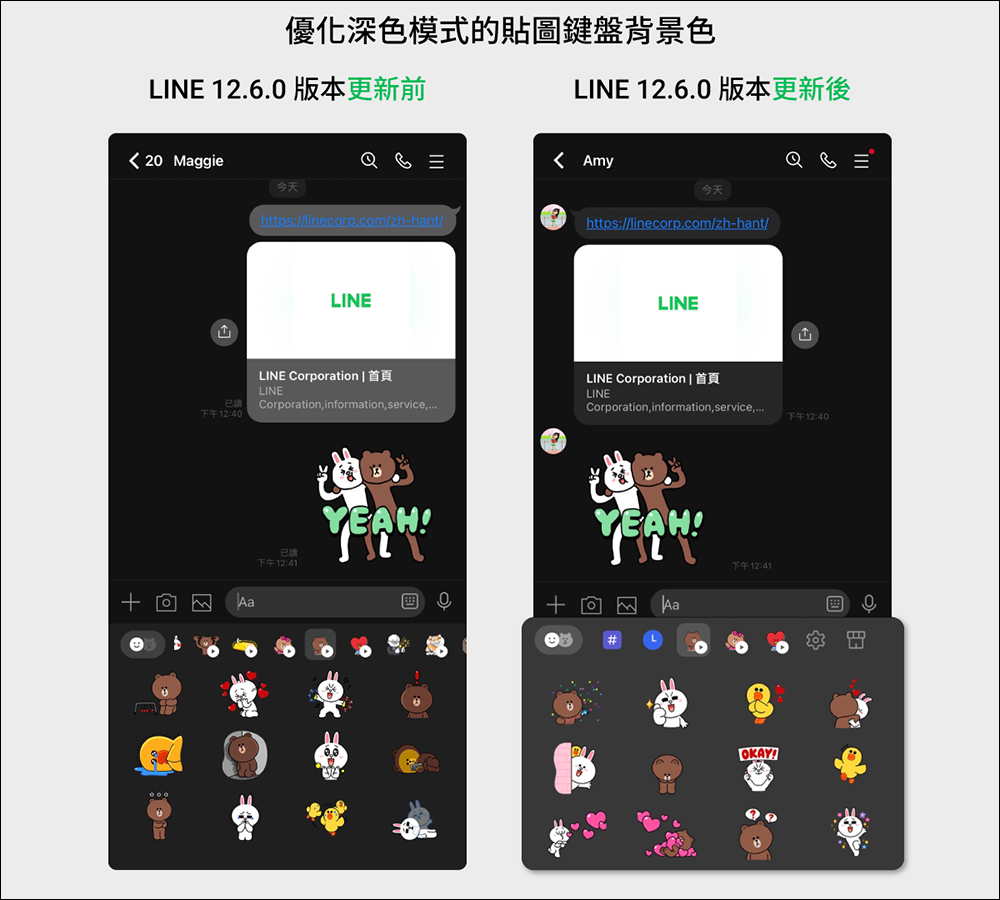
Update 2. Optimize the background color of the textured keyboard in “Dark Mode”
In recent years, many people’s system themes use dark mode, even the theme of LINE App. However, users often say that whenever they use LINE dark mode, the text of the stickers on the LINE sticker keyboard is almost unclear. Therefore, the LINE team has adjusted the background color of the sticker keyboard after this update to make it easier for users to recognize text when selecting stickers.
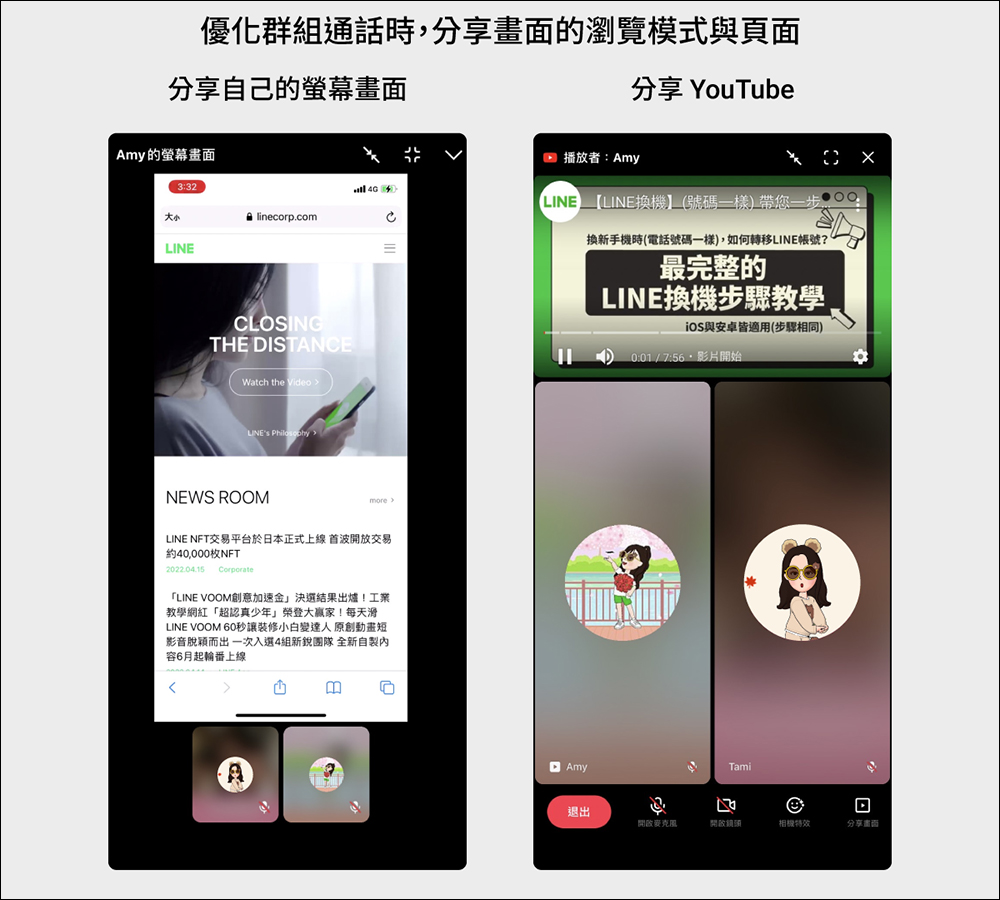
Update 3. Optimize the browsing mode of the “Group Call” sharing screen
Many people use LINE’s free voice calls, free video calls and even free group calls to communicate about work matters. After this LINE 12.6.0 version update, when using the screen sharing function of group video calls, the screen display will be automatically enlarged when users share “their own screen”. In addition, if you share a YouTube link, it will be displayed in a reduced screen.
Update 4. A new search icon has been added to the “LINE VOOM” page.
LINE VOOM, the short video and audio service previously launched by LINE, has added a “Search” icon in the upper right corner of the LINE VOOM page after the LINE 12.6.0 version update, enhancing users’ opportunities to explore new videos. After the update, users can search for hashtags to make it easier to find the posts they want to browse.
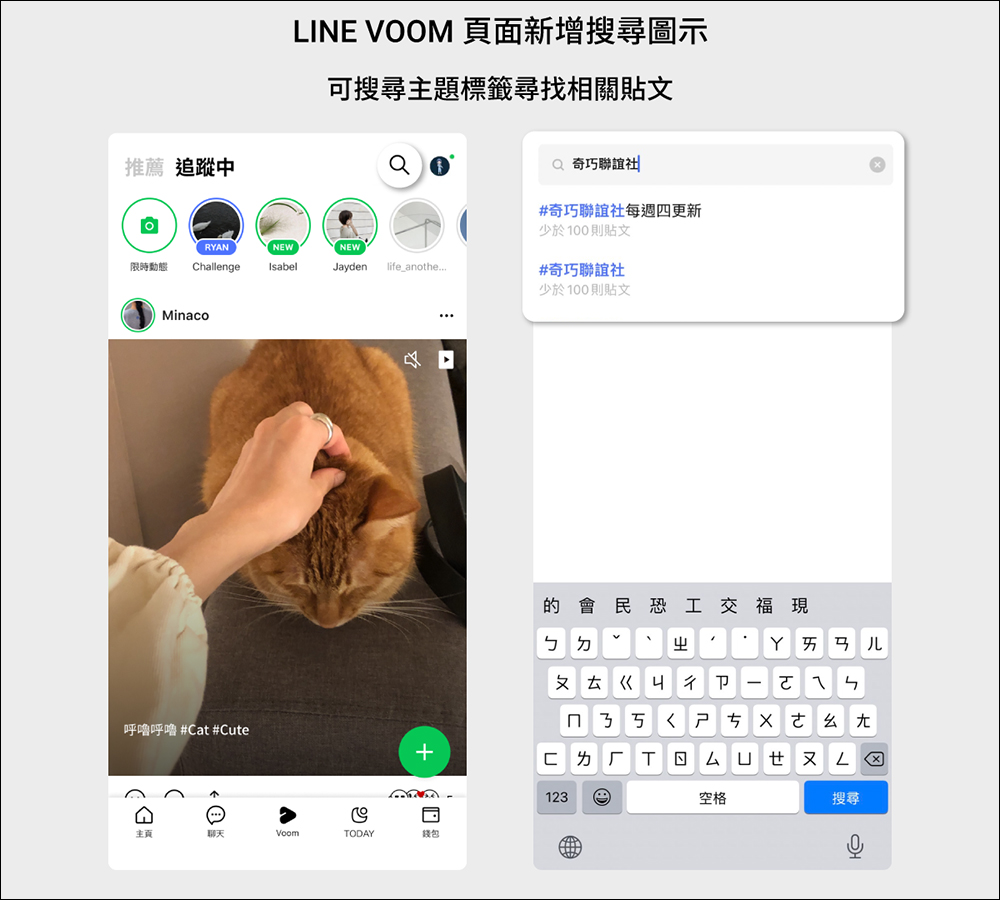
Image source:LINE Taiwan official BLOG
Source: KOCPC Chinese