


See that Facebook gives you an activity record function where you can find all “social actions”. Ever regretted it after accidentally pressing “Clear All”, only to find that some folded notifications were not confirmed? In fact, through the built-in functions of the Android system, you can also get similar social networking site activity records, which can integrate all the notifications pushed on the device that you accidentally brushed off into one page – and, after activating it, you can also quickly access it with the shortcut key in the notification bar! Continue reading Android’s built-in “notification record” allows you to accidentally slide notifications without fear. How to activate this article will teach you the content of the report.
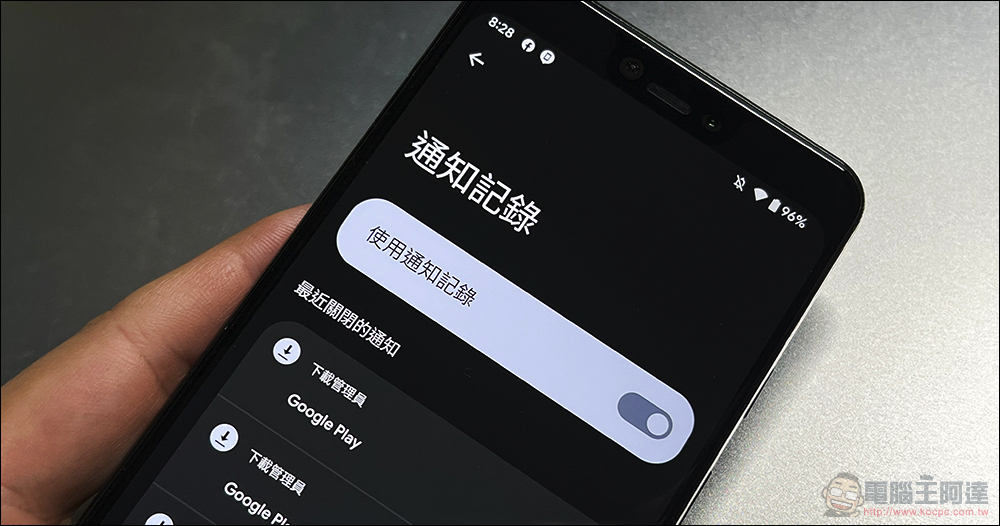
Android’s built-in “notification record” allows you to not be afraid of accidentally sliding notifications. This article will teach you how to activate it.
Previously, there were actually applications that could achieve similar functions in the Android system. Like what we introduced before Unnotification This will allow you to retrieve the notification function that slipped away too easily. But seriously speaking, notification access rights must be given to third-party applications. Although I believe that everyone has allowed other apps to access them – more or less, right? However, if you are the original manufacturer, or a friend who always feels worried every time you press “Allow” permission. In fact, Google has already built a “Notification History” history function into the system that can record all notifications!
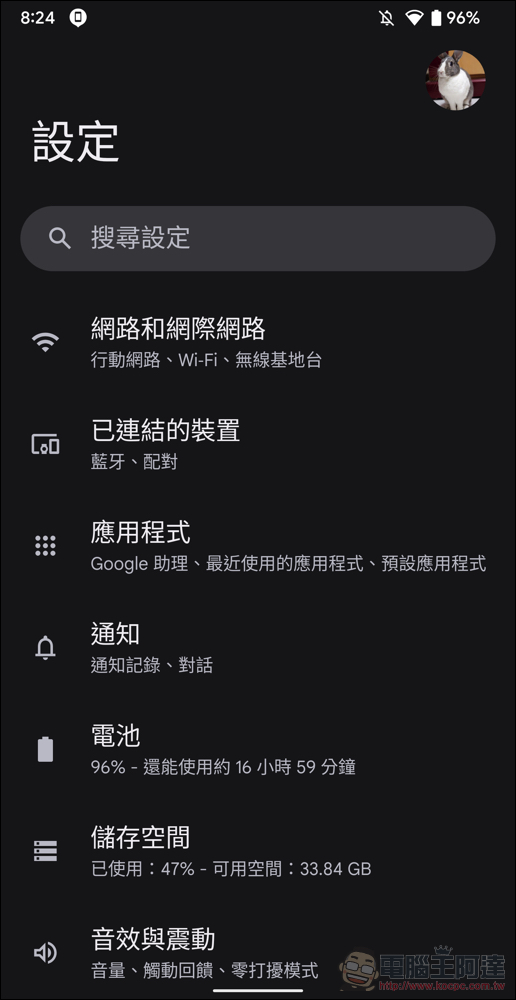
To use this feature, you do not need to enable system permissions at all. You can first go to the “Notifications” function from Settings to basically find:
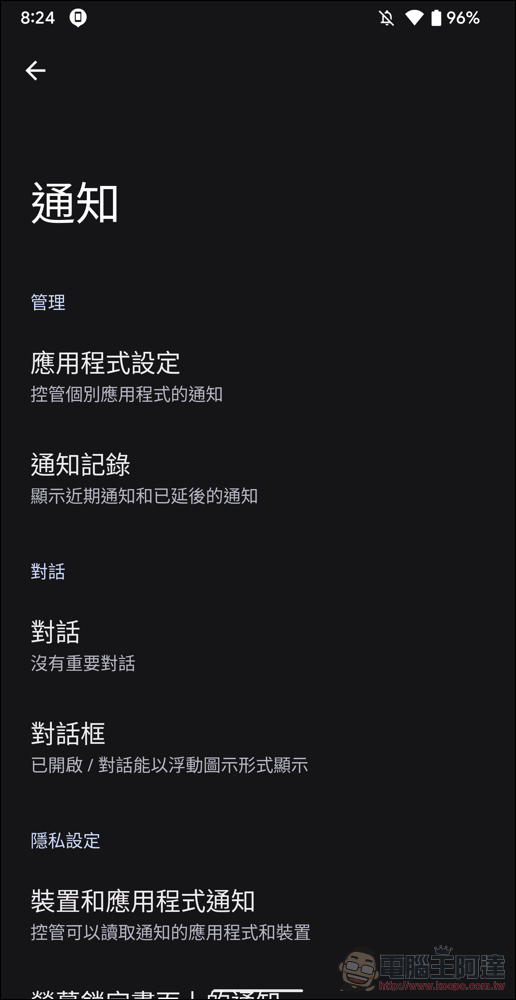
In the management category in notifications, you can see the “Notification History” function that can display recent notifications and postponed notifications:
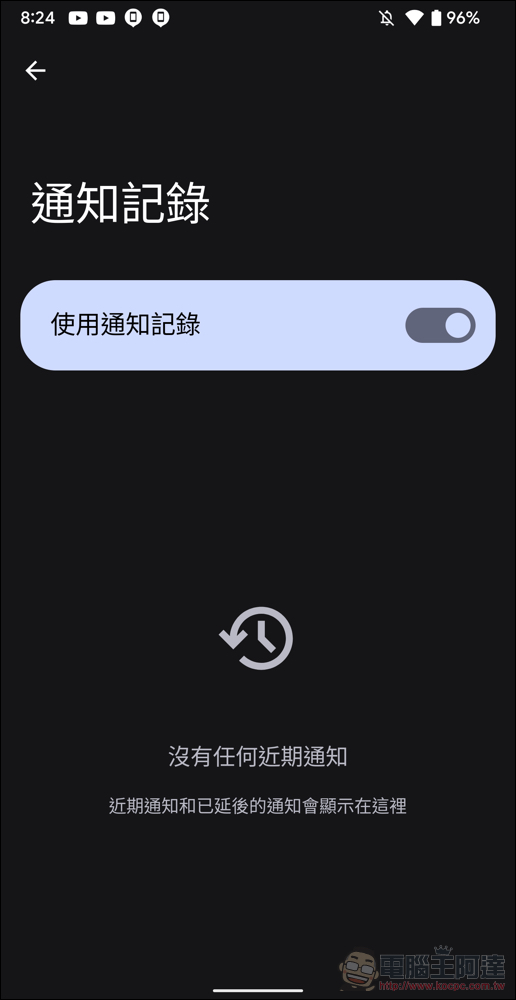
If you haven’t turned it on before, the recent notifications on this page will basically be completely empty. Once the “Use notification record” switch is turned on, any notifications received by the system will be added to this notification record function for query:
After turning it on, just return to this page to see all recently closed notifications:
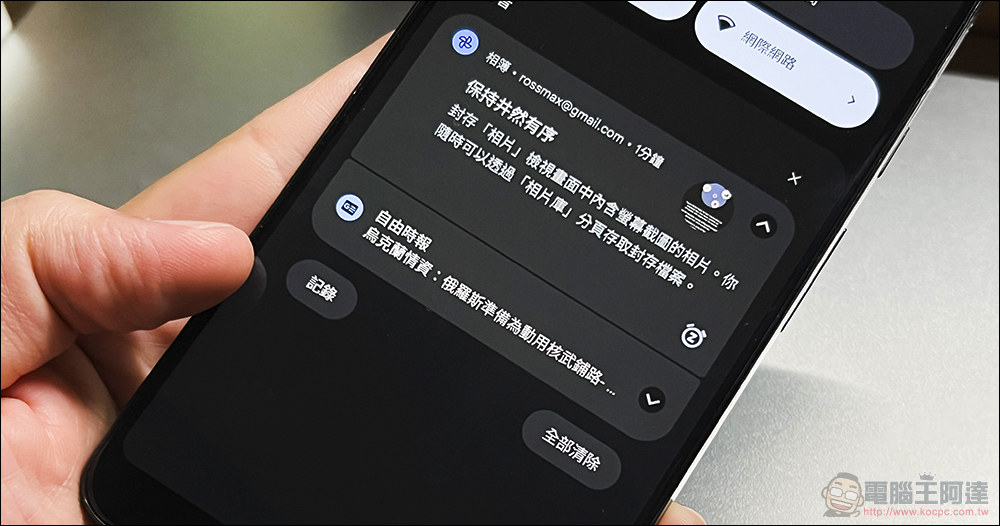
In addition, a “Record” function button will also appear in the lower left corner of the notification bar. Click here to enter the page of the “Notification History” function that you just saw, which can display recent notifications and postponed notifications:
Conclusion
As far as the current information is concerned, the notification record can be found at least in the Android 12 system – but it seems that it can be turned on in the previous system, but I still want to share it with you, so you don’t have to worry about the embarrassment of a slippery notification. By the way, Samsung’s One UI 4 can also be found, but it is hidden in the advanced menu of notifications; OxygenOS 12 also has it, but it is hidden deeper. You need to go to “Manage Notifications” in the notification function in the settings to find the “Notification History”. Fortunately, after turning it on, you can find the shortcut button under the notification bar. Otherwise, each of these customized systems is hidden deeper than the other, and it would be very troublesome to find them through the settings (sweat).
Further reading:
Source: KOCPC Chinese