


Previously, we introduced how to use the KLING large model to generate heartwarming videos. Recently, KLING has launched a new “AI try-on” feature. Before buying clothes, you can use KLING AI’s try-on feature to see whether the clothes you want actually suit you. After trying it out, the results were pretty good. Now, KLING also offers free credits to regular users. If you’re interested, check it out now!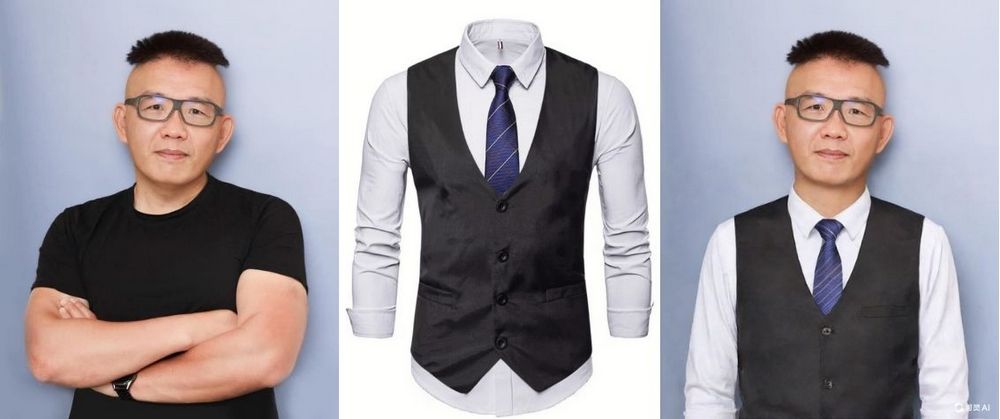
KLING’s new “AI Fitting” feature—upload a photo and try on the clothes you love.
KLING recently launched a new “AI try-on” feature. Simply upload the clothes you want to try on and your own photo to try them on—it’s very easy to use. KLING can even convert the generated images into videos, allowing you to complete the virtual fitting process using KLING.
Go try out KLING AI’s clothing try-on feature.
Friends who want to experience KLING AI’s clothing try-on feature need to first register or log in to KLING. To register, you’ll need a Kuaishou account. In our previous tutorial on creating beautiful memory videos with Kuaishou AI, we showed everyone how to register, so feel free to check that out if you’re interested. Those who have already created a Kuaishou membership can simply scan the QR code to log in directly. (KLING provides 366 free points every month for everyone to use, and you’ll receive free points just by logging in to KLING.)
After logging in, you will see this screen. Next, upload the clothes you want to try on virtually in the “Upload Clothing Image” box. You can choose to try on “single item” or “multiple items.” If it’s a single item, you can try on tops, bottoms, or dresses separately.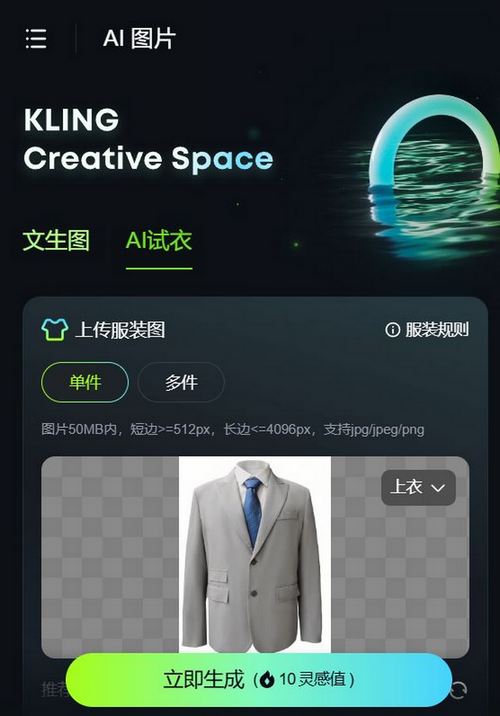
If you want to see tops and bottoms styled together, you can select multiple items to virtually try on the tops and bottoms at once.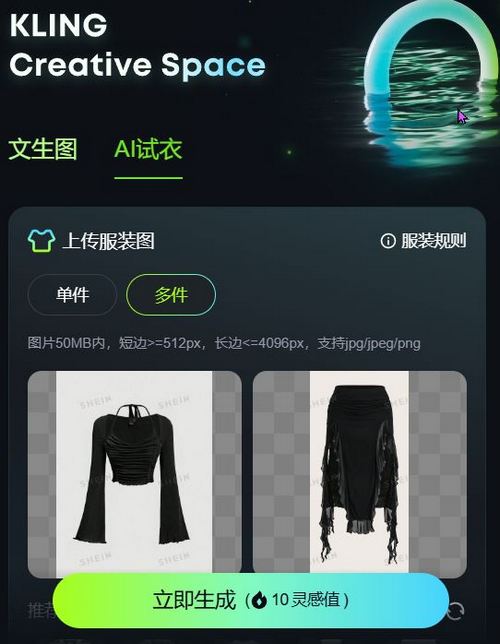
After choosing the outfit, scroll down the page and you’ll see the option to select a model. You can either choose one of KLING’s built-in models or upload your own photo. Here are KLING’s recommended model images — uploading model photos that follow the recommendation guidelines will produce better quality results.
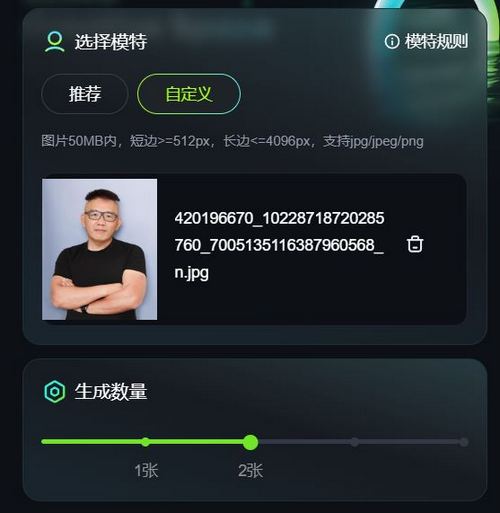
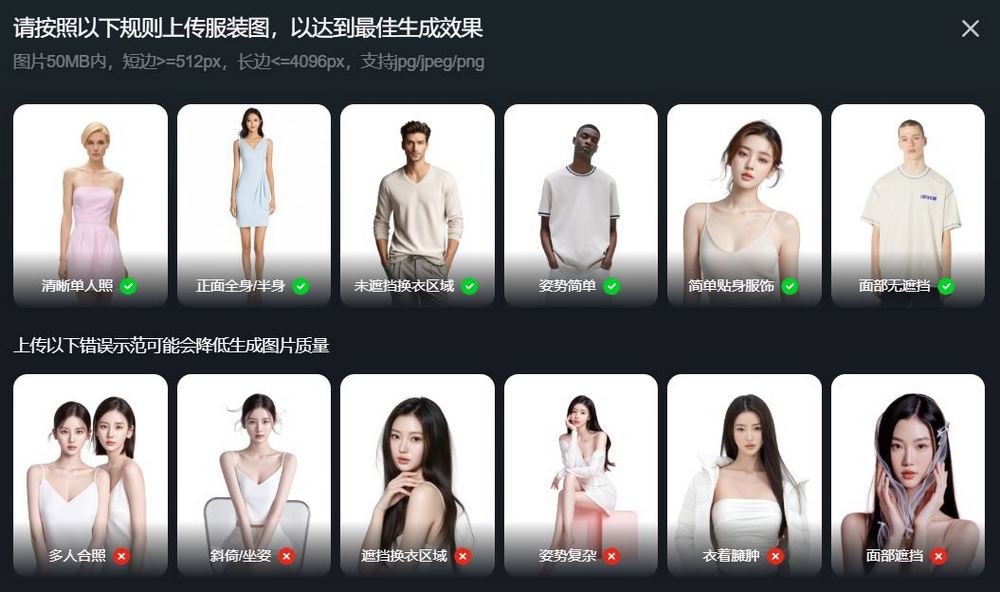
Once everything is uploaded, click “Generate Now” and KLING will create the images for you. Generating two images costs 10 inspiration points (credits), while generating four costs 20 inspiration points.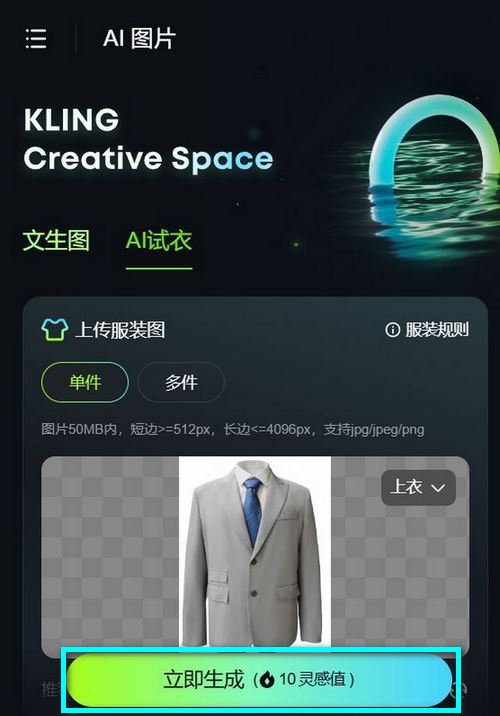
Here are some images generated using KLING. Personally, I think the results still need improvement, but if it’s free to use, might as well use it (all clothing images are from SHEIN).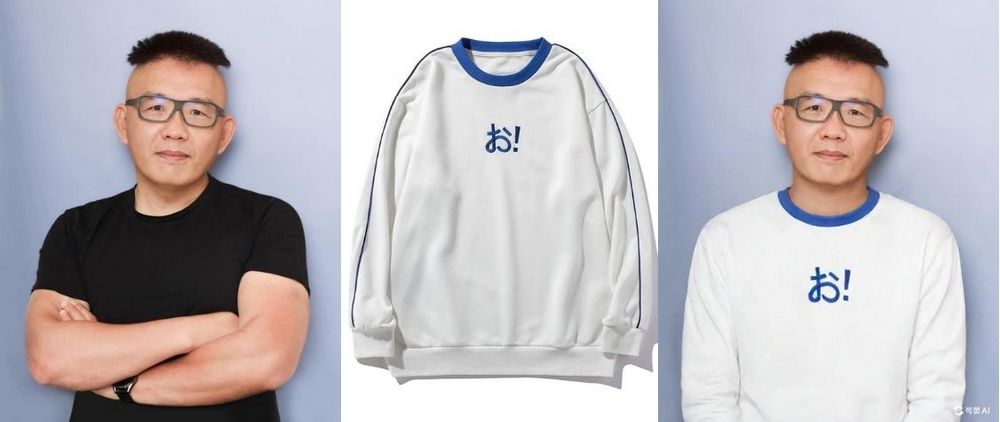
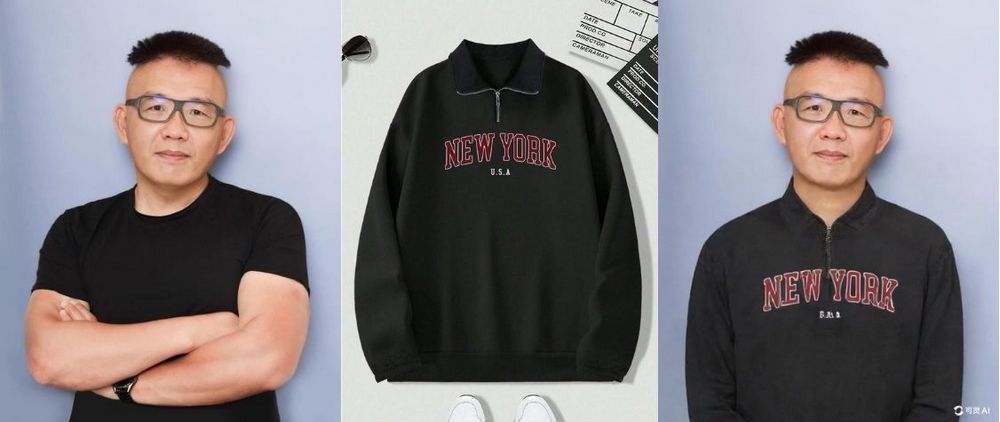
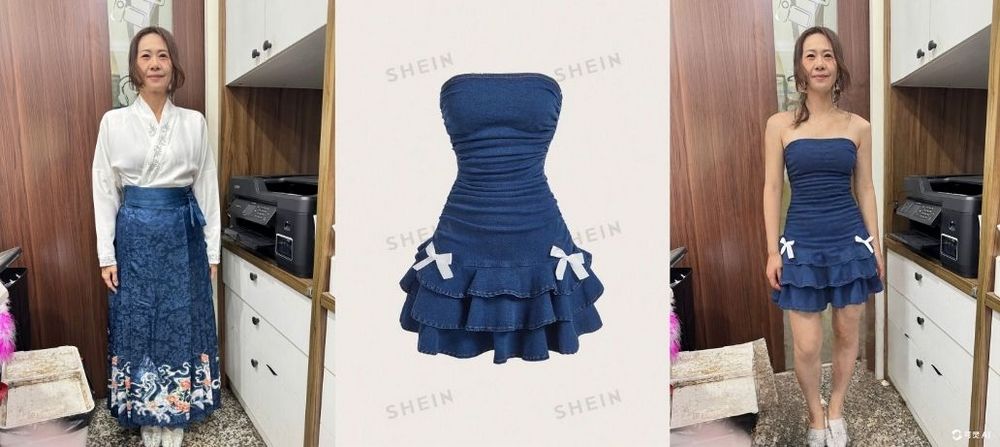
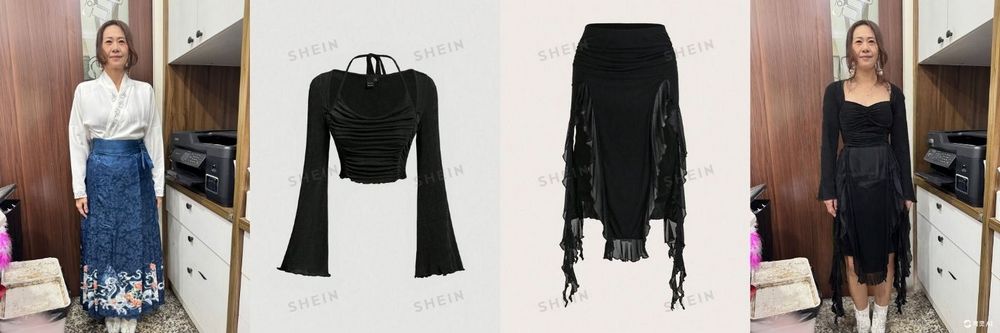
Additionally, as mentioned earlier, KLING can convert generated images into videos. Hovering over the generated image will show an option to generate a video. Click on it and select the details to generate the video. Personally, I think the results are terrible—you can see for yourselves by watching the video.
That’s all for the introduction to KLING AI’s new try-on feature. If you’re interested, you can…Go to KLING to experience the new features.Now KLING provides general members with 366 inspiration points every month, allowing everyone to generate images. If you are interested in KLING’s text/image-to-video generation feature, you can also read the related articles below.
Source: KOCPC Chinese