


Users who have recently pre-ordered Mac Studio are believed to have begun to prepare to receive packages from Apple. Some people with quick hands and feet quickly took unboxing videos, and even those with better hands and feet directly shot disassembly videos. A foreign Youtuber disassembled the Mac Studio host. Following his lens, we can see the internal structure of the Mac Studio and also learned that the storage device of the Mac Studio is actually removable. This is at least good news for users who are worried about buying without the chance to replace the internal storage device, also known as SSD.
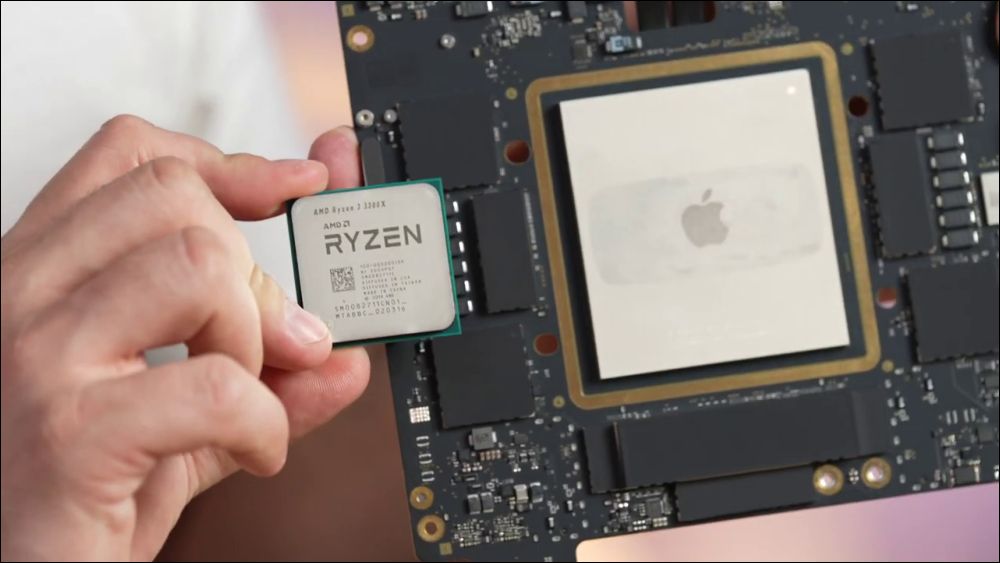
Whether you are buying a laptop or a mini computer, expandability is definitely one of the first things to consider. In particular, Apple computers generally do not provide after-sales upgrade services. All components are welded to the motherboard. It is generally impossible to upgrade by yourself. Even if upgrade options are provided, most of them have to be checked on Apple’s website before purchasing.
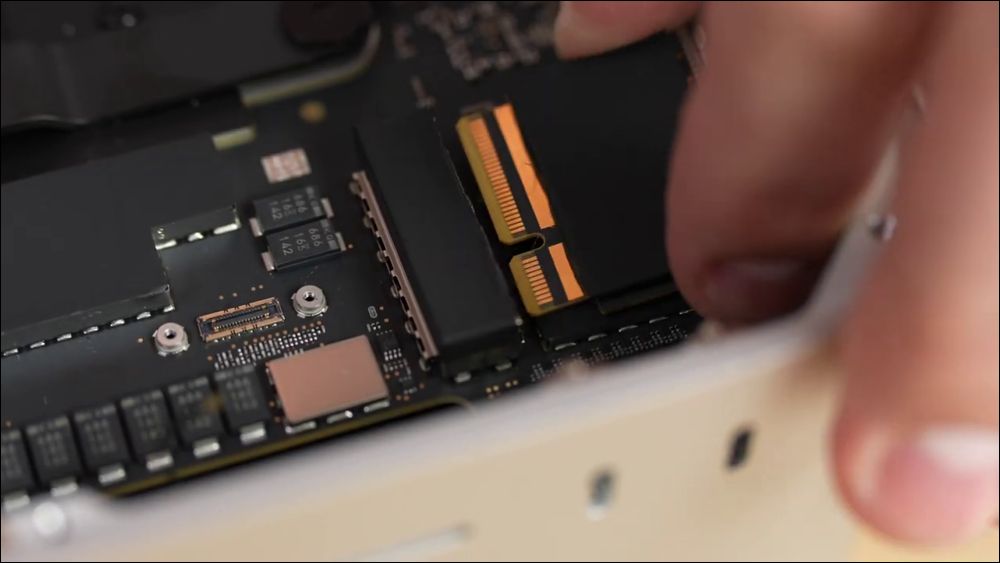
So it’s actually quite exciting when someone takes apart a Mac Studio and discovers that the SSD inside is actually replaceable, rather than soldered in place.
Foreign Youtuber, channel name “Max TechThe owner of ” recently bought the Mac Studio that he had been longing for. But before he started making money working with the Mac Studio, he first used it as footage for his videos.
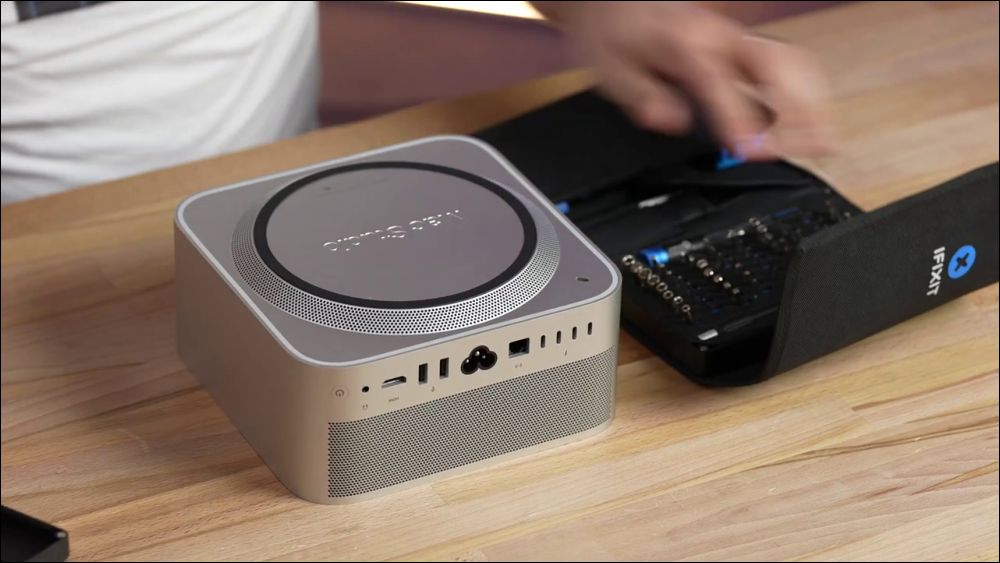
According to his narration in the video, before disassembling the Mac Studio, he already knew that Apple’s official website stated that this computer could not directly replace the SSD. However, during the disassembly process, he discovered that Mac Studio actually followed the Mac Pro approach and did not solder the storage device. Mac Pro actually has a storage upgrade kit that is specially available for users of the machine, so he speculated that Mac Studio will soon have a similar product.
According to his findings, Mac Studio has two identical SSD slots. The appearance looks very similar to the M.2 interface (maybe it is). He can directly insert the SSD from one slot to the other. This means that it is not a problem for Mac Studio to make a dual-disk system on its own. Just get over the hard-to-remove outer cover first.
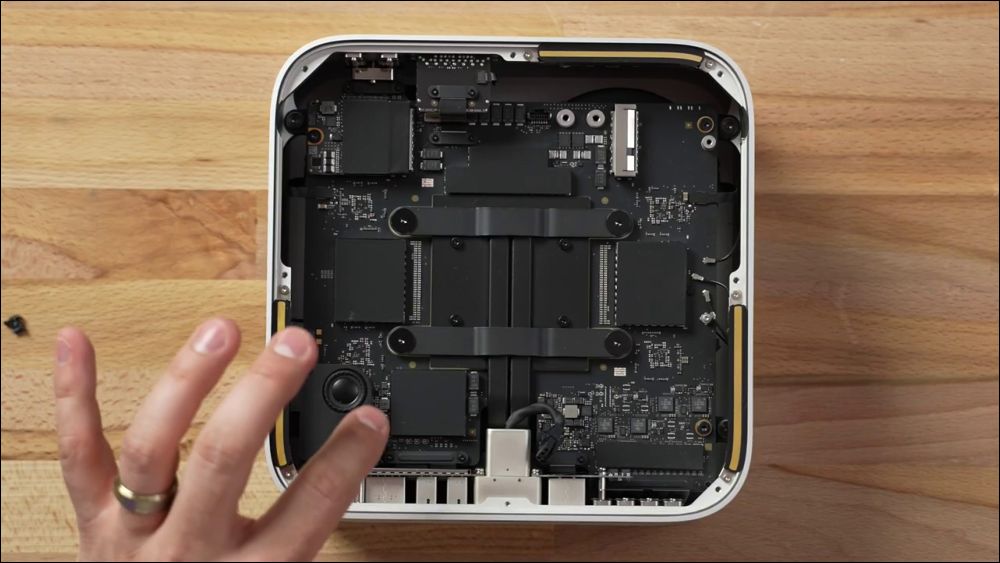
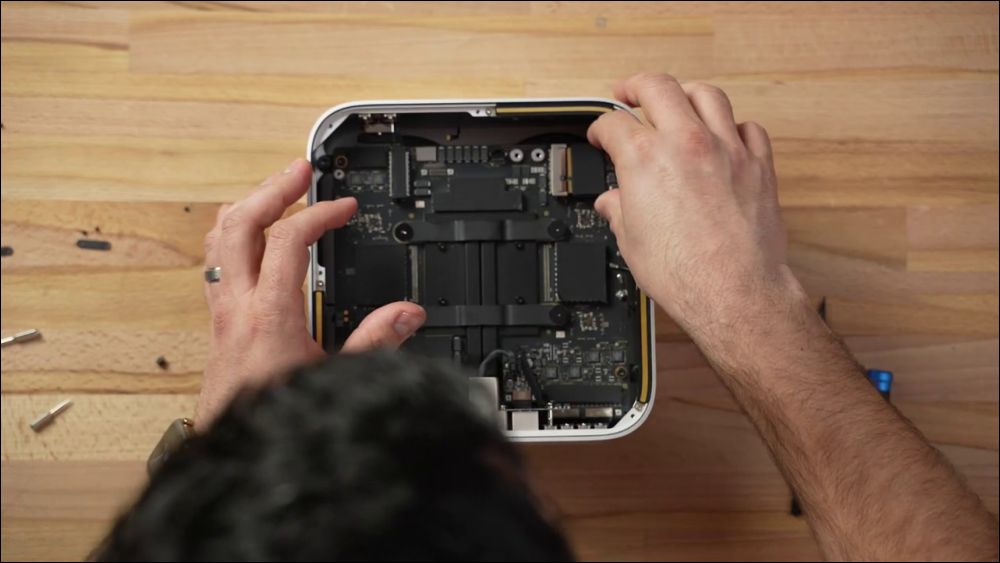
certainly, Max Tech has also tried to explore the possibility of unified memory replacement, but the reality is that the memory is indeed welded, and it is basically impossible to replace it by yourself. Even with such technology and tools, I believe most people will not want to use such an expensive machine to try an action that may completely damage the warranty.
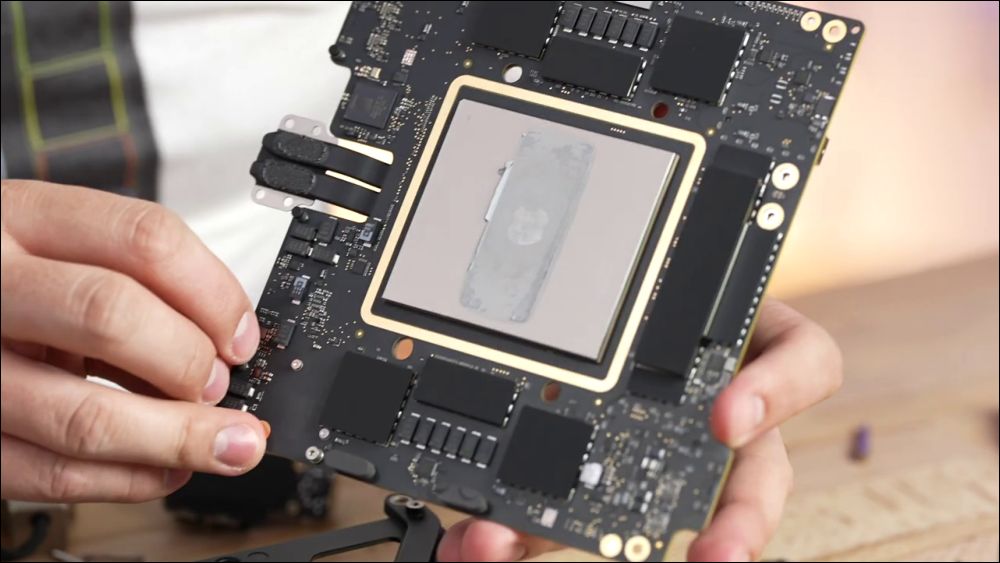
In terms of disassembly, Max Tech’s video clearly shows that the Mac Studio is actually more suitable for disassembly by yourself than the Mac Mini. Even though the rubber ring is a bit tricky at the beginning and requires a certain amount of skill and patience, after passing it, the subsequent disassembly is quite easy.
At present, Apple has not released any expandable or replaceable storage device solutions for Mac Studio. The author believes that even if Apple will launch this service, it will only be to the extent that the original factory personnel can help replace it. It is unrealistic for users to buy it home and disassemble and install it themselves. After all, not everyone is a technician and has the knowledge to disassemble the machine and the confidence in their own technology.
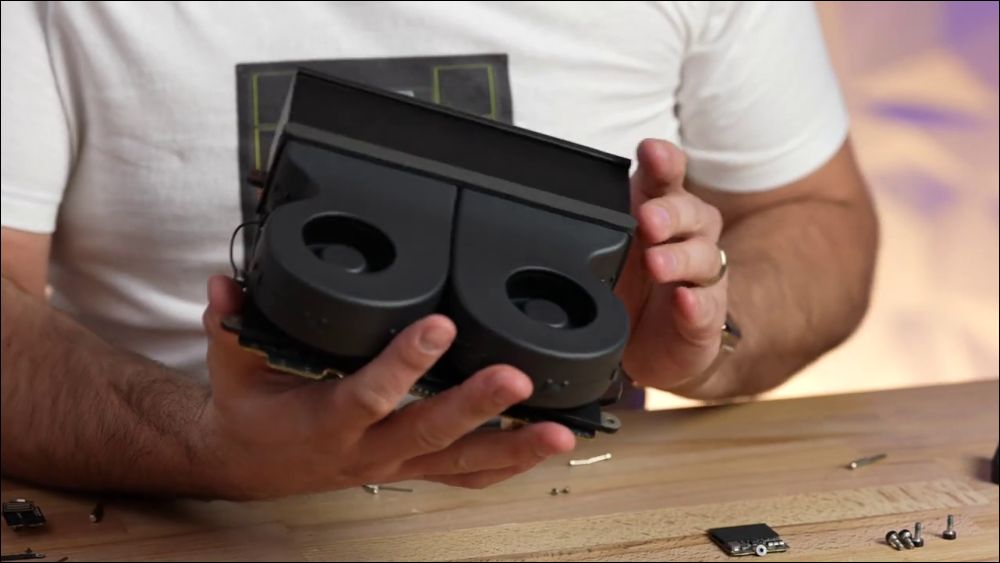
The detachability of Mac Studio also shows Apple’s intention to regard it as a product of the same level as Mac Pro. Generally speaking, the maintainability of Apple computers is well known to be low. It is not impossible to disassemble it yourself, but it requires skills to be able to disassemble it properly.
Source: KOCPC Chinese