


Nowadays, many people probably use Spotify to listen to music on their mobile phones. Although it is free, it has many restrictions, such as not being able to skip to the next song without limit, not being able to download, etc., which makes it somewhat inconvenient to use. When I was browsing the App Store recently, I discovered this amazing eSound free music listening app. All the music comes from YouTube, so you can find almost any song. It also supports offline downloading, so you can listen to it even if you don’t have an Internet connection. More importantly, it has no problem with background playback. It is supported by both iOS and Android. Friends who haven’t found a good free music listening app yet, I highly recommend giving it a try.
eSound Free Music Listening App Introduction
Download page
eSound requires registration before use. It supports quick links such as E-mail or Google, Facebook, and Apple ID, whichever you prefer. If you have multiple mobile phones, one advantage of registering is that when you log in to another mobile phone, your music preferences and downloaded music will also be synchronized, without having to reset them:
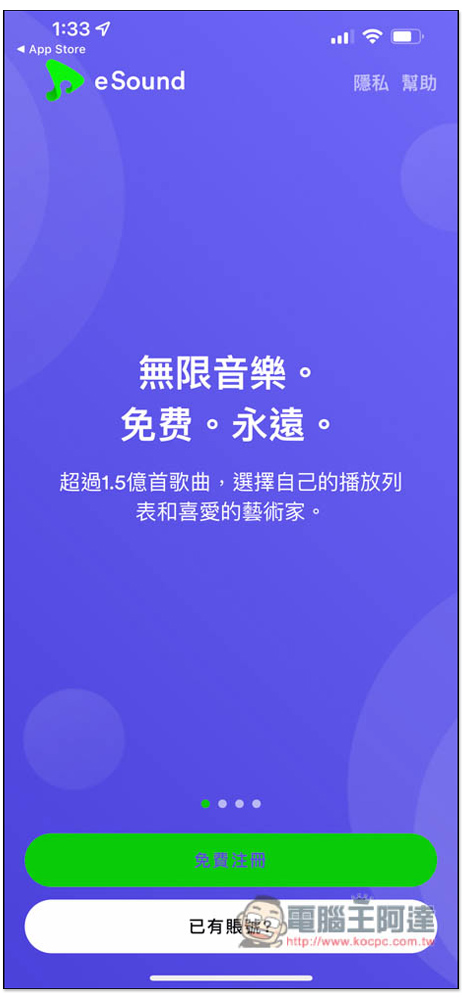
At the beginning, you need to select 3 or more favorite singers. This will affect the recommended songs and singer content on the homepage later, so it is recommended not to choose randomly. If your favorite singer does not appear on the page, you can also enter a keyword search, including the artist’s name, song, or playlist:
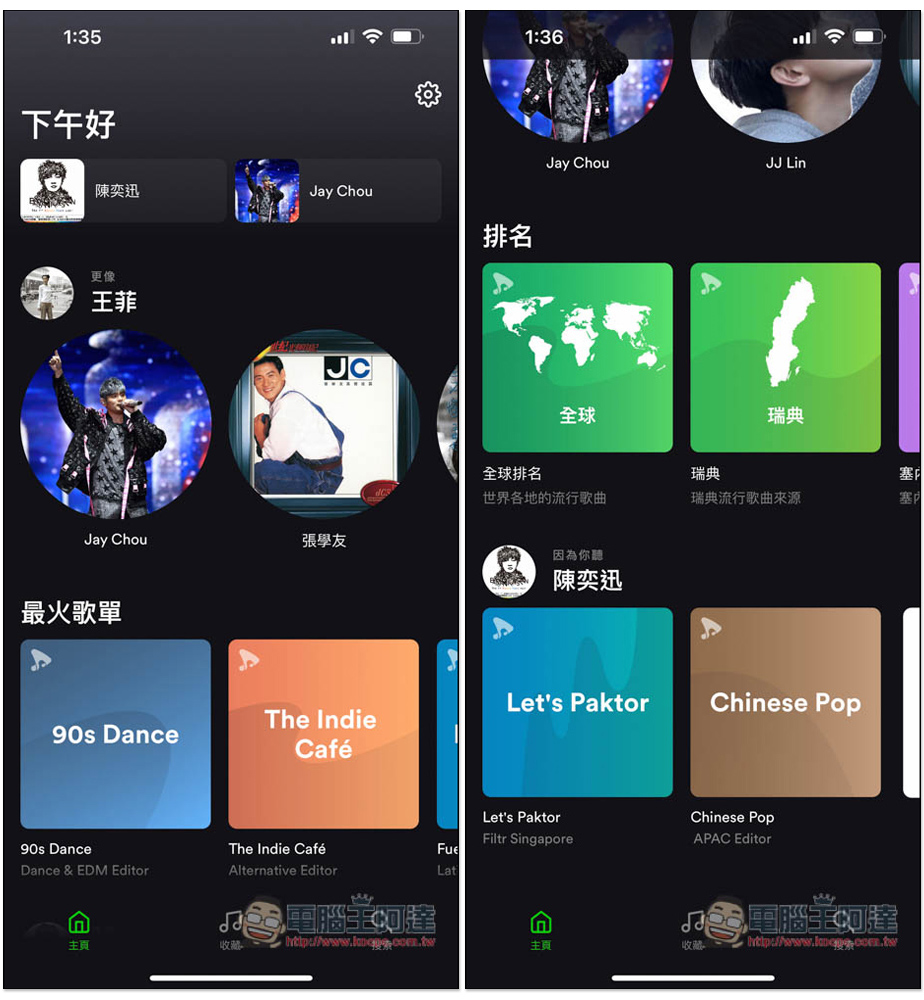
Then you will enter the homepage. In addition to your favorite singers and song recommendations, the homepage also provides various playlists, such as: global rankings, pop music rankings in a certain country, and the most popular playlists at the moment:
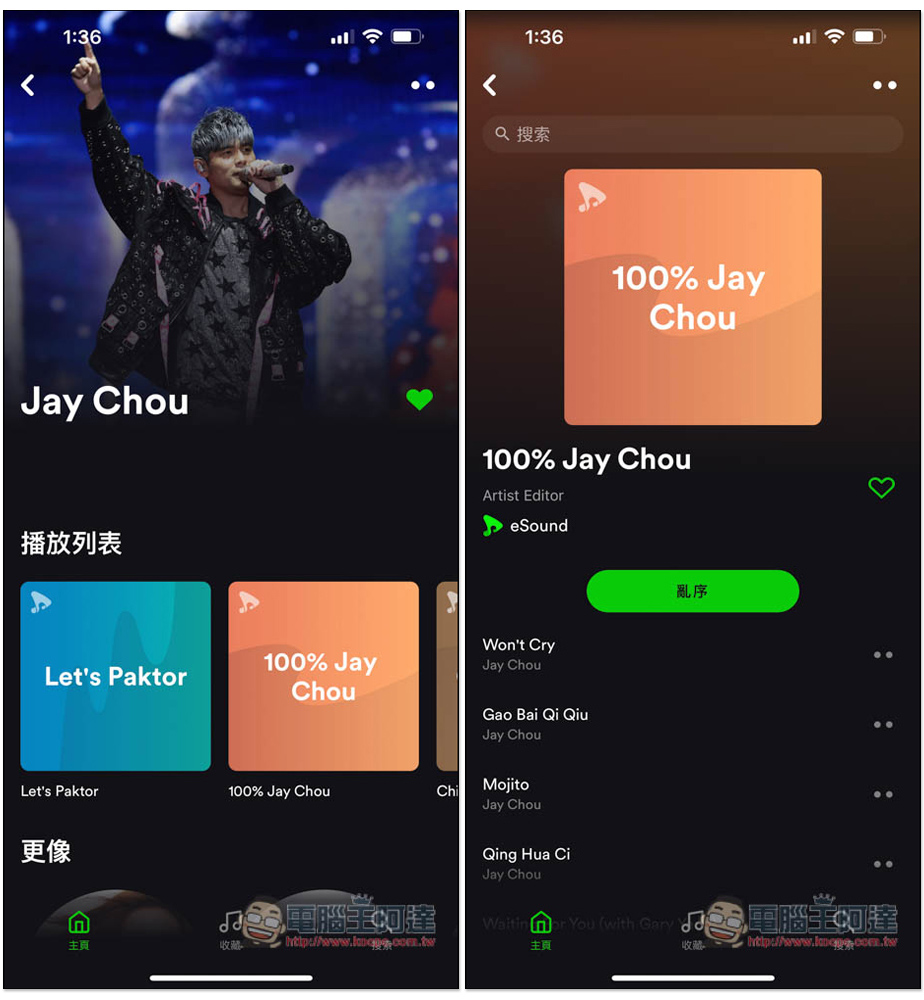
eSound’s music comes from YouTube, so the playlist part may be more confusing than professional music apps like Spotify. If you only want to listen to a certain singer’s songs, please select the 100% playlist, such as: 100% Jay Chou:
There will be music and cover when playing, but no video, which is quite special:

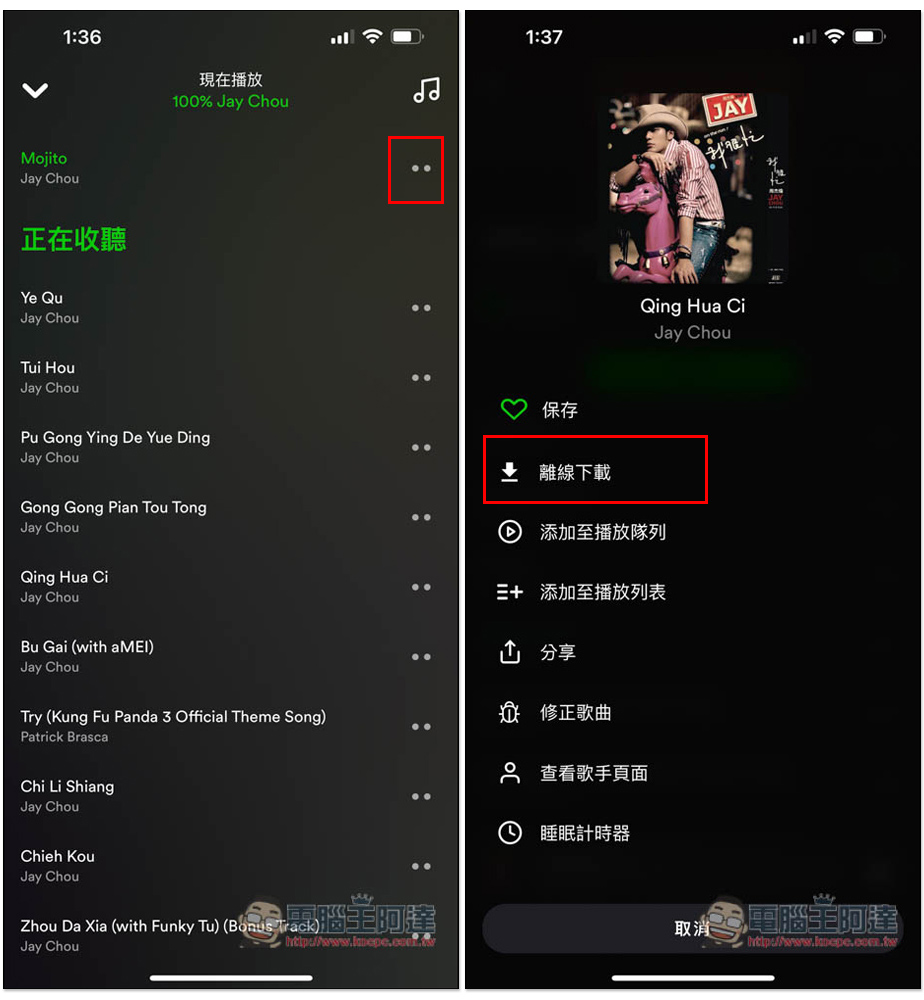
If you want to download and listen offline, open the .. menu on the right to find the offline download function. The function of adding to playlist is also in this menu:
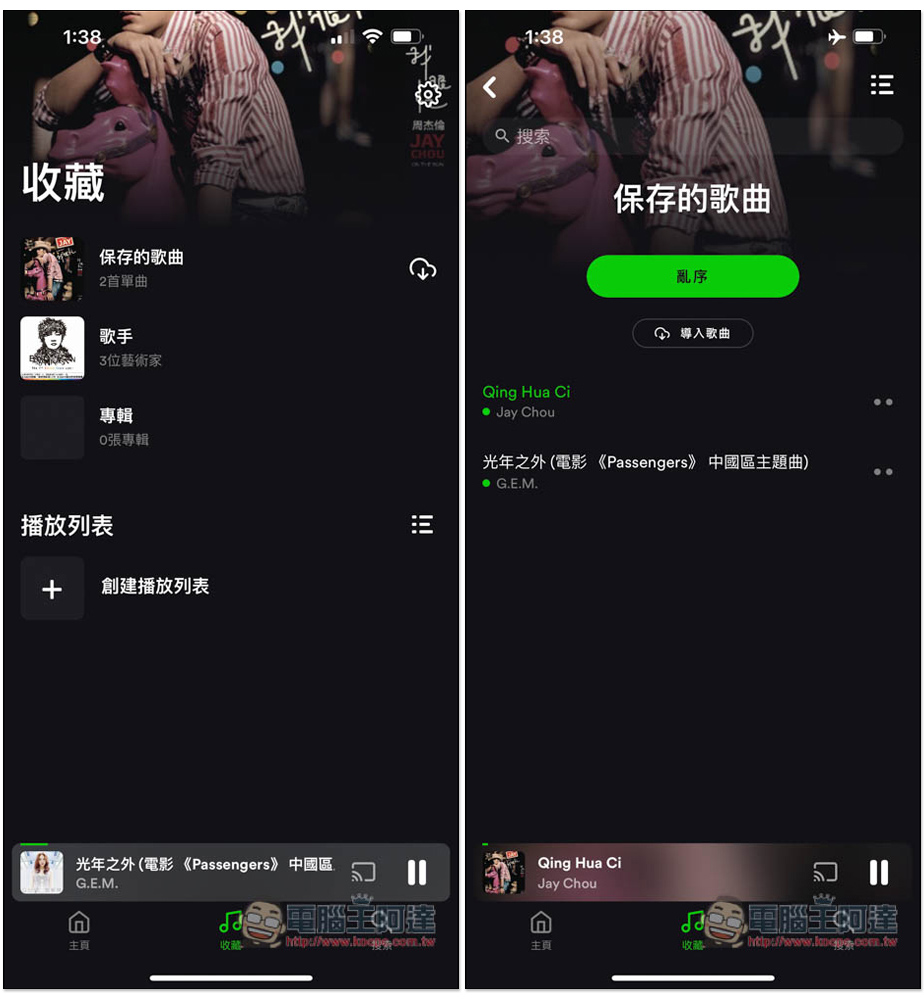
The downloaded music can be found in “Saved Songs” in the collection menu. I tested turning on airplane mode and turning off Wi-Fi, and I can indeed continue listening:
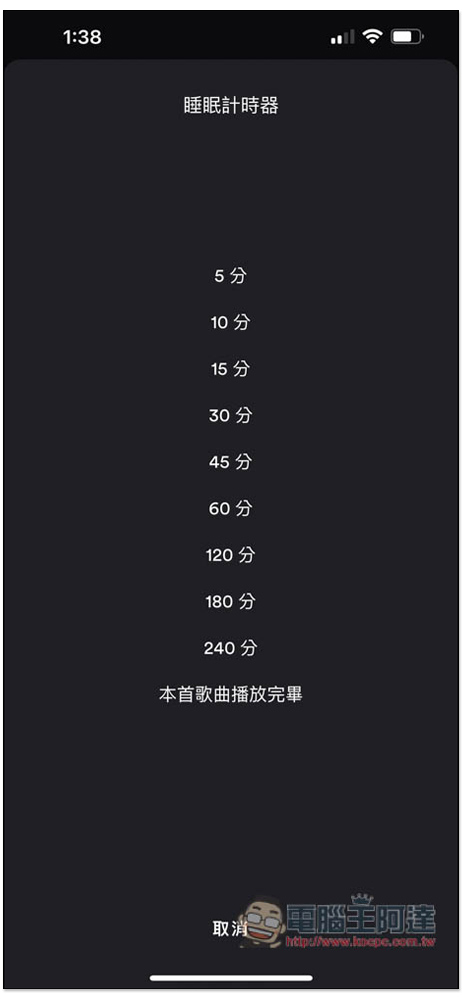
It also provides a sleep timer function. If you like to listen to music before going to bed, you can set it and it will automatically stop playing when the time is up. You don’t have to get up to turn it off:
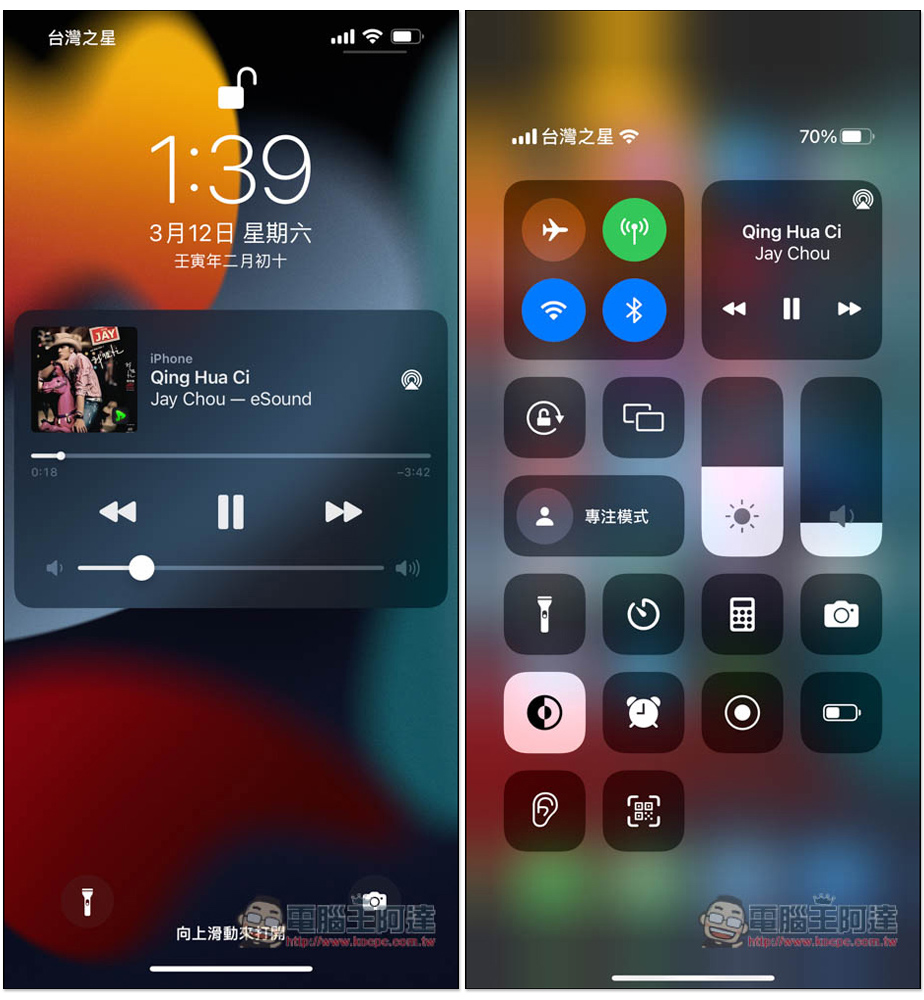
In the actual test, both standby and background playback are no problem, and not only iPhone, I have also tested Android. This can be said to be one of the few Android apps that can play music in the background from YouTube. It is not through picture-in-picture mode, but can really play in the background and standby:
One thing that is strange is that this app has in-app purchases, and you can enjoy no ads after upgrading. However, I have never seen or heard any ads in the free version. Of course, it is not without its shortcomings, because the music comes from YouTube, so sometimes you may encounter songs sung by amateurs instead of the original ones.
In addition, I am not sure how long the offline download function can survive. The App description page states that this function is no longer available, but I tested it and it works (iOS).
Source: KOCPC Chinese