


For those who like to download videos and transfer videos to various mobile devices for viewing, they must often use the conversion function. Although there are many free conversion software, you may not want to install it on your computer, or you may only use it occasionally. Video Converter is a free online video conversion tool that is not bad. It supports more than 40 common media formats, and a single file can be up to 2GB. It does not have any ads, and is easy to operate. I recommend it to everyone.

Introduction to Video Converter, a free online video conversion tool
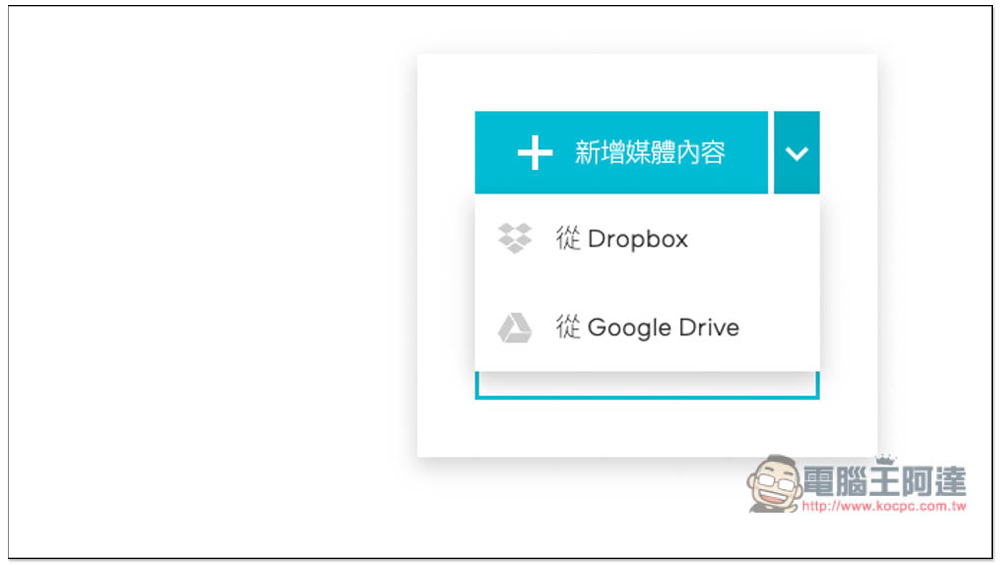
Video Converter has a Traditional Chinese interface, so it should be easy to use. In addition to uploading audio and video files from the computer, it also supports Dropbox and Google Drive cloud spaces. You can see it by opening the down arrow, which is pretty good:
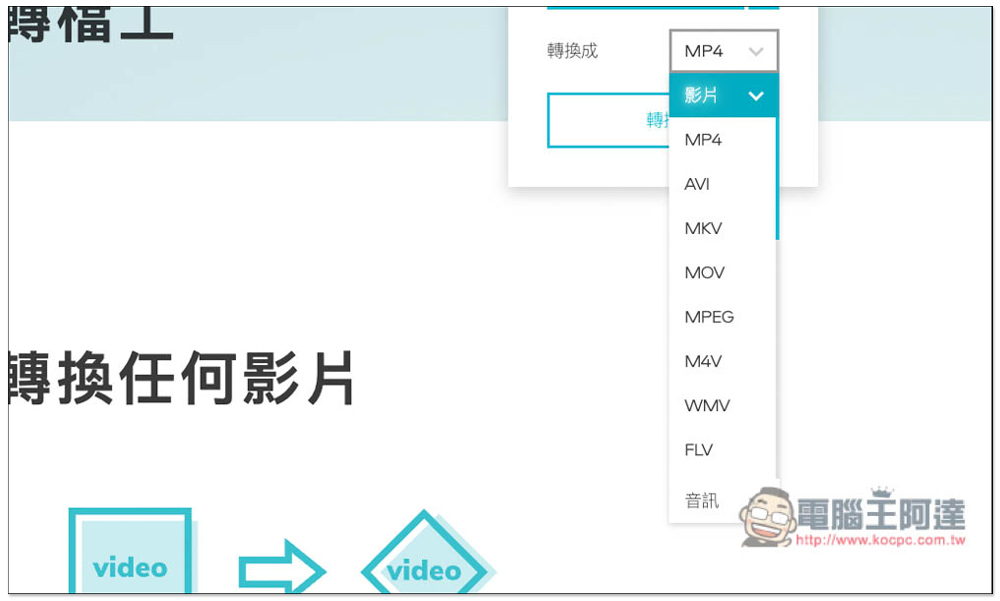
Provides video and audio format conversion. The default is MP4. If you want to convert to other formats, open the arrow menu on the right side of the conversion to change:

There are many video output file formats supported, including MP4, AVI, MKV, MOV, MPEG, M4V, WMV, FLV, WebM, etc., and even rare video formats such as 3G2, 3GP, ASF, and MJPEG:
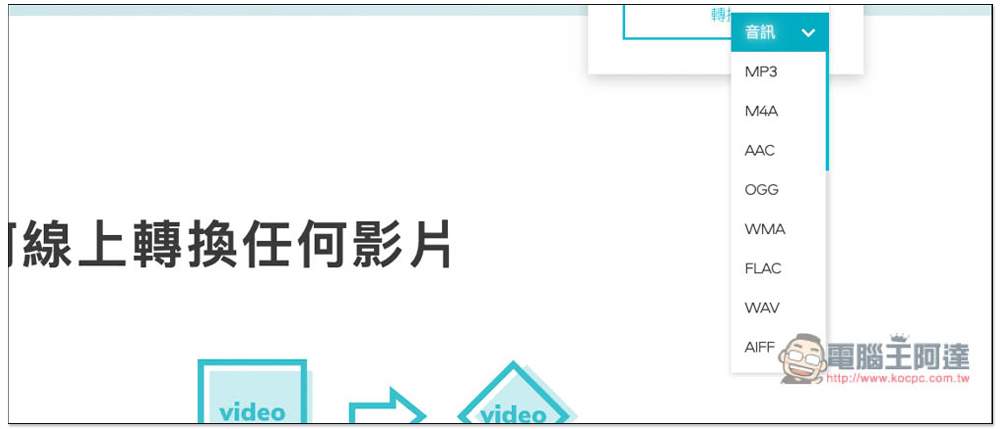
There are also many audio parts, including MP3, M4A, AAC, OGG, WMA, FLAC, WAV, AIFF, RA, WMA, GSM, etc., which can be said to be almost all commonly used audio and video formats. This tool can convert:
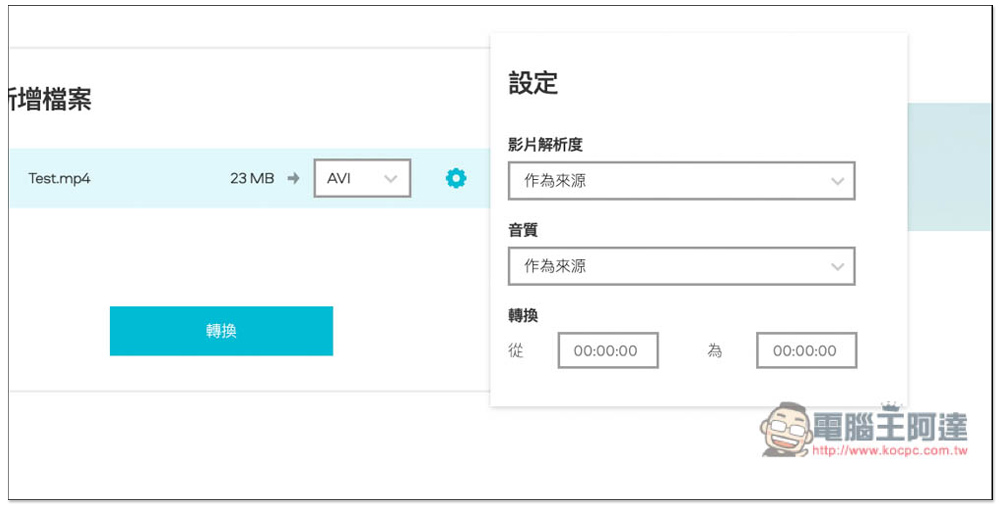
After selecting the file you want to convert, you can start the conversion (click the conversion function below). You can actually set the format to be converted here. Also notice that there is a gear icon on the right:
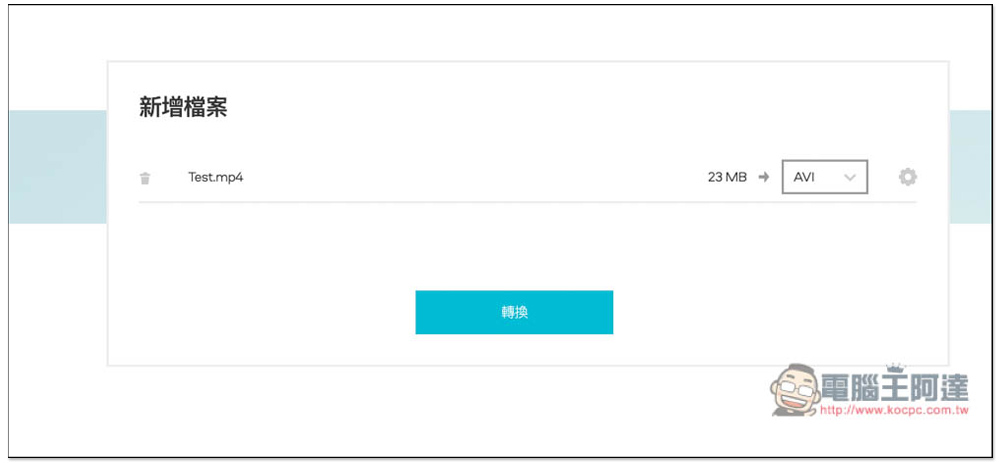
This gear menu can set the video resolution, sound quality, and conversion timeline. The default quality is the original quality, so there is no need to modify it if there are no special needs. However, if you only want to convert a certain section of the video or music, you can set the start and end time in the conversion settings:
Online conversion will take a while, so please be patient and wait. Just leave it online and let it run by itself. Don’t pay too much attention to the progress bar below. I don’t think this is accurate because I don’t know what the progress bar represents. Is it uploading files? Or convert? deal with? :

After the conversion is completed, it will be downloaded automatically. You don’t need to press the download function manually. This is why I said just leave the web page:
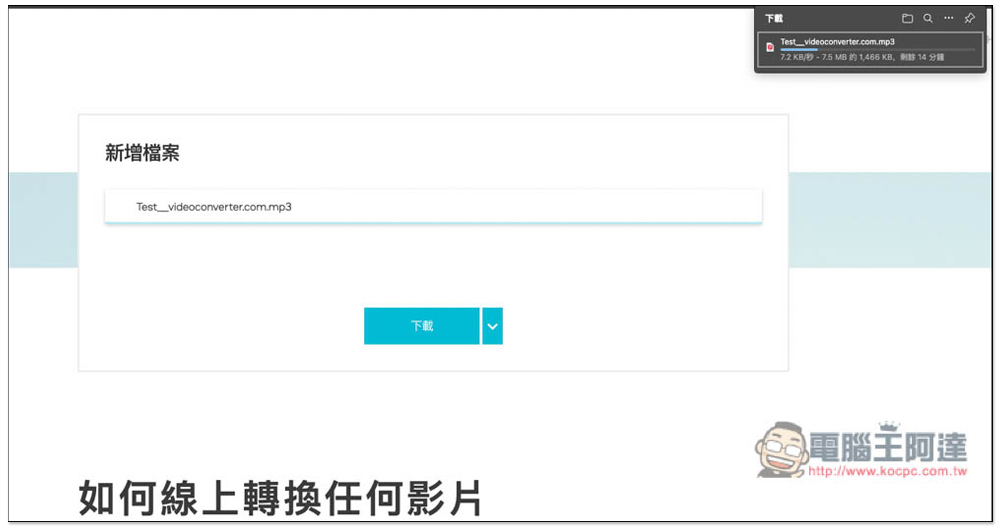
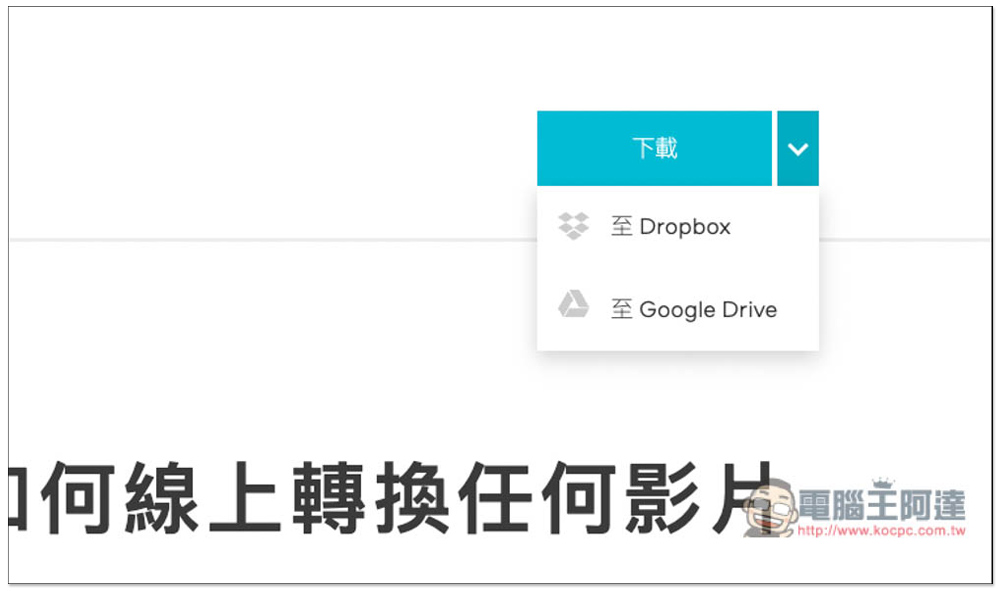
In addition to downloading to the local machine, it also provides the function of saving to Dropbox and Google Drive cloud space, which requires manual operation.
If your home network is too slow, it is better to use conversion software, because with this kind of free online conversion tool, you may have to wait a long time for each file. For example, you have to wait for dozens of minutes to upload, and then you have to wait for dozens of minutes to convert. It wastes too much time, and you have to start over again if you accidentally convert the wrong file. In addition to computers, this product also supports mobile versions. If you have videos on your phone that need to be converted, you can use this tool to do so without having to go to the App Store or Play Store to download an app.
Source: KOCPC Chinese