


In life, we will more or less encounter situations where we need to send files to friends remotely. Although we can use the cloud space, the files must be uploaded to the cloud before they can be downloaded by the other party. After downloading, we need to manually delete them, which is a bit troublesome. In addition, if you want to share large files, cloud space may not be suitable. This article will introduce a safe, convenient, open source and free “DashBeam” that supports cross-platform and also provides a web version. You can transfer files point-to-point through the browser without installing any software. More importantly, it also has QUIC + TLS 1.3 encryption to ensure its transmission speed and security. It is highly recommended for those in need to collect it.
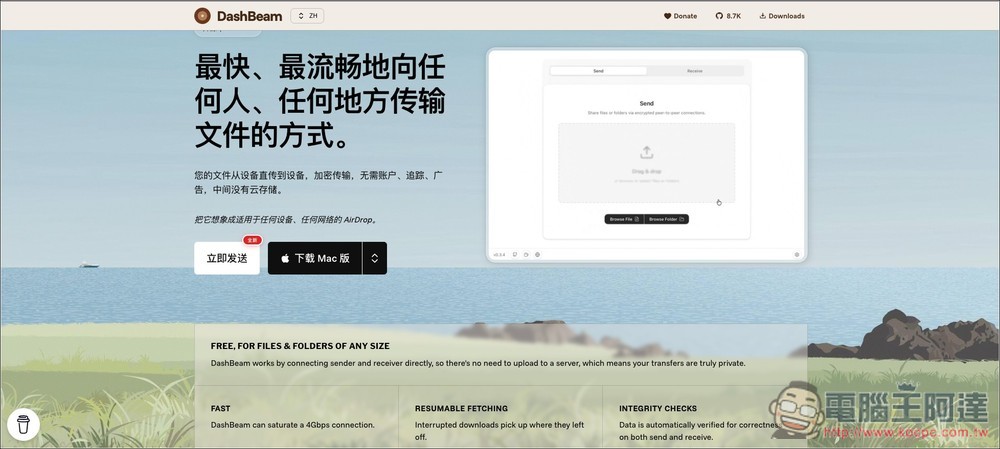
DashBeam free and open source peer-to-peer file transfer tool introduction and operation tutorial
DashBeam (formerly known as AltSendme) is an open source P2P (peer-to-peer) file transfer tool that focuses on speed, security, and privacy. The core design concept is to allow files to be transferred directly between devices. There is no need to go through any third-party cloud servers for transfer or storage during the process. There is no need to register an account, no need to worry about personal data being tracked, and no interference from any advertisements. Think of it as a “cross-platform AirDrop” that works on any device and any network environment.
Whether it’s a small file of a few KB or a huge video folder of hundreds of GB, you can transfer it with DashBeam. The bottom layer uses the Iroh-based QUIC network protocol, which can maximize the use of network bandwidth. Under ideal network conditions, it can even run multiple Gigabit connections to achieve lightning-fast speeds. This tool is licensed under AGPL 3.0, and the code is fully open and transparent.
Main features
- Unlimited P2P direct transfer: Supports transfers from small files to very large files over 999GB or entire folders.
- End-to-end encryption (E2EE): Use QUIC + TLS 1.3 to protect the transmission process and ensure forward and backward confidentiality of data.
- Breakpoint resume capability: If the network is accidentally interrupted, the transmission will automatically resume from where it stopped after reconnecting, without having to start over.
- Automatic integrity check: Built-in data verification mechanism based on BLAKE3 to ensure that files sent and received are 100% correct and intact.
- One-time security code: Through the simple “Ticket” mechanism, just copy and share the code to quickly pair and connect.
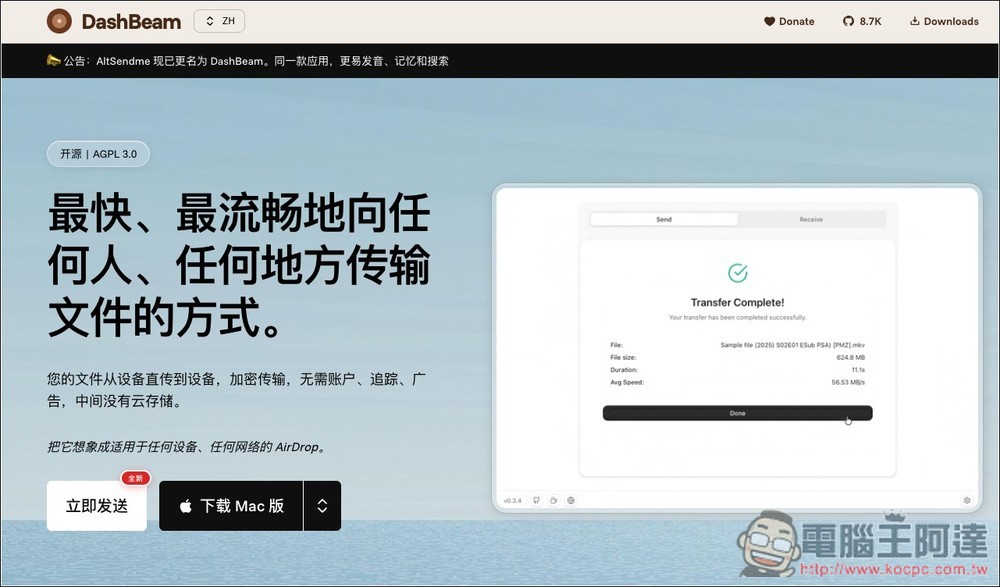
After clicking the link above to enter the DashBeam website, if you want to send it directly through the browser, just click “Send Now”:
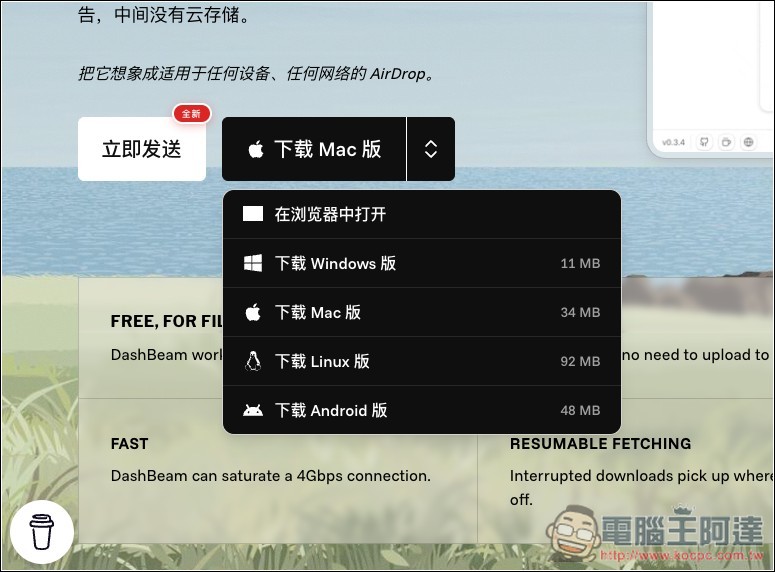
The desktop version supports Mac, Windows, Linux and Android. There is currently no iOS version:
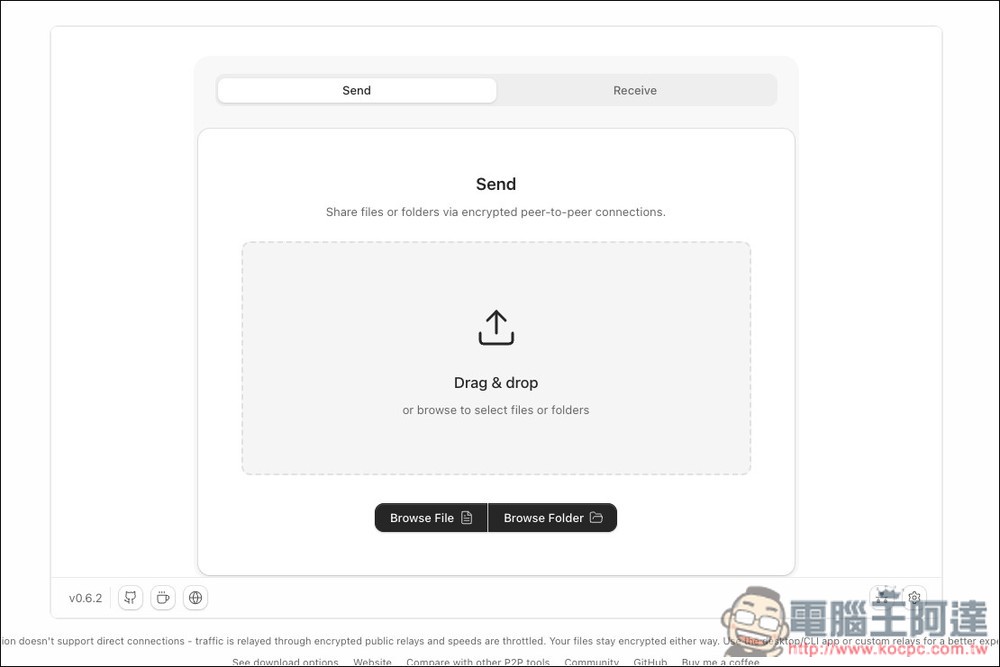
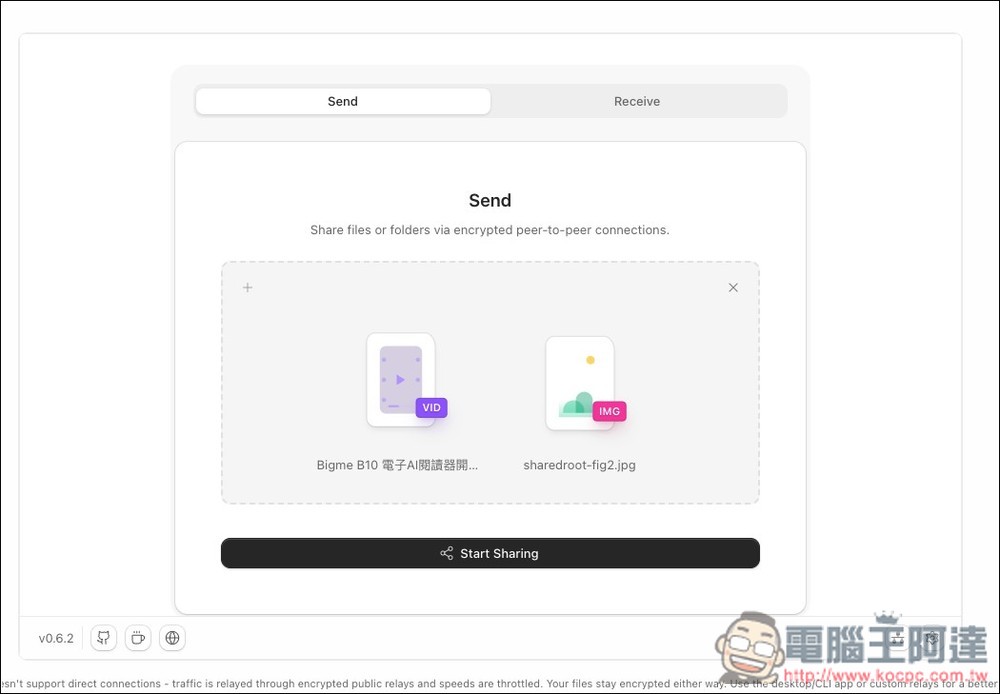
The picture below is the interface of the web version. There are two modes: Send and Receive. If you want to send it to others, use Send. Select or drag the file you want to send. It supports multiple transfers at one time and there is no file size limit:
After selecting, click Start Sharing below to start sharing:
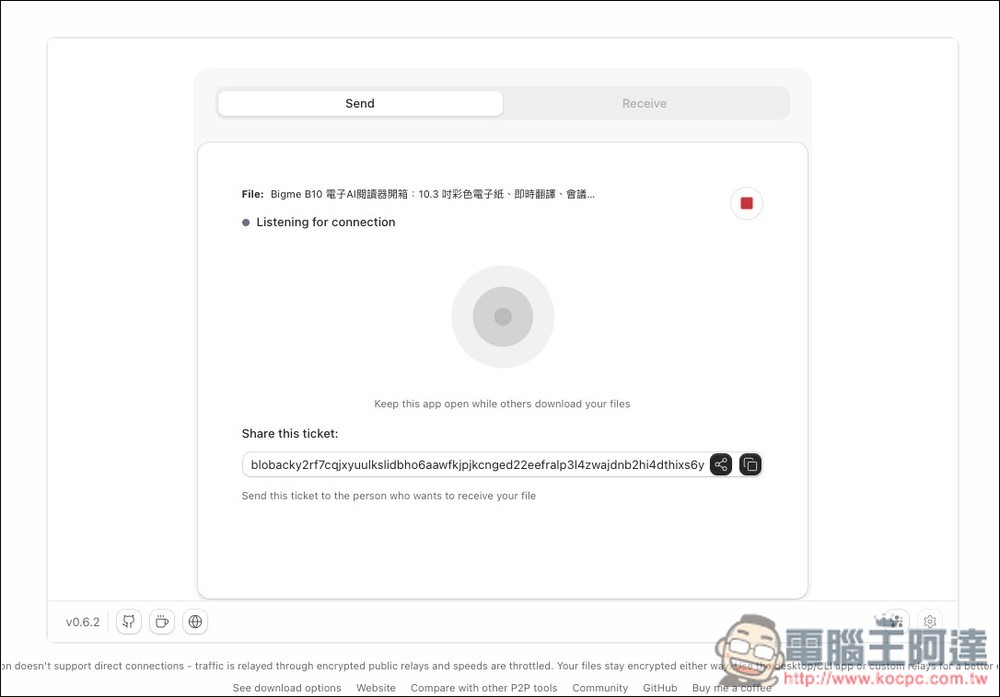
Then you will get a long list of tickets (Ticket), copy it and share it with the other party. This window must remain open during transfer, and must not be closed:
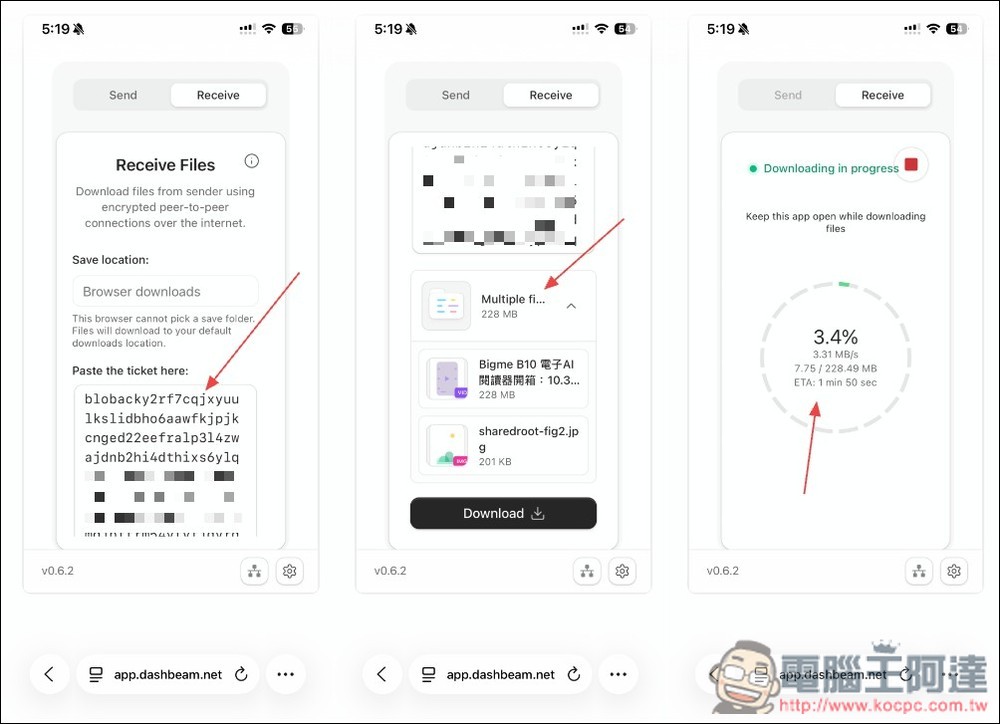
After the other party opens the DashBeam website, switches to Receive, and pastes the obtained ticket in the Paste the ticket here field, the file download point will be obtained. Click Download below, and then wait for the transfer to complete:
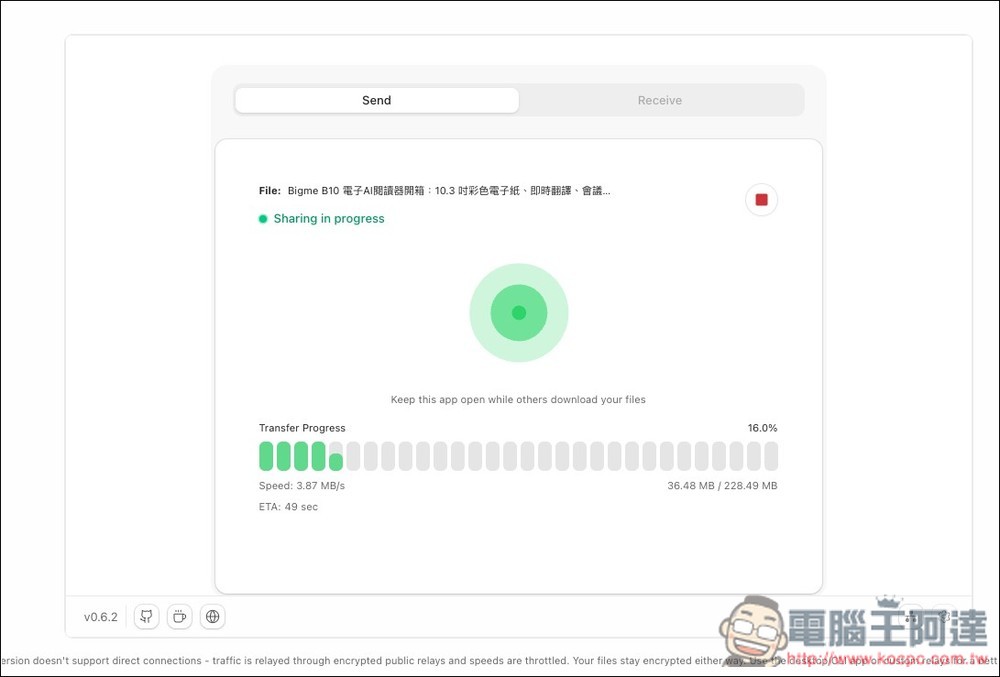
When the transfer starts, your browser screen will also change to Transferring:
Source: KOCPC Chinese