


The time has entered 2022. With the continuous advancement of technology, many original works, books, letters, photos, etc. have gradually been digitized electronically. They are not only thin and easy to carry and transmit, but also break through the possibilities of more creative forms. When it comes to electronic file storage devices, there are nothing more than USB flash drives, SD memory cards, large-capacity hard drives, etc. Devices that can be grasped with one hand are indispensable tools for modern people. Besides convenience, there will also be unexpected times, such as the computer cannot read the data, the photos disappear, the hard drive suddenly becomes unusable, etc., which makes people anxious. If there is no backup at ordinary times, all the hard work will be wasted. If you are also encountering such a dilemma, “4DDIG data rescue software” will be your savior (there is a 20% off coupon at the end of the article)!
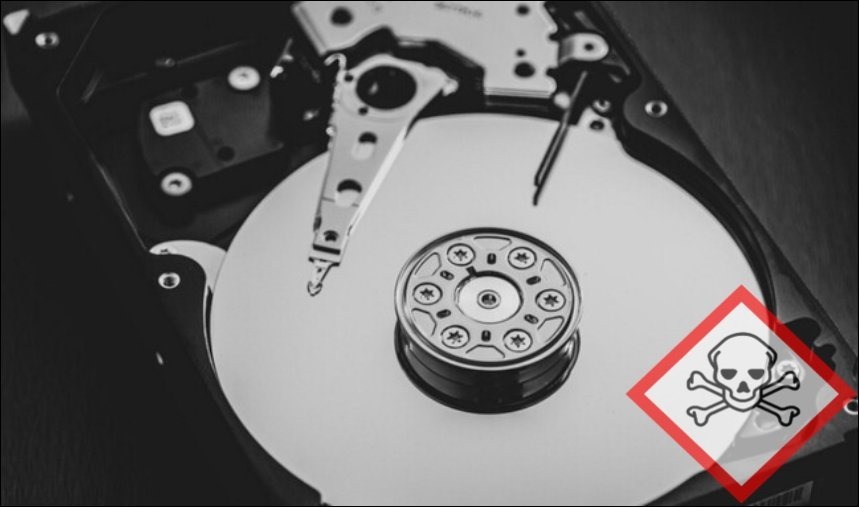
What is data rescue software?
Why is data rescue software so amazing? You must first know the principle of deletion!
The deleted files are actually just invisible
When the device stores files, it is actually divided into two parts: the “header” of the file and the “content” of the data. As the name suggests, the “file header” records the file name and records the disk space on the computer where the “content” is stored.
When you search and install, you search for the “file header” before you find the data content. When you delete a file, the computer only marks the file’s “file header” for deletion to free up storage space. If you are smart after reading this, you should have discovered that the “content” does not really disappear!
Principles of data rescue software
Following on from the above, the data rescue software scans every block on the computer to find files marked for deletion and repairs the “file header” information. Therefore, as long as the record can be found, the file can be successfully rescued. The scanning time depends on the device capacity. The larger the capacity, the longer the scanning time.
Under what circumstances is it appropriate to use data rescue software?
Data rescue software has a wide range of applications, and almost all your commonly used devices can come in handy!
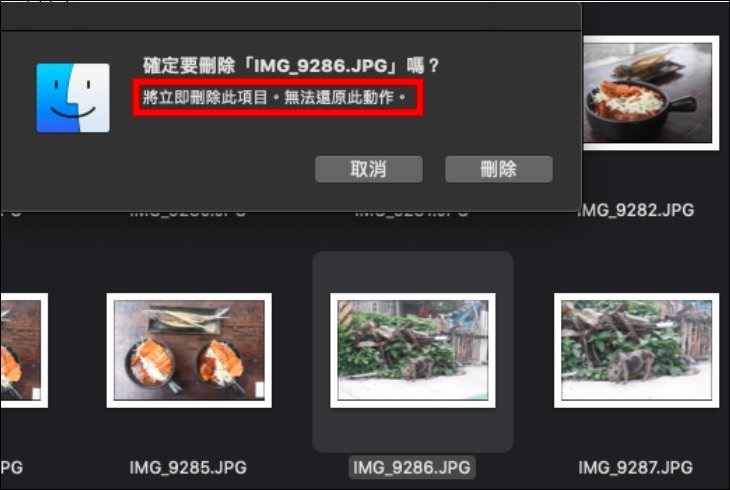
Rescue flash drive data
Flash drives are cheap and easy to use, but we often encounter dilemmas such as the quality of the purchased USB flash drive is poor, the files disappear inexplicably, or the device is infected by viruses during the process of plugging and unplugging the computer many times. After plugging it into the computer, a message such as “The disk in the disk drive __ needs to be formatted before it can be used. Do you want to format it?” appears. At this time, data rescue software can help you retrieve your data.
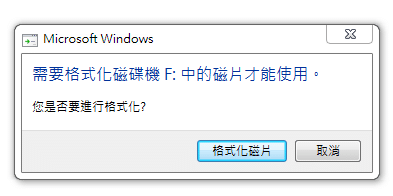
Formatted device
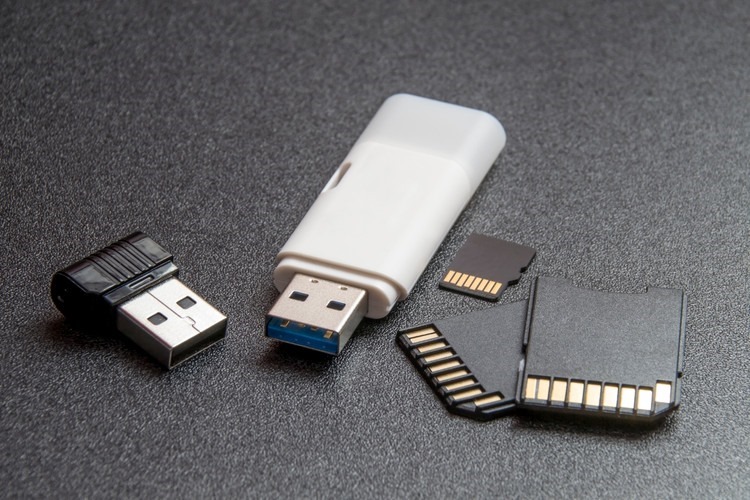
Whether it is a USB flash drive, SD card, external hard drive, etc., when you connect it to a computer, you will always encounter unknown reasons that require you to format it before you can use it. Although it is inexplicable, there is nothing you can do about it. You can give up the external device, but you cannot give up the file data on the device, right? Data rescue software can do it for you!
Computer cannot read external hard drive
It is obvious that the external hard drive is plugged into the computer but there is no response. If the USB port contact is poor, the USB data cable is damaged, etc., it is not a big deal. However, if the macOS computer cannot recognize the hard drive in “NTFS format” and other formats, then you need to clear all files and reset the hard drive before you can continue to use it. If you want to retrieve the original files, data rescue software is also an indispensable helper.

When SD card fails
If you use 3C electronic products, an SD card is definitely a must-have! Whether it is videos, photos from a digital camera, or recorded music and audio, all types of data can be stored in this small SD memory card. However, if the SD card fails, a message such as “Requires formatting before use” will appear, or the folder will be empty when you open it. At this time, it is a trivial matter to buy another card, but precious files require the help of data rescue software!
Accidentally deleted computer and memory card data
Computer memory space is limited, so some friends have the habit of completely emptying the recycle bin regularly in order to clear unnecessary memory space. However, they later discover that the precious data in it can no longer be retrieved with just one click. Or if you delete photos directly while the memory card is connected to the computer, only to find that you can’t recover the photos after accidentally deleting them, you can only rely on data rescue software to recover them!

Try this data rescue tool to become a customer【Tenorshare 4DDiG】
There are many rescue software on the market, both free and paid, and the advantages advertised by each are very attractive. The [Tenorshare 4DDiG] introduced to you this time is a well-known professional data rescue software. Even if you are a computer novice without any technical background, you can easily perform data rescue through [Tenorshare 4DDiG]. It is also very intuitive to use and has a very high success rate! And it also supports data rescue and recovery on Windows and Mac systems, including recovery of formatted flash drives, hard drives, camera memory cards, etc. (I want to share a little common sense here,If the files in the flash drive or memory card are damaged or accidentally cut, be sure not to put other files in or perform other unnecessary actions. This way, the recovered data will be more complete and the success rate will be higher.), the following takes the SD card as an example:
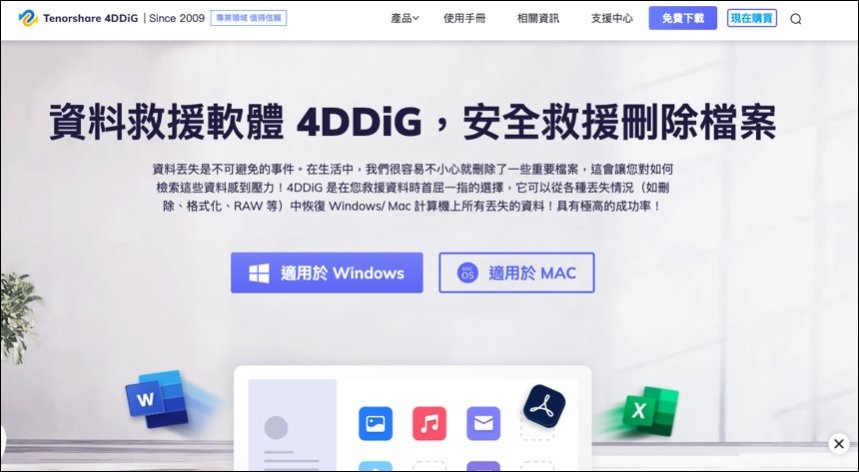
Step1: Download【Tenorshare 4DDiG】
Download and install on your PC or Mac [Tenorshare 4DDiG】(Free trial available,20% off discount code: ▶XD3FW), find “(your storage device name)” in the “External Devices” menu, or select the device you want to repair and click “Scan”.
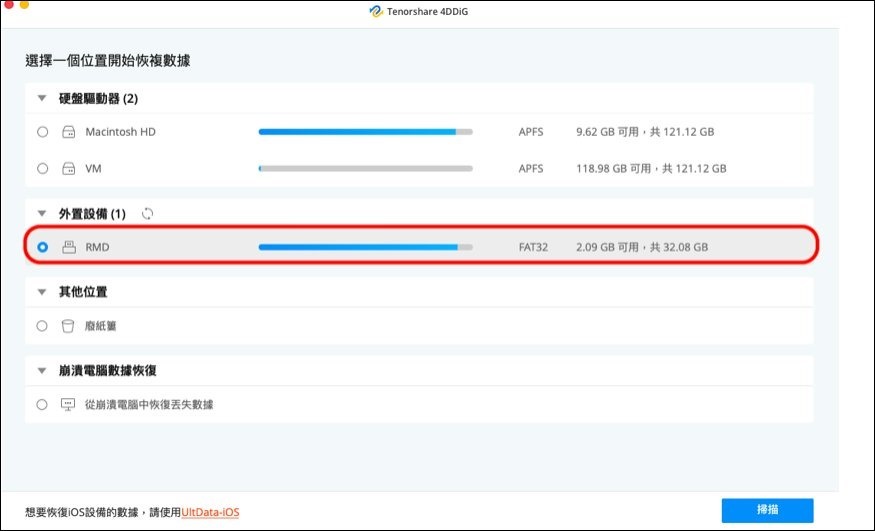
Step2: Scan the memory card to be repaired and start scanning
After clicking “Scan”, [Tenorshare 4DDiG] will immediately detect the data in the selected storage device. The progress bar above will display the scan progress and estimated time at the same time. Once 4DDiG finds the file on the memory card, it will record the scanned items in the tree view and file view on the left. When the file name you want to rescue appears, you can immediately click the “Pause/Stop” button in the upper right corner of the screen to stop the scanning operation.
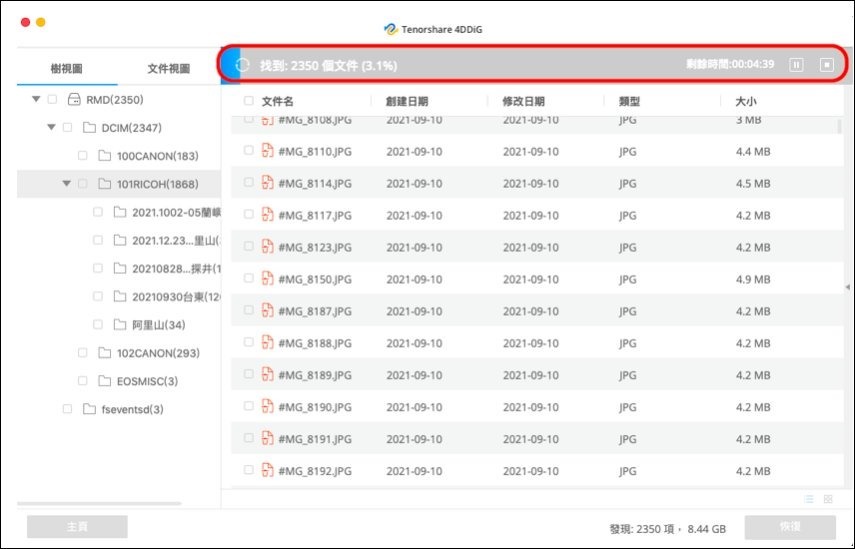
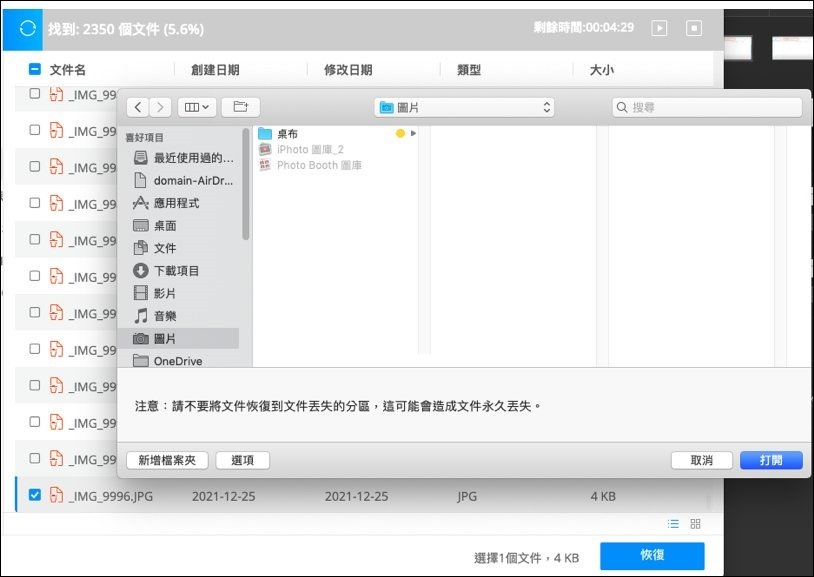
Step3: Preview files and restore to specified location
After finding all the original files, you can click on the files to preview them for free. After confirming that they are correct, click the blue “Recover” button in the lower right corner to restore the files. After the recovery is complete, a window will appear asking you to select a location to save the recovered files (Please do not save the data in the recovery disk and save it to another drive.), and finally click “OK” to rescue the originally unreadable file!
Conclusion
If you often use external devices such as USB flash drives, SD memory cards, external hard drives, etc. to store electronic files, a few sets of useful data rescue software are quite necessary. Make a habit of backing up regularly. Don’t panic and seek medical attention when files are damaged. Use the correct steps and auxiliary tools for data rescue. This way, even if all the data on the device is accidentally lost, you don’t need to be too nervous. In fact, there are many rescue services and rescue software available in the market that can help you rescue valuable data. But if you still don’t have a clue which data rescue software to choose; or if the rescue using other software fails, [Tenorshare 4DDiG】(20% off discount code: ▶XD3FW) is a pretty good choice. This software is completely free from downloading to scanning. I recommend it to everyone for reference.
If you can’t save it, remember not to format it randomly or do other unnecessary actions, and go directly to the physical rescue data store to deal with it. Although it may be expensive (usually billed in MB), it is better than no rescue at all.
Source: KOCPC Chinese