


LINE Pay officially launched the new LINE Pay App today (15th) after breaking up with All-in-One Card on Valentine’s Day. The new version of LINE Pay App adopts a simpler and easier-to-use interface design to make the payment experience more comprehensive. In order to give back and thank LINE Pay’s tens of millions of users for their long-term support, anyone who successfully downloads and logs in from now until March 13 will enjoy a 50 yuan coupon.
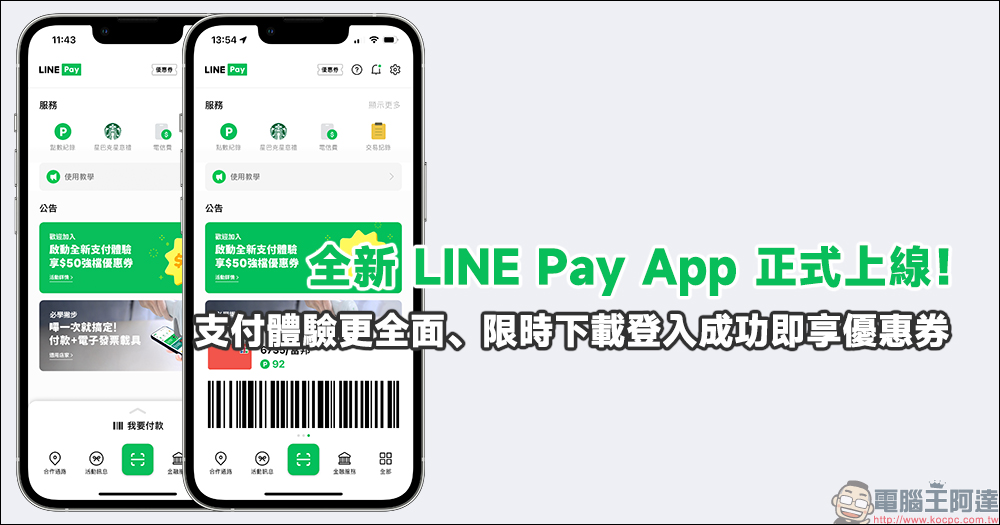
The new LINE Pay App is officially launched! A more comprehensive payment experience, limited time download and login to receive coupons
Earlier today (15th), the new LINE Pay App was officially launched! If you are a user who has been using LINE Pay for a long time in the past, you can switch to the new version of the app from now on! As for the old version of LINE Pay App, you can still use it until April 30. From May 1, the old version of LINE Pay App will no longer provide services and will be fully replaced by the new version of LINE Pay App.
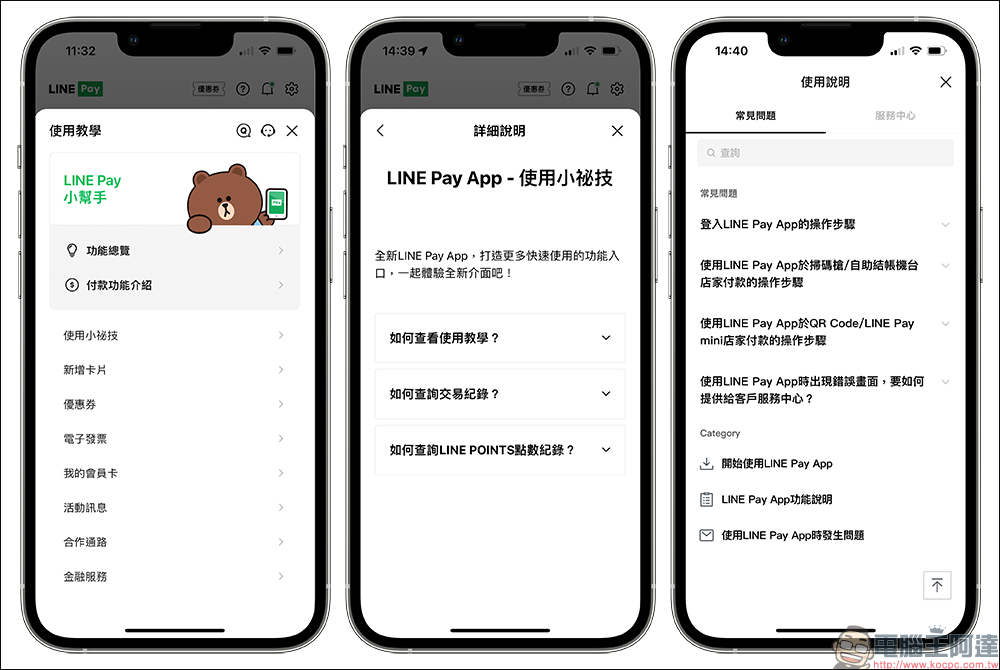
The new LINE Pay App adopts a more intuitive operating interface. In addition to integrating coupons, payment, point records, transaction records, coupons, announcements and other functions, the main screen also makes it easy to use commonly used services such as Starbucks Star Gifts and telecommunications bill payment (currently it can only pay Taiwan Mobile telecommunications bills).
For payment, just open the LINE App and swipe up on the “I want to pay” position at the bottom of the screen to open the payment barcode. According to usage requirements, payment barcodes are also divided into two display modes: simple (half-open) and complete (fully-open), which facilitates users to quickly complete checkout payments.
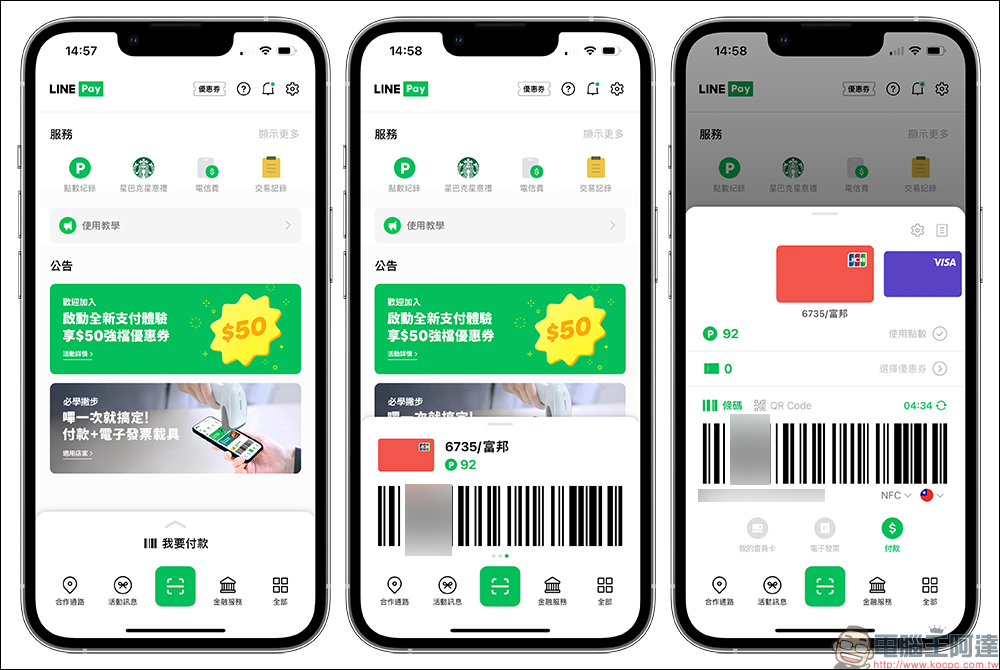
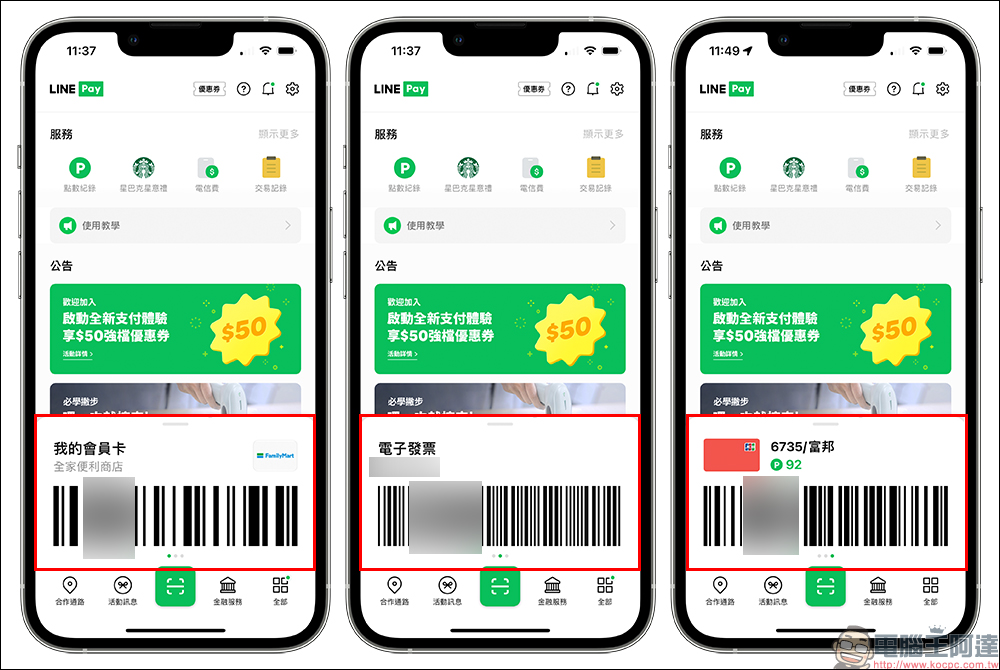
Even if only the simplest payment barcode page is opened, users can directly slide the screen left or right to switch between membership cards, electronic invoices or payment barcodes.
On the complete payment page, you can further check whether you want to use LINE POINTS points discounts and coupons.
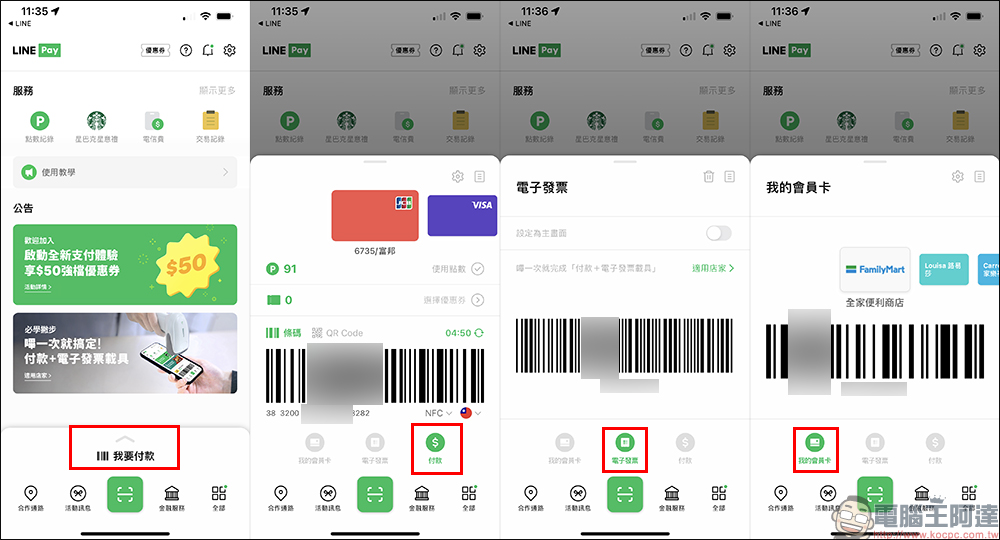
The function menu at the bottom of the main screen of LINE Pay App also includes cooperation channels, event information, financial services and all functions. “Cooperation Channel” can check nearby cooperative stores that support LINE Pay payment, and you can also check the store’s promotional offer information here; “Event Information” section can check nearby stores and recent promotions launched by LINE Pay; “Financial Management” can check recent insurance and loan plans; “All Functions” can find all the complete functions of LINE Pay.
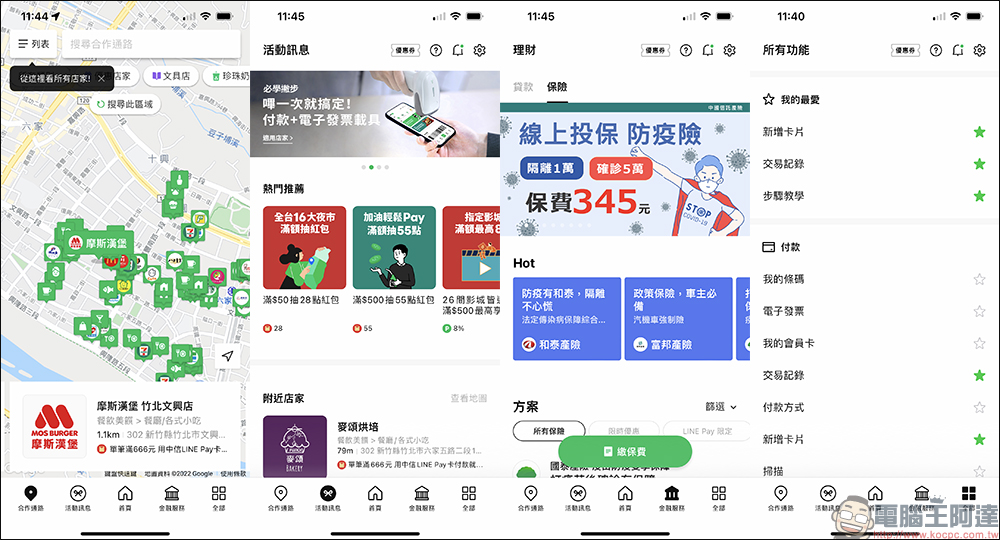
How to check LINE POINTS points?
After the new LINE Pay App is launched, what are the ways to check the LINE POINTS points obtained? In addition to clicking “Point History” in the service menu on the main screen, you can also click on the LINE POINTS points icon after the payment barcode is turned on. You can also check it by clicking “Point History” under the offer category in the “All Functions” menu.
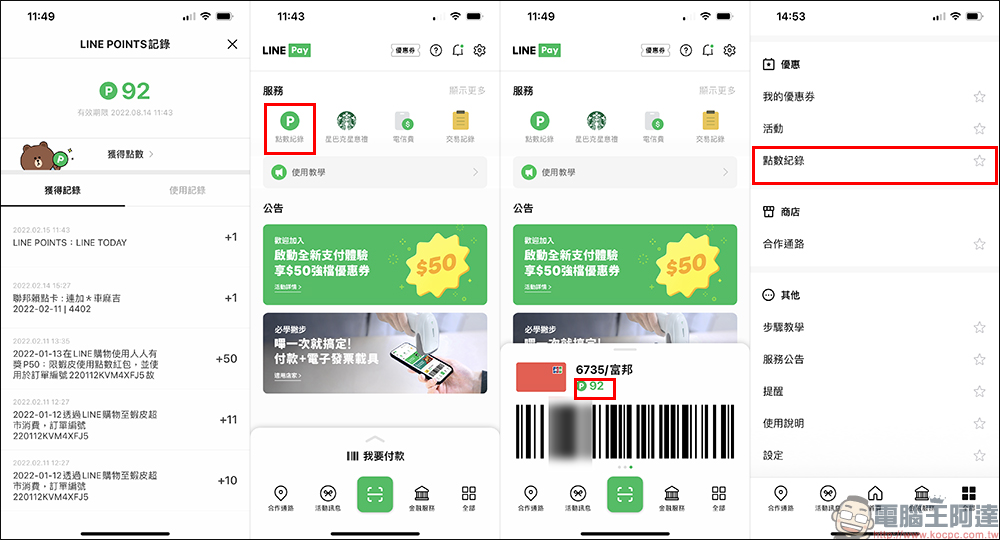
For other LINE Pay usage tutorials and FAQs, you can also click the “?” icon on the main screen to view the official tutorials.
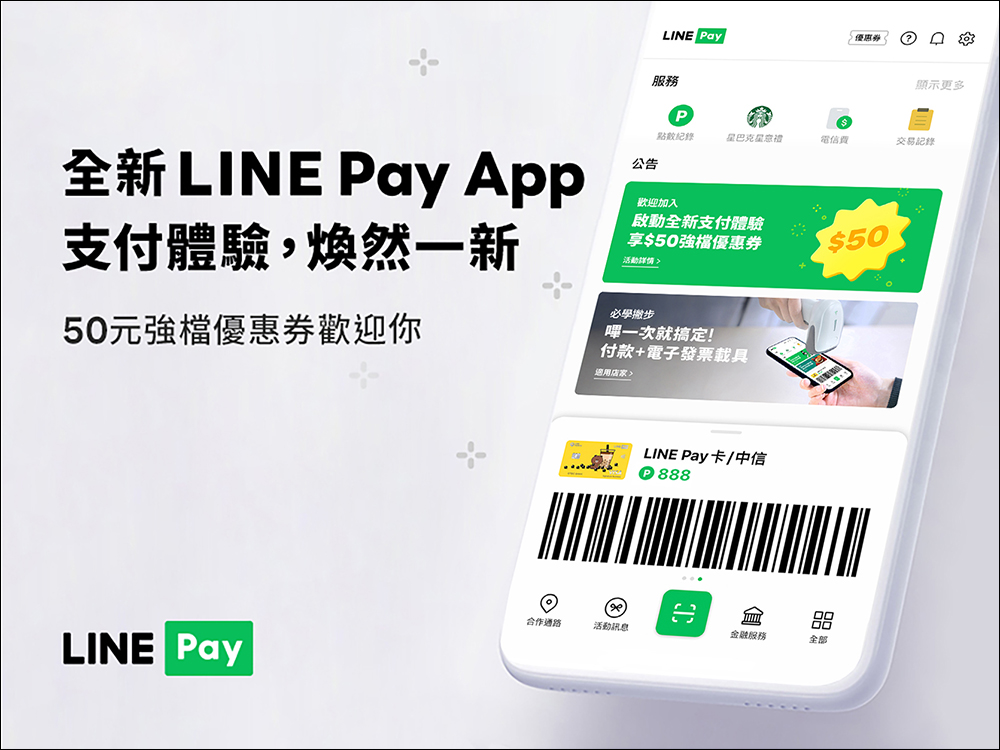
For a limited time, complete the download of the new LINE App and successfully log in to receive exclusive coupons
LINE Pay users who download the new LINE Pay App and successfully log in from now (2/15) to March 7 during the event period will be able to receive exclusive coupons during the designated period. To participate in this event, you must complete the following conditions (all must be met):
- Registered LINE Pay user
- Update LINE App to version 11.19 (inclusive and above)
- Download the new version of LINE Pay App and log in successfully (download link at the end of this article)
▲Picture source:LINE Pay
How to get event coupons?
This coupon will be distributed in batches. Please follow the date of “Download the new version of LINE Pay App and log in successfully” to claim it:
- The first tier: from February 15, 2022 to February 20, 2022, open for collection from 10:30 on February 23, 2022
- Second Tier: February 21, 2022 to February 27, 2022, open for collection from 10:30 on March 2, 2022
- The third tier: February 28, 2022 to March 6, 2022, open for collection from 10:30 on March 9, 2022
- The fourth tier: from March 7, 2022 to March 13, 2022, open for collection from 10:30 on March 16, 2022
*Tips: The final redemption deadline for all tiers is 22:59 on March 25, 2022. Failure to claim within the deadline will be deemed to have given up the qualification.
Preparation before receiving:
Before receiving it, it is recommended to click “Settings” > “Terms of Service” > “Marketing Information Provision Policy” in the upper right corner of the new version of LINE Pay App’s homepage to confirm whether you have checked the box to agree.
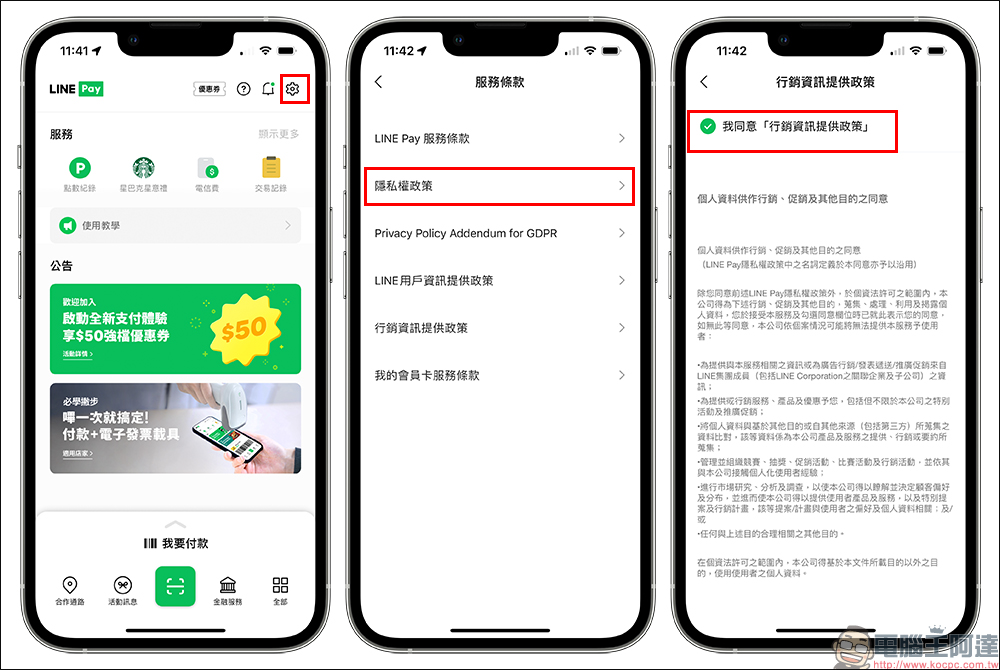
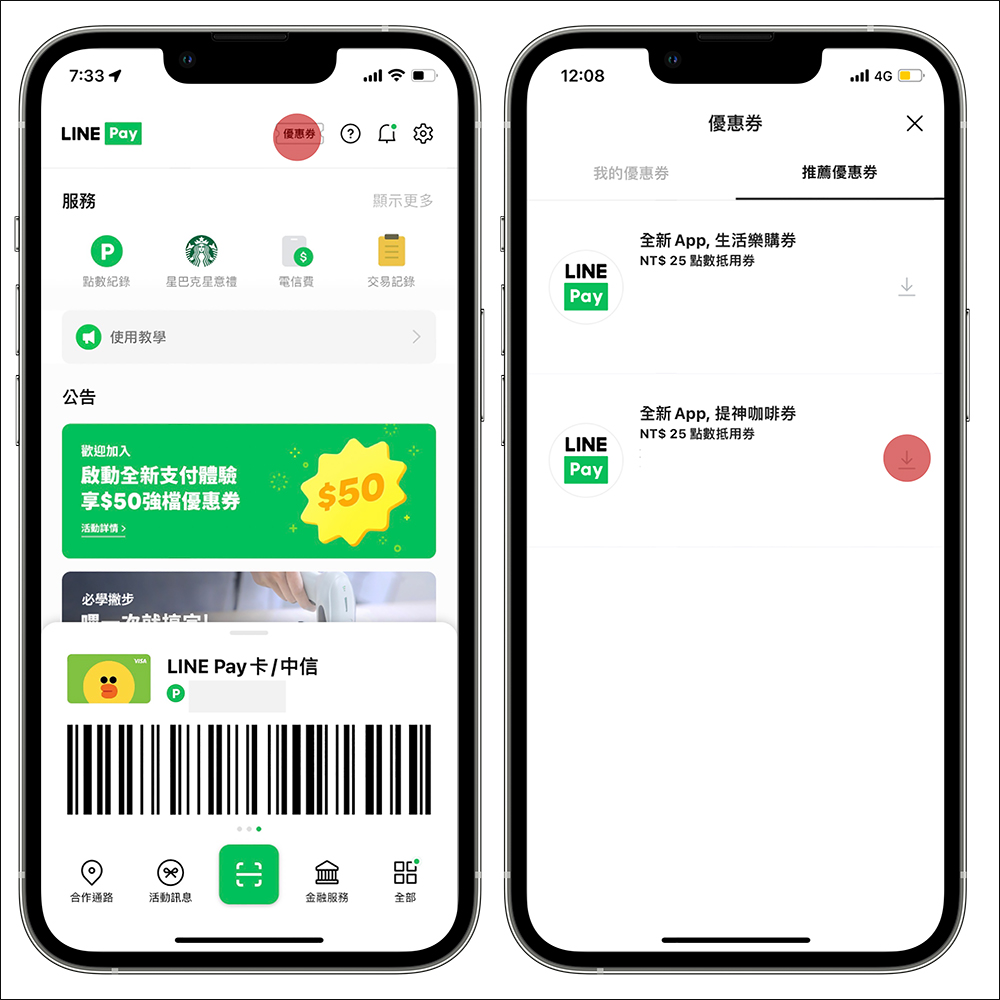
Since the first tier of coupons cannot be officially opened yet, the official demonstration pictures will be introduced below:
- Step 1: Open the new version of LINE Pay App during the designated redemption period, and click “Coupons” > “Recommended Coupons” in order
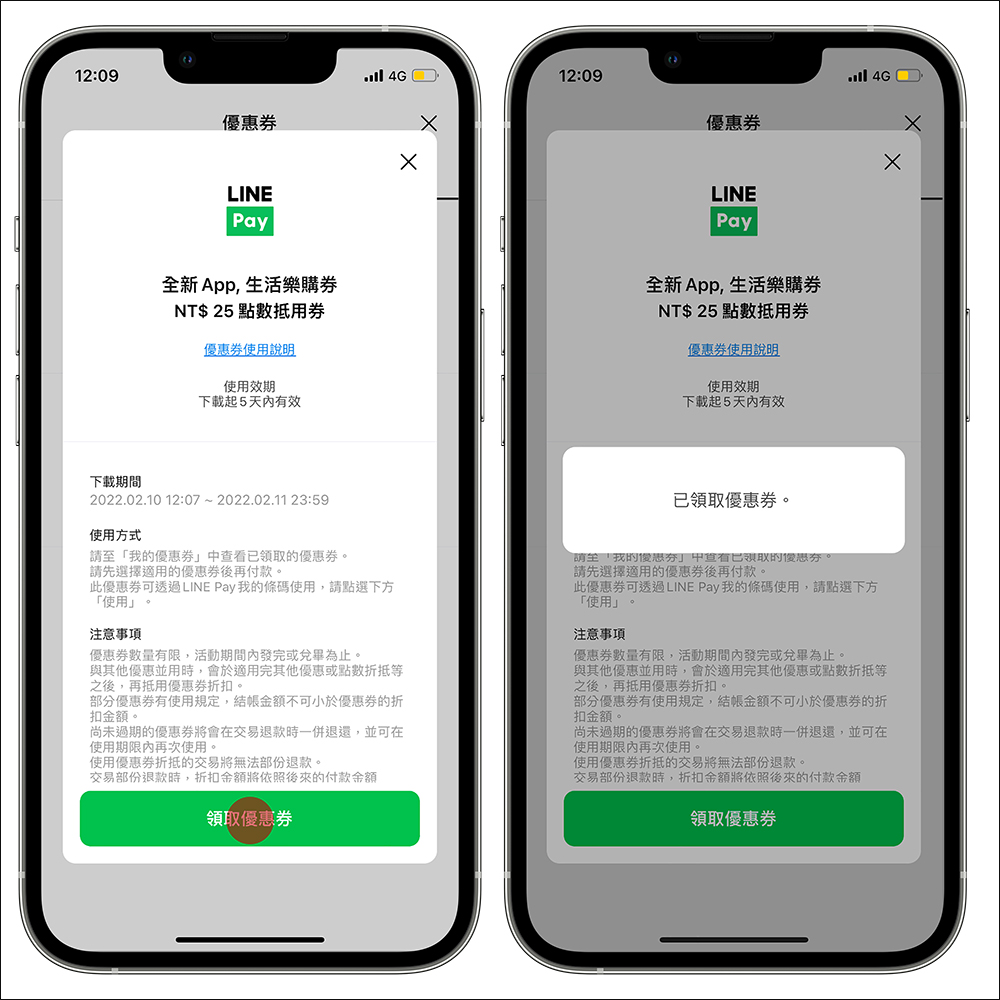
- Step 2: Click on the refreshing coffee coupons and lifestyle Tesco coupons to receive them
- Step 3: When a pop-up window “Coupon Received” appears, the collection is completed.
▲Picture source:LINE Pay
▲Picture source:LINE Pay
Coupon content:Each LINE Pay account can receive: “25 yuan refreshing coffee coupon” and “25 yuan lifestyle Tesco coupon” each:
- “Refreshing Coffee Voucher” usage channel: Starbucks (limited to physical independent stores)
- “Lifestyle Tesco Voucher” can be used through: Watsons/Cosmetics (limited to physical independent stores)
※Please refer to the stores, products and services that are not applicable.Event Notes (Click here to view)。
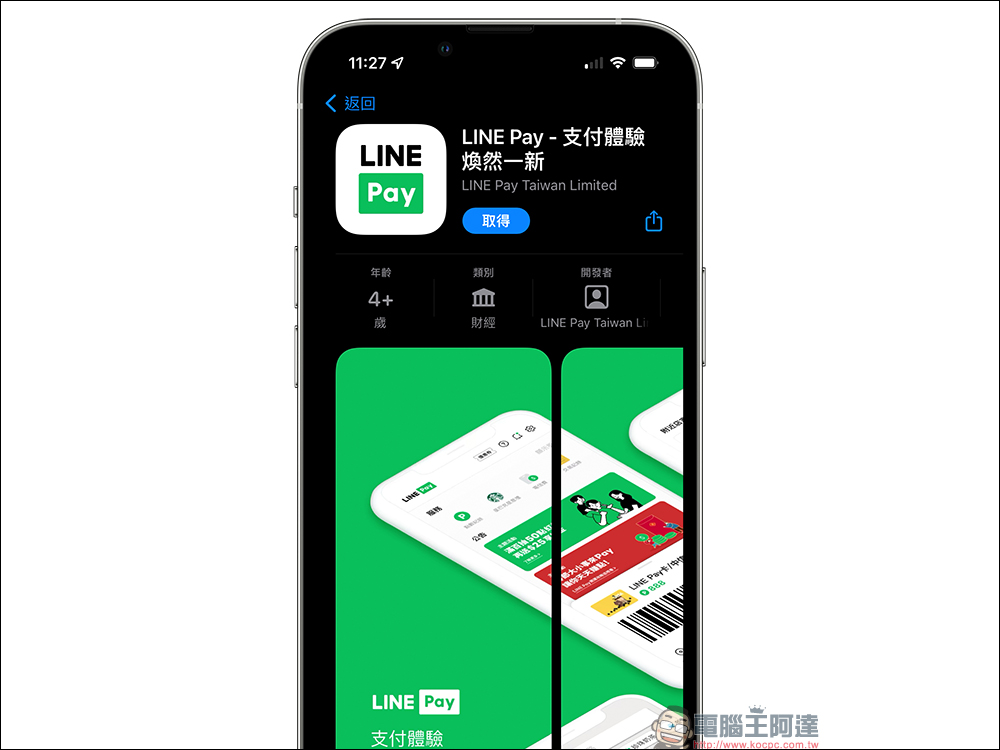
Download the new LINE Pay App:
iOS version (App Store)|Android version (Google Play Store)
Source: KOCPC Chinese