


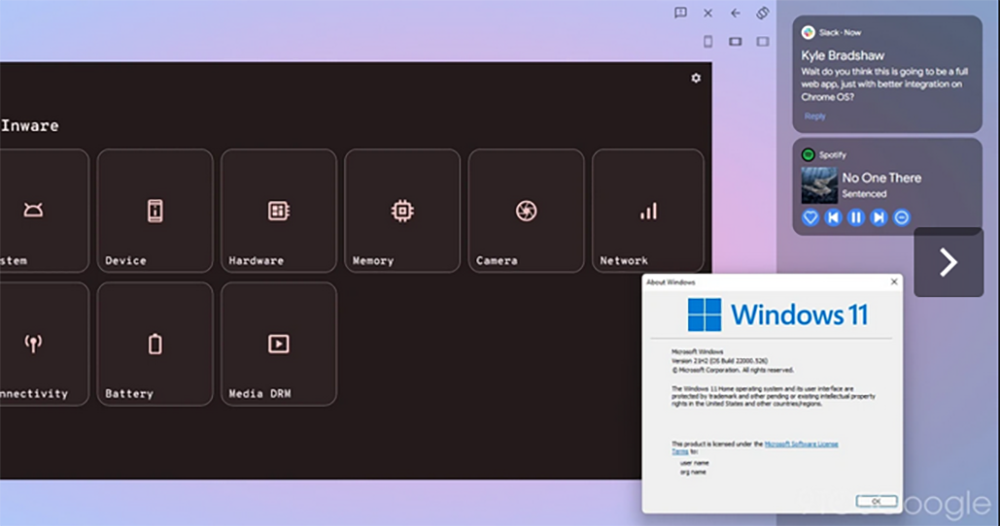
I believe that most people (including the author) have underestimated the new Phone Hub feature announced by Google at this year’s CES, which will be brought to the Android system to allow more seamless cooperation between mobile phones and computer systems. Because with the release of Android 13 Beta, foreign media directly tried this new feature and found that its practicality is beyond expectations. Continue reading to find out the super convenient function of Pixel for publishing apps to Mac / Windows / Chrome OS, it not only supports Android messaging apps! Report text.
▲Image source: 9to5Google
It turns out that Pixel’s super convenient function of publishing apps to Mac / Windows / Chrome OS not only supports Android messaging apps!
As Windows and even macOS begin to support the installation of mobile applications on mobile phones or tablets, even directly after placing the playback screen. One of the features announced by Google at the beginning of the year will allow the Android system to put application content on the mobile phone into the computer system in the form of a Web app.
At that time, most people saw officials taking out Chromebooks and messaging applications for demonstrations. Although the overall function feels quite practical, many people immediately think that “this should be a quick messaging and notification reception function limited to the messaging application”. Maybe it is only limited to Chrome OS, and they feel a little lack of interest.
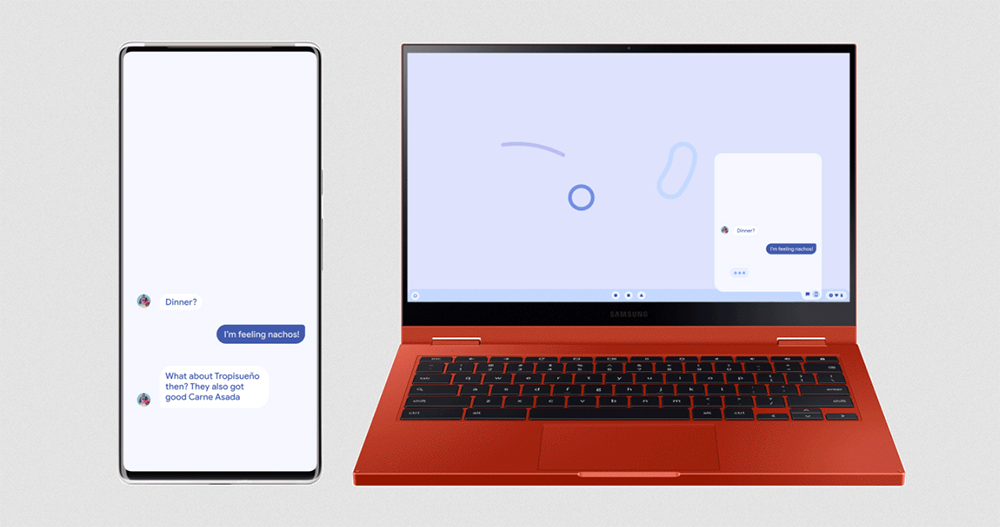
As everyone knows, with this Android 13 beta version, foreign media 9to5Google discovered new Phone Hub features for Pixel phones and computer systems. In addition to supporting Chrome OS, it can also be used on macOS, Windows and Linux (!). It even supports applications other than messaging functions.
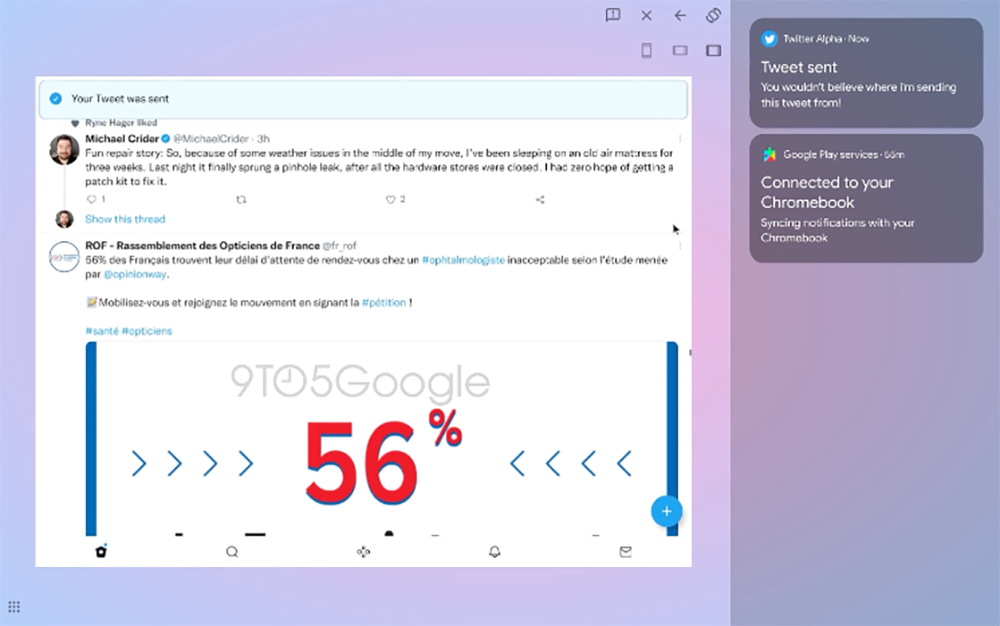
They showed it off directly, using the “Twitter app on mobile phones” to post on Windows 11, and browsing other people’s tweets directly on the PC – that’s not just posting, they were basically browsing posts on the computer using the mobile app.
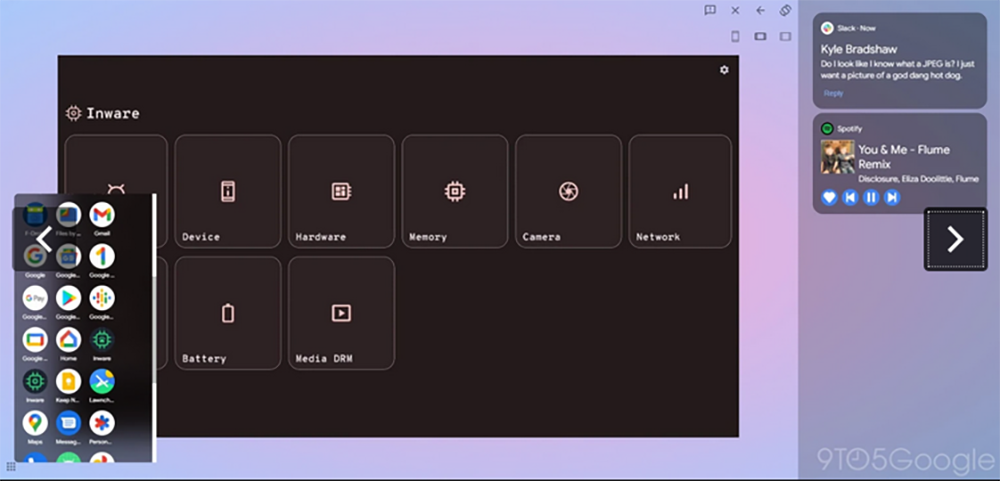
Although this feature does have deeper collaboration in Chrome OS. However, the practicality of this feature on Windows 11 is still quite good in the hands-on experience of foreign media – it supports the startup of Google Home, Keep, One, calling, recording applications, etc. installed on the Pixel phone, and even system information can be quickly launched on the HP laptop through the pop-up window in the lower left corner. The point is that everything works together as a web app, and there is no need to install other new applications on Windows. It feels a bit like Pixel launching a DeX concept system on the desktop system.
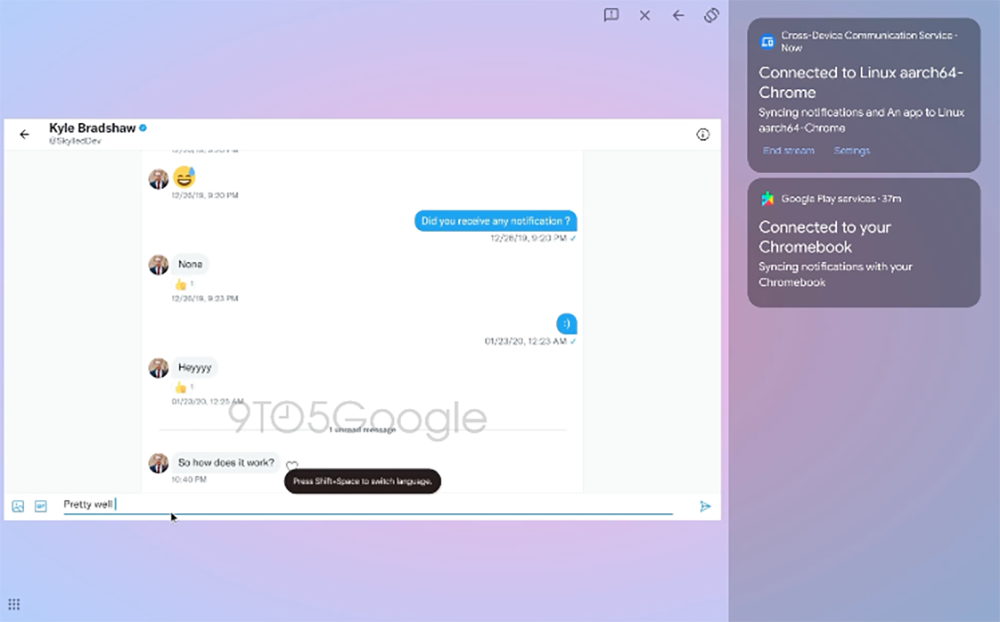
According to them, these applications are very smooth to use and feel quite complete (should they be released soon?). The interface part is even more interesting – in addition to the notification bar on the right that supports quick start of the reply function, you can see the “Close/Previous/Rotate Window” quick buttons in the upper right corner of each window; some applications will also have a row of buttons to switch between mobile phone/tablet layouts. Allow users to use the interface they need.
It has to be said that such a painless function that closely cooperates with a wide range of desktop systems will indeed make people want to use the Android system more. After all, with the cooperation of the two, it is believed that productivity will be greatly improved and the practicality of mobile devices will be greatly increased. The only question is probably whether this is really a Pixel-only feature. But even if not, just because you should upgrade to Android 13 to have this, it should be worth the wait…
Further reading:
Source: KOCPC Chinese