


The New Year has just ended, and next week is the Lantern Festival! During this warm holiday, if you are unable to get together due to busy work or the epidemic, you might as well send blessing messages through LINE! As usual on special holidays, the LINE team has prepared chat room background effects for the majority of LINE users this time. Starting from today (10th), the limited-time Lantern Festival chat room background effects will be launched! Just enter a keyword to summon sky lantern special effects. In addition, this time a replayable viewing function has been added, so that everyone can click on the link to replay the special effects directly, so you don’t have to worry about washing the version all the time!
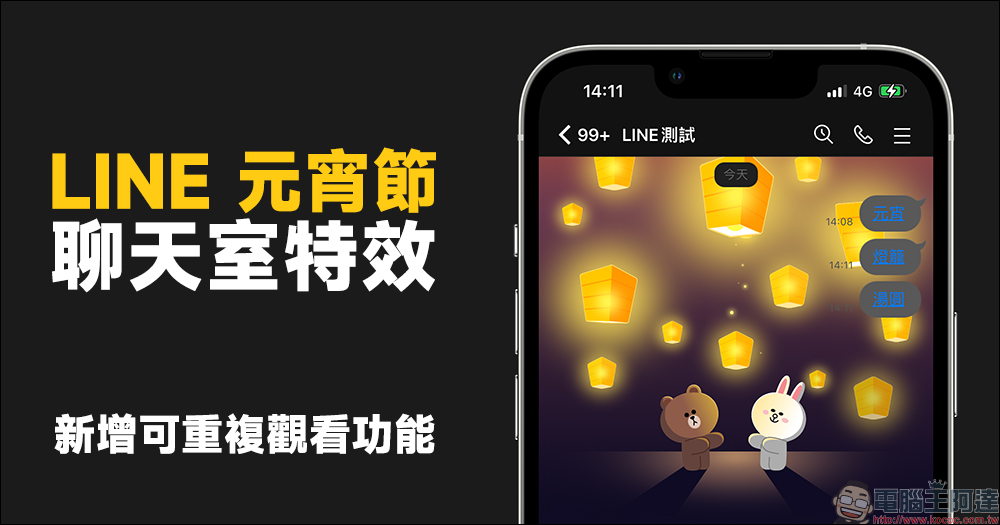
LINE Lantern Festival chat room special effects launched! Enter specified keywords to summon sky lanterns, and a new repeatable viewing function has been added!
Next week, in addition to Valentine’s Day on February 14th, the next day on February 15th is the Lantern Festival! Although the epidemic continues to be affected this year, people still try to avoid the risk of infection caused by gathering in groups. If you want to take into account epidemic prevention and not miss the Lantern Festival at the same time, then use LINE to release free and environmentally friendly sky lanterns! (laugh)
From today (10th) to 10:00 on February 17th, LINE launches this year’s “Lantern Festival Chat Room Background Effects”. Users only need to update LINE to the specified version and enter the specified keywords to summon the cute bears and rabbits to release sky lanterns together!

▲Picture source:LINE Taiwan official BLOG
This year’s Lantern Festival chat room special effects keywords have three groups, namely“Lantern Festival”、“lantern”or“sweet dumpling”, enter any of the above groups to awaken this set of lovely background effects! Watching the sky lanterns slowly rise and light up the entire night sky is so therapeutic! The faces of Bear and Rabbit are also illuminated with warm yellow light by sky lanterns, which are also super cute.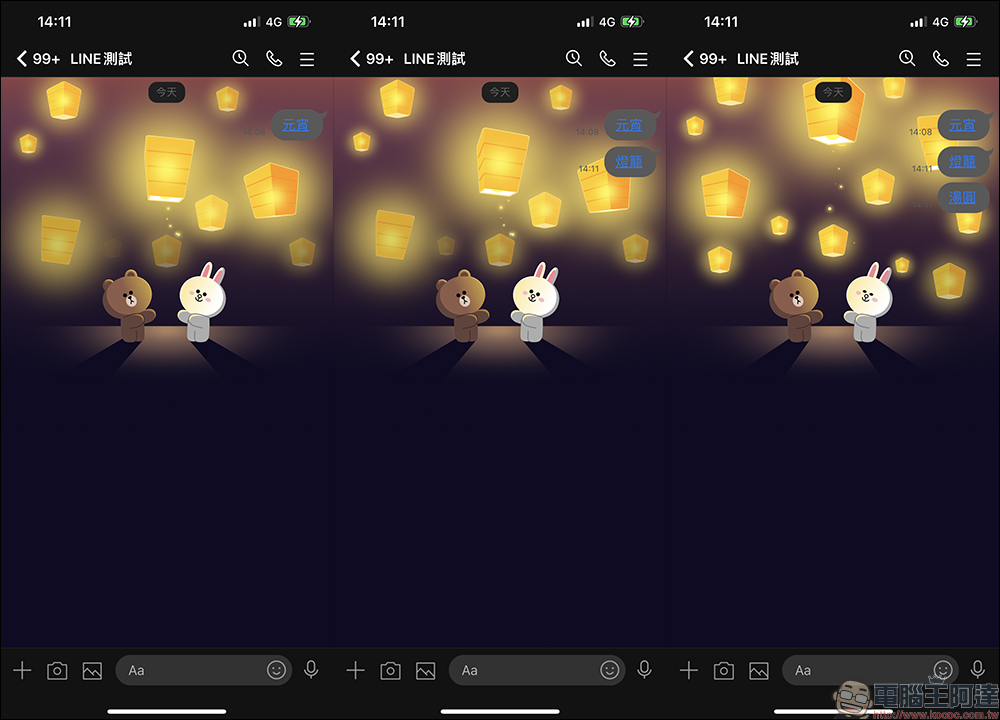
LINE Lantern Festival chat room special effects applicable versions:
- iOS: LINE iOS 9.15.0 (inclusive) and above
- Android: LINE Android 10.2.0 (inclusive) or above, and the Android system version is 7.1 (inclusive) or above
How to turn on/off chat room background effects?
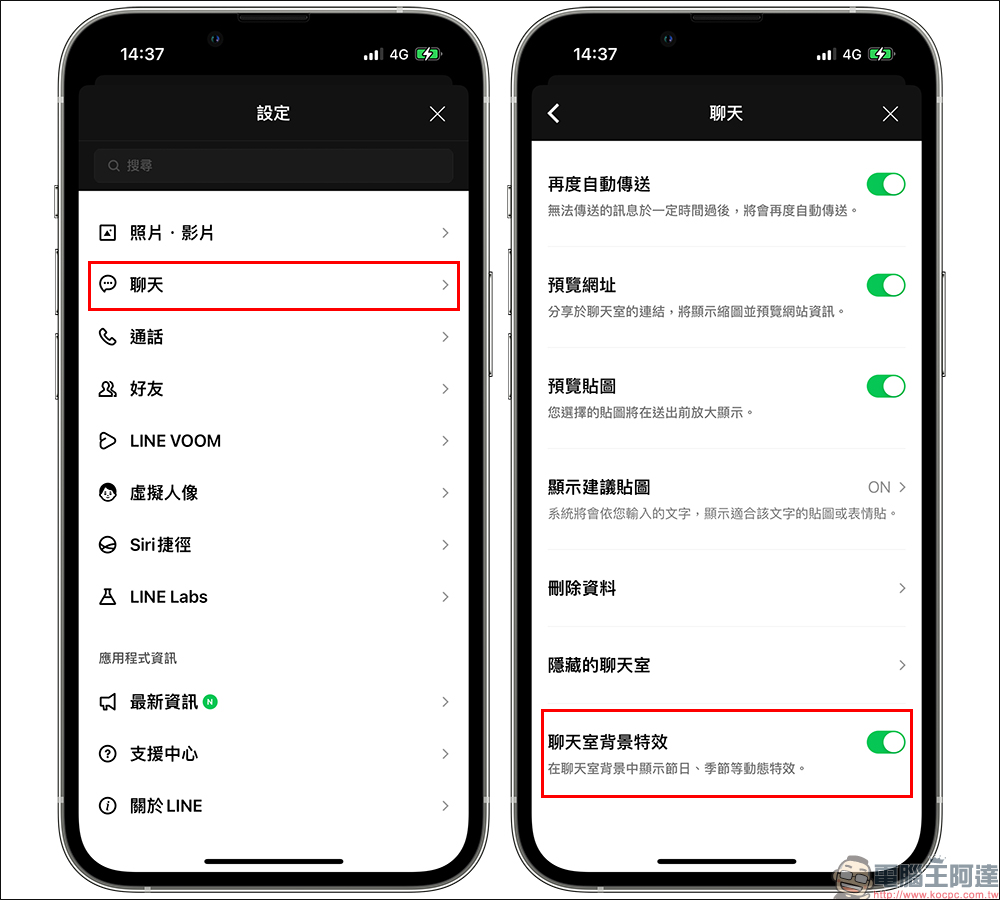
If you find that the chat room effects do not appear after entering the correct keywords, you may wish to check the settings in the LINE App! Go to “Settings” > “Chat” > turn on the “Chat Room Background Effects” function! Usually this feature is turned on by default, but if you don’t want these special effects to appear, you can turn it off here.
Additional screenings at the same scene: Added repeat viewing function
In the past, LINE chat room background effects would automatically play once every time the user opened the LINE chat room. However, if they wanted to watch the special effects repeatedly, most people would choose the simplest method, which is to enter the keyword again! However, for the members of the chat room, if someone keeps summoning the special effects of the chat room, the version will continue to be washed and cause trouble to everyone.
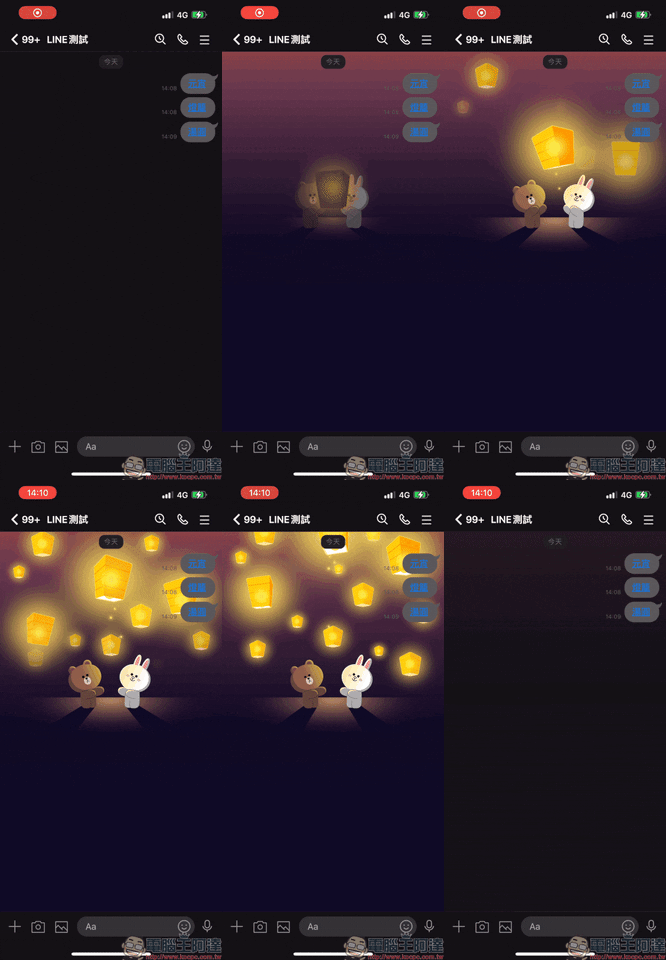
Therefore, this time LINE Lantern Festival special effects have also added a repeat viewing function. As long as the chat room background effects are turned on in the above settings, the keywords will become blue links. At this time, as long as you click on the keywords, the chat room background effects can be played repeatedly. Not only will it not cause trouble to the chat room members, you can also replay the scene of Xiong Da and Tutu releasing sky lanterns to your heart’s content!
Source: KOCPC Chinese