


The Taiwan dollar has been very strong this year, and is at a relatively low level against the U.S. dollar, Japanese yen, and other currencies. Therefore, many people will definitely want to exchange it for investment first, or wait until the epidemic is over before going abroad for shopping. At this time, a useful currency converter is very important. In the App Store, a highly rated professional version of cRate Pro App is currently offering a limited-time free offer. It is not only easy to operate, but also supports more than 160 currencies, including cryptocurrencies. It is well worth picking up.

cRate Pro is a currency converter app that supports more than 160 currencies.
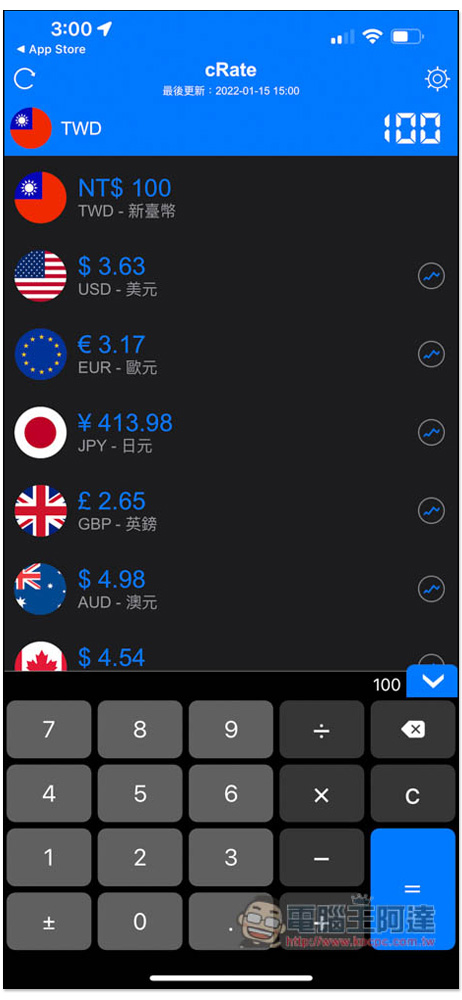
The operation interface of cRate is very simple. The default is New Taiwan Dollar. Common currency options have been set below, such as US dollars, euros, Japanese yen, British pounds, etc. After entering the Taiwan dollar you want to convert in the upper right corner, the lower part will immediately display how much you can exchange. For example, if I enter NT$100, it is now equal to 3.63 US dollars, 413.98 Japanese yen, and 4.98 Australian dollars:
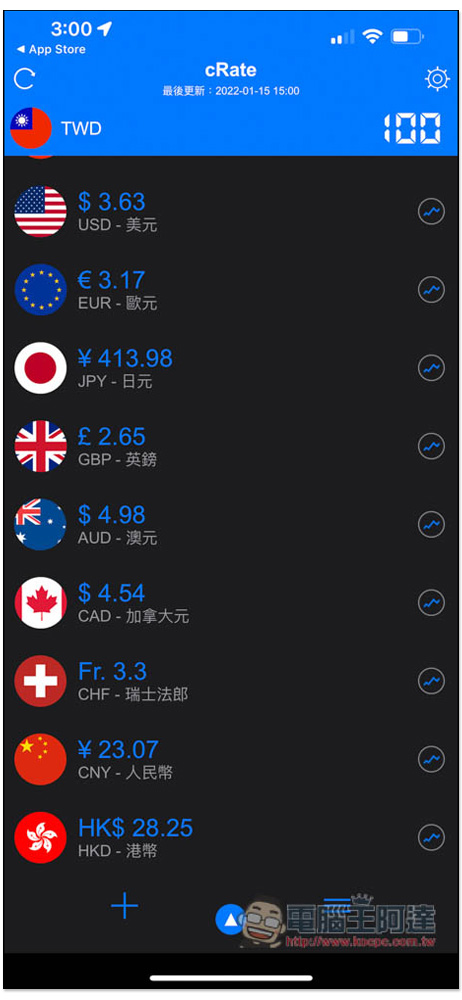
After shrinking the numeric keyboard, two functions will appear at the bottom. The left is to add more currencies, and the right is to change the currency order:
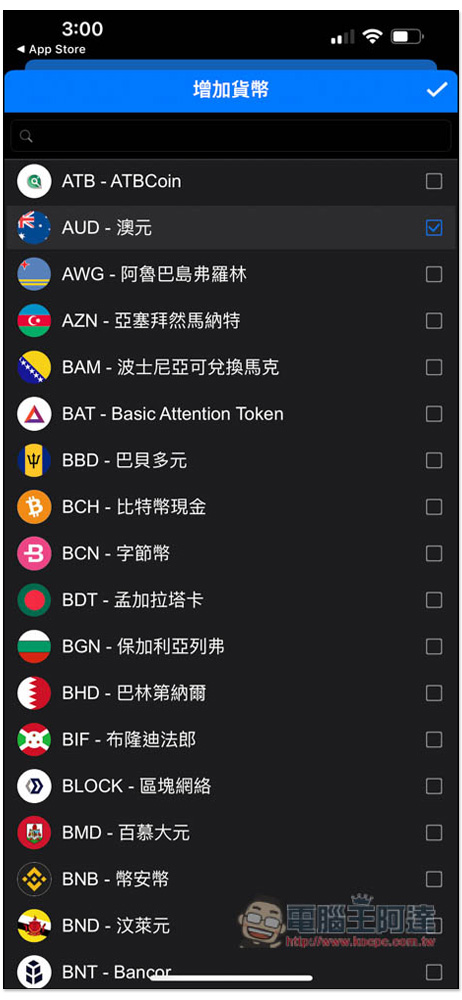
Check the currency you want to add and it will appear in the list. In addition to general currencies, you can also see ATBCoin, Bitcoin Cash, Adacoin, AdEx, etc., as well as some cryptocurrencies that you have never heard of, such as: Auntie Coin (AE)? :
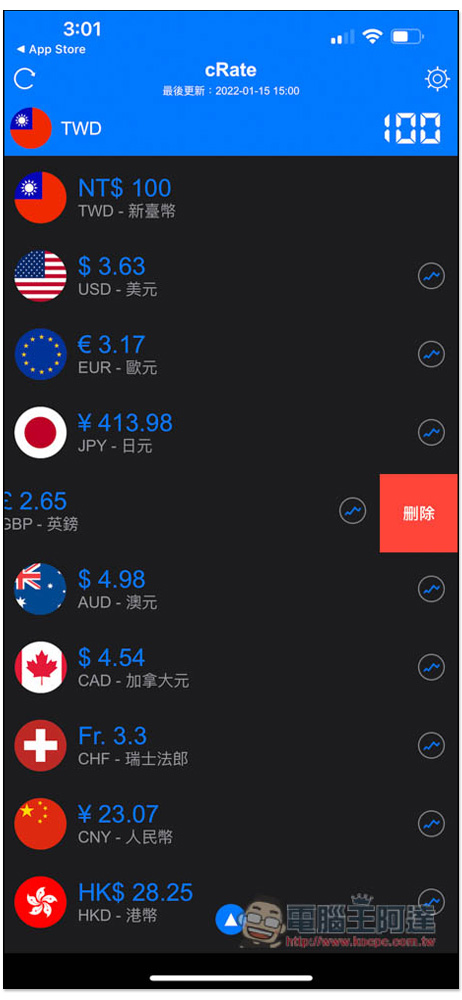
If you feel that there are too many preset currencies and many of them are not used, just swipe left above the currency you want to delete, and the delete function will appear on the right:
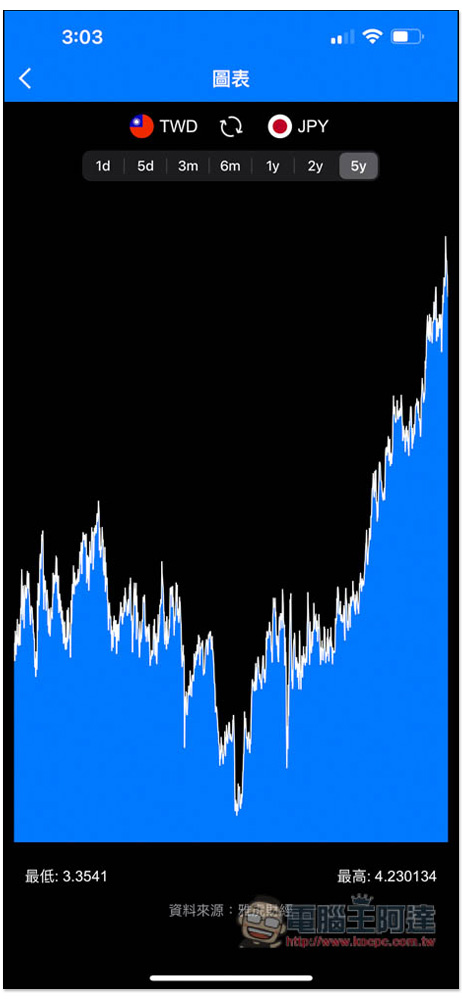
It also provides an exchange rate trend chart, with the longest option being 5 years and the shortest being 1 day. The current Taiwan dollar against the Japanese yen is really at a new low in the past 5 years. Friends who like Japan should take advantage of it. Although you don’t know how much it will fall, you can make up for it slowly. You don’t need to buy more at once. In this way, even if it drops lower in the future, it will still be low on average. Also a reminder, this exchange rate trend data comes from Yahoo! Finance, so compared with banks in Taiwan (such as Bank of Taiwan, Cathay Pacific Bank), there is still a slight gap. The actual trend and exchange rate are still based on the bank you want to exchange:
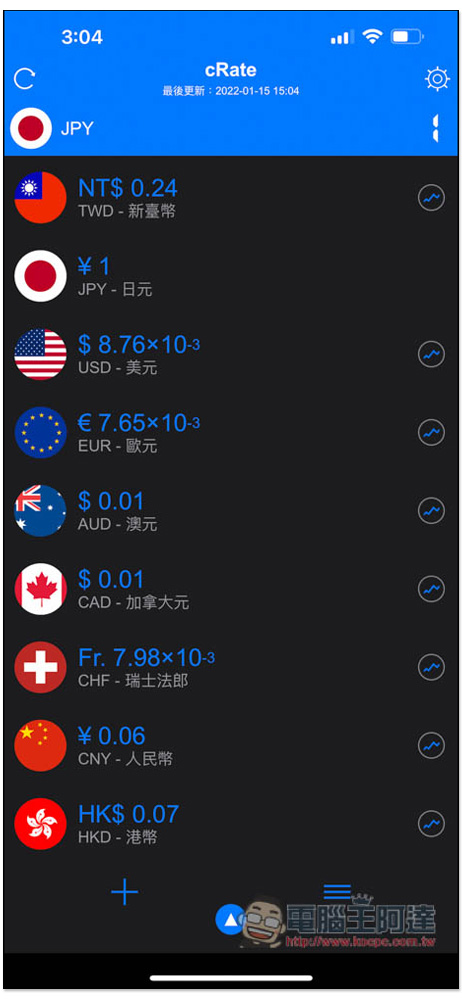
If you want to convert the currency of other countries to Taiwan dollars, just click on the currency you want to convert. For example: I want to know how much the Japanese yen is to Taiwan dollars, then I will first click on the icon to the left of the Japanese yen, and the top will become JPY:
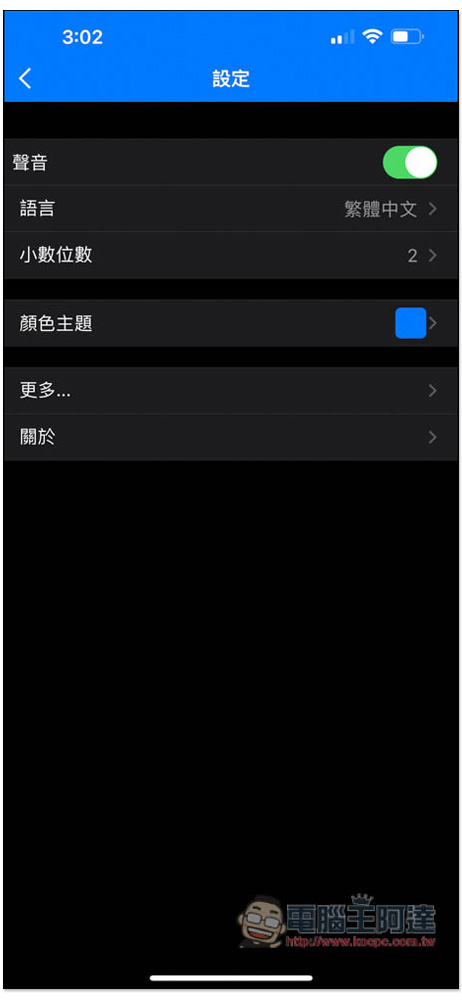
The default conversion decimal point is 2. If you think it is too few or do not want the decimal point, you can modify it by entering the settings. The color theme can also be changed to something else:
This app also provides a free version, so if the limited free version of cRate Pro professional version ends, you can also download the free version. The only difference with the paid version currently seems to be advertisements. The free version will display ads at the bottom, but the paid version does not, so the difference is not significant. However, the paid version may also add more features in the future, so it is not a bad idea to take advantage of this limited time.
The exchange rate part will be updated instantly in the background at any time. You don’t need to press any function keys, but you need to be connected to the Internet. This device can also convert exchange rates in a non-network environment, so when you travel abroad later, you don’t have to worry about not having an Internet connection, you can open it at any time to calculate.
Source: KOCPC Chinese