

• About Us
King of Computer Media
  • Home
  • Tech News
  • AI News
  • Apps & Tutorials
  • Mobile & Telecom
  • Lifestyle
  • About Us
No Result
View All Result
  • Home
  • Tech News
  • AI News
  • Apps & Tutorials
  • Mobile & Telecom
  • Lifestyle
  • About Us
No Result
View All Result
King of Computer Media
No Result
View All Result

Home - Internet and software applications - Clipconverter is a free YouTube download tool that supports online conversion and clip editing functions, including music and video formats.

Clipconverter is a free YouTube download tool that supports online conversion and clip editing functions, including music and video formats.

Rocky by Rocky
January 7, 2022 - Updated on August 4, 2026
in Internet and software applications, Mac OS software sharing and teaching

There are many YouTube download tools on the Internet, but everyone has different needs. For example, you may want to download other formats, only need to specify clips, or want high resolution. The Clipconverter online tool is a good choice. It has all three needs mentioned above, and it is completely free and easy to operate. The only disadvantage is that there are a lot of ads.
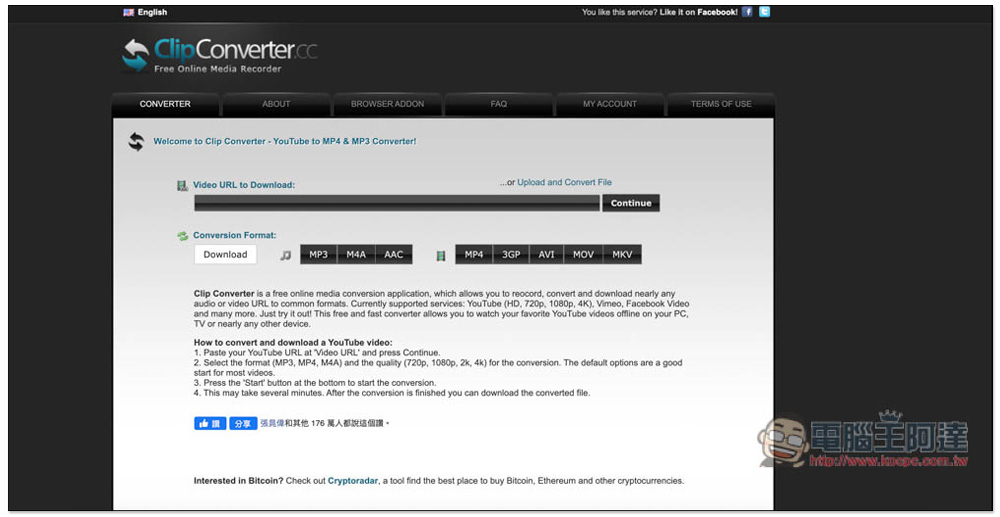
Introduction to Clipconverter, a free YouTube download tool that supports online conversion and clip editing functions

  • Click here to go to Clipconverter

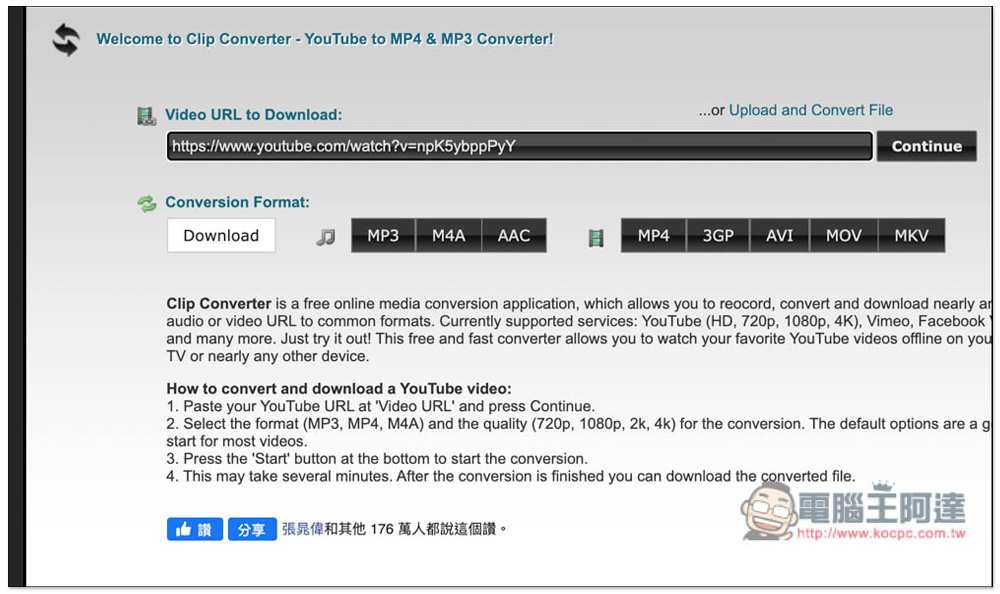
Clipconverter is very simple to use. After entering the website, paste the YouTube URL you want to download and click Continue. Another thing to note is that every time you click on a page or function on this website, a pop-up window will appear, which can be filled directly:
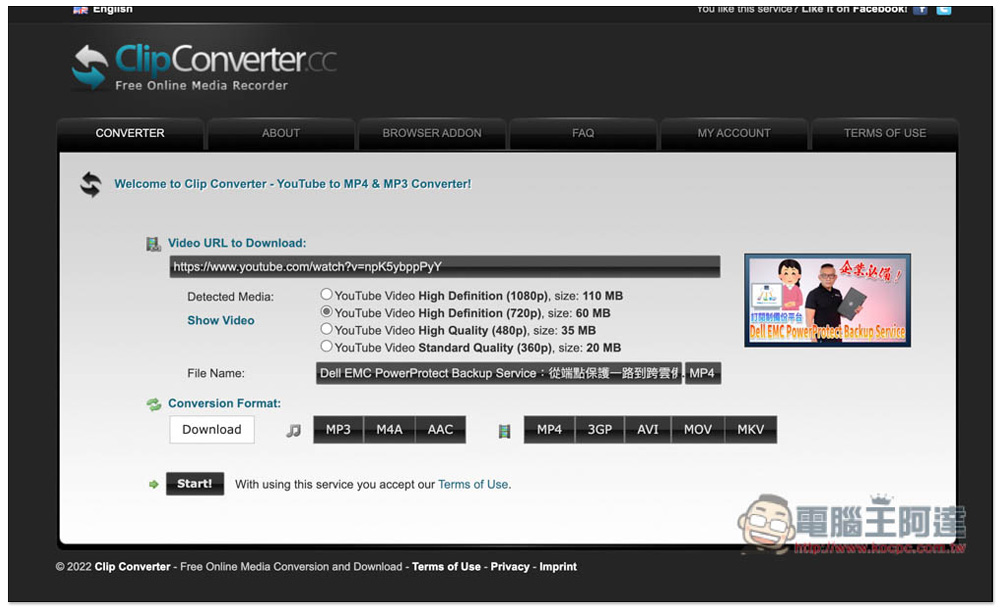
Then the supported resolutions and file sizes will appear below. The highest resolution I tested for this video was only 1080p. In fact, this tool can also download 4K quality. The file name can also be modified, and the default is MP4 format:
If you want to convert to other formats, you can select the format you want in Conversion Format. The video section provides MP4, 3GP, AVI, MOV, and MKV. The music section offers MP3, M4A, AAC, so if you want to download YouTube MP3 music, choose the MP3 format:
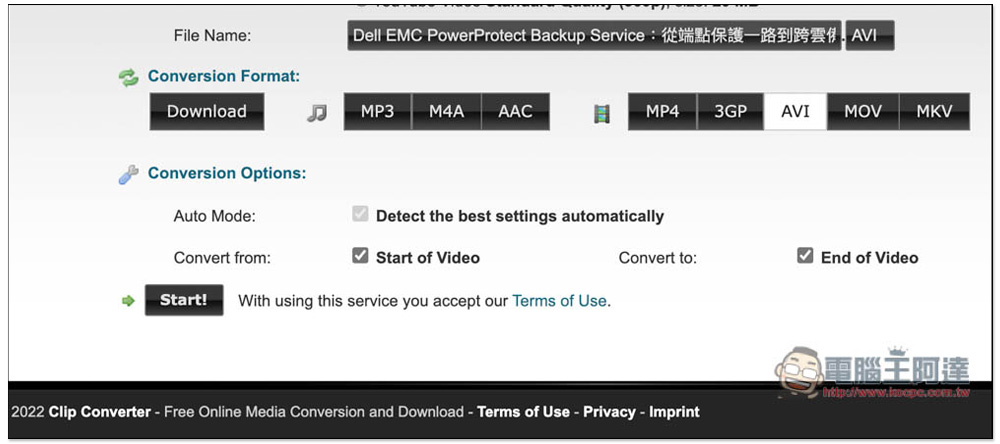
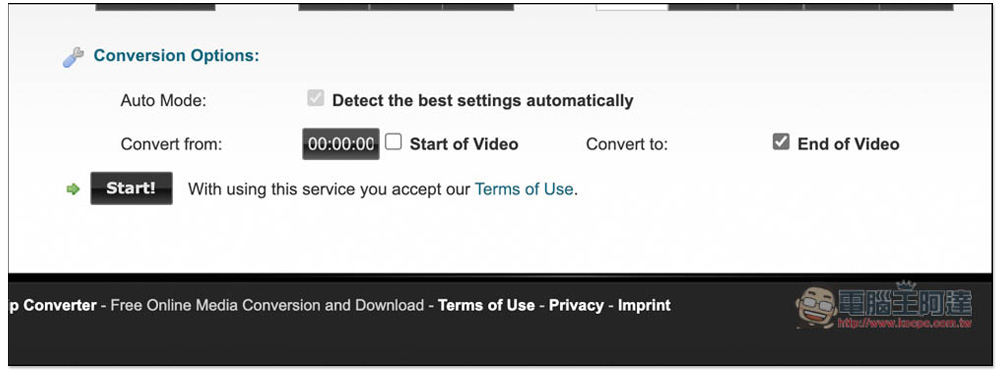
By default, the entire video will be downloaded. If you want to specify a clip, uncheck Star of Video and End of Video so that you can enter the time of the clip you want to download. Once everything is set, press Start!:
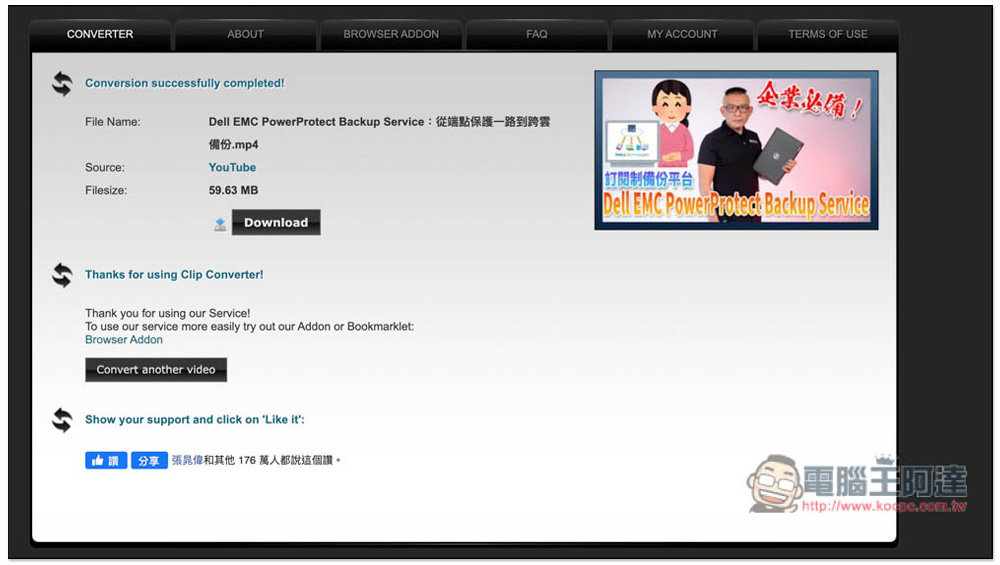
It will jump to the download page. After confirming that it is correct, press Download and the download will start:
This tool is completely free, so you can download as many as you want in a day. In addition, sometimes when downloading YouTube, if a not found or Error error occurs, this is usually temporary. You can try again later, or use other YouTube download tools.

LANDrop 輕鬆實現跨系統無線傳輸資料、照片的免費工具(Windows、Mac、iOS、Android、Linux)

Source: KOCPC Chinese

Tags: YouTubeYouTube downloadYouTube MP3 DownloadYouTube video download

Recent Posts

  • The Xiaomi Pad 8S Pro has passed network access certification and will debut with the self-developed XRING O3 chip.
  • The entire Google Pixel 11 lineup has been leaked! Official promotional renders of the Pixel 11 Pro XL have also surfaced
  • Are Chinese phone battery capacities falsely labeled? A brief look at the “capacity locking” phenomenon in Chinese silicon-carbon batteries.
  • NCC is leaderless, recklessly sending out national-level alert messages!?
  • What does “QR” in QR Code mean?

Recent Comments

No comments to show.
  • About Us

We welcome partnership inquiries and product review opportunities from smartphone manufacturers, iPhone accessory brands, and app developers.koc kocpc.com.tw|Privacy Policy |Hosting & Maintenance: Fast Line Taiwan, A-Chang Digital Technology

No Result
View All Result
  • Home
  • Tech News
  • AI News
  • Apps & Tutorials
  • Mobile & Telecom
  • Lifestyle
  • About Us

We welcome partnership inquiries and product review opportunities from smartphone manufacturers, iPhone accessory brands, and app developers.koc kocpc.com.tw|Privacy Policy |Hosting & Maintenance: Fast Line Taiwan, A-Chang Digital Technology