


Apple Watch is famous for its fitness tracking function, but not everyone can afford to buy one. One of the most outstanding functions of this smart watch is its ability to measure your heart rate, allowing you to view a real-time graph of the current BPM on the small screen, and store it in the “Health” app so that you can later view historical status on your phone. So how to measure without a watch?
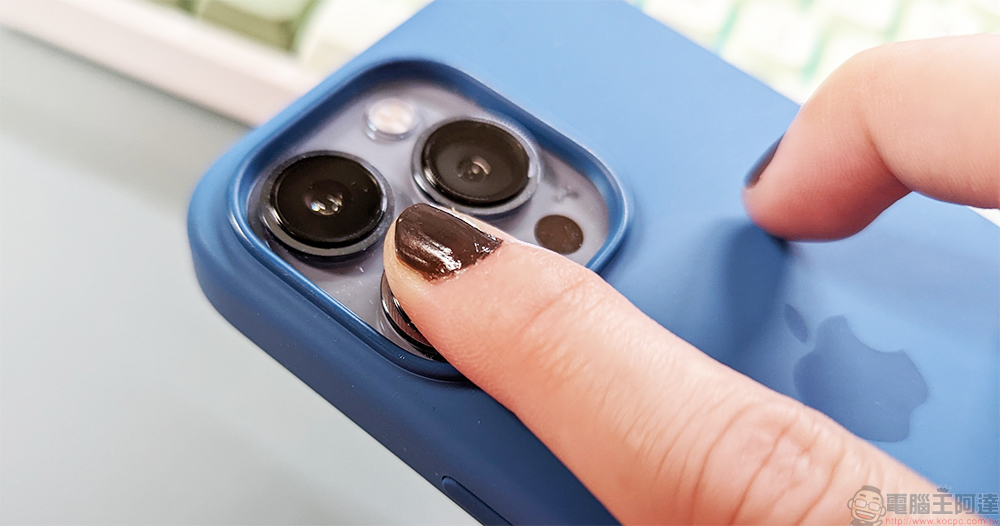
Google Fit lens heart rate measurement function is available on iPhone, how to measure it here
The finger heart rate measurement function in Google Fit has finally been launched on the iOS platform. People who have not paid attention to it in the past must be curious, how can this finger measure heart rate? The heart rate is mainly calculated based on the blood flow in the finger. This time I will tell you how to use the iPhone lens to measure the heart rate.
- Download the “Google Fit” app, install it, open it, and log in to your account.

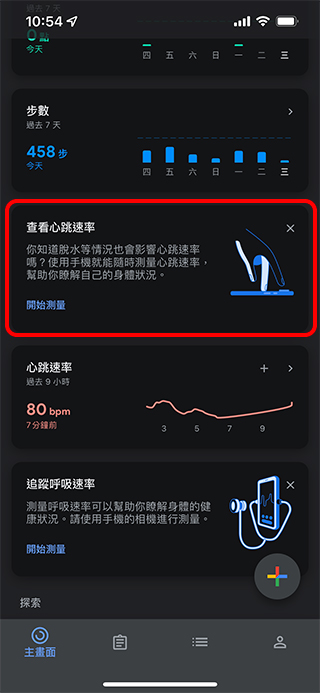
iOS download:Click here - Scroll down on the main screen, find “View Heart Rate” and click “Start Measurement”. If you don’t see the item, completely close the app and then relaunch it.
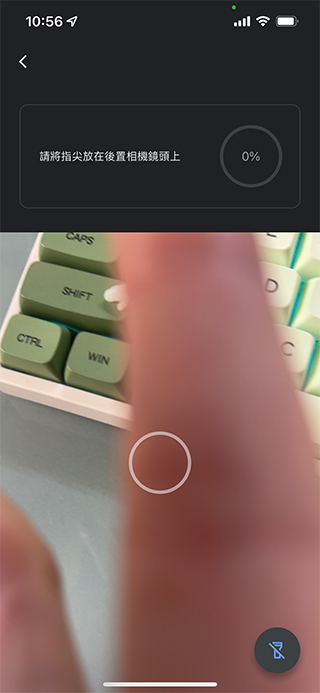
- Now it’s time to start measuring! A preview window for the camera lens will appear on the screen, prompting you to put your fingertips on the rear lens of the phone. As for which one to put, you can know whether the preview window is filled with your fingers. Place your fingers on it, press down gently, and hold still for 30 seconds.
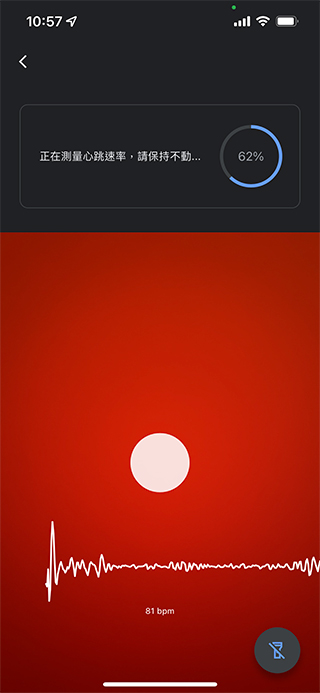
Due to the measurement principle, please make sure there is sufficient light when measuring, otherwise please turn on the flash to help the light transmittance of the finger so that the lens can observe the blood flow. In addition, if you apply dark nail polish on your nails, it will also affect the light transmission and the failure rate will also increase.
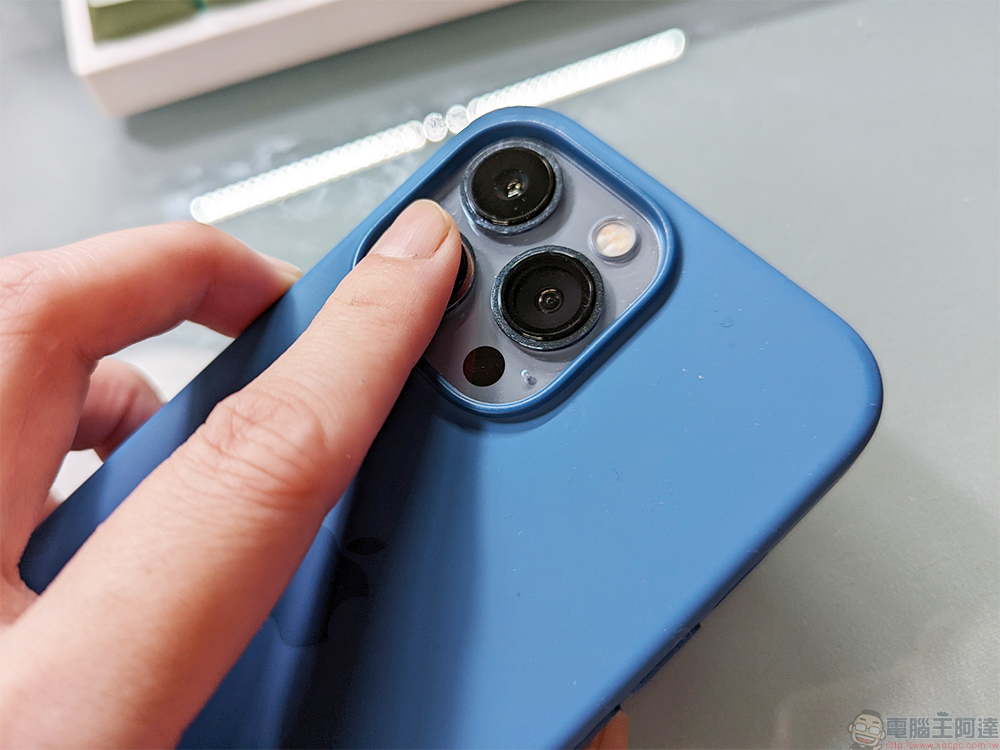
- The measured data can be recorded for future reference.
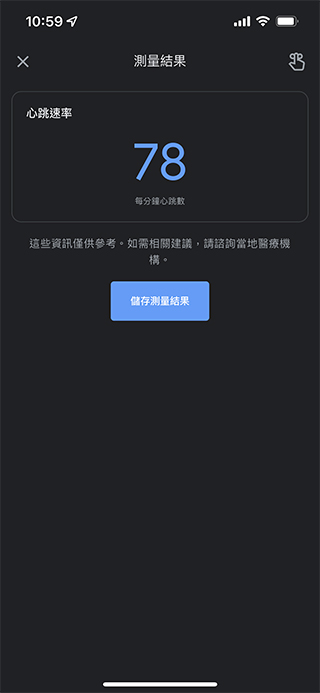
I would like to remind everyone that whether it is a smart watch, a sports bracelet or a lens measurement, these auxiliary methods are not professional and accurate medical-grade equipment after all. These auxiliary tools are designed to allow everyone to observe body changes over a long period of time to detect potential problems early. If you find something wrong from the data or have any doubts, you must seek professional advice from a doctor.
Source: KOCPC Chinese