


Earlier today (15th), LINE announced the release of Android 11.21.0 and iOS 11.22.0 version updates for the dual-system mobile version. This update not only fixes the message delay problem reported by recent users, but also optimizes many application functions. These include a new “Select and Copy” option in the chat room’s long-press menu, which allows users to select and copy text paragraphs in the dialog box according to their needs, and there is also a super cute little birthday hat icon for the birthday girl on that day.

▲Picture source:LINE Taiwan official BLOG
LINE 11.21.0 & 11.22.0 version update released: chat room long press menu adds “Select and Copy”, birthday hat and many other updates
Earlier, LINE officially announced the release of LINE. Android 11.21.0 and LINE iOS 11.22.0 version updates. The highlights of this application update are summarized below.
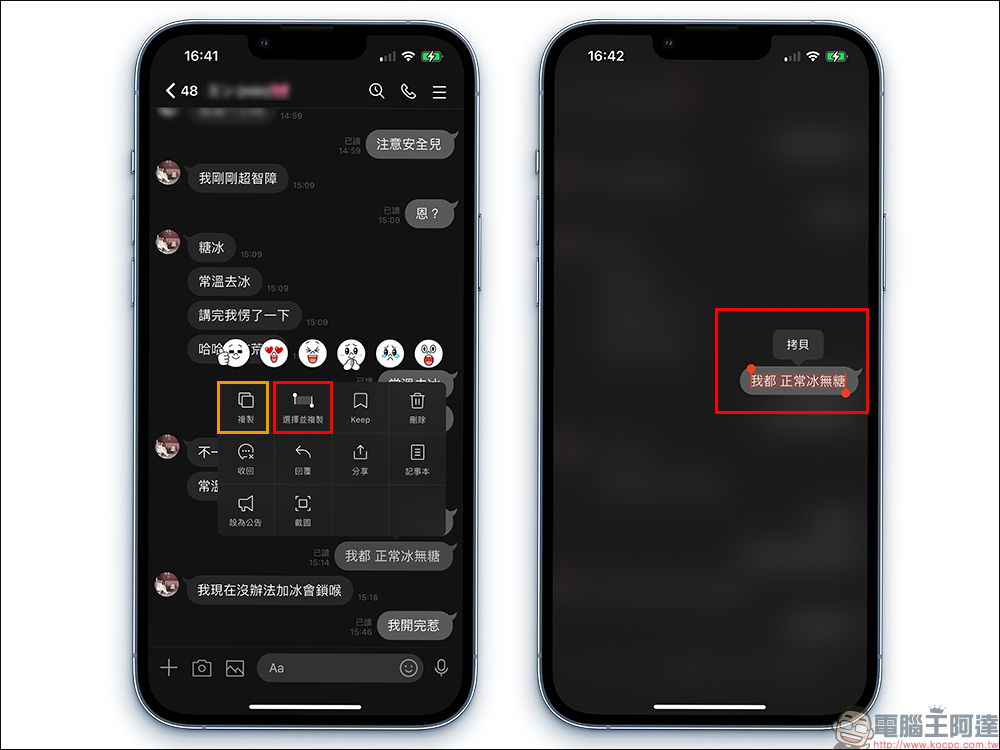
Long press menu in chat room adds “Select and Copy”
A few times ago, LINE was updated to allow users to quickly select and copy text paragraphs in dialog boxes. Considering that some users may want to directly copy the entire dialog box during use, in this update, “Copy” and “Select and Copy” in the long-press menu of the chat room are separated. If the user wants to quickly copy all the text in the dialog box with one click, just click “Copy”; if the user wants to copy part of the text in the dialog box, click “Select and Copy”.
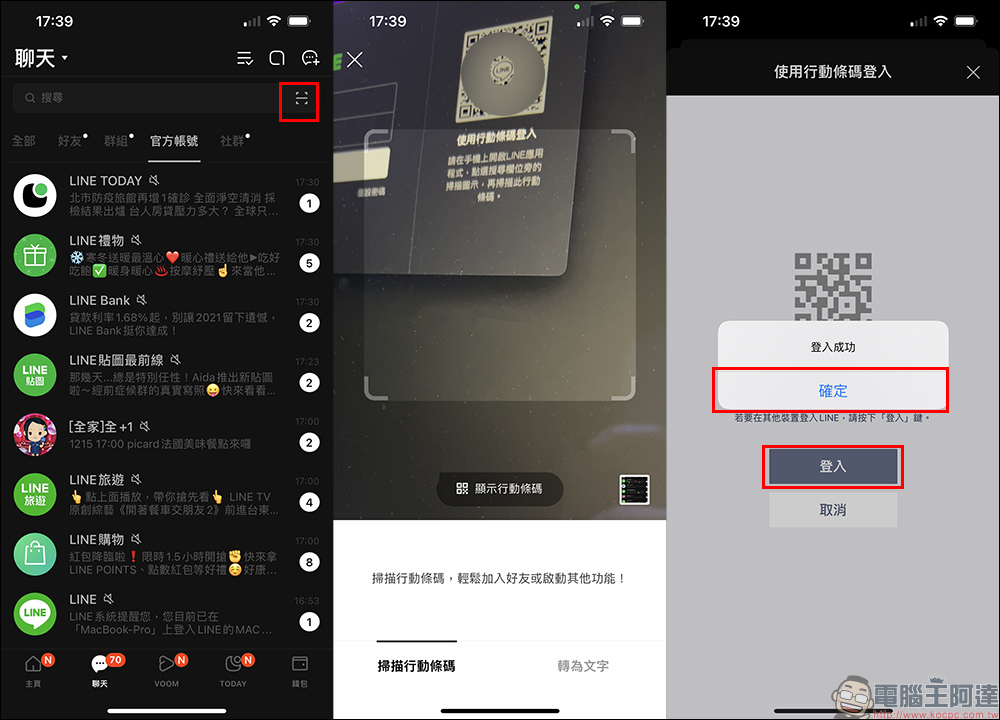
To log in to other devices using QR Code, you need to use the LINE code scanning function
When users log in to LINE using the computer version of LINE or tablet, they can choose to log in directly by scanning the QR Code with their mobile phone. However, please pay special attention to the fact that after this update, in order to protect the security of users’ personal information, they need to use the LINE QR code scanning function to log in successfully.
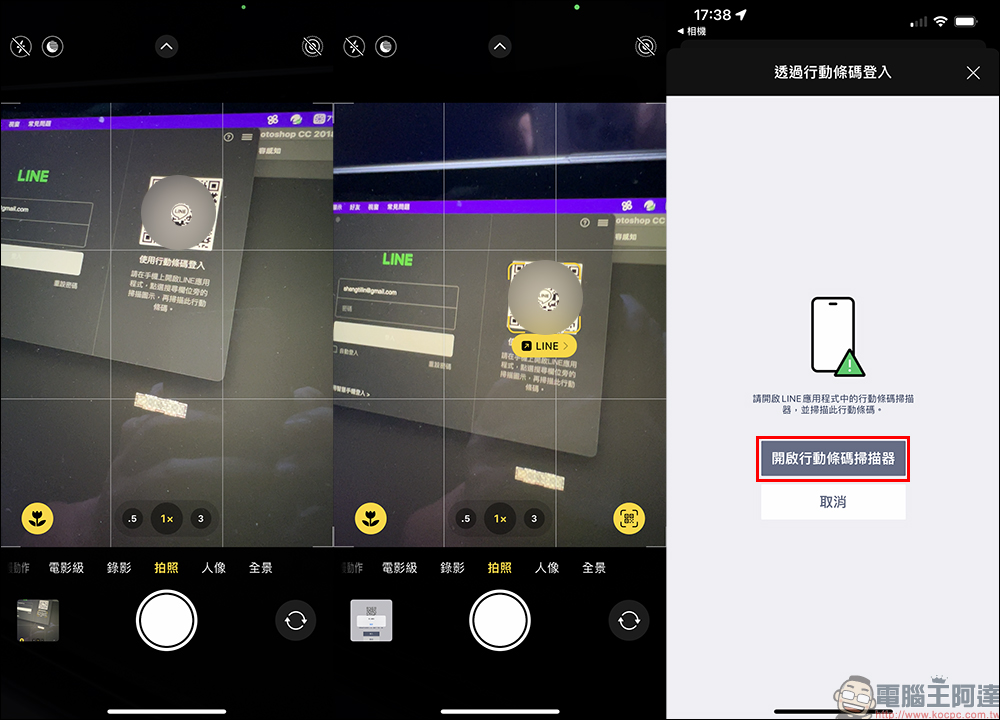
If you use a third-party QR Code scanning app such as the phone’s built-in camera to open the link, the “Log in via mobile barcode” guidance window for opening the mobile barcode scanner will be displayed.
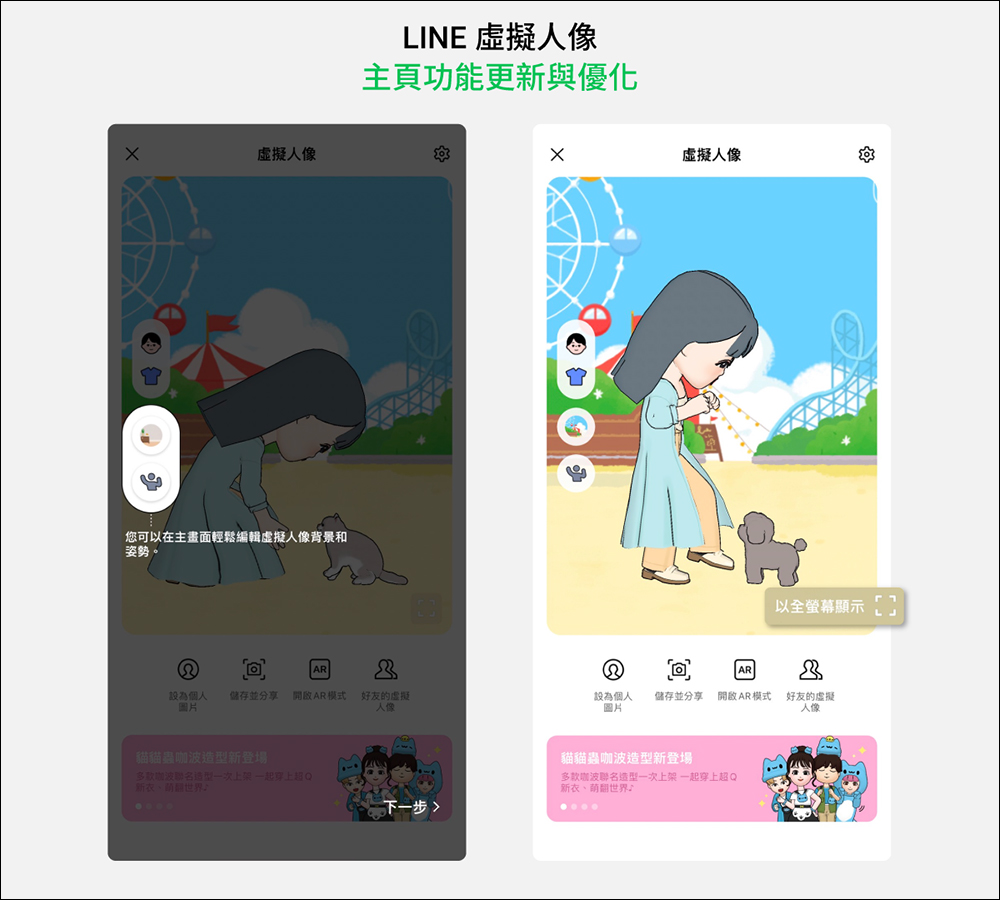
New and optimized functions of virtual portrait home page
This LINE update also optimizes many avatar functions. In addition to the new “Save and Share” function on the home page, the “zoom in mode” in the lower right corner can be swiped left or right to manage all created avatars.
▲Picture source:LINE Taiwan official BLOG
Swipe left and right in the chat room to preview and automatically recommend stickers
When using “Preview Stickers” and “Show Suggested Stickers” during LINE chat, the system will automatically suggest suitable stickers or emoticons based on the text entered by the user. For the stickers section, you can also swipe left or right to browse more suggested stickers after the update!
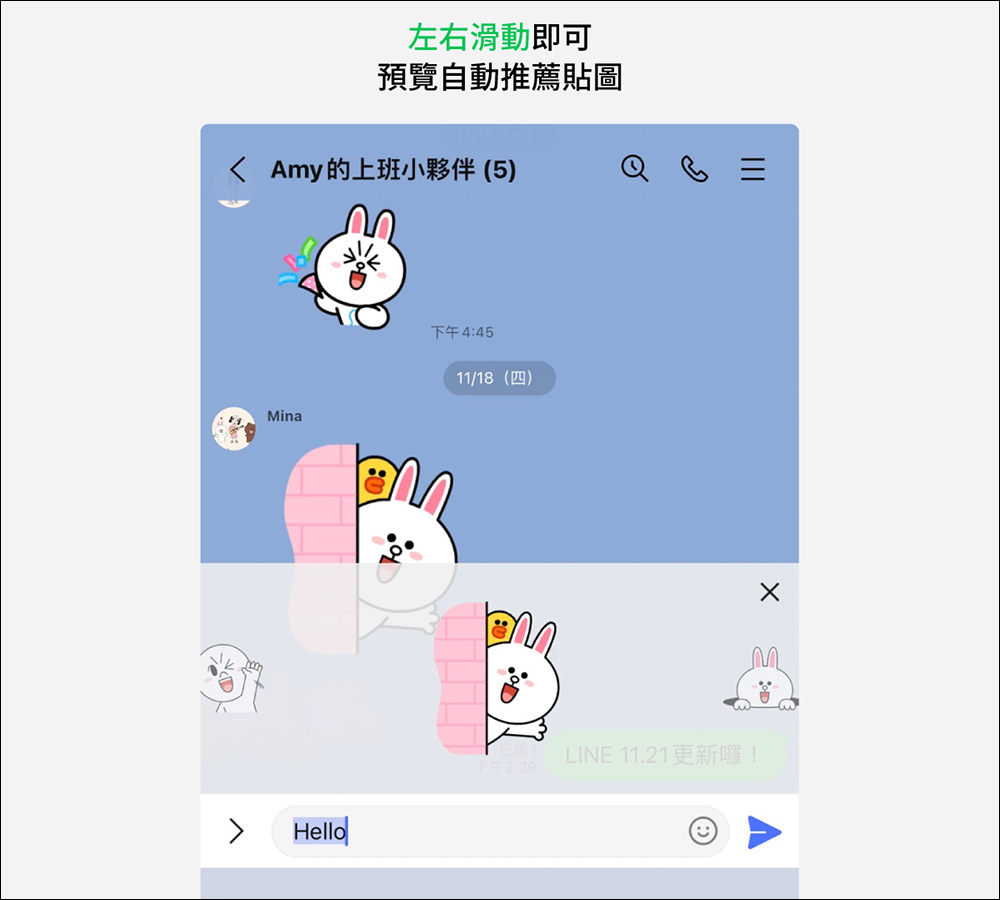
▲Picture source:LINE Taiwan official BLOG
Exclusive “birthday hat” icon for the birthday friend of the day
The LINE homepage will display a list of friends with recent birthdays, so that everyone will not miss out on sending blessings to their friends on their birthdays. After the update, friends who have a birthday on that day and have a public birthday date will see an exclusive birthday hat icon on the photo of the chat page.

▲Picture source:LINE Taiwan official BLOG
Message delay issue fixed
Finally, in response to recent reports from some users of LINE message delays, LINE officials earlier stated that this problem has been fixed for both Android and iOS versions. You can also continue to observe and try it after the update. If this problem still occurs, you can also use the customer service form and official reply to the usage situation.
Source:LINE Taiwan official BLOG
Further reading:
LINE free sticker collection: 26 super cute stickers for free download for a limited time


Source: KOCPC Chinese