


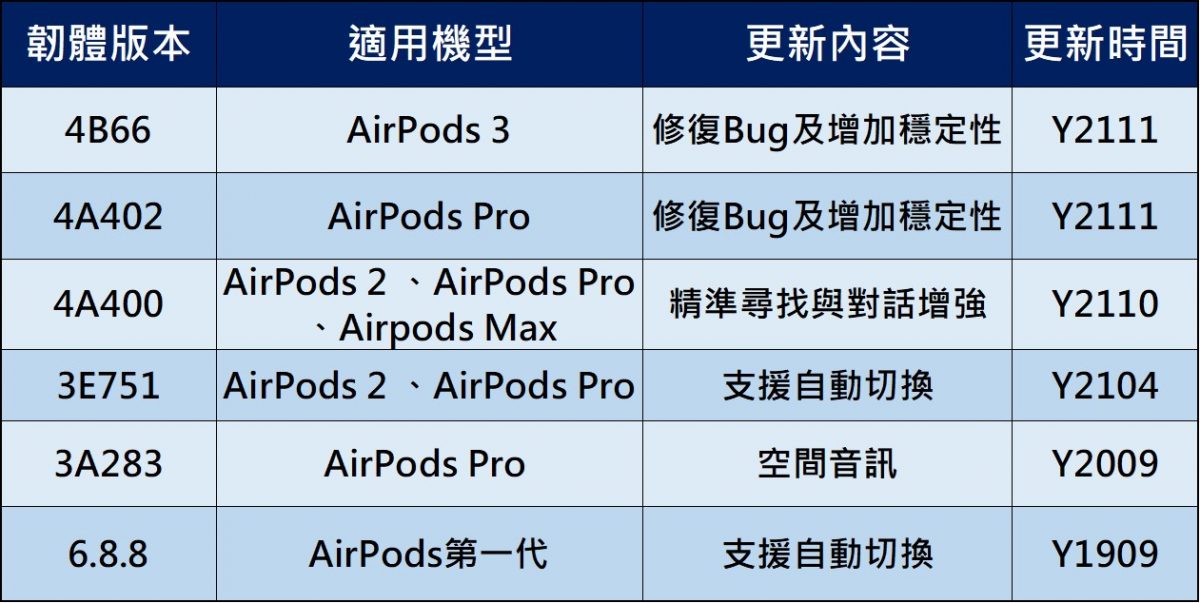
APPLE released the latest version of AirPods firmware on 2021/11/17, including “4A402” for AirPods Pro and “4B66” for AirPods 3. This updateThe official content of the update has not been announced. According to foreign media reports, this update does not add new features, but mainly fixes bugs and increases stability.
What firmware versions have been updated recently for AirPods? What are the latest firmware versions of each generation of AirPods? How to update the AirPods firmware? The following is a summary and explanation:

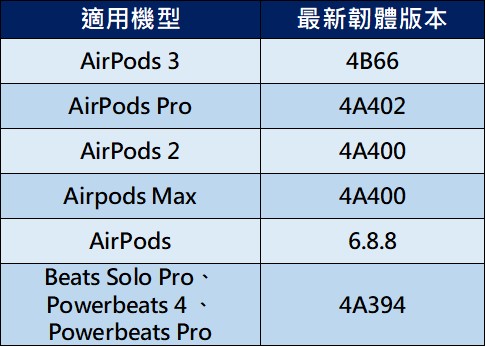
2. The latest firmware versions of AirPods of all generations:
Since Apple officially launched the first-generation AirPods true wireless Bluetooth headset in December 2016, it has been deeply loved by Apple fans and swept the entire true wireless Bluetooth headset market. It has successively launched AirPods 2, AirPod Pro, AirPods Max, and AirPod 3.
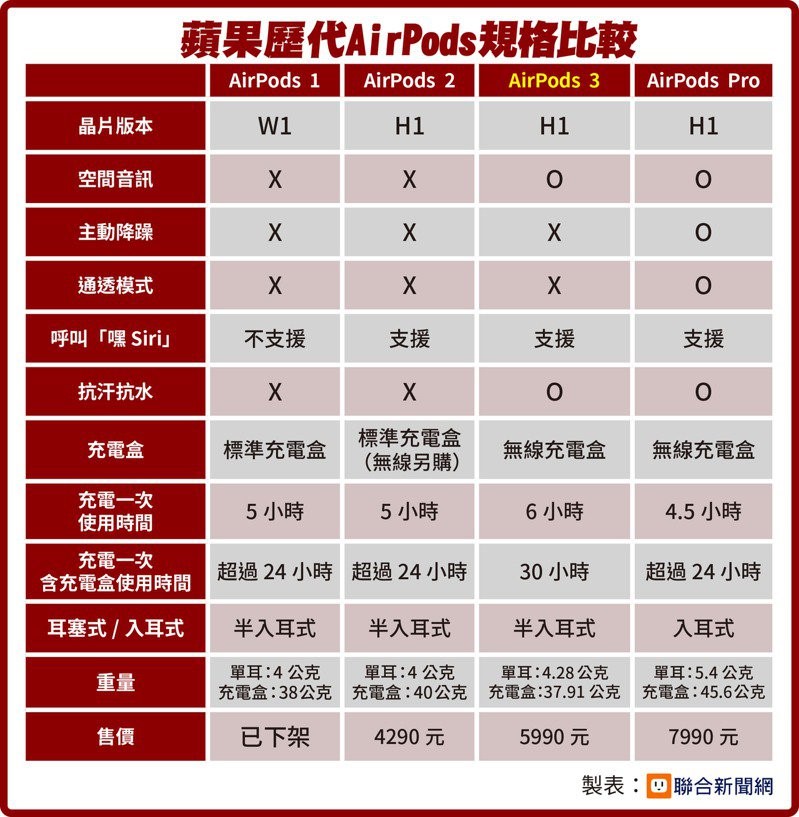
Image source: United News Network
Compared with other brands of Bluetooth headsets, which usually have one firmware version, Apple will update the firmware of the AirPods series products from time to time along with the iOS version. The following is the latest firmware update version information.
The following is the latest firmware version code of the AirPods series products of previous generations:
2. How to check the AirPods firmware version:
A. View in iPhone “Bluetooth”:
a. Open “Settings” > “Bluetooth” and click the “i” on the right side of AirPods.
b. You can view the current firmware version of AirPods in the “Version” field.
B. View in “About This Mac”:
a. Click “Settings” > “General” > “About this Mac”
b. Click on the “AirPods for XXX” option on the page to view the “Firmware Version” and “Hardware Version”.
3. How to update AirPods version:
A. Connect AirPods to iPhone/iPhone
B. Place the left and right earphones of AirPods into the AirPods charging box
C. Connect the AirPods charging box to a power source (either Lightning wired charging or wireless charging) for charging, and it will automatically update.
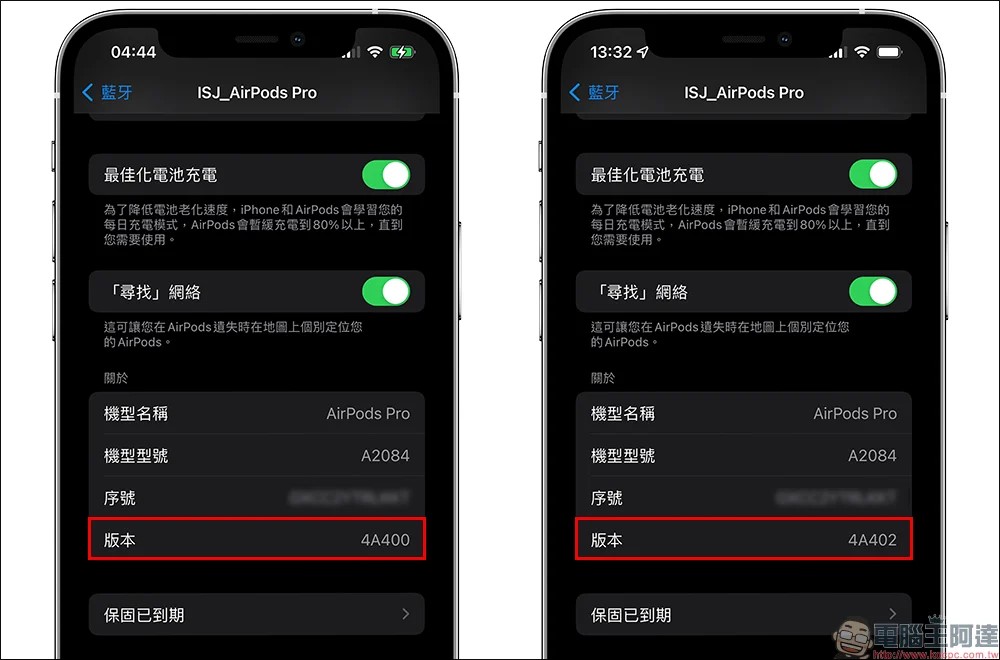
Image source: Computer King Ada
Source: KOCPC Chinese